How to See Like a Nature Artist with Virginia Greene
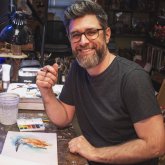
Learn to draw nature! This class, led by a biologist & park ranger, helps you capture the beauty around you. Unleash your inner artist!
$ Need a web app, AI feature or SaaS built? Hire the devs behind TutorialSearch.io — start a project
Explore digital art creation with Procreate! This topic covers fundamental drawing techniques, brush customization, layer management, and painting workflows within the Procreate app. Learn to create illustrations, sketches, and polished artwork. Suitable for all skill levels, from novice to experienced digital artists.
Learn to draw nature! This class, led by a biologist & park ranger, helps you capture the beauty around you. Unleash your inner artist!
Level up your digital watercolor skills! This intermediate course helps you move beyond the basics and create stunning artwork.
Learn pastel drawing: create a realistic home portrait step-by-step. Easy techniques for beautiful results! Perfect for beginners.
Learn digital painting on iPad! Create a realistic cat portrait with Procreate. Easy techniques for beginners. Unleash your artistic skills today!
Elevate your lettering! Learn techniques to add depth, personality, and dimension to your designs. Perfect for artists and crafters.
Learn digital coloring with Procreate! This relaxed class explores the magic of coloring on your iPad. Perfect for beginners to create beautiful artwork.
Learn Procreate portrait art! Create stunning, layered digital paintings with analog elements. Explore exciting techniques for visually complex artwork.
Learn Procreate! Create beautiful colored pencil illustrations in your digital art. Perfect for beginners. Mini class.
Master portrait drawing with a single brush! Easy techniques for beautiful results. Learn digital art skills today.
Master drawing techniques! This course teaches essential skills for artists of all levels. Improve your drawing abilities today.
Learn to draw amazing fantasy art! This class teaches you how to find inspiration and develop your skills. Perfect for beginners to intermediate artists.
Learn digital painting with Procreate! Create beautiful portraits of girls using essential techniques. Perfect for aspiring artists.
We built this site — full-stack web apps, AI integration & automation. Tell us what you need and we'll build yours.
Explore more topics related to Procreate Drawing.
Discover how to craft custom brushes within Procreate! This tutorial guides you through the process of designing unique Leaf, Petal, and Stem brushes. Learn to manipulate shapes, textures, and settings to create personalized tools for your digital art. Enhance your Procreate workflow and artistic expression.
Unlock the full potential of Procreate! This topic covers advanced painting techniques, blending modes, color theory, and creating realistic textures. Learn to build layers effectively, utilize brushes for diverse effects, and achieve professional-level results. Ideal for digital artists seeking creative expression.
Explore essential illustration techniques for creating visually compelling garden designs. This course covers line work, shading, perspective, and composition specifically tailored for garden planning illustrations. Learn to effectively communicate spatial relationships and design elements through accurate and attractive visuals. Develop skills for clear and professional garden plan presentations.
Explore watercolor techniques for creating illustrative artwork. This topic covers composition, color mixing, and brush control specifically for illustration. Learn to develop a unique style through practical exercises and creative prompts. Ideal for artists looking to enhance their illustrative skills and visual storytelling.
Explore the exciting world of mixed media art! This topic covers techniques for combining various materials like paint, drawing, and collage to create unique and expressive pieces. Learn to build depth, texture, and visual interest in your artwork. Perfect for beginners and experienced artists alike.
Explore advanced Photoshop skills to enhance your visual creations. This topic covers techniques like layer manipulation, masking, retouching, and color correction. Learn to refine images, create complex compositions, and achieve professional-level results. Elevate your image editing workflow and unlock creative potential.
Explore new avenues for artistic output! This topic focuses on fostering a joyful and effortless creative process. Discover techniques to unlock your inner artist, overcome creative blocks, and find your unique flow state. Learn to approach art with ease and embrace experimentation. This is about the *how* of creating, not the *what*.
Explore diverse watercolor techniques! This topic covers loose watercolor styles, washes, and painting techniques for creating branches, berries, and other subjects. Learn to control water flow, build layers, and achieve beautiful effects. Suitable for all skill levels, this is a great way to improve your watercolor skills.
An iPad is essential for Procreate Drawing, with Apple Pencil compatibility being crucial for a natural drawing experience. Consider iPad Pro or Air models for optimal performance and display quality, balancing features with your budget.
Yes, Procreate Drawing is highly accessible for beginners due to its intuitive interface and vast range of user-friendly tools. It provides a simplified digital art environment, making it easy to learn fundamental drawing and painting techniques.
Procreate Drawing differs from Photoshop by focusing on illustration and painting with a streamlined interface, while Photoshop is a more comprehensive image editing software. Procreate excels in sketching and digital painting, whereas Photoshop offers advanced photo manipulation capabilities.
Popular Procreate Drawing brushes include those mimicking traditional media like pencils, watercolors, and oils. Many free and paid brush sets exist, catering to various artistic styles, from realistic to stylized illustration.
Procreate Drawing supports basic animation through its frame-by-frame animation feature. While not as robust as dedicated animation software, it's suitable for creating simple animated loops and short clips for social media or personal projects.