Learn by Doing : Adobe Photoshop for Beginners
Learn Adobe Photoshop CC fundamentals! This beginner course uses practice & exercises to master essential Photoshop skills. Start creating today!
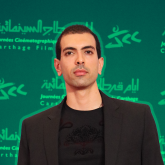
Course Content
Learn by Doing : Adobe Photoshop for Beginners is a beginner-level Skillshare course taught by Emir Haj Salah. It runs 4h 22m, is taught in English, and includes a certificate of completion. Learners rate it 5.0 out of 5 from 4 reviews, with 215 students enrolled. It is a paid course, first published November 2021.
Unlock Your Creative Potential: A Complete Adobe Photoshop CC Course for Beginners
Ready to master Adobe Photoshop CC? This comprehensive course is designed specifically for beginners with no prior experience needed. We'll take a hands-on, learn-by-doing approach to build a solid foundation in Photoshop fundamentals. Forget passive learning – this course emphasizes practical application through exercises.
What you'll learn:
- Photoshop App Exploration: Get comfortable navigating the interface and understanding the workspace.
- Essential Tools & Techniques: Dive deep into core Photoshop tools and features.
- Layer Mastery: Learn how to effectively utilize layers for complex editing.
- Precision Selection: Master selection tools for targeted adjustments.
- Powerful Retouching: Discover techniques for flawless retouching and image enhancement.
- Creative Text Effects: Learn to add and manipulate text with professional results.
- Brush Techniques: Explore the versatility of brushes for painting and effects.
- Masking Magic: Understand and apply masking for non-destructive editing.
- Animation Basics: Introduce yourself to the fundamentals of Photoshop animation.
Our structured curriculum starts with simple exercises and progressively increases in complexity. Each exercise introduces a new Photoshop tool or technique, ensuring a gradual and effective learning curve.
In the final section, we'll explore advanced Photoshop techniques used by professional graphic designers and retouchers.
Important: The key to success in this course is consistent practice. Simply watching won't suffice. Dedicate yourself to completing the exercises, and you'll be amazed at how quickly you progress.
My Promise to You: If you actively participate and complete all the exercises, you'll gain a strong understanding of Photoshop basics and be able to confidently use the software. With continued practice, you can develop into a Photoshop expert and even pursue a career in graphic design or photo editing.
Please note: Adobe Photoshop "PS" Logo is a registered trademark of Adobe in the United States and/or other countries.
Hire the developers behind TutorialSearch.io
We built this site — full-stack web apps, AI integration & automation. Tell us what you need and we'll build yours.