How to Paint Realistic Portraits With Accurate Likeness Using The Grid Method
Learn digital portrait painting! Master realistic & expressive portraits. Perfect for aspiring artists. Develop your skills & create stunning artwork.
Course Content
How to Paint Realistic Portraits With Accurate Likeness Using The Grid Method is a beginner-level Skillshare course taught by James Ssekamatte. It runs 24m, is taught in English, and includes a certificate of completion. 20 students have enrolled. It is a paid course, first published May 2022.
Do you aspire to create realistic digital portraits with expressive flair? This course is designed for you! Many artists find painting realism intimidating, feeling overwhelmed by the technical aspects. Perhaps you lack the time, have never drawn before but feel a strong desire to start, are hesitant due to perceived skill limitations, struggle with patience, or question the value of digital painting when photos exist. You're not alone – these are common hurdles!
Consider this course a foundational step towards mastering art design and applying that knowledge to confidently control your artistic decisions. We'll guide you through:
- Building Form with the Grid Method: Master the fundamentals of creating convincingly realistic portraits by understanding and applying the grid method for accurate form construction.
- Digital Painting Materials: Learn to select digital paints effectively to achieve harmonious and visually appealing artwork.
- Creating the Illusion of Form: Discover techniques to paint in a way that generates depth and dimension, leading to more compelling and interesting artwork.
- Design Principles for Realistic Painting: Explore core design principles alongside painting techniques to demystify the process of realistic art.
- Proportionality in Portraiture: Develop a strong understanding of proportionality to achieve accurate and lifelike likenesses in your digital portraits.
- Overcome Artistic Fears: Eliminate anxieties about tackling realistic digital art and gain the confidence to paint your own subjects for personal or professional projects.
Who is this course for? This course is ideal for digital artists of all levels who want to learn realistic portrait painting using design principles. While beginner-friendly, some familiarity with art fundamentals is beneficial. Proficiency with Photoshop or a similar digital art software is required.
What you'll need: A computer with Adobe Photoshop or an equivalent digital painting software.
Course Goal: Understand the crucial role of design in achieving realistic painting. We'll explore how thoughtful design decisions elevate art, making it both engaging and distinct while remaining true to the reference.
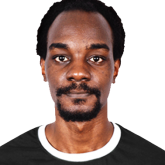
Reference Image: [Reference image used] (Follow along with the provided reference.)
Brushes: [Link to brushes]
Let's begin your journey to creating stunning digital portraits!
[List of marks used, with 'Adobe' first, followed by other Adobe marks used, in alphabetical order] are either registered trademarks or trademarks of Adobe in the United States and/or other countries.
Music: [Link to royalty-free music]
Hire the developers behind TutorialSearch.io
We built this site — full-stack web apps, AI integration & automation. Tell us what you need and we'll build yours.