Digitally Colouring Your Drawings in Procreate
Learn digital coloring for your pencil and ink drawings! Bring your traditional art to life with digital techniques. Perfect for illustrators and artists.
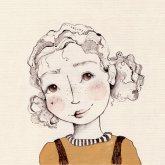
Course Content
Digitally Colouring Your Drawings in Procreate is an all-levels Skillshare course taught by Julia Ulferts. It runs 1h 19m, is taught in English, and includes a certificate of completion. Learners rate it 4.0 out of 5 from 1 review, with 145 students enrolled. It is a paid course, first published October 2024.
Unlock the Power of Digital Color for Your Traditional Drawings!
Are you a passionate pencil and ink artist dreaming of adding vibrant color to your illustrations? This course is designed specifically for you! Learn how to seamlessly blend your beloved traditional drawing style with the exciting world of digital painting.
I've developed a unique method that preserves the integrity of your original artwork while allowing you to experiment with endless color possibilities. No more worrying about ruining your hard work – explore diverse color schemes risk-free!
In this comprehensive class, you'll master these essential techniques:
- Scanning & Importing: Learn the quickest and easiest way to scan your pencil or ink drawings and import them into Procreate.
- Adding Color with Blending Modes: Discover how to instantly add pops of color using Procreate's powerful blending modes.
- Background Removal: Effortlessly remove the paper background using the selection tool or layer masks.
- Brush Techniques: Master coloring your drawings with Procreate brushes and selections for precise control.
- Texture Enhancement: Add depth and realism with stamps and paper texture PNGs.
- Highlights & Shadows: Create dimension with clipping masks and a variety of stamps and brushes.
Bonus Resources:
The resources section is packed with helpful materials to accelerate your learning:
- A high-resolution scan of my example drawing for practice.
- A custom brush set designed for this course.
- The color palette I used for my bunny girl illustration.
- A scanned paper texture PNG.
I'll be using the "Quick Menu" in Procreate to access my brushes. Want to learn how to set it up? Setting up your "Quick Menu".
Enhance Your Art with Alcohol Ink Stamps:
If you're interested in adding unique textures to your Procreate artwork, check out my alcohol ink stamps on Superpeer: Alcohol Ink Stamps.
I can't wait to see your colorful creations!
Love, Julia P.S.
Hire the developers behind TutorialSearch.io
We built this site — full-stack web apps, AI integration & automation. Tell us what you need and we'll build yours.