AI-Powered Portrait Editing: Quick and Easy Tools in Lightroom Classic
Enhance portraits with AI in Adobe Lightroom! Learn quick & efficient photo editing techniques. Perfect for beginners to advanced users.
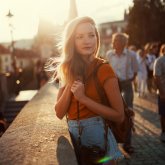
Course Content
AI-Powered Portrait Editing: Quick and Easy Tools in Lightroom Classic is an all-levels Skillshare course taught by Klara Zamourilova. It runs 8m, is taught in English, and includes a certificate of completion. Learners rate it 4.7 out of 5 from 3 reviews, with 100 students enrolled. It is a paid course, first published December 2024.
Unlock Stunning Portrait Edits with Adobe Lightroom AI
Learn to dramatically improve your portrait photography with the latest AI tools in Adobe Lightroom. This course is designed to help photographers of all levels, from beginners to professionals, achieve professional-quality results faster than ever before. Discover how to streamline your portrait editing workflow and create captivating images with minimal effort.
What You Will Learn:
- AI People Masking: Master the powerful AI People Masking Tool to precisely enhance skin tones, refine eyes, and perfect hair details. Achieve flawless portraits with ease.
- Background Adjustments with Select Subject: Effortlessly isolate your subject and adjust backgrounds to create stunning depth and make your portraits truly pop. Utilize the Select Subject feature for quick and accurate subject isolation.
- AI Denoise for Enhanced Image Quality: Reduce noise and graininess in low-light portraits using AI Denoise. Improve image clarity and detail, even in challenging lighting conditions.
- Creative Lighting with Gradient Masks & AI Refinement: Add professional lighting effects to your portraits using Gradient Masks and AI Refinement. Experiment with light and shadow to create mood and atmosphere.
Why Choose This Portrait Editing Course?
Portrait editing doesn't have to be a daunting task. Lightroom's AI-powered features simplify complex edits, allowing you to achieve incredible results quickly. Whether you're new to Lightroom or a seasoned pro looking to boost your efficiency, this course provides valuable skills to elevate your portrait photography. Learn to speed up your editing process without sacrificing quality.
Who Should Take This Class?
This class is perfect for:
- Photographers looking to enhance their portrait editing skills.
- Content Creators who need to quickly and effectively edit portraits for social media and marketing.
- Anyone interested in learning how to edit portraits in Adobe Lightroom.
No prior advanced experience is required. Basic familiarity with Adobe Lightroom Classic is helpful, but not mandatory.
Materials & Resources:
- Adobe Lightroom Classic (latest version recommended)
- A portrait photo for editing (a sample image is available in the Class Resources).
- Access to the Class Project section to share your finished work and receive valuable feedback from instructors and fellow students!
Hire the developers behind TutorialSearch.io
We built this site — full-stack web apps, AI integration & automation. Tell us what you need and we'll build yours.