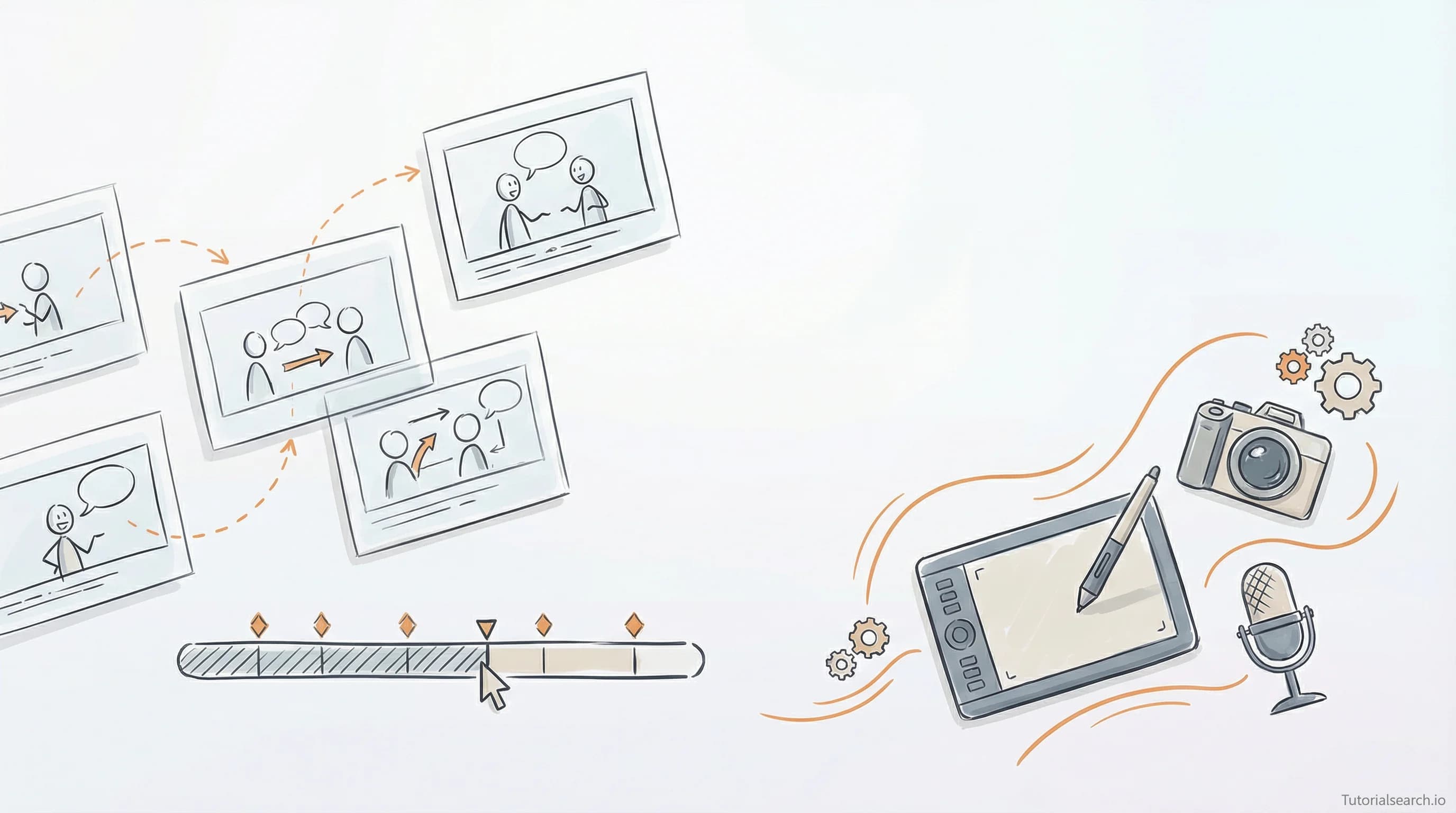
Whiteboard Animation from Script to Screen: A Complete Master Guide
Master whiteboard animation from concept to finished video. Learn software options, proven techniques, monetization paths, and step-by-step production workflows that turn complex ideas into engaging visuals.
Hire the developers behind TutorialSearch.io
We built this site — full-stack web apps, AI integration & automation. Tell us what you need and we'll build yours.
The Hand-Drawn Revolution: Master Whiteboard Animation from Script to Screen
Whiteboard animation has quietly become one of the most powerful tools for explaining complex ideas. Whether you're launching a product, teaching a concept, or trying to break through the noise on social media, whiteboard animation delivers results that other formats can't match.
This isn't just a trend. Companies spend serious money on these videos because they work. The average explainer video increases conversion rates by 80%, and whiteboard animations account for a significant portion of that success.
Key Takeaways
- Whiteboard animation combines visual simplicity with engaging storytelling to make complex concepts instantly understandable
- VideoScribe, Doodly, and Vyond dominate the market, each excelling at different skill levels and project types
- Professional whiteboard animations require strong scriptwriting, careful pacing (1-4 minutes), and synchronized voiceover narration
- The hand-drawn aesthetic adds authenticity and keeps viewers psychologically engaged throughout the entire video
- Learning whiteboard animation skills opens multiple income streams: freelance work, YouTube channels, and corporate training content
Table of Contents
- Why Whiteboard Animation Works in Whiteboard Animation
- Core Software for Whiteboard Animation Creation
- The Science Behind Effective Whiteboard Animation
- Step-by-Step Process for Whiteboard Animation Production
- Professional Techniques in Whiteboard Animation
- Common Mistakes in Whiteboard Animation Projects
- Building Your Whiteboard Animation Skills
- Monetizing Your Whiteboard Animation Expertise
- Advanced Tips for Whiteboard Animation Content
- FAQ About Whiteboard Animation
Why Whiteboard Animation Works in Whiteboard Animation
Your brain loves stories told through pictures. When someone draws an illustration in real-time, your attention doesn't wander. You're watching the line appear, seeing the shape form, waiting for what comes next. This psychological principle drives the success of whiteboard animation.
The numbers back this up. Whiteboard animation videos have a 96% completion rate compared to 65% for talking-head videos. Viewers stick around. They actually watch the entire thing.
The secret lies in three mechanisms. First, novelty. Most people haven't seen a thousand whiteboard animations, so the format itself feels fresh. Second, cognitive ease. Simple line drawings require less mental processing than photorealistic scenes. Your brain can focus on understanding the message instead of processing visual complexity. Third, narrative scaffolding. The sequential drawing of elements creates a natural story structure that our brains crave.
Visit our Animation Skills guide for broader context on animation principles.
Consider what happened with AsapSCIENCE. This channel went from zero to millions of subscribers primarily through whiteboard animation paired with clear scientific explanations. The format enabled them to explain topics like quantum physics and human psychology in ways that were both accurate and accessible.
The hand-drawn style creates something else: permission. When a viewer sees a professional design or polished 3D animation, they expect perfection. They judge it harshly. Whiteboard animation has built-in forgiveness. The imperfection is the point. This paradoxically makes your message feel more authentic.
Core Software for Whiteboard Animation Creation
Three platforms own the whiteboard animation market. Each serves a different creator profile.
VideoScribe: The Industry Standard for Whiteboard Animation
VideoScribe is the platform that defined the category. If you Google "whiteboard animation," you're likely seeing VideoScribe results. Their library contains over 10 million royalty-free assets. The platform runs in your browser, which means Mac, Windows, Linux—it just works.
The interface follows a template approach. Load a template or start blank. Drag elements onto the canvas. Choose your animation style (draw, pulse, spin, fade, bounce). Add voiceover via text-to-speech or record your own. Export in HD. The workflow is remarkably straightforward.
What makes VideoScribe dominant is the community. Thousands of tutorial channels teach it. The learning curve is forgiving. You can create a passable animation in 30 minutes if you have your script ready.
The catch: pricing. VideoScribe subscriptions start at $10/month for the browser version, but the pro plan for watermark-free HD exports runs $19.99/month. For serious production, you'll want the pro tier. Explore the Whiteboard Animation Masterclass on Udemy to see VideoScribe in action.
Doodly: The Budget Option for Whiteboard Animation
Doodly charges a flat $39/month. No per-project costs. No export limits. This pricing structure appeals to people testing whether whiteboard animation fits their workflow.
Doodly's strength is simplicity. The drag-and-drop interface requires zero learning curve. Templates come pre-built with animations, so beginners can produce something polished without understanding animation principles.
The tradeoff: customization. Doodly's library is smaller. The hand styles are limited. If you want your whiteboard animation to look unique, Doodly might frustrate you. Professional animators typically outgrow it within weeks.
But for someone creating their first explainer videos? Doodly delivers value immediately.
Vyond: The Professional Enterprise Solution for Whiteboard Animation
Vyond starts at $89/month and scales up. The platform targets teams and enterprises. If your whiteboard animation project involves multiple people collaborating, Vyond manages that workflow.
Where Vyond shines: character animation. You can add cartoon characters to your whiteboard animations, transitioning between pure whiteboard and character-driven scenes. This hybrid approach works beautifully for brand storytelling.
The learning curve is steeper. Vyond's interface has more options, which means more power but more complexity.
[Editors Choice] For most people learning whiteboard animation, VideoScribe remains the best entry point. It balances ease of use with professional results.
The Science Behind Effective Whiteboard Animation
Understanding why whiteboard animation works helps you create better ones. The psychology here is real.
Your visual cortex processes images 60,000 times faster than text. But not all images are equal. A complex photograph overwhelms processing. A simple line drawing focuses attention. This is why whiteboard animation works: maximum information transfer at minimum cognitive cost.
The drawing itself matters psychologically. When you see an illustration appear stroke by stroke, your brain anticipates the final form. You're not passively receiving information—you're actively predicting. This engagement burns the content deeper into memory.
Daniel Kahneman calls this "System 2" thinking. Your brain is working, not coasting. Content that requires mental effort is remembered better. Whiteboard animation forces this effort without being frustrating—it's almost playful.
The temporal component adds another layer. Animation takes time. A 2-minute whiteboard animation can convey what a text paragraph covers in seconds. But the time investment pays off because the viewer's attention stays locked. Explore how Motion Graphics enhances storytelling for more on animation's cognitive effects.
Voice narration synchronized with visuals creates what researchers call the "modality effect." Information presented through both audio and visual channels is better retained. Whiteboard animation is built for this dual-channel delivery.
Step-by-Step Process for Whiteboard Animation Production
Creating professional whiteboard animation doesn't require artistry. It requires process.
Phase 1: Script Development for Whiteboard Animation
Start with your core message. Not the long version. The essential idea. Distill everything into one sentence.
Now expand. Write conversationally, as if explaining to a friend. Read it aloud. Does it flow? Can you say it in 60 seconds?
Typical whiteboard animation runs 2-4 minutes. At average speaking pace (160 words per minute), this means 320-640 words. Stay within this range. Longer videos lose viewers. The average whiteboard animation loses 30% of viewers every 30 seconds after the 2-minute mark.
Structure your script in three acts. Opening (problem/curiosity hook), middle (explanation/solution), closing (call-to-action or key takeaway).
Write short sentences. Long sentences confuse voiceover narration. Short sentences let narrators breathe and create natural pacing.
Phase 2: Visual Planning for Whiteboard Animation
Map one illustration to roughly one sentence. This gives viewers time to absorb each visual without feeling rushed or bored.
Create a simple storyboard. Use stick figures if necessary. The goal isn't art—it's clarifying what you'll animate.
Note which elements will draw, pulse, spin, or fade. This animation planning shapes pacing. A complex scene might need multiple seconds. Simple scenes move faster.
Consider color. While "whiteboard" suggests black-and-white, most modern whiteboard animations use color. A signature color (brand color) helps tie scenes together.
Phase 3: Asset Creation for Whiteboard Animation
Use your software's built-in library first. VideoScribe has millions of assets. Search before creating.
For unique elements, commission an illustrator or create simple shapes in your platform. Consistency matters more than artistry.
Organize assets in folders. Name them clearly. "Character_Happy.png" not "Asset_23.png". Future-you will appreciate this.
Phase 4: Animation Assembly for Whiteboard Animation
Import assets in narrative order. Number them if your software allows—it maintains sanity during editing.
Assign animation styles. Drawing style varies the whiteboard effect, so alternate between draw, pulse, and fade to prevent monotony.
Time each element. A simple icon might appear in 0.5 seconds. A complex diagram might need 3 seconds.
Phase 5: Audio Integration for Whiteboard Animation
Record voiceover if you have a good microphone and voice. Otherwise, text-to-speech has improved dramatically. AI voices now sound human.
Import your voiceover file. Use your software's timeline to sync visuals with narration. When the narrator says "the system has three steps," your first step should appear on screen.
Add music underneath. Royalty-free options exist on every major platform. Choose something subtle—background music should enhance, not distract.
Sound effects add polish. A subtle "whoosh" as objects appear costs nothing and increases perceived professionalism.
Phase 6: Review and Export for Whiteboard Animation
Watch the full video. Take notes on timing. Are visuals appearing too early or late relative to narration?
Test different aspect ratios if your software offers this. 16:9 for YouTube and web. 9:16 for mobile feeds. 1:1 for social media.
Export in the highest quality your platform offers. Even if you upload to YouTube (which compresses anyway), starting with high-quality source files gives you flexibility.
Professional Techniques in Whiteboard Animation
Hire the developers behind TutorialSearch.io
We built this site — full-stack web apps, AI integration & automation. Tell us what you need and we'll build yours.
Once you've completed your first animation, these techniques separate beginners from professionals.
Scene Transitions in Whiteboard Animation
Blank-canvas transitions feel jarring. Professional whiteboard animations use visual transitions.
One technique: fade to a new background color. As your final element for Scene 1 completes, the background color changes and elements fade out. Scene 2 fades in on the new background. This provides psychological continuity.
Another technique: zoom transitions. The virtual camera zooms into a small detail of your current scene, which becomes the new scene background. This creates narrative flow.
Camera Movement in Whiteboard Animation
Most beginners keep the camera static. Your software probably has pan and zoom controls—use them.
A slow pan across your scene while explaining complex information gives viewers time to process. A zoom-in on a specific element emphasizes its importance.
Plan camera movement in your storyboard. Don't discover it during assembly.
Hand Style Variety in Whiteboard Animation
If your platform supports multiple drawing hands, vary them. Different hands have different personalities. An elegant hand style works for luxury brands. A casual hand style works for startups.
Consistency within a project, variation across projects.
Color Psychology in Whiteboard Animation
Color isn't decorative. Green suggests growth or money. Red suggests urgency. Blue suggests trust.
Use 3-4 colors maximum per project. Too many colors look chaotic. Too few look boring.
Ensure contrast. Light text on light background is unreadable. Dark text on dark background fails too.
[Editors Choice] Choose your color palette before you start building. This decision cascades through your entire animation.
Common Mistakes in Whiteboard Animation Projects
Learning from others errors saves weeks of frustration.
Mistake 1: Trying to Animate Too Much Information
Ambition kills whiteboard animations. You try to explain something complex, so you add more visuals, longer narration, more scenes.
The result: viewers stop paying attention after 90 seconds.
Constraint breeds creativity. Force yourself into a 2-minute limit. Every word must earn its place. Every visual must serve the message.
Mistake 2: Neglecting the Script
People start with software instead of starting with writing.
The software doesn't matter. The script does. An excellent script with basic animation beats mediocre animation with a weak script.
Spend three times longer on your script than your animation. That 2-minute video might take 30 minutes to animate but 90 minutes to script correctly.
Mistake 3: Ignoring Audio Quality
Free voiceover sounds free. Invest in decent audio recording or pay for professional text-to-speech services.
Poor audio destroys credibility. Excellent visuals with scratchy audio feels cheap. Average visuals with professional audio feels expensive.
Mistake 4: Setting Wrong Aspect Ratios
You spend 2 hours creating a beautiful 16:9 animation. Then you try uploading to TikTok.
TikTok is 9:16. Your gorgeous animation now shows in a tiny box with black bars on both sides. Viewers skip it.
Decide your distribution platform before you start. Match aspect ratios accordingly. Most creators work in 16:9 for YouTube, then crop versions for mobile.
Mistake 5: Skipping the Storyboard
You jump directly into software. Twenty minutes in, you realize your narrative order doesn't make sense. You delete everything and restart.
A rough storyboard takes 15 minutes. It saves 45 minutes later.
Building Your Whiteboard Animation Skills
Skill development follows a predictable path.
Weeks 1-2: Learn software basics. Create a simple 30-second animation. Focus on completing something, not perfecting it.
Weeks 3-4: Create a 2-minute animation. Now you're learning pacing. You discover which animation styles work visually. You understand voiceover timing.
Weeks 5-8: Create variations. Different topics, different lengths, different styles. Build pattern recognition for what works.
Weeks 9-12: Create animations for real audiences. No longer practice projects. Real projects force you to care about quality. Real feedback accelerates learning.
Explore the WHITEBOARD ANIMATION MASTERY course to see experienced instructors demonstrate these progression steps.
The biggest barrier isn't software complexity. It's finishing your first project. Most people quit after the storyboard phase or during animation assembly when they realize "this is taking longer than I expected."
Expect the timeline. A quality 2-minute whiteboard animation requires 6-10 hours if you're experienced, 12-20 hours if you're learning. This isn't inefficiency—it's normal.
Track your time across projects. Watch how hours-per-minute decrease as you practice. Project 1 might take 18 hours for 2 minutes. Project 5 might take 6 hours. This improvement motivates continued practice.
Monetizing Your Whiteboard Animation Expertise
Once you develop competence, revenue follows multiple paths.
Path 1: Freelance Work
Platforms like Fiverr, Upwork, and Freelancer constantly list whiteboard animation requests. Rates vary wildly from $50 to $5,000 per project depending on scope.
Build a portfolio first. Create 3-5 sample videos in your niche. If you're targeting startups, show startup videos. If you're targeting nonprofits, show nonprofit work.
Positioning matters. "I make whiteboard animations" earns less than "I create whiteboard animations for SaaS companies that want to explain complex products in 90 seconds."
Path 2: Course Creation
Teaching whiteboard animation works because demand is high and competition is low compared to video editing or graphic design.
A comprehensive course requires 15-20 hours of video content plus downloadable resources. Platforms like Udemy, Skillshare, and Teachable handle distribution and payment processing.
[Editors Choice] Start with one course covering your strongest area (maybe marketing animations, or SaaS explainers). Build your audience. Then expand.
Path 3: YouTube Channel
Create consistent whiteboard animation content. The magic happens when you cross 10,000 subscribers and monetization opens.
A single viral whiteboard animation video can generate $5,000-$50,000 in AdSense revenue depending on watch time and audience location.
Build a niche. Don't make random videos. Consistency in topic attracts subscriber loyalty.
Path 4: Agency Services
Team up with a video production agency or marketing firm. They handle client relationships. You handle whiteboard animation production.
Agencies charge clients $2,000-$10,000 per 2-minute animation. You split that revenue, usually 40-50% to you. This scales faster than freelance work because you're doing production, not sales.
Path 5: Corporate Training
Companies hire whiteboard animators for internal training content. Compliance training, onboarding, product launches—all need videos.
Corporate budgets are larger than freelance budgets. The work is stable (often multi-project contracts). Payment reliability is better (companies rarely disappear mid-project).
Advanced Tips for Whiteboard Animation Content
Master these techniques to stand apart from amateurs.
Technique 1: Motion-Matched Transitions
Time your audio perfectly to visual transitions. As the narrator finishes a sentence, that element completes its animation. The silence between sentences provides visual breathing room.
This synchronization feels magical to viewers. It seems impossible to nail, yet it's purely a matter of patient timeline editing.
Technique 2: Statistical Visualization in Whiteboard Animation
Numbers bore people. But numbers displayed as growing bars, expanding pie slices, or rising curves engage viewers.
Instead of saying "97% of customers report satisfaction," show a bar growing to 97%. The visual representation adds impact.
Technique 3: Before-and-After Sequences
Show the problem (before) then show the solution (after). This narrative arc resonates emotionally.
Use visual contrast. Before is chaotic, complex, messy. After is clean, simple, organized. The contrast reinforces your message.
Technique 4: Character Introduction in Whiteboard Animation
A simple stick figure or cartoon character can represent your audience. Show this character struggling with the problem. Then show them succeeding with your solution.
This personification makes abstract concepts tangible. Viewers see themselves in that character.
Technique 5: Annotation Emphasis
Use arrows, circles, or highlights to draw attention to specific elements. A quick arrow pointing to a key item guides viewer focus precisely where you want it.
This technique prevents viewers from missing important details.
Related Topics for Deeper Learning
Expand your animation knowledge by exploring these connected areas:
Frequently Asked Questions About Whiteboard Animation
Q: How much does it cost to create a professional whiteboard animation?
Professional quality ranges from $500-$3,000 per finished minute depending on complexity. DIY costs just the software subscription ($10-$40/month) but requires your time investment (6-12 hours per minute).
Q: What's the difference between whiteboard animation and motion graphics?
Whiteboard animation focuses on hand-drawn-style simplicity and sequential drawing effects. Motion graphics encompasses all animated design (3D, particle effects, kinetic typography). Motion graphics is broader; whiteboard animation is more specific.
Q: Can I create whiteboard animations without artistic ability?
Yes. You're using pre-made assets from software libraries, not creating original illustrations. Understanding composition and pacing matters more than drawing skill.
Q: How long should a whiteboard animation video be?
2-4 minutes is optimal. Simple topics can work in 90 seconds. Complex topics rarely need more than 5 minutes before viewer engagement drops significantly.
Q: What makes a whiteboard animation go viral?
Emotional resonance, surprising insights, and clear narrative structure drive shares. Production quality matters less than message clarity. A simple whiteboard animation with a powerful idea outperforms a polished one with a weak message.
Q: Is whiteboard animation still relevant in 2026?
Yes. It's evolved beyond static tutorials into sophisticated marketing tool. Brands like Khan Academy, TED, and Crash Course use whiteboard animations because the format works for explanation.
Whiteboard animation represents the intersection of storytelling, psychology, and technical skill. You need all three components.
The technical skills are easiest to acquire. Software platforms make animation accessible. The harder work is scriptwriting—getting your message clear enough that a simple drawing communicates it. The hardest work is psychological: understanding what your audience actually needs to hear versus what you want to say.
Master the script first. The animation will follow naturally. Start with a simple 2-minute project. Track what works. Apply those lessons to your next project.
Within 90 days of consistent practice, you'll create animations that make people stop mid-scroll and actually watch. That's when you know you've figured it out.
Your turn: What topic would you explain best through whiteboard animation?