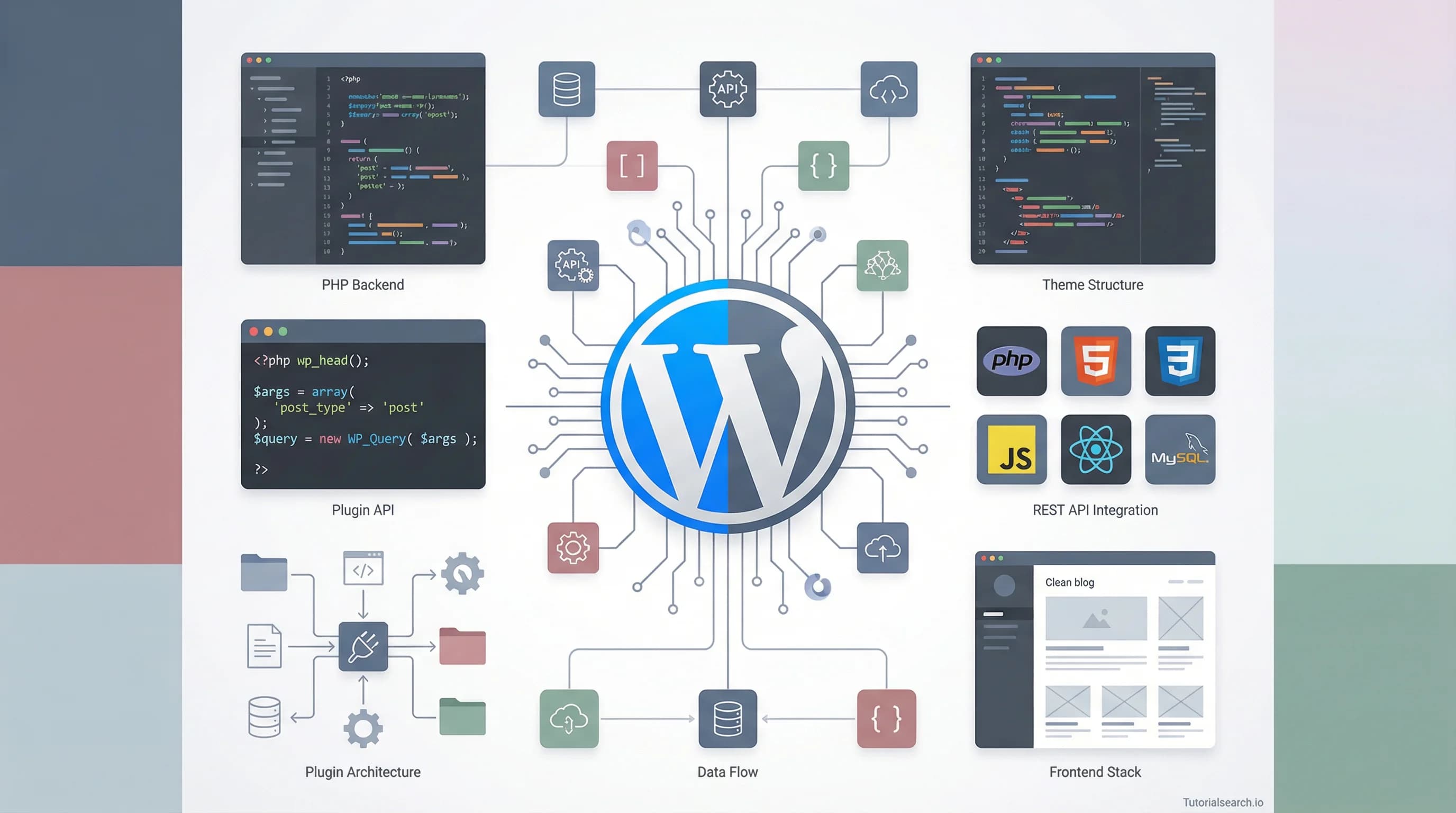
Where Should You Actually Learn WordPress Development in 2026?
A developer's honest guide to the best WordPress development courses, free tutorials, GitHub repos, YouTube channels, books, and communities — with opinions on what's actually worth your time in 2026.
Need a web app built? Hire the team behind TutorialSearch.io
We ship fast, production-grade full-stack apps (Next.js, React, edge infra) — the same stack that powers this site.
There's a thing developers say at meetups and on Twitter that drives me up the wall: "WordPress isn't real development." I've heard it from React devs, from Go engineers, from people who build microservices architectures in their sleep. And every time, I want to ask them a simple question: if WordPress powers roughly 43% of the entire web — more than Shopify, Squarespace, Wix, and every custom-built site combined — who exactly is building all of it?
The answer, of course, is developers. Real ones. People writing PHP, JavaScript, React components for Gutenberg blocks, REST API integrations, custom database queries, and deployment pipelines. WordPress development in 2026 isn't dragging widgets into sidebars. It's building headless architectures with Next.js frontends, creating full site editing experiences, writing custom block plugins with React, and deploying to edge networks. If you're still picturing 2012 WordPress, you're about a decade behind.
I've spent the last few weeks digging through every WordPress development resource I could find — courses, repos, YouTube channels, books, official docs — and I have opinions. Strong ones. Some of the most popular courses are mediocre, some obscure ones are brilliant, and the free resources are better than they've ever been. Whether you're picking up WordPress for the first time or you're a PHP developer who wants to specialize, this guide maps out where to actually invest your learning time. You can also browse all 566+ WordPress development courses on TutorialSearch to compare options yourself.
Pick Your Path: Theme Dev, Plugin Dev, or Full Stack?
Before you buy a single course or bookmark a single repo, you need to decide what kind of WordPress developer you want to be. This matters more than most guides admit.
Theme developers build the visual and structural layer — custom templates, block themes, Full Site Editing (FSE) experiences. You'll live in PHP, HTML, CSS, and increasingly in the WordPress block editor's React-based ecosystem. If you enjoy front-end work and design systems, this is your lane.
Plugin developers extend WordPress's functionality — custom post types, REST API endpoints, admin panels, WooCommerce extensions. This is deeper PHP territory, with more emphasis on WordPress hooks, filters, and database operations. If you like building tools that other people use, plugins are where the money is.
Full-stack WordPress developers do both, plus handle deployment, performance optimization, and sometimes headless setups. If you're interested in full stack development more broadly, WordPress is a surprisingly powerful platform to learn it on.
The courses and resources below cover all three paths. I'll flag which path each resource serves best.
Courses That Separate WordPress Developers from WordPress Users
Not every WordPress course teaches actual development. Most teach you to click around the admin dashboard, install a theme, and add a contact form plugin. That's WordPress usage, not development. Here are the courses that teach you to build things from scratch.
WordPress Development with Bootstrap: The Complete Course by Brad Hussey (Udemy) — [Editors' Choice]
Brad Hussey has a gift for making complex workflows feel approachable. This course walks you through converting a Bootstrap HTML template into a fully functional WordPress theme — which is exactly the kind of real-world project that teaches you how WordPress actually works under the hood. With 54,000+ students and a 4.5 rating, it's battle-tested. Best for: theme developers, beginners who know some HTML/CSS.- Custom theme development from scratch
- Bootstrap integration with WordPress template hierarchy
- WordPress loop, custom fields, and theme functions
WordPress Theme Development from Scratch 2.0 (Udemy) — [Editors' Choice]
If you want to understand the WordPress template hierarchy deeply — not just memorize it, but feel it — this is the course. At a 4.68 rating with nearly 16,000 students, it's one of the highest-rated WordPress development courses I've come across. It starts from absolute zero on the theme side and builds up to a professional-grade theme. The pacing is excellent. Best for: theme developers, anyone who wants deep WordPress PHP knowledge.Creating WordPress Plugins The Right Way (Udemy) — [Editors' Choice]
The title says it all. This course focuses exclusively on plugin development using native WordPress APIs — no shortcuts, no third-party libraries doing the heavy lifting. You'll build with actions, filters, custom post types, shortcodes, metaboxes, and the Settings API. A 4.67 rating from 12,000+ students speaks for itself. If you're interested in building products for the WordPress ecosystem, start here. Best for: plugin developers, intermediate PHP developers.Mastering WordPress: Development and Monetization by Vivek Pandit (Udemy)
This one caught my attention because it bridges the gap between development skills and actually making money with them. It covers theme and plugin development alongside practical monetization strategies. With 33,600 students, it's clearly filling a need. The development portions are solid if not groundbreaking — but the business angle makes it unique. Best for: freelancers, anyone who wants to turn WordPress skills into income.Gatsby JS v5 & Headless WordPress by Tom Phillips (Udemy)
Here's where WordPress development gets genuinely exciting in 2026. This course teaches you to use WordPress as a headless CMS with a Gatsby/React frontend, querying data via GraphQL. If the phrase "headless WordPress" makes your ears perk up, Tom Phillips explains the architecture better than anyone I've found. The 4.68 rating is well-earned. Best for: React developers curious about WordPress, anyone building performance-critical sites.WordPress Development 2025: From Beginner to Expert by Raouf Madani (Udemy)
A comprehensive start-to-finish course that covers the fundamentals through advanced topics. At 4.56 rating it's solid across the board, though it tries to cover everything rather than going deep on one specialty. Good if you want a single course to take you from zero to comfortable. Best for: complete beginners who want breadth.Advanced WordPress Gutenberg Blocks, Post Types & Taxonomies by Juan Pablo De la torre Valdez (Udemy)
If you've built a basic theme or plugin and want to level up, this is your next step. It covers 10+ projects including custom Gutenberg blocks built with wp-scripts, AJAX filtering, infinite scrolling with the REST API, and front-end post submission. The project-based approach means you actually build things, not just watch someone else code. Best for: intermediate developers ready to go deeper.
If none of these quite fit what you're looking for, search for WordPress development courses to find something more specific.
Start Here If Your Budget Is Zero (These Are Genuinely Good)
Everyone loves recommending paid courses, but some of the best WordPress development resources cost nothing. Here's what actually delivers.
PHP For WordPress Development by Patrick Gerrits (Udemy, Free) — [Editors' Choice]
This is the free course I wish existed when I first started touching WordPress PHP code. Patrick Gerrits covers the PHP you actually need for WordPress — not generic PHP tutorials, but WordPress-specific patterns like the template hierarchy, hooks, and theme functions. Nearly 28,000 students and a 4.35 rating for a free course is remarkable. If you can only take one free resource from this guide, make it this one.Learn WordPress (Official, Free)
WordPress.org's own learning platform has gotten dramatically better. It offers structured courses on theme development, plugin basics, and the block editor, with a mix of video lessons, quizzes, and hands-on exercises. The Intermediate Theme Developer course in particular bridges a gap that most free resources ignore — taking you from "I built a basic theme" to "I understand block themes and FSE." Best for: anyone who wants the official perspective.WordPress Developer Handbook (Official Documentation)
Not a course — better. The Theme Handbook, Plugin Handbook, Block Editor Handbook, and REST API Handbook are comprehensive, well-maintained, and represent how WordPress's own team thinks about development. I reference these weekly. Everyone should bookmark them.WordPress Theme Development Tutorial (WebsiteSetup, Free)
A step-by-step written guide to building a WordPress theme from scratch, covering tools, code structure, essential components like posts, pages, custom fields, and navigation. Great as a companion to video courses when you want a text reference.WordPress Developer Roadmap (roadmap.sh, Free)
This interactive roadmap lays out every skill you need as a WordPress developer in a visual tree format. It's not a tutorial itself, but it's invaluable for understanding where you are and what to learn next. I check it periodically to find gaps in my knowledge. If you're interested in web development more broadly, roadmap.sh covers that too.2025 Guide: WordPress Development Mastery Course by Habib Ullah (Udemy, Free)
A newer free course with a 4.49 rating. It's smaller but surprisingly thorough for a free offering, covering development fundamentals through practical projects.
YouTube Channels Worth Your Subscription (I'm Selective About This)
Need a web app built? Hire the team behind TutorialSearch.io
We ship fast, production-grade full-stack apps (Next.js, React, edge infra) — the same stack that powers this site.
YouTube WordPress content has a noise problem. For every genuinely educational channel, there are twenty that just install themes on camera. These creators actually teach development.
WPTuts — If I could only recommend one YouTube channel for WordPress development, it'd be WPTuts. The tutorials are focused, practical, and developer-oriented rather than user-oriented. They cover theme customization, plugin configuration, and Gutenberg development with an attention to detail that bigger channels lack.
WPBeginner — With over 1 million subscribers, WPBeginner is the 800-pound gorilla of WordPress YouTube. The content skews toward beginners (as the name suggests), but their developer-focused playlists on custom post types, hooks, and theme development are solid. Don't dismiss it because of the name — there's genuine depth here for those who dig into the right playlists.
Ferdy Korpershoek — Ferdy's channel (1.2M+ subscribers) is a masterclass in long-form, thorough tutorials. His WordPress content focuses heavily on page builders like Elementor and Divi, which makes it less relevant for pure code-based developers — but if you're building client sites, his workflows are efficient and professional. His WooCommerce tutorials are particularly well done.
Tyler Moore — Tyler never skips steps. His 305,000+ subscriber base loves him for methodical, step-by-step guides that leave nothing to guesswork. He covers both no-code and code-based WordPress development, making him a good bridge between the two worlds.
Learn WordPress (Official) — The official WordPress YouTube channel publishes workshop recordings and contributor sessions. The production quality is uneven, but the content is authoritative — these are the people building WordPress teaching you how to build on it.
For those interested in the broader front-end development ecosystem that intersects with WordPress, channels like Traversy Media and Kevin Powell are also excellent.
The GitHub Goldmine Most WordPress Devs Overlook
WordPress and GitHub have a complicated relationship — WordPress core still uses SVN. But the GitHub ecosystem around WordPress development is rich and underappreciated.
miziomon/awesome-wordpress — [Editors' Choice] The definitive curated list of WordPress resources, themes, plugins, and developer tools. If you star one repo from this list, make it this one. It includes links to coding standards, testing frameworks, development tips, and community resources. It's like a table of contents for the entire WordPress developer ecosystem.
lukecav/awesome-wp-developer-tools — Focused specifically on developer tooling: starter themes (like Sage, which uses Sass, Webpack, and Blade templates), debugging plugins, profiling tools, and workflow utilities. If you're setting up a professional development environment, this list is your shopping guide.
overclokk/awesome-wordpress-development — This one goes deeper into architecture, OOP patterns, testing, and performance. Less beginner-friendly, but essential for developers who want to write WordPress code that doesn't make them cringe six months later.
WordPress/wordpress-develop — The official WordPress development repository, mirrored from SVN. Reading WordPress core code is one of the fastest ways to level up. When you see how the people who built WordPress solved problems, you internalize patterns that no course teaches.
WordPress/Learn — The source repo behind learn.wordpress.org. Worth starring if you want to contribute to WordPress education or understand how the official learning content is structured.
For When You Want to Go Deep
Books move slower than courses and tutorials, but they go deeper. These are worth the investment if WordPress development is becoming your career.
Professional WordPress: Design and Development by Brad Williams, David Damstra, and Hal Stern — This is the bible for serious WordPress developers. It covers architecture, security, performance, multisite, and API development with a depth that no online course matches. It's thick. It's thorough. If you're building WordPress professionally, this belongs on your shelf.
WordPress All-in-One For Dummies — Don't let the title fool you. It's actually eight mini-books covering everything from basic WordPress to plugin development, SEO, and multisite networks. A great desk reference for when you need a quick refresher on something specific.
WordPress Complete, Sixth Edition (Packt) — A practical guide that takes you from first installation through theme and plugin development, with chapters on optimization and security. Good for beginners who prefer reading to watching.
For those who prefer digital and free options, the WordPress Codex remains a comprehensive reference, and the WP-CLI documentation is essential reading for anyone automating WordPress operations.
🔥 Quick-Fire Hot Takes: WordPress Dev Edition
I promised opinions. Here are mine, rapid-fire:
- Full Site Editing is the future, and most courses haven't caught up yet. If a course was last updated before 2024 and doesn't mention FSE or block themes, its shelf life is limited.
- The best way to learn WordPress hooks isn't a tutorial — it's reading plugin source code. Install Query Monitor, inspect hooks on every page load, and trace the execution flow. You'll learn more in a weekend than a week of videos.
- WooCommerce development is where the freelance money is. Everyone recommends theme development, but WooCommerce extensions command higher rates and have stickier clients.
- Headless WordPress is overhyped for most projects but transformative for the right ones. Don't build headless because it's trendy. Build headless when your front-end team lives in React and your content team lives in WordPress. That's the sweet spot.
- PHP isn't going anywhere in WordPress. Despite the React-ification of the block editor, PHP remains the backbone. Don't skip it because it's unfashionable.
- Local by Flywheel (now just "Local") is the best development environment. Better than XAMPP, better than MAMP, better than Docker for most WordPress workflows. Fight me.
- The WordPress developer roadmap on roadmap.sh should be your first bookmark, not your last. Orientation before education.
Join the Conversation
WordPress has one of the most active developer communities on the planet. Here's where to find them.
WordPress Discord Server — The largest WordPress Discord community, with channels for development help, theme reviews, plugin suggestions, and general WordPress discussion. Active moderation keeps the quality high.
r/WordPress and r/ProWordPress — Reddit's WordPress communities serve different audiences. r/WordPress is broad and beginner-friendly; r/ProWordPress focuses on professional development, business, and advanced techniques. Both are worth browsing weekly.
WordPress.org Support Forums — The official support forums are invaluable when you hit specific bugs or need to understand an API quirk. The community is responsive, and core contributors often chime in.
WordCamp and WordPress Meetups — In-person and virtual events happen globally throughout the year. WordCamps are the larger conferences; local meetups are smaller and more networking-focused. Both are free or nearly free, and the talks often cover cutting-edge development topics.
If you're exploring related areas, check out our website development collection for a broader view, or dive into front-end frameworks if the React side of WordPress's block editor has you curious.
Frequently Asked Questions
What skills are needed for WordPress development?
At minimum, you need solid HTML, CSS, and PHP. JavaScript (especially React) is increasingly important for Gutenberg block development and headless setups. Understanding MySQL helps when working with custom queries and performance optimization. The WordPress Developer Handbook outlines these prerequisites clearly.
How long does it take to learn WordPress development?
With consistent daily practice, expect 3-6 months to feel comfortable building custom themes and basic plugins. Reaching a professional level where you can confidently take client work typically takes 6-12 months. Prior web development experience accelerates this significantly.
Is WordPress development a good career in 2026?
Absolutely. WordPress powers over 43% of websites, and demand for skilled developers — not just users, but actual developers who can write custom themes, plugins, and integrations — remains strong. WooCommerce development and headless WordPress are particularly hot specialties.
What's the difference between WordPress development and web development?
WordPress development is a specialization within web development. It focuses on building within WordPress's ecosystem — themes, plugins, blocks, the REST API. Broader web development encompasses any technology stack. Many developers move between the two, and WordPress skills transfer well to general web development.
What are the best tools for WordPress development?
VS Code with the PHP Intelephense extension is the standard editor. Local for local development environments. WP-CLI for command-line management. Query Monitor for debugging. Git for version control (even though WordPress core uses SVN). Debug Bar and DebugPress for profiling. Check out the awesome-wp-developer-tools repo for the comprehensive list.
WordPress development in 2026 is deeper, more sophisticated, and more rewarding than most people realize. The ecosystem has matured enormously — FSE, the block editor, headless architecture, modern PHP practices — and the learning resources have kept pace. My top recommendation? Start with the PHP for WordPress Development free course to build your foundation, then pick a specialty and go deep with one of the paid courses above. Star the awesome-wordpress repo. Join the Discord. And build something — a theme, a plugin, a Gutenberg block — within your first week. There's no substitute for shipping code.