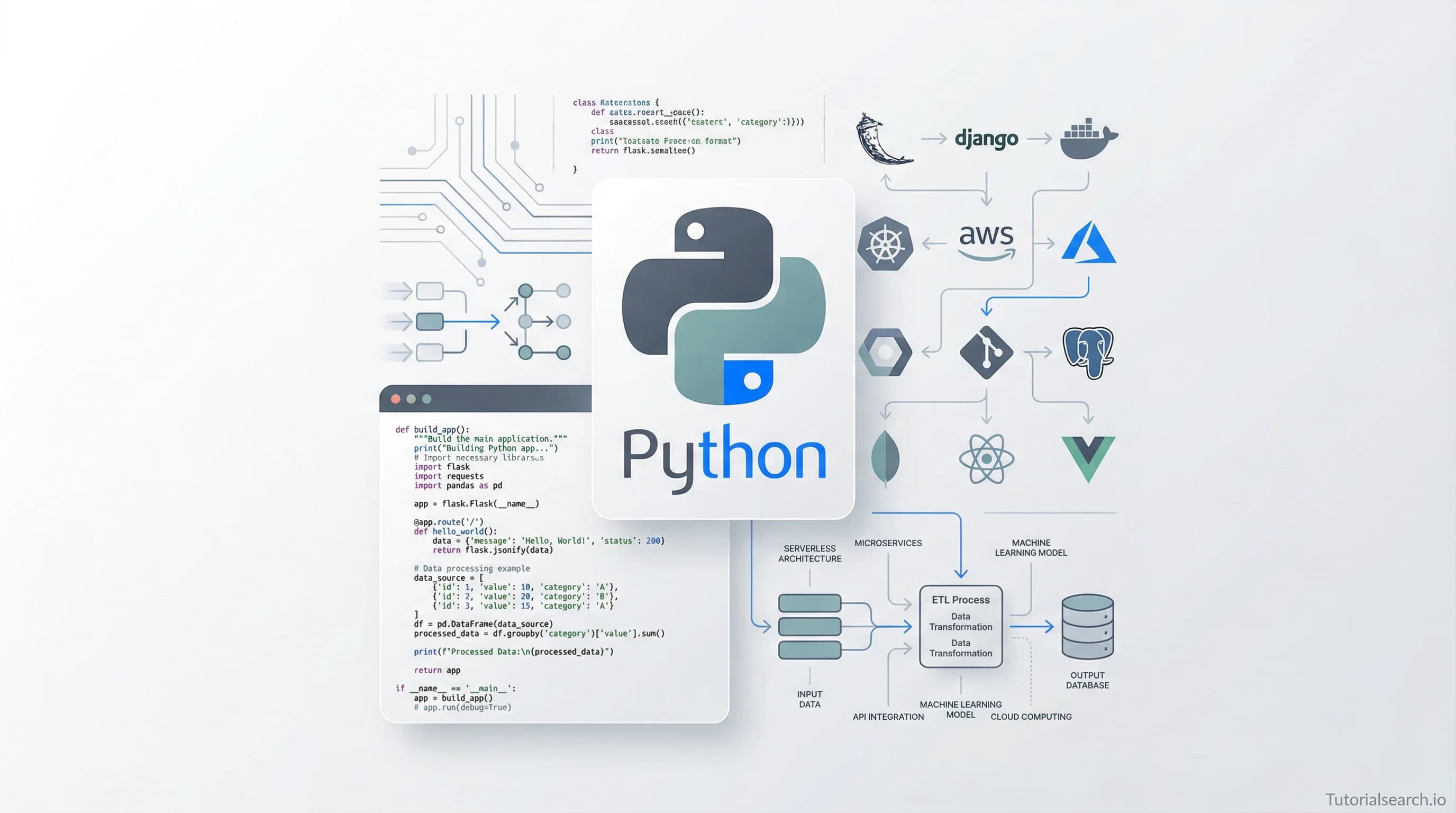
What Can You Actually Build with Python? A Developer's Guide to the Best Courses and Resources in 2026
A builder-first guide to the best Python application courses, free tutorials, GitHub repos, YouTube channels, and books in 2026 — organized around what you'll actually make, not just what you'll memorize.
Need a web app built? Hire the team behind TutorialSearch.io
We ship fast, production-grade full-stack apps (Next.js, React, edge infra) — the same stack that powers this site.
The Gap Between "Knowing Python" and Actually Building Things
Here's a number that should bother you: according to JetBrains' 2025 Developer Survey, Python is used by over 50% of all developers — yet the majority of Python learners never ship a single application. They finish a course, memorize list comprehensions, maybe build a calculator, and then... nothing. The syntax sticks, but the skill of turning an idea into working software never clicks.
I've spent a frankly unreasonable amount of time combing through Python application courses and tutorials — over 735 of them on TutorialSearch.io alone — and the pattern is always the same. The courses that actually produce developers who build things aren't the ones with the prettiest slides or the longest runtimes. They're the ones that make you uncomfortable, that throw you into a project before you feel ready.
So this guide is organized around that principle: building first, theory second. Whether you want to create desktop GUI apps, deploy web services, automate your workflow, or ship something to the cloud, I've sorted the best resources by what they'll help you make — not what they'll help you memorize.
Start Shipping: The Courses That Force You to Build
Not every Python course is worth your time (or your money). I've filtered through the noise and picked the ones where you'll actually write applications — not just follow along with toy examples.
The Standout Picks
[Editors' Choice] Learn to Create 5 Pro Advanced Level Applications in Python (Udemy) — Rating: 4.6/5
This one earns the top spot because it does what most courses won't: it throws five genuinely different application types at you. You're not building five variations of a to-do list. Each project stretches a different muscle — file handling, data processing, API integration — and by the end, you have a portfolio, not a certificate. The instructor ("The Programmer") moves fast, which I appreciate. If you're the type who pauses videos to type, this is your course.
[Editors' Choice] PyQt Power Apps: Build Interactive Python Applications (Udemy) — Rating: 4.6/5
Desktop GUI development in Python has a reputation problem — people think it's clunky and outdated. Josh Wenner's course makes a strong case otherwise. PyQt5 is genuinely powerful for building cross-platform desktop apps, and this course doesn't just teach widgets and layouts. You build actual interactive applications with real UX considerations. If you've ever wanted to build something your non-technical friends could actually double-click and use, start here.
How to Create a CRUD Application with Python and SQL Server (Udemy) — Rating: 4.3/5 · 5,200+ students
This is the most enrolled course in my picks for good reason. CRUD operations are the bread and butter of application development — if you can build a solid Create/Read/Update/Delete app that talks to a real database, you can build almost anything. Bluelime Learning Solutions keeps it beginner-friendly without being condescending. The SQL Server integration is a nice departure from the usual SQLite tutorials.
More Courses Worth Your Attention
Learn the Advanced Professional Python Programming (Udemy) — Rating: 4.4/5 · 1,200+ students
Data Science Academy's course is for people who've outgrown beginner tutorials. Design patterns, advanced OOP, decorators used in real architectures — this is the bridge between "I can write Python" and "I can write professional Python." Not an application-building course per se, but the skills here are what separate scripts that work from applications that last.
[Editors' Choice] Python Web Development with Django and Bootstrap, HTML, CSS (Udemy) — Rating: 4.3/5 · 5,100+ students
Everyone recommends Django, and they're right to. But most Django courses either stop at "here's how routing works" or assume you already know frontend development. This one bridges that gap by teaching Django alongside Bootstrap, HTML, and CSS. You come out with a web application that actually looks like something you'd use, not a white page with blue links. If web apps are your goal, this is the most complete single-course option I found.
Deploying Python Applications on Google Cloud Platform (Udemy) — Rating: 4.6/5
Jones Granatyr's course fills a gap that frustrates a lot of Python developers: you've built the app... now what? Deployment is where most self-taught developers get stuck, and this course specifically tackles deploying Python apps to GCP. It's a short, focused course, and that's a strength — no fluff, just deployment.
Built Simple Command Line Application With Python (Udemy) — FREE · Rating: 4.4/5
I'm including this one because it's free and because CLI tools are underrated. Before you build a web app or a GUI, building command-line tools teaches you to think about user input, error handling, and program flow without the distraction of visual design. Raja Azian keeps it straightforward. Perfect entry point.
Distributed Tasks Demystified with Celery, SQS & Python (Udemy) — Rating: 3.9/5 · 1,500+ students
This won't be for everyone, but if you're building applications that need background processing — sending emails, processing images, running scheduled jobs — Celery is essential. Timothy Mugayi demystifies the architecture that powers most production Python applications. The rating is lower than others on this list, but the topic is so important and so rarely covered well that I'm including it anyway.
If you want to explore even more options, search for Python application courses on TutorialSearch.io — there are over 735 tutorials across Udemy, Pluralsight, and Skillshare.
Quick Comparison: Which Course Fits You?
| If you want to... | Start with | Why |
|---|---|---|
| Build desktop apps with a real UI | PyQt Power Apps | Best GUI course available |
| Ship a web app fast | Django + Bootstrap course | Full-stack in one course |
| Get a job-ready portfolio | 5 Pro Applications | Five different project types |
| Learn deployment | GCP Deployment course | Fills the biggest skill gap |
| Start free, right now | CLI Application course | Zero cost, solid fundamentals |
| Build production-grade backends | Celery + SQS course | Background tasks are everywhere |
Your Zero-Budget Workshop
You absolutely do not need to spend money to build Python applications. Some of the best learning resources are completely free — and a few of them are better than the paid alternatives.
Automate the Boring Stuff with Python by Al Sweigart is, in my opinion, the single best free Python resource on the internet. It's available to read online for free, and it's specifically about building useful things — web scrapers, file organizers, spreadsheet tools, email automation. Not "learn what a variable is." The entire philosophy is "learn Python by automating tasks you actually need automated." If I could only recommend one resource in this entire post, this would be it.
The Official Python Tutorial gets overlooked because it's documentation, and documentation doesn't feel as exciting as a video course. That's a mistake. The official tutorial is remarkably well-written, covers the language thoroughly, and is always up to date. It won't teach you to build applications directly, but the foundation it provides is rock-solid.
Real Python publishes some of the highest-quality Python tutorials on the web. Their articles on building Flask and Django apps, working with APIs, and creating GUI applications are genuinely useful references that I keep bookmarking. The free content alone could keep you learning for months.
Python.org's BeginnersGuide curates an impressive list of resources organized by experience level. It's not glamorous, but it's thorough and community-maintained.
freeCodeCamp's Python Curriculum is completely free and earns you a certification. The scientific computing track involves building real projects — an arithmetic formatter, a time calculator, a budget app — and getting them to pass automated tests. It's the closest thing to a job simulation you'll get without paying.
If you're also curious about how Python fits into the broader programming landscape, check out TutorialSearch.io's Programming Languages category — it's a good way to see how Python skills connect to other languages and frameworks. And for those just getting started with the language itself, our Python Basics collection has over 1,200 tutorials.
Repos Worth Cloning Tonight
GitHub isn't just for storing code — it's one of the best places to learn how real Python applications are structured.
[Editors' Choice] vinta/awesome-python — This is the canonical list. Over 220k stars. Organized by category — web frameworks, GUI development, data analysis, machine learning, DevOps tools — it's essentially a map of everything you can build with Python. I use it as a reference whenever I'm starting a new project type and want to know what libraries the community actually uses.
mahmoud/awesome-python-applications — While the above list catalogs libraries, this one catalogs finished applications. Over 400 open-source Python applications with links to their repos. Want to see how a real Python web app is structured? A real CLI tool? A real data pipeline? Clone one of these and read the code. Learning by reading production code is underrated.
lukasmasuch/best-of-python — 390 projects ranked by a quality score calculated from GitHub metrics. Updated weekly. I like this one because the ranking means the cream rises to the top — you're not wading through abandoned repos.
TheAlgorithms/Python — If you want to understand the computer science behind your applications, this repo implements algorithms and data structures entirely in Python. Over 180k stars. It's a reference, not a tutorial, but it's invaluable when you need to understand how something works under the hood.
Interested in automation specifically? The Automation Development topic page on TutorialSearch.io has 838 tutorials focused on using Python to automate workflows — a natural companion to these GitHub resources.
The YouTube Builders I Actually Watch
Need a web app built? Hire the team behind TutorialSearch.io
We ship fast, production-grade full-stack apps (Next.js, React, edge infra) — the same stack that powers this site.
There's no shortage of "learn Python in 10 minutes" videos on YouTube. Most of them are bad. These channels are the exceptions — creators who actually build things on camera and explain their thinking as they go.
[Editors' Choice] freeCodeCamp — Their full-length Python courses are legendary. Not 10-minute tutorials — we're talking 4-to-12-hour deep dives where you build complete applications from scratch. The quality control is high because they source instructors from the community. Their Python for Everybody series remains one of the best entry points into the language.
Corey Schafer — If I had to pick one Python YouTuber, it would be Corey. His tutorials are clear, well-organized, and focused on practical application. His Flask and Django series are particularly good — you build actual web applications, not just learn theory. He explains the why behind decisions, which is what separates a good developer from someone who copies code.
Programming with Mosh — Mosh Hamedani has a gift for making complex topics feel simple. His Python crash courses are excellent for beginners, and his calm, measured teaching style is a nice counterpoint to the hyperactive energy of most coding YouTubers. His beginner course is where I'd send anyone who's never written a line of code.
Tech With Tim — Tim's channel is project-focused, which I love. Python game development, AI projects, web apps — he covers a wide range of application types. His pygame tutorials are some of the best on the platform, and his longer project walkthroughs teach you how to structure a real application.
Traversy Media — Brad Traversy doesn't exclusively cover Python, but his Python web development tutorials are solid. He covers Django, Flask, and FastAPI, and his teaching style is direct — no unnecessary theory, just build the thing.
CS Dojo — YK Sugishita (CS Dojo) has a talent for breaking down concepts that trip up beginners. His Python for Absolute Beginners playlist is one of the most approachable introductions I've seen. Less application-focused than some others on this list, but excellent for building the fundamentals you'll need.
Read the Source (Code and Pages)
Sometimes you need to slow down, sit with a concept, and let it sink in. That's what books are for. And the best Python books aren't just syntax references — they're masterclasses in thinking about application design.
Python Crash Course by Eric Matthes (No Starch Press) — The best-selling Python book for a reason. The first half teaches fundamentals; the second half is three complete projects: an arcade game with Pygame, data visualizations with Matplotlib, and a web application with Django. It's the book equivalent of the "build five applications" course approach, and it works beautifully.
Automate the Boring Stuff with Python by Al Sweigart — Yes, I mentioned it in the free section too, because it deserves mention twice. The print edition is worth owning as a reference. Every chapter is a different practical application: web scraping, working with PDFs, manipulating images, sending emails. It's the most "application-focused" Python book ever written.
Fluent Python by Luciano Ramalho — This is not a beginner book. It's for the developer who already writes Python and wants to write better Python. Data model deep dives, generators, concurrency patterns — if you're building applications that need to perform well and be maintained by a team, this is the book that levels you up.
Head First Python by Paul Barry — Visual learners, this is your book. The Head First series uses a deliberately unconventional format — images, puzzles, exercises — to keep your brain engaged. It works surprisingly well for Python, especially if traditional textbooks put you to sleep.
For anyone exploring the intersection of Python and other technologies, the Modern Languages topic on TutorialSearch.io covers 3,400+ tutorials on languages like Rust, Go, and Kotlin that pair well with Python in modern tech stacks.
The Myth of the Solo Developer
Nobody builds real applications alone. You need people to review your code, answer your questions at 2 AM, and tell you when you're overcomplicating something. Here's where to find them.
Python Discord — 400,000+ members and a staff of over 100 volunteer helpers. This is probably the single most active Python community online. Channels organized by topic, regular events, code challenges, and fast response times. If you're stuck on something, post here before spending three hours on Stack Overflow.
r/learnpython — Reddit's dedicated Python learning subreddit is genuinely helpful and welcoming. The community actively discourages snarky "just Google it" responses, which makes it a safer space for beginner questions than many alternatives.
r/Python — The broader Python subreddit is great for staying current — new libraries, industry news, project showcases. Less for asking beginner questions, more for keeping your finger on the pulse.
discuss.python.org — Python's official discussion forum. This is where core developers discuss the language itself. You won't come here for help with your Django app, but if you want to understand why Python works the way it does, this is where the decisions get made.
Python Weekly — A curated newsletter delivered every Thursday. New libraries, tutorials, job listings, conference talks. It's how I discover most of the new Python resources I end up recommending.
You might also want to check out the Git Automation tutorials on TutorialSearch.io — version control is what enables collaborative development, and these 722 tutorials cover everything from basic Git to advanced CI/CD pipelines.
Your Move
If I were starting from absolute zero with Python applications today, here's exactly what I'd do:
Week 1-2: Work through Automate the Boring Stuff — the free online version. Build the projects. Don't skip them.
Week 3-4: Take the CLI Application course (it's free) and then the 5 Pro Applications course. You'll have seven built applications by the end.
Week 5-6: Pick your track — web apps with Django, desktop GUIs with PyQt, or cloud deployment with GCP. Specialize based on what excites you.
Ongoing: Join Python Discord, clone repos from awesome-python-applications, and subscribe to Python Weekly.
The key insight — the one thing I wish someone had told me years ago — is that reading about building applications and actually building applications are completely different activities. Every hour you spend building something, even something ugly and broken, teaches you more than five hours of watching tutorials. The resources in this guide are good. But they're only good if you actually use them.
Browse all 735+ Python application tutorials on TutorialSearch.io to find the right starting point for your skill level.
Frequently Asked Questions
What are common Python applications used in data science?
Python dominates data science thanks to libraries like Pandas for data manipulation, NumPy for numerical computing, and Scikit-learn for machine learning. These tools let you build everything from simple data cleaning scripts to complex predictive models. If data science interests you, the Programming Fundamentals tutorials on TutorialSearch.io are a solid prerequisite.
How can I start building web applications with Python?
Django and Flask are the two most popular frameworks. Django is "batteries included" — it gives you an admin panel, ORM, authentication, and more out of the box. Flask is minimal and lets you choose your own libraries. My recommendation: start with Django if you want to ship fast, Flask if you want to understand how everything works. Either way, the Django + Bootstrap course on TutorialSearch.io covers the full stack.
What skills are needed for Python application development?
Beyond Python syntax, you'll need: understanding of data structures and algorithms, familiarity with at least one database (PostgreSQL or SQLite), Git version control, basic command-line proficiency, and the ability to read documentation. Frameworks like Django or Flask are important for web development, while PyQt or Tkinter matter for desktop apps.
Is Python a good choice for mobile app development?
Honestly? It's not Python's strongest suit. Frameworks like Kivy and BeeWare exist and work, but you'll fight against the ecosystem. For mobile, Swift (iOS) and Kotlin (Android) are better choices. Where Python shines is building the backend that powers mobile apps — APIs, data processing, machine learning models. If you're curious about other languages for mobile, explore the JavaScript Development topic on TutorialSearch.io — React Native is a popular cross-platform option.
What are the advantages of Python applications over Java?
Python's main edge is development speed. You'll write fewer lines of code, iterate faster, and spend less time wrestling with type declarations and boilerplate. Python's ecosystem for data science, automation, and scripting is also stronger. Java fights back with better performance, stronger typing (which helps in large codebases), and dominance in enterprise and Android development. The honest answer: learn both if you can, but start with whichever matches your goals. Check out our Object Programming topic for 900+ tutorials that cover OOP across both languages.