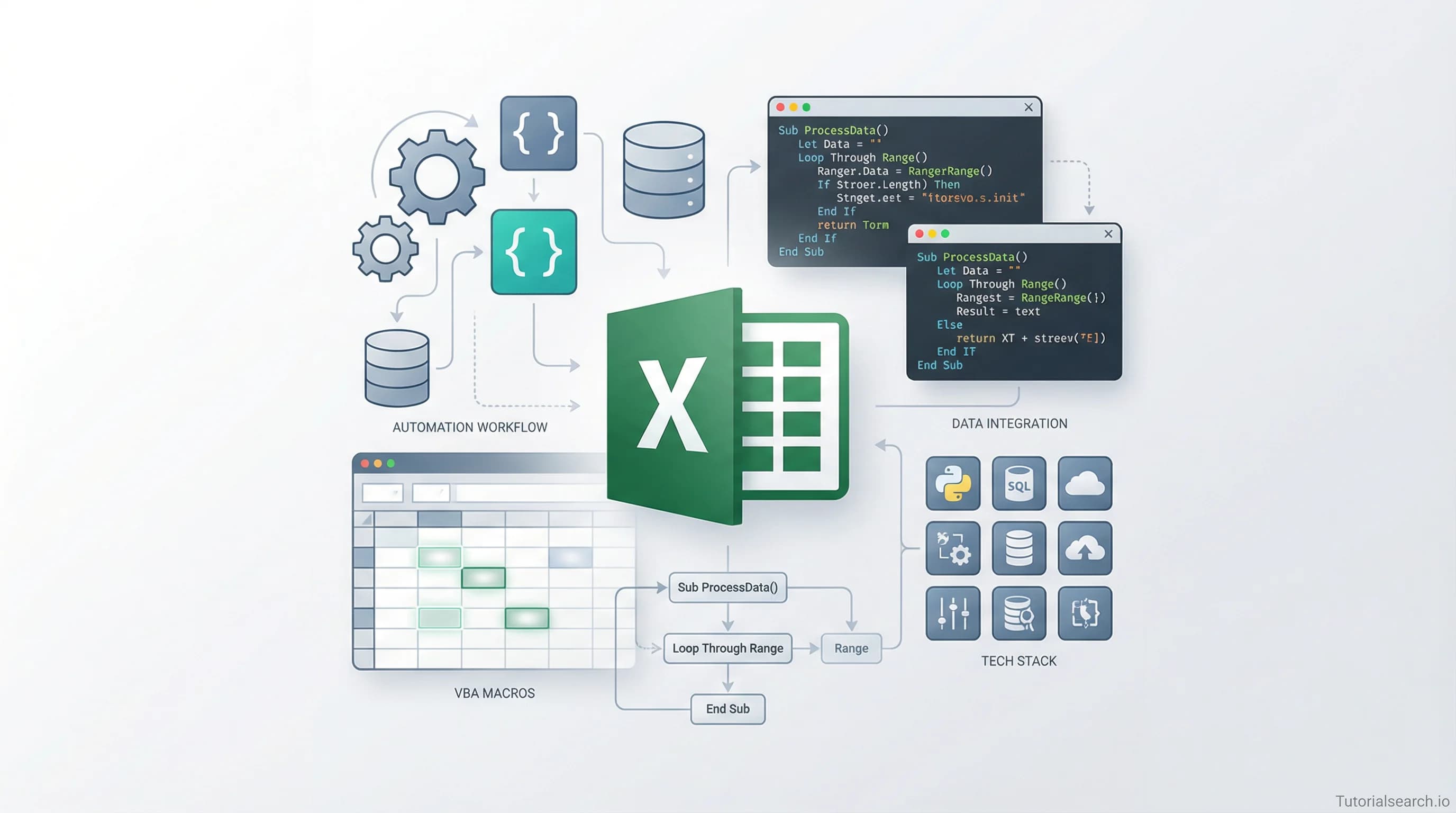
Want to Learn Excel VBA? Here's Where to Start
Excel VBA lets you automate repetitive tasks, build custom tools, and do things formulas simply can't. Here's the complete guide to learning it — with top courses, free tutorials, and tools.
Need a web app built? Hire the team behind TutorialSearch.io
We ship fast, production-grade full-stack apps (Next.js, React, edge infra) — the same stack that powers this site.
Excel VBA (Visual Basic for Applications) is one of the most practical programming skills for anyone who works with data. If you've ever spent an afternoon copying rows between spreadsheets, reformatting reports by hand, or running the same calculation over and over — VBA exists to fix that.
This guide covers the best courses, free resources, YouTube channels, and tools for learning Excel VBA. Whether you're starting from zero or trying to move past the basics, here's what I'd actually recommend.
Key Takeaways
- Excel VBA lets you automate repetitive Excel tasks that would otherwise take hours to do by hand
- You don't need a programming background — basic Excel proficiency is enough to get started
- The best Excel VBA courses combine real-world projects with syntax from the very first lesson
- Free resources like Automate Excel and Trump Excel's 36-video course cost nothing to start
- Excel VBA is Office-specific; Python is the better choice if you want skills that transfer more broadly
In This Article
- The Excel VBA Mistake Almost Every Beginner Makes
- Excel VBA Courses That Actually Build Real Skills
- VBA vs. Python: Which Should You Learn First?
- Free Excel VBA Tutorials Worth Bookmarking
- Excel VBA on YouTube: Channels That Don't Waste Your Time
- Excel VBA GitHub Repos Worth Starring
- Excel VBA Books for When You Want to Go Deep
- Related Excel and Automation Skills to Explore
- Frequently Asked Questions About Excel VBA
The Excel VBA Mistake Almost Every Beginner Makes
Almost everyone who starts learning Excel VBA does the same thing. They open a tutorial, read through pages of syntax rules, and wonder why nothing sticks after a week.
The problem is that VBA syntax on its own has no context. Words like Sub, Range, Cells, and Offset don't mean anything until you connect them to a task you actually need to do.
The faster path is the opposite approach. Pick one thing in your real workflow that bores you to death. Maybe it's copying a set of rows to a new sheet every Monday. Maybe it's formatting a report before you send it to your manager. Start there. Learn only the VBA code needed for that one task, and the syntax sticks because it's doing something real.
Once you've written one working macro, the rest of the language follows faster than you'd expect. VBA isn't a difficult language. It reads almost like plain English, and Excel has a built-in Macro Recorder that generates VBA code just by watching you click around normally. That's your cheat code at the beginning.
If you can use Excel at an intermediate level — formulas, multiple sheets, basic cell references — you have everything you need. No CS degree required.
You can browse 129+ Excel VBA courses at TutorialSearch.io's Excel VBA page. Below are the ones I'd actually point someone to.
Excel VBA Courses That Actually Build Real Skills
The paid course market for Excel VBA is crowded. Most courses are decent. A few are genuinely excellent. Here's what stands out.
Master Microsoft Excel Macros and Excel VBA [Editors' Choice]
View on TutorialSearch.io — Udemy | Paid | 101,000+ students | ⭐ 4.62This is the most popular Excel VBA course for a reason. With over 100,000 students and a 4.6 rating, it covers macros and VBA together — which is the right way to teach this. Most people first encounter VBA through macros, and this course uses that entry point well. You'll move from recording macros, to editing them in the VBA Editor, to writing your own from scratch. Dense but well-organized.
If you're only going to buy one course, start here.
Excel VBA Programming - The Complete Guide [Editors' Choice]
View on TutorialSearch.io — Udemy | Paid | 75,000+ students | Boris Paskhaver | ⭐ 4.55Boris Paskhaver is a consistently excellent instructor. Unlike many Excel VBA courses that are just screen recordings with voiceover, Paskhaver explains why things work. He covers the VBA object model — how Excel's internal structure maps to VBA code — which most beginner courses skip entirely. If you want to actually understand VBA rather than copy-paste it, this is the course. If you're also building Programming Fundamentals skills more broadly, his teaching style translates well to other languages.
Excel VBA: How to Write Macros Like a Professional [Editors' Choice]
View on TutorialSearch.io — Udemy | Paid | 12,000+ students | Paul Kelly | ⭐ 4.51Paul Kelly's course has a narrower focus: writing macros that are clean, readable, and maintainable. This matters more than beginners realize. Plenty of VBA code works fine but is a nightmare to read six months later. If you're writing VBA for work — automation scripts that other people might touch — this course teaches the habits that save you pain later. A strong second or third course after you've covered the basics.
Excel VBA & SQL Essentials for Reporting Automation [Editors' Choice]
View on TutorialSearch.io — Udemy | Paid | 7,400+ students | Benjamin Termonia | ⭐ 4.58This one is for anyone whose Excel data comes from databases. It combines VBA with SQL (a language for querying databases), focused on building automated reports that pull from external data sources. High rating, growing enrollment. If reporting automation is your goal — which is most professionals' goal — this course is worth your attention. It pairs naturally with broader Automation Development skills.
Excel VBA - The Complete Excel VBA Course for Beginners
View on TutorialSearch.io — Udemy | Paid | Alan Murray | ⭐ 4.47Alan Murray keeps things clear and well-paced. His course is built specifically for beginners with no programming background. If the "Master Macros" course above feels like it moves too fast, this is a solid alternative. Murray's style is patient without being slow.
Microsoft Excel VBA for Beginners - Learn VBA Step by Step
View on TutorialSearch.io — Udemy | Paid | 24,000+ students | ⭐ 4.56Step-by-step structure, high rating, and a solid student base. Good if you prefer a methodical progression from zero rather than jumping into projects right away.
Beginners to Expert Excel and Excel VBA: 38 Hours
View on TutorialSearch.io — Udemy | Paid | 17,000+ students | ⭐ 4.49If you want both Excel fundamentals and VBA in one package — useful if you're still building core Excel skills — this 38-hour course covers both. It's a marathon, but the breadth is real. Browse more options in the full Programming Languages category.
Free Option: Excel With Excel: Macros and Other Programs
View on TutorialSearch.io — Udemy | Free | ⭐ 4.02
Want to test the waters before spending anything? This free Udemy course gives you a no-risk first look at macro recording and basic VBA. It's not as thorough as the paid options, but the rating is solid for a free offering.
VBA vs. Python: Which Should You Learn First?
Everyone asks this. Here's an honest answer:
| Excel VBA | Python | |
|---|---|---|
| Best for | Excel automation, Office workflows | Broader data work, web, APIs |
| Learning curve | Low (if you know Excel) | Moderate |
| Job market | Strong in finance, operations, admin | Very strong across industries |
| Works outside Excel | No | Yes |
| Time to first useful script | Hours | Days to weeks |
The conventional wisdom is "just learn Python instead." I'd push back on that for anyone whose day job lives in Excel.
Python is a better long-term investment, yes. But VBA will pay off faster if you're automating Excel tasks today. Many analysts use both — VBA for quick spreadsheet automation, Python when the data work gets bigger. The programming concepts you learn in VBA (variables, loops, conditionals, objects) transfer directly when you pick up Python Basics later.
Free Excel VBA Tutorials Worth Bookmarking
Need a web app built? Hire the team behind TutorialSearch.io
We ship fast, production-grade full-stack apps (Next.js, React, edge infra) — the same stack that powers this site.
You don't need to pay to start learning VBA. These free resources are genuinely good:
Automate Excel — Free Interactive VBA Tutorial
One of the best free VBA resources online. Structured like a boot camp: 100 exercises across 10 chapters, designed for progressive learning. There's also a free VBA Add-in with 150 ready-to-use code examples you can install directly in the Excel VBA Editor. If you want interactive, self-paced, and free — start here.
Trump Excel — Free 36-Video VBA Course
Sumit Bansal (a Microsoft Excel MVP) offers a full Excel VBA course at no cost. Thirty-six videos, 10+ hours of training, practice files included, no signup required. That's genuinely rare for this quality of instruction. Find more VBA courses through the TutorialSearch.io search page to fill any gaps.
Microsoft Learn — Getting Started with VBA in Office
The official Microsoft documentation is better than its reputation. The getting started page walks through the VBA Editor, basic syntax, and how VBA interacts with Excel objects. Once you're past the beginner stage, the full Excel VBA API reference becomes essential — the authoritative source for every command and property.
Excel-Pratique — Free VBA Course
A clean, well-structured free course with lessons and exercises built for people with no programming experience. The writing is clear and the examples are practical. Good if you prefer structured reading to video tutorials.
Home and Learn — Excel VBA Programming Course
Another zero-experience-required option. Covers variables, loops, conditional logic, and working with worksheets and cells. Text-based rather than video, which some people find easier to follow at their own pace.
Excel Easy — VBA Section
Short, focused lessons on individual VBA topics. Better as a reference than a course. When you're writing code and need a quick explanation of one specific thing, this is the first place I'd check.
Excel VBA on YouTube: Channels That Don't Waste Your Time
ExcelVbaIsFun
This channel is specifically focused on VBA — not just general Excel. The tutorials use practical, real-world examples and move at an engaging pace. Good for visual learners who want to see code in action.
Excel Campus — Jon Acampora
Jon Acampora runs one of the most useful Excel channels on YouTube. His VBA content focuses on real automation use cases: buttons, forms, loops, and working with data across sheets. He explains why things work, not just how to copy them. Very watchable.
MyOnlineTrainingHub — Mynda Treacy
Mynda covers VBA alongside Power Query, PivotTables, and dashboards — which is how most Excel users actually work. If you're learning VBA as part of a broader Excel skill-up, this channel covers the whole ecosystem. She's an Excel MVP and her style is detailed without being overwhelming.
TeachExcel
A large library of short videos on individual Excel and VBA topics. Not the place for a structured course, but excellent as a reference. When you hit one specific thing you don't understand, search here.
Excel VBA GitHub Repos Worth Starring
sancarn/awesome-vba
The most complete curated list of VBA frameworks, libraries, and learning resources on GitHub. It covers helper libraries, community tools, and links to active repositories. If you're at the point where you want to go beyond basic scripts, start here. VBA is more object-oriented than people realize — Excel objects like Workbooks, Worksheets, and Ranges map directly to Object Programming concepts found in any language.
NajiElKotob/Awesome-Excel
A broader Excel resource list covering VBA, Power Query, data analysis tools, and general references. Good for anyone building out their full Excel skill set, not just the automation side.
ScottSchaen/excel-vba-macros
A collection of practical, battle-tested VBA macros for everyday Excel tasks. Less theory, more working code you can use or adapt directly. When you know what you want to do but aren't sure how to write it, this repo is often the fastest shortcut.
Excel VBA Books for When You Want to Go Deep
Excel VBA Notes for Professionals (Free)
Download at GoalKicker.com — compiled from Stack Overflow contributions and released under Creative Commons. A reference, not a guided tutorial. Great to have open while coding when you need a quick syntax lookup.
Excel VBA Programming for Dummies — Dick Kusleika
The "for Dummies" branding undersells this one. Dick Kusleika is a Microsoft Excel MVP, and this book is genuinely useful for people without a programming background. It builds incrementally, starting with simple macros and working up to event handling and user forms. If you prefer books to video courses, this is the standard recommendation.
Excel 2013 Power Programming with VBA — John Walkenbach
An older book, but still the most comprehensive VBA reference in print. If you're using VBA professionally and want the deep-dive version, this is what people in the field point to. Used copies are cheap, and the content hasn't aged badly — VBA itself hasn't changed much.
Related Excel and Automation Skills to Explore
Excel VBA opens a lot of doors, but it works even better alongside other skills:
- Python Basics — If you outgrow what VBA can do, Python with pandas is the natural next step for data automation. Many analysts end up using both.
- Automation Development — Broader automation concepts beyond Excel, including Power Automate and scripting in other environments.
- Python Applications — Real-world Python projects that can extend or replace the work you're doing in Excel.
- JavaScript Development — Microsoft's newer Office Scripts use JavaScript instead of VBA. This is where Excel automation is heading.
- Modern Languages — For when you want to see what programming looks like beyond Office environments.
- Programming Fundamentals — The core concepts VBA uses — loops, conditionals, variables — explained in a language-agnostic way.
Frequently Asked Questions About Excel VBA
How long does it take to learn Excel VBA?
You can write useful macros within a few hours of starting. To work with VBA comfortably — writing and debugging scripts from scratch — expect two to four weeks of regular practice. Full proficiency, including event-driven programming and custom user forms, takes a few months. Most professionals never need the advanced stuff. If your goal is automating tasks at your current job, you'll get there fast.
Do I need to know programming to learn Excel VBA?
No. Basic Excel proficiency is enough. You'll pick up programming concepts — variables, loops, conditionals — as you go. VBA syntax is forgiving and reads close to plain English. The Excel VBA Programming - The Complete Guide covers all the programming concepts you need, from scratch.
How does Excel VBA compare to Python?
Excel VBA is built specifically for Microsoft Office. It's faster to learn if your work lives in Excel, but the skills don't transfer outside that environment. Python is a general-purpose language with much broader applications — data science, web development, automation beyond spreadsheets. Many data professionals learn both. Check out Python Basics for a structured starting point.
What are the prerequisites for learning Excel VBA?
Basic Excel knowledge: working with formulas, navigating between sheets, understanding cell references. No programming experience needed. Comfort with trial and error helps — debugging is part of the VBA workflow, and small mistakes are part of learning.
Is Excel VBA still worth learning in 2026?
Yes. Microsoft has introduced newer tools like Power Automate and Office Scripts, but VBA is still deeply embedded in corporate workflows — especially in finance, operations, and industries that run on Excel-heavy processes. Many businesses have decades of VBA automation baked into their files. VBA is still one of the most in-demand spreadsheet skills in traditional industries.
Where can I practice Excel VBA and get help?
The Automate Excel tutorial has 100 interactive exercises. Trump Excel's free course includes downloadable practice files. For community support, the r/vba subreddit is active and friendly. The MrExcel forum has been around for years with answers to almost every question you'll run into.
Learning Excel VBA offers one of the faster returns on time investment in any technical skill. You'll write something useful on your first day, and within a week you'll be automating tasks that used to take hours. Start with the free resources, move to a paid course when you want more structure, and use the GitHub repos and documentation as reference while you build real projects.
Browse all Excel VBA courses at TutorialSearch.io to find the right fit for your level.