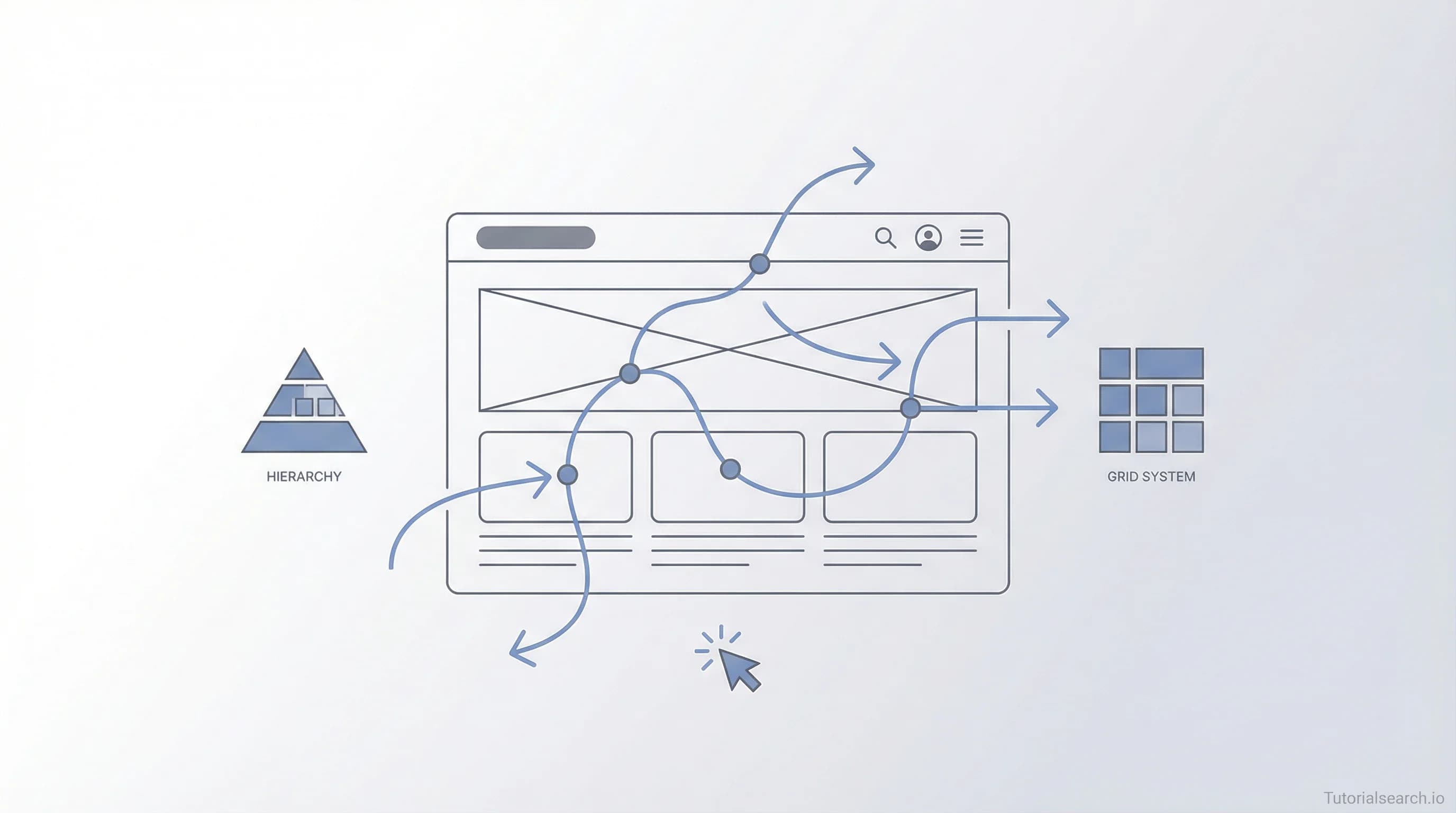
UX Principles That Actually Change How You Design
Discover the UX principles shaping every great digital product — from affordance and feedback to information hierarchy — with the best courses, free resources, and tools to master them.
Have a design? We'll build it — the devs behind TutorialSearch.io
Pixel-accurate, responsive front-ends from your Figma — wired to real back-ends by the team that built this site.
UX principles are the invisible architecture of every great digital product — and as of 2026, they've never mattered more to designers who want their work to actually land.
Most designers I know hit the same wall early on: they can tell a design looks wrong but can't explain why. They copy layouts, tweak colors, and iterate endlessly without seeing improvement. The breakthrough usually comes from the same place — finally understanding the principles driving the decisions. Start with the UX Principles course collection on TutorialSearch if you want a structured anchor for this journey.
Understanding these principles doesn't just improve your work. It changes the way you see every interface you use — which makes you faster, more confident, and much harder to fool by design trends that look good but don't actually work.
Key Takeaways
- UX principles give designers a shared language for making decisions that serve real users
- Understanding principles like affordance, feedback, and hierarchy is more valuable than learning any single design tool
- The best UX principles courses combine theory with real-world practice projects on genuine products
- Free resources like Laws of UX and Figma's design basics library can build a strong foundation before you spend anything
- A portfolio demonstrating principle-driven thinking matters more to hiring managers than most credentials
In This Article
- The UX Principles That Actually Shape Good Design
- UX Principles Courses Worth Your Time
- Free UX Principles Resources That Deliver
- YouTube Channels for Learning UX Principles
- GitHub Repos That Make UX Principles Practical
- UX Books I'd Actually Recommend
- Paid vs. Free: Choosing Your UX Learning Path
- Where UX Designers Actually Hang Out
- Related UX Skills Worth Exploring
- FAQ: UX Principles Questions Answered
The UX Principles That Actually Shape Good Design
Here's something most UX courses won't say upfront: UX principles aren't design rules. They're cognitive truths about how humans perceive and interact with the world.
The reason Jakob Nielsen's 10 usability heuristics still hold up 30+ years after they were first published isn't that they're clever guidelines — it's that human cognition hasn't fundamentally changed. People still have limited working memory, still scan before they read, still need feedback to know their actions registered.
The principles that do the most practical work:
Affordance — an element should look like what it does. A button that looks tappable gets tapped. A link that looks like a heading gets skipped.
Feedback — every user action needs a response. Micro-animations, color changes, confirmation messages — these all tell the user the system heard them. Without feedback, users repeat actions, assume things are broken, and leave.
Information hierarchy — visual weight guides attention. What's most important should be most prominent, every time. You can't lead users' eyes by accident.
Consistency — users build mental models fast. When your navigation pattern changes halfway through a product, you break that model and create friction that costs you conversions and completion rates.
Error prevention over error recovery — it's better to design so users can't make a mistake than to write a great error message afterward. This is the principle most junior designers skip; it requires thinking about user behavior rather than just interface states.
Trymata's comprehensive breakdown of user experience principles covers 20 of these in practice with real product examples and worth bookmarking as a reference.
What makes UX principles genuinely useful is that they scale. They apply equally to a mobile checkout flow, a complex enterprise dashboard, and something as specific as restaurant software. The UX Design for Restaurants course is an interesting example of exactly how specific this work can get — applying the same foundational principles to a domain most UX curricula ignore entirely.
UX Principles Courses Worth Your Time
There are a lot of UX courses. Most of them are Figma tutorials with "UX" in the title. These are the ones that spend real time on principles.
Complete Web & Mobile Designer: UI/UX, Figma, +more (Udemy) [Editors' Choice]
Andrei Neagoie has over 175,000 students enrolled, which tells you something. But raw enrollment doesn't always signal quality — here it does. The course moves from visual design fundamentals through UX principles and into real Figma practice, spending time on why design decisions work rather than just how to execute them. The sections on typography hierarchy and layout composition are worth the price alone. If you want one course to start with, this is the one. Rating: 4.4/5, 175k+ students.
Front End Web Design UX, CSS, FLEXBOX & SASS Complete Course (Udemy) [Editors' Choice]
One of the most underrated courses with a 4.58 rating. Manuel Estasio bridges the gap between UX principles and actual implementation — a combination most courses ignore entirely. You learn why a layout works from a UX standpoint, then immediately build it in CSS. If you're coming from a frontend development background and want genuine UX depth added to your skillset, this is the course I'd pick.
Figma, HTML, CSS & JavaScript in Web Design and UI UX Design (Udemy)
Boroji Design walks the full workflow from UX principles to Figma implementation to coded output. A solid all-in-one option for people who want the whole chain rather than design or code in isolation. 10,000+ students, 4.34/5 rating.
The Complete User Experience Design Course — 10 Courses in 1 (Skillshare) [Editors' Choice]
Deby Joevita's Skillshare curriculum bundles user research, information architecture, interaction design, and usability testing into a genuinely comprehensive package. The "10-in-1" framing is marketing, but the content earns it. Best suited for someone starting from zero who wants one place to build a complete foundation.
How to Learn UX Without a Headache (Skillshare)
Aga Naplocha made this specifically for people who feel overwhelmed by how fragmented UX education is. It's short and beginner-focused, structured around removing friction from the learning process — which is itself a UX principle applied to education. A good entry point before committing to something longer.
User Experience Design for Absolute Beginners (Udemy)
Clean curriculum, 4.45 rating, built for people with zero design background. Covers the core UX process: research, sketching, wireframing, prototyping, and testing. Good first course if you want a structured introduction before going deep on individual principles.
The Design & UX category on TutorialSearch has more than 800 courses across all platforms if you want to explore by subtopic, level, or price range.
If UX appeals to you across different industries, explore the broader UI/UX Design courses collection — over 1,600 options that extend beyond principles into full design practice.
Free UX Principles Resources That Deliver
The good news for anyone learning UX on a budget: several of the most valuable resources are free.
Laws of UX is the one I recommend first, to everyone. Jon Yablonski distilled research from psychology and behavioral science into 20+ UX laws, each explained with visual examples and real design applications. It covers Fitts's Law (larger, closer targets are easier to interact with), the Von Restorff Effect (distinctive items are remembered more easily), the Doherty Threshold (responses under 400ms create flow states), and many others. The site itself is beautifully designed — using it as an example of the principles it explains is one of those rare self-referential moments that makes studying design genuinely satisfying.
Figma's Design Basics Resource Library covers foundational design principles with interactive examples. Since most UX designers use Figma eventually, learning through a tool you'll actually work in makes practical sense. It covers layout, typography, color theory, and component design basics.
Springboard's free UX learning path provides a structured curriculum with readings, exercises, and projects without a paywall. It's a compressed version of their paid bootcamp content and works well as a portfolio foundation.
Uxcel takes an unusual approach: interactive visual challenges that test your ability to identify good and bad UX in real interfaces. Rather than reading about visual hierarchy, you're asked to spot it (or its absence) in actual designs. It builds intuition quickly, which most text-based learning doesn't.
learnuiux.in is a free 7-week curriculum for UX fundamentals, organized by a practitioner for people entering the field without formal design education. Simple to navigate, well-paced for self-study.
For a more structured path with clear milestones, this beginner UX design course covers similar ground with added instructor support and a completion structure.
YouTube Channels for Learning UX Principles
Have a design? We'll build it — the devs behind TutorialSearch.io
Pixel-accurate, responsive front-ends from your Figma — wired to real back-ends by the team that built this site.
The Futur (YouTube) [Editors' Choice]
If you follow one design channel, make it The Futur. Chris Do and his team combine design theory, business thinking, and UX principles in a way very few educational channels attempt. Their content on design thinking and user psychology has influenced more working designers than most paid courses I know of. Heavy on ideas, short on design-software tutorial filler.
DesignCourse (YouTube)
Gary Simon's channel is enormously practical. His UI/UX crash courses move fast, assume you have some context, and focus on applying principles inside real tools. The Figma crash course content is still current and very well executed. Good for learning by watching someone actually work through a design problem.
Figma's Official YouTube Channel (YouTube)
Figma's own channel goes well beyond tool tutorials — it includes deep dives on UX concepts, talks from guest designers, and recordings from their Config conference where product designers from top companies explain how they apply UX principles in production environments. Surprisingly educational for a product company's channel.
AJ&Smart (YouTube)
Jonathan Courtney and the AJ&Smart team specialize in design sprints and UX strategy. Their content is less "how to use Figma" and more "how to solve design problems like a practitioner." Excellent for understanding how principles translate into actual product decisions inside real organizations.
Search for more UX principles video courses on TutorialSearch if you prefer structured video learning with clear progression and ratings.
GitHub Repos That Make UX Principles Practical
awesome-ux by gschema (GitHub)
A curated list of UX resources covering research methods, templates, tools, cheat sheets, and books. Well-organized and regularly maintained. A good companion to any course — you can cross-reference principles you're learning against the community's recommended tools and techniques for applying them.
ui-ux learning guide by hendurhance (GitHub)
Structured as a three-level learning path from beginner to expert, this repo links to tutorials, articles, and tools organized by skill level. The kind of resource that replaces hours of Googling with one well-organized document.
awesome-ui by kevindeasis (GitHub)
Broader than UX alone — covers UI theory, tutorials, libraries, and books with the connective tissue between UX principles and visual design. Useful when you want to understand how principles translate through the full design-to-implementation chain.
awesome-design by awesomelistsio (GitHub)
Probably the most comprehensive single list covering UI, UX, product design, interaction design, and design systems. When you're not sure what you're looking for, this is where to browse.
These repos pair well with Product Design courses on TutorialSearch if you want to combine structured learning with self-directed research across the discipline.
UX Books I'd Actually Recommend
Don't Make Me Think by Steve Krug is still the best first book on UX — not because it's technically comprehensive, but because it permanently changes how you look at every interface afterward. Krug's core argument (that good UX reduces cognitive load rather than adding features) is the lens through which most other principles start making sense. Short, well-illustrated, and genuinely enjoyable to read. Available on Amazon.
The Design of Everyday Things by Don Norman is the second read. It's nominally about physical products — door handles, stoves, faucets — but the insights are completely portable to digital UX. Norman's concepts of affordances, signifiers, feedback, and constraints underpin almost everything modern UX is built on. It's older, but that's a feature: nothing in it is trend-dependent. Available on Amazon.
Laws of UX by Jon Yablonski is the third. Compact and beautifully designed, it's organized around psychological principles with direct design applications. Each law is a self-contained lesson — readable in chunks over coffee rather than requiring long reading sessions. Available on Amazon.
Prefer video to reading? The Making Sense of UX and Design in the Enterprise course (Pluralsight) translates many of the same foundational principles into the reality of large organizations, where UX decisions meet stakeholder constraints, legacy systems, and political realities most textbooks don't address.
Paid vs. Free: Choosing Your UX Learning Path
The comparison most people want to see before spending money:
| Free Learning Path | Paid Course Path | |
|---|---|---|
| Best for | Self-directed, exploratory learners | Structured learners who need guidance |
| Time to basics | 2–4 weeks | 4–8 weeks |
| Depth | Depends on your own curation | Guided, progressive depth |
| Accountability | None built in | Deadlines, cohorts, instructor access |
| Portfolio output | Self-directed projects | Course-guided projects |
| Cost | $0 | $15–$200 |
| Top free picks | Laws of UX, Springboard, Uxcel | Complete Web & Mobile Designer, Complete UX Course |
My honest take: start free. Spend two weeks with Laws of UX and the Figma Resource Library. If you're still engaged and want more structure after that, then buy a course. People who buy on week one rarely finish. People who earn their way into a paid course after building real interest almost always do.
Where UX Designers Actually Hang Out
r/UserExperienceDesign (Reddit) is the most active general UX forum online. Portfolio critiques, career questions, tool debates, and principle-level discussions all happen here. The signal-to-noise ratio is better than most design subreddits — people mostly come to learn rather than self-promote.
Design Squad UX Community (Discord) launched in 2021 and became a central gathering place for UX practitioners, researchers, and career changers to connect. They run workshops, mentorships, job boards, and portfolio reviews. If you're transitioning into UX from another field, this community has seen every variation of that path.
Design Buddies (Discord/Community) organizes events, mentorship programs, and resume reviews for designers at all levels. More structured than most Discord servers, with active moderation keeping the quality of discussion high.
Related UX Skills Worth Exploring
Mastering UX principles opens the door to a wider set of interconnected disciplines worth building out:
- UI/UX Design — 1,600+ courses combining UX principles with visual interface design tools and hands-on practice
- Product Design — UX principles applied across the full product lifecycle, from discovery through to launch and iteration
- Design Thinking — the problem-solving methodology that underpins most modern UX workflows and research processes
- Layout Design — where UX principles like hierarchy and visual flow become concrete spatial decisions on a screen
- Graphic Design — the visual craft that pairs with UX principles to create products that are both usable and beautiful
FAQ: UX Principles Questions Answered {#faq}
What are the core UX principles designers use?
The core UX principles include usability, accessibility, feedback, affordance, information hierarchy, consistency, and error prevention. They're grounded in cognitive psychology rather than aesthetic preference, which is why they hold up across decades and design trends. Jakob Nielsen's 10 usability heuristics remain the standard starting point, and Laws of UX extends them into modern psychological research.
How long does it take to learn UX principles?
You can build a solid foundation in 4–8 weeks of consistent study. The beginner UX courses on TutorialSearch typically run 10–20 hours of content. Applying principles confidently in real projects takes longer — most designers feel genuinely fluent after 6–12 months of active practice on real products.
Do I need design experience to learn UX principles?
No. UX principles are about human behavior and cognition, not artistic skill. Many strong UX designers come from psychology, writing, research, or engineering backgrounds. Understanding how people think is the actual prerequisite, not drawing ability or visual design training.
Can I get a job with UX principles skills?
Yes — UX is consistently one of the most in-demand design disciplines in the market. Companies hire UX researchers, UX writers, interaction designers, and product designers, all of whom rely on the same foundational principles. A portfolio that demonstrates principle-driven design decisions matters more to most hiring managers than a specific credential or platform certificate.
Why are UX principles important for product success?
Products that ignore UX principles tend to have high abandonment rates, poor user reviews, and expensive customer support loads. Products built on clear principles — intuitive navigation, appropriate feedback, low cognitive load — retain users, convert better, and require fewer costly redesigns downstream. It's one of the clearest places in the entire product stack where design quality directly determines business outcomes.
What's the difference between UX principles and UI design?
UX principles govern how a product feels to use — the logic, the flow, the usability. UI design determines how it looks — the colors, typography, spacing, and visual components. They're deeply interconnected (a visually cluttered UI violates UX principles around cognitive load), but they're distinct disciplines with different skill sets, different tools, and different success metrics.