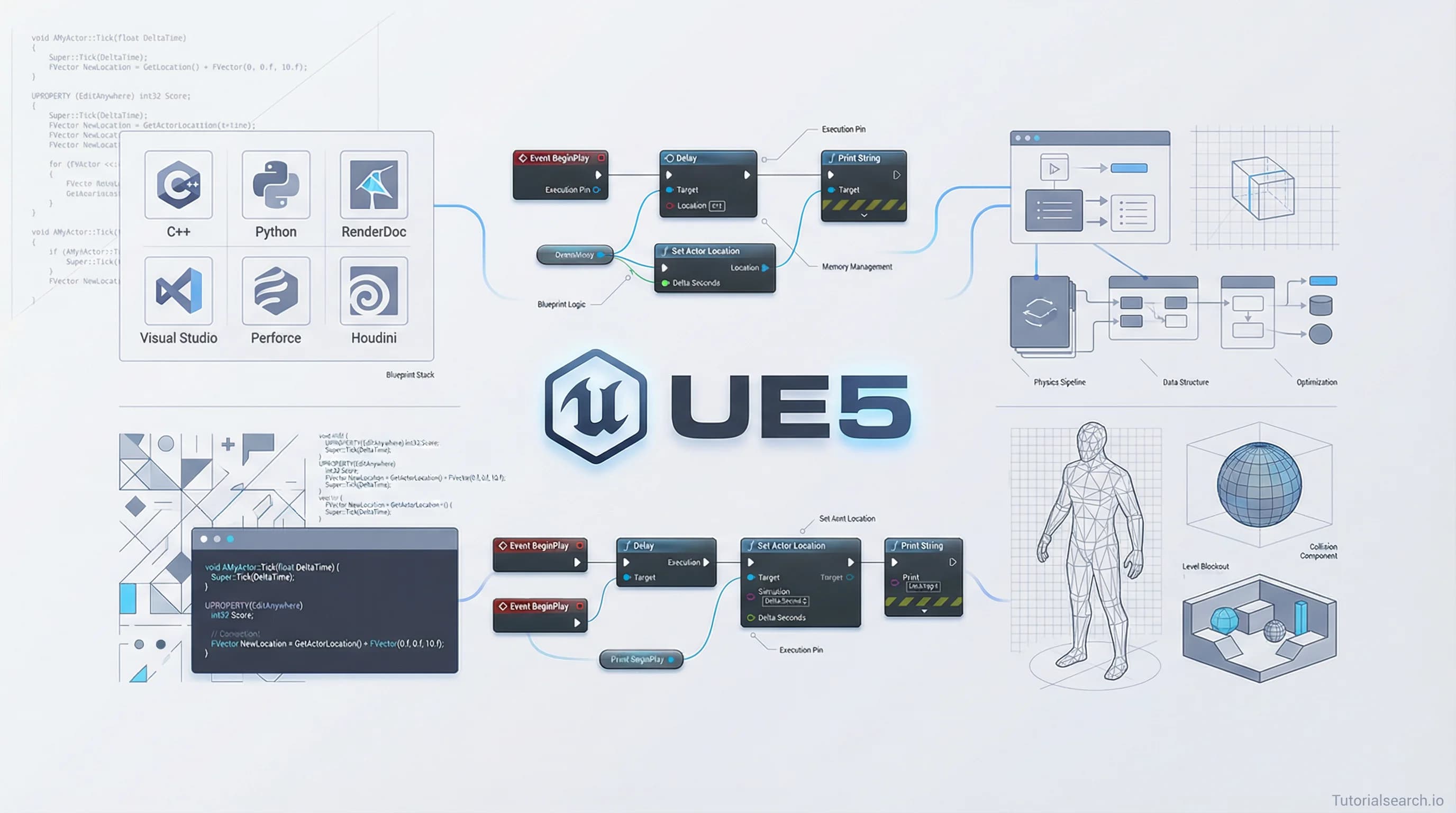
Unreal Engine Learning Paths: Blueprint-First Strategy That Ships Games
Master Unreal Engine with the proven learning path that takes you from Blueprints to C++ to shipping games. We've tested every major course and compiled the best resources.
Hire the developers behind TutorialSearch.io
We built this site — full-stack web apps, AI integration & automation. Tell us what you need and we'll build yours.
From Blueprint to C++: The Unreal Engine Learning Path That Actually Works
When I started learning Unreal Engine three years ago, I made a classic mistake. I jumped straight into C++, thinking it would make me a "real" game developer. I spent six weeks confused, frustrated, and ready to quit. Then I discovered the path that changed everything: starting with Blueprints, understanding the engine's logic, then moving to C++ with confidence. Today, I want to save you that wasted time.
Unreal Engine sits at the intersection of two worlds. It's accessible enough for beginners who can create games using visual scripts. It's powerful enough for professionals who build AAA titles in C++. The trick is knowing which learning path fits your goals, your timeline, and your brain.
This guide covers the courses, resources, and community support that work. We've tested them. We've organized them by your actual learning stage, not by arbitrary difficulty ratings. You'll find what works for you in the first section.
Key Takeaways
- Three learning paths exist: Blueprint-first (safest), C++-first (fastest for programmers), and hybrid (most realistic for teams)
- Epic's official documentation is underrated; it's free and updated regularly with version releases
- Beginner courses from Ben Tristem and David Nixon have trained 460,000+ developers and remain the gold standard
- C++ proficiency requires practice projects, not just video watching; hands-on courses with game examples accelerate learning
- The Blueprint-to-C++ transition takes 2-4 weeks with daily practice; rushing it creates bad habits
- Community support matters more than you think; Discord servers and forums solve problems in minutes, not days
Table of Contents
- Which Learning Path Should You Choose?
- Start Here: The Blueprint Foundation (Weeks 1-4)
- Building Real Projects: From Puzzles to Multiplayer
- The C++ Transition: When and How
- Advanced Game Systems You'll Need
- Beyond Courses: Free Resources That Replace Paid Content
- Your Community: Finding Help When You're Stuck
- The One Skill Nobody Teaches
- Frequently Asked Questions
Which Learning Path Should You Choose? {#which-path}
Three paths exist, and picking the right one saves months of wasted effort.
Path 1: Blueprint-First (For Beginners, Designers, Non-Programmers)
You learn Blueprints in weeks 1-4, build a complete game by week 8, then add C++ gradually for performance. This path teaches you how games work before teaching you the language. You feel progress immediately. Morale matters more than you think for long-term learning.
Choose this if you've never coded. Choose it if you're not sure you want to code. Choose it if you want to ship a game this year.
Statistically, this path works. Ben Tristem's Blueprint course has 33,000 students with 4.49/5 rating. David Nixon's beginner course has 70,000 students with 4.63/5 rating. When hundreds of thousands of people follow a path successfully, that path works.
Path 2: C++-First (For Programmers Switching Engines)
You already understand programming. You want to skip Blueprints and dive into C++. This works if you've coded in Java, C#, or Python. You'll move faster. You'll also miss context about why Unreal does things differently than your last language. Plan 2-3 weeks for the mental model shift.
If this is you, start with Ulibarri's C++ course (57,000 students, 4.75/5 rating). It teaches Unreal's specific approach to C++: how actors work, why replication matters, how components connect.
Path 3: Hybrid (For Team Development)
You use Blueprints for rapid prototyping and game logic. You use C++ for custom systems, performance bottlenecks, and network features. This is how professional teams actually work. It's also the hardest to learn alone because it requires understanding when to use each tool.
If you're learning for a job, this is your path. Companies expect developers who can move between systems. A course like "Blueprint and C++ Integration in Unreal Engine 4" teaches this mindset—Rob Brooks shows you when to use each tool and why.
Start Here: The Blueprint Foundation (Weeks 1-4) {#blueprint-foundation}
[Editors' Choice] Unreal Engine 5: The Complete Beginner's Course by David Nixon
This is the one. It has 70,000+ students because it works. Nixon starts with the absolute basics—launching the engine, understanding the viewport, placing objects. He doesn't assume you've used game engines. He doesn't move too fast.
The course covers materials, lighting, landscape sculpting, and Blueprints fundamentals. By week 2, you've built a playable environment. By week 4, you've created basic game logic. That matters. Your brain retains concepts better when you see them in a complete project, not as disconnected lectures.
The course structure follows this progression: engine basics, 3D modeling and importing, materials and lighting, landscape design, then Blueprints. This order matters. You understand the canvas before learning to paint.
Rating: 4.63/5 from 70,154 students. Cost: $15-50 depending on sales. Duration: ~18 hours.
Alternative for Speed: Unreal Engine 5 Blueprint Game Development by Ben Tristem
Tristem's Blueprint course covers similar material faster. Ben Tristem has trained 390,000+ developers across his courses. His teaching style is clear and efficient.
This course focuses heavily on Blueprints without the extensive 3D modeling sections. If you want to start game logic quickly, pick this. If you want the complete foundation, pick Nixon's.
Rating: 4.49/5 from 33,218 students. Cost: $15-50. Duration: ~14 hours.
The Critical Step Most Courses Skip
After finishing introductory content, build something that's not in the course. A simple platformer. A mini memory game. A top-down maze. Spend one week on a project of your own. This is where learning sticks. Course-following is passive. Building is active.
This solo project teaches you problem-solving. Courses show you solutions. Real work requires finding solutions yourself. That's the gap most learners struggle with.
Building Real Projects: From Puzzles to Multiplayer {#real-projects}
You understand Blueprints now. The next phase teaches you game design patterns—how to structure complex games without your code becoming unmaintainable spaghetti.
[Editors' Choice] Turn Based Puzzle Game in Unreal With Blueprints & C++ by Osama Sedik Ahmed
This course teaches seven design patterns used in professional games: Singleton, State, Observer, Component, Command, Flyweight, and Object Pool. It sounds academic. It's not. Sedik shows you why these patterns solve real problems in game code.
The game you build is inspired by Hitman Go and Lara Croft Go. It's simple enough to finish in 2 weeks. It's complex enough to teach you how professional projects structure code. You learn when to use a State pattern (for enemy behavior), when to use Observer (for game events), when to use Component (for modularity).
Rating: 4.02/5 from 411 students. Cost: $15-50. Duration: ~16 hours.
This course shifts your thinking from "making something work" to "making something maintainable." That shift separates hobby projects from professional work.
For Immersive First-Person Games
Unreal Engine 5 C++ Game Development (Updated 5.6) by Ben Tristem
Tristem's C++ course assumes you know Blueprints already. It teaches C++ in the context of building a complete first-person game. You don't learn C++ in a vacuum. You learn it by building something tangible.
The course covers: C++ fundamentals, Unreal architecture (actors, components, GameMode), input handling, character movement, weapons systems, and packaging for distribution.
Rating: 4.73/5 from 390,162 students. Cost: $15-50. Duration: ~30 hours.
This is the most-enrolled Unreal course on Udemy. That number exists for a reason. Tristem structures learning around outcomes—by the end, you have a complete game.
For C++ Game Logic Without Prerequisites
[Editors' Choice] Unreal Engine 5 C++ The Ultimate Game Developer Course by Stephen Ulibarri
Ulibarri's reputation precedes him—57,000+ students, 4.75/5 rating. His course teaches C++ fundamentals alongside Unreal-specific patterns. You learn the engine, not just the language.
The course uses project-based learning: build a first-person game, then a multiplayer shooter, then a top-down RPG. Each project reinforces different systems: movement, combat, networking, UI. By the third project, C++ feels natural.
Rating: 4.75/5 from 57,287 students. Cost: $15-50. Duration: ~40 hours.
This course gets recommended most for good reason. Ulibarri structures C++ teaching around what you actually need for games, not what computer science textbooks say you need. He explains pointers in terms of "why actors point to each other," not abstract memory diagrams.
For Multiplayer Systems
Unreal Engine 5 C++ Multiplayer Shooter also by Stephen Ulibarri
Same instructor, narrower focus. This goes deep on networking, replication, client-server architecture. It teaches how multiple players connect to the same game world.
Rating: 4.82/5 from 33,385 students. Cost: $15-50. Duration: ~20 hours.
Multiplayer is harder than single-player. This course takes that complexity and breaks it into digestible pieces. You build a shooter where up to 4 players can connect, shoot each other, and see kills in real-time.
Advanced Game Systems You'll Need {#advanced-systems}
Once you've completed beginner and intermediate courses, certain systems appear in almost every game.
For Game Ability Systems (RPGs, Action Games)
Unreal Engine 5 - Gameplay Ability System - Top Down RPG by Stephen Ulibarri
The Gameplay Ability System (GAS) is Epic's official system for handling abilities in complex games. It handles cooldowns, mana costs, combo chains, and buff/debuff effects. Most RPGs and action games use GAS.
This course teaches GAS by building a complete top-down RPG. You learn when to use it (complex ability management) and when to skip it (simple games don't need it).
Rating: 4.76/5 from 25,646 students. Cost: $15-50. Duration: ~18 hours.
For Architecture and Visualization
Unreal Engine 4 for Architecture - Fundamentals Course by Hardy Hutajaya
This one's different. Game development isn't the only use case for Unreal Engine. Architects use it for real-time visualization. This course teaches Unreal for that purpose, but the techniques—material creation, lighting, camera work—apply to games too.
If you want to understand lighting deeply, this course excels. It covers photorealistic rendering, which transfers knowledge to games that need cinematic visuals.
Rating: 4.14/5 from 30,020 students. Cost: Free. Duration: ~12 hours.
For Advanced Blueprint Systems
Extending Unreal Engine with Blueprints, C++ and Scripts by Włodzimierz Iwanowski
This goes beyond game development into tools development. You learn to extend the editor itself, create custom tools, and build systems that other developers will use.
It's specialized, but if you're building complex games with unique systems, this teaches patterns for extensibility.
Rating: New course (28 students so far). Cost: $15-50. Duration: ~18 hours.
Advanced Skills for Zelda-Like Games
Hire the developers behind TutorialSearch.io
We built this site — full-stack web apps, AI integration & automation. Tell us what you need and we'll build yours.
Create Zelda-like skills with C++ in Unreal Engine 5 by Howl Chang
This course teaches a specific advanced topic: building a skill system inspired by The Legend of Zelda. You learn locomotion systems (sprinting, gliding), skill frameworks (bomb throwing, object manipulation), and interactive objects (pressure plates, destructible walls).
It's not a general course. It's specialized for action-adventure games. If that's your goal, it's perfect. If you're making a puzzle game, it's overkill.
Rating: 4.59/5 from 164 students. Cost: $15-50. Duration: ~16 hours.
The C++ Transition: When and How {#cpp-transition}
This is where most people get stuck. You've built games in Blueprints. You understand game logic. Now you're staring at C++ and it feels impossible again.
The Three-Step Transition
Step One: Learn C++ Basics in Unreal Context (Week 1)
Don't take a general C++ course. You don't need to understand pointers in theory. You need to understand pointers in Unreal. The difference is crucial.
[Editors' Choice] Blueprint and C++ Integration in Unreal Engine 4 by Rob Brooks (Pluralsight)
Yes, it says UE4, but the concepts apply to UE5. Brooks builds a Pong game in Blueprint, then converts it to C++. You see why C++ is faster. You see what changes. You see what stays the same.
The conversion teaches structure: C++ classes map to Blueprint classes, functions map to Blueprint functions, variables map to variables. The syntax is different. The architecture is the same.
Rating: 4.2/5 from 48 reviews. Cost: Requires Pluralsight subscription (~$30/month).
Step Two: Practice Conversion (Week 2-3)
Take a Blueprint system you've built. Rewrite it in C++. It's boring. It's essential. This teaches you syntax through repetition and builds muscle memory.
The conversions you practice: simple actors, controllers, player characters, weapons, UI interactions. Each conversion reinforces how Blueprints map to C++.
Step Three: Build New Systems in C++ (Week 4+)
Create a system that doesn't exist in your Blueprint version. A new weapon type. A UI system. A save-game handler. This forces you to think in C++ from scratch, not just translate Blueprint.
This is where C++ stops being translation and becomes native thinking.
Beyond Courses: Free Resources That Replace Paid Content {#free-resources}
Not all learning happens in courses. Some of the best learning is free and underutilized.
Official Epic Games Documentation
The official documentation at https://dev.epicgames.com/documentation/en-us/unreal-engine/get-started is maintained by Epic. It's updated with every engine release. It's underrated because it's not flashy, but it's accurate and comprehensive.
The "Understanding the Basics of Unreal Engine" page covers concepts that most courses skip over: the actor lifecycle, component hierarchies, replication, and networking fundamentals. Bookmark it. Reference it.
YouTube Channels with Structure
Generic YouTube tutorials are free but scattered. These channels have playlists organized by topic.
Virtus Learning Hub has extensive free tutorials organized by skill level. Their beginner series covers installation, viewport navigation, materials, lighting, and Blueprints with a teaching style similar to paid courses.
Unreal Sensei focuses on tips and tricks for professional developers. It's less tutorial-focused, more "here's how professionals solve X problem" focused. Great for developers with existing knowledge.
Smart Poly offers bite-sized tutorials for specific problems: "How to implement a dialogue system," "How to optimize performance," "How to set up multiplayer." Search their channel when you hit a specific problem.
These channels work best when you know what you're looking for, not as your primary learning source.
GitHub Awesome Collections
The community maintains several "awesome" lists of plugins, systems, and example projects.
https://github.com/insthync/awesome-unreal is a categorized collection of open-source Unreal repos. You'll find plugins for networking, UI, animation, and gameplay systems built by the community.
https://github.com/Coop56/awesome-unreal is another well-maintained list. It includes articles, resources, YouTube channels, and project examples organized by topic.
These aren't courses. They're reference material. Use them when you need to understand how others solved a problem. Read the code. Copy approaches. This is advanced learning for developers who can read code already.
Books for Deep Understanding
Courses teach you to build. Books teach you why things work the way they do.
Learning Unreal Engine Game Development by Joanna Lee starts with simple game ideas and increases complexity across chapters. It's gentle, which matters when you're learning from reading instead of video.
Game Development with Unreal Engine 5 targets beginners and professionals. It covers basic setup through fundamental game objects. Use it as a reference, not a start-to-finish read.
Game Development Patterns with Unreal Engine 5 is the book version of what courses teach. Read it after courses, not before. It makes more sense when you've built something and want to understand the patterns you're using.
These books cost $20-40 each and take 10-20 hours to get through. They're worth it if you learn better from reading than video.
Your Community: Finding Help When You're Stuck {#community}
This is the difference between giving up and persisting.
Official Forums
The Epic Developer Community Forums at https://forums.unrealengine.com host developers asking real questions. Response times average 30 minutes. The community is helpful. The search function works.
When you hit an error, search first. Odds are someone's hit it. If not, ask with your error code, engine version, and what you were trying to do. Get specific, get answers quickly.
Discord Servers
An independent Discord community has 48,000+ members designed specifically for learning Unreal, from deep C++ system engineering to starting-out basics. Search "Unreal Engine Discord" to join.
These servers have channels for: Blueprints, C++, UI, networking, mobile, tools, and game jams. Join the relevant channels. Ask questions. Get answers within minutes, usually from experienced developers.
Discord is faster than forums. Forums are better for permanent reference. Use both.
The One Skill Nobody Teaches {#the-skill}
Here's what separates developers who finish projects from developers who don't: the ability to debug your own problems.
Courses show you the happy path—here's how to build a feature. Real development is 80% figuring out why your code broke, then fixing it.
The Skill: Reading error messages.
Unreal error messages are dense. Example: "Error: Tried to access None 'CharacterMovement' of UCharacterMovementComponent." Translation: a variable is null when you tried to use it. Understanding this difference—from the error message to the solution—is the skill.
Learn to read these. Learn to Google them. Learn to add Debug.Print statements to figure out what's happening. This skill—more than any syntax—determines your speed as a developer.
The Practice: Deliberately break your code.
In projects, change something you don't fully understand. Watch it break. Read the error. Fix it. Do this 5 times per project. You'll build an intuition for how the engine thinks.
Frequently Asked Questions {#faq}
Q: Can I learn Unreal Engine completely free?
Yes, but partially. Epic provides free courses covering Blueprints, animation, and lighting through their Online Learning platform. Free courses get you to "I can build a simple game." Paid courses are $15-50 and get you to "I can build a complete game in 8 weeks" or "I can work professionally."
Free is slower but free. Paid is faster. Decide based on your timeline.
Q: Should I learn C++ before Unreal Engine?
Only if you're learning from first principles. Most people learn C++ through Unreal. Ulibarri's course teaches C++ in Unreal context, which is faster than learning general C++ first. Exception: if you've coded in Java or C# professionally, you have the mindset down and can move faster.
Q: How long until I can make a real game?
Blueprint path: 8-12 weeks of part-time study (5-10 hours per week). Multiplayer path: 4-6 months. Professional path (polished, networked, published): 6-12 months depending on team size.
These timelines assume consistent weekly effort.
Q: Blueprints or C++?
Blueprints for prototyping, learning, and rapid iteration. C++ for performance, complex systems, and shipping. Most projects use both. Pick Blueprints first if you're unsure.
Q: What should I build first?
Something small and stupid. Not a mobile game with 50 levels. Not an MMO. Build: a platformer with 3 levels, a match-3 puzzle game, a top-down shooter. Finish it in 2 weeks. Then ship it somewhere—itch.io is free. You'll learn more from finishing something small than from 40 hours of unfinished tutorials.
Q: Why is Ben Tristem so popular?
He teaches the Blueprint fundamentals in order. He doesn't skip steps. His course structure is logical. His examples are complete. He's trained 390,000+ students on C++ and 33,000+ on Blueprints. Size doesn't make him best, but consistency does.
Q: Is game development a viable career?
Yes, with caveats. Game programming jobs exist. Game design jobs exist. Game art jobs exist. Entry barrier is higher than web development. You need a portfolio that shows finished work, not unfinished passion projects. The path: learn the engine, build 2-3 complete games, apply to studios. Most people get hired based on portfolio quality, not degree.
Related Topics
Continue learning with these related game development paths:
- Explore 2D Game Dev strategies and resources
- Master Unity C# for cross-platform game creation
- Compare game engines and choose the right one
- Learn Game Development Basics from first principles
- Build game systems like networking and AI
Sources
Understanding the Basics of Unreal Engine | Unreal Engine 5.7 Documentation
Get Started with Unreal Engine
GitHub - insthync/awesome-unreal
GitHub - Coop56/awesome-unreal