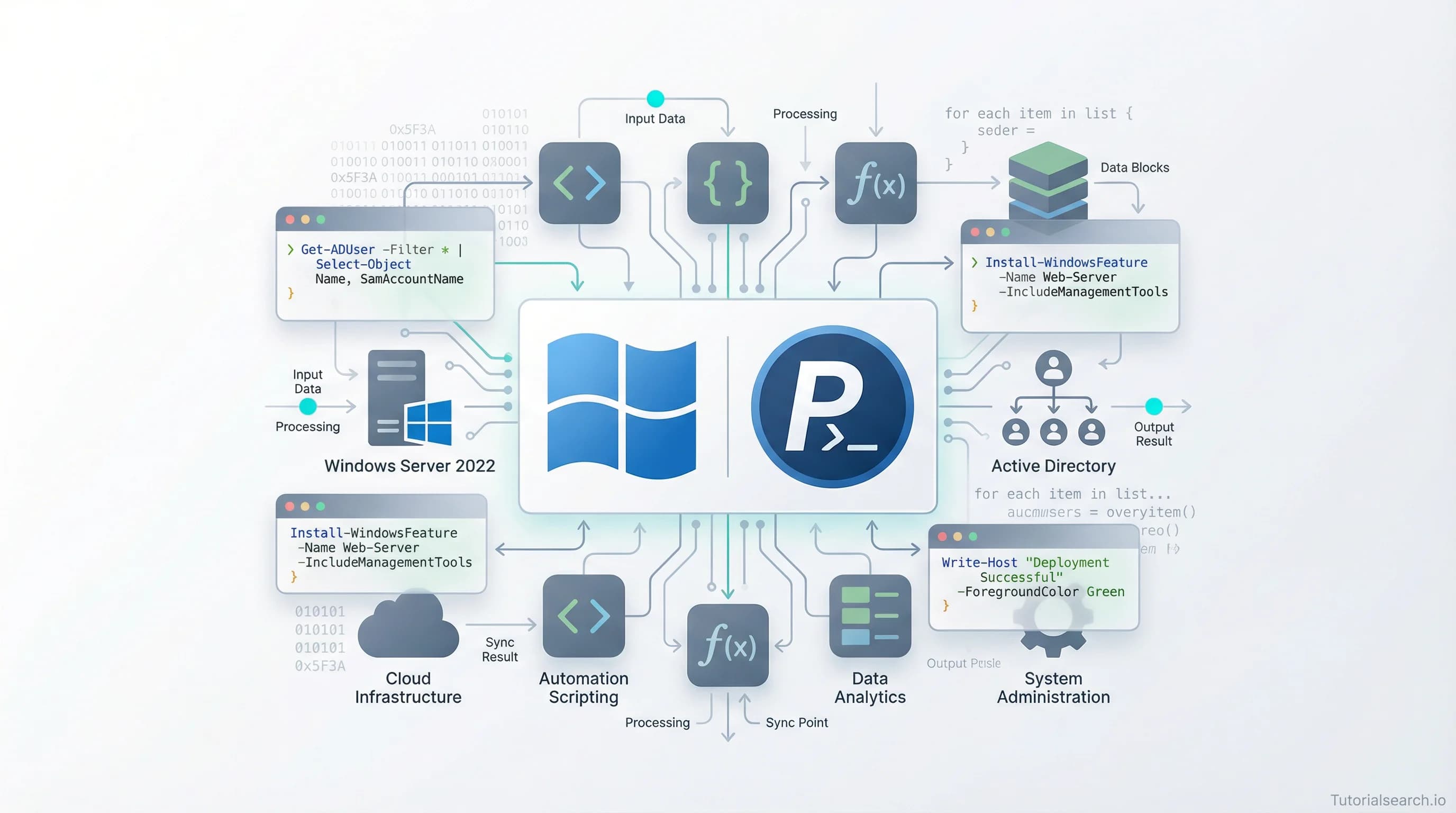
The Windows Systems Courses I'd Recommend to a Friend
Windows Systems administration is one of the most underestimated career skills in IT — and demand for admins who know Active Directory, PowerShell, and Windows Server is real. Here are the courses and resources that actually deliver.
Hire the developers behind TutorialSearch.io
We built this site — full-stack web apps, AI integration & automation. Tell us what you need and we'll build yours.
Windows Systems administration is one of the most underestimated career skills in IT right now. While the industry obsesses over Kubernetes and Linux containers, roughly 72% of enterprise servers still run Windows. That gap between what developers talk about and what enterprise IT actually runs creates something useful: a real demand for people who know Windows Systems inside and out.
The job titles that require this knowledge include Systems Administrator, Cloud Engineer, IT Support Specialist, and Infrastructure Engineer. The Bureau of Labor Statistics puts network and systems administrators at a median salary above $95,000 in the US — and that's for people who can manage Active Directory (Microsoft's directory service for users and computers), configure Windows Server, write PowerShell scripts, and troubleshoot production issues under pressure.
If you're looking for the best Windows Systems courses and resources, this is where I'd point you. I've put together the structured courses, free tools, YouTube channels, GitHub repos, and books that will actually build this skill.
Key Takeaways
- Windows Systems skills are in high demand because enterprise IT still runs heavily on Windows Server.
- The fastest path to employability: learn Active Directory + PowerShell first — they appear in almost every sysadmin job posting.
- Microsoft Learn has excellent free Windows Systems training, including complete PowerShell learning paths.
- Strong Windows Systems knowledge pairs naturally with Linux Fundamentals for hybrid environments.
- Most Windows Systems certifications (MD-102, AZ-801) have well-reviewed Udemy prep courses that match the exam topics closely.
In This Article
- The Job Market Reality for Windows Systems Pros
- Windows Systems Courses I'd Send to a New Hire
- Windows Systems: Free Resources That Are Surprisingly Good
- PowerShell — The Force Multiplier for Any Windows Systems Admin
- Windows Systems YouTube Channels Worth Bookmarking
- Windows Systems GitHub Repos Worth Starring
- Windows Systems Books That Changed How I Think
- The Windows Systems Communities Where Admins Actually Help
- Related Windows Systems Skills Worth Exploring
- Frequently Asked Questions About Windows Systems
The Job Market Reality for Windows Systems Pros
Here's the number that surprised me: even as cloud adoption accelerates, most mid-to-large enterprises still manage Windows Server infrastructure on-premise or in hybrid cloud setups. Microsoft's own data shows that the majority of Azure virtual machines run Windows. The "everything is Linux containers now" narrative is partly true — but only for certain layers of the stack.
Most businesses run Windows for good reasons. Active Directory (their identity and access system) is deeply embedded. Windows-specific business applications run on Windows Server. Exchange, SharePoint, and many enterprise tools were built for Windows environments and haven't moved.
Here's the contrarian take worth considering: Linux certifications get all the attention in DevOps circles, but a sysadmin who can manage both Windows and Linux environments — and automate both — is significantly more valuable than someone who only knows one side. Windows Systems isn't a fallback skill. For many IT departments, it's the core skill.
If DevOps automation is where you're headed, you'll encounter Windows environments constantly. Getting comfortable with Windows Systems first makes the automation layer much easier to learn.
Windows Systems Courses I'd Send to a New Hire
These are the courses I'd actually recommend to a colleague starting out. Not the ones that look impressive in a catalog — the ones that build real working knowledge.
1. Windows Server 2022 Administration For Beginners [Editors' Choice]
This is the one I'd start with for anyone coming in fresh. The course covers installation, configuration, Active Directory setup, DNS (the system that translates domain names to IP addresses), DHCP (which automatically assigns IP addresses to devices), and Group Policy — all the core Windows Server tasks you'll actually face on the job.
The instructor walks through concepts before demonstrating them in a lab, which is the right order. You don't want to watch someone click through server menus without understanding what they're doing.
Rating: 4.57 | Platform: Udemy | Paid
View course on TutorialSearch.io
2. Complete Windows Server Administration Course [Editors' Choice]
This one goes broader than the beginner course. It covers Hyper-V (Microsoft's built-in virtualization technology), storage management, backup and recovery, and more advanced networking scenarios. It's the natural next step after you've got the basics down.
Rating: 4.48 | Platform: Udemy | Paid
View course on TutorialSearch.io
3. Windows Server 2022: Manage Storage and File Services
Tim Warner is one of the clearest technical instructors in the Microsoft ecosystem. This Pluralsight course focuses on storage and file services — a topic that's deceptively important and often rushed through in broader server courses. If storage management appears in your job description, this is the course.
Rating: 4.4 | Platform: Pluralsight | Paid
View course on TutorialSearch.io
4. Mastering Active Directory in a Home Lab
Brady Keezer's free course does something most Active Directory courses skip: it teaches you how to build a lab environment at home. That matters, because you can't learn Active Directory without somewhere to break things. Ratings are modest but the free price and hands-on focus make it genuinely useful for anyone who doesn't have an enterprise environment to practice in.
Rating: 4.12 | Platform: Udemy | Free
View course on TutorialSearch.io
5. Legacy IT — Technical Support & Desktop Troubleshooting Tips
Don't skip this one. The title sounds dated, but with 26,000+ students, this free course covers the kinds of real-world Windows workstation problems that don't show up in server administration courses. Being able to troubleshoot quickly at the desktop level is a core sysadmin skill, and this course covers it better than most.
Rating: 4.48 | Platform: Udemy | Free
View course on TutorialSearch.io
For the full catalog, you can browse all 454 Windows Systems courses on TutorialSearch.io and filter by skill level or platform.
Windows Systems: Free Resources That Are Surprisingly Good
Paid courses aren't the only path. Several free resources are good enough to build real skills.
Microsoft Learn — Windows Server Documentation is the official starting point and it's kept current with each Windows Server release. The getting-started guides are genuinely accessible, even if you're not already a server admin.
Microsoft Learn — PowerShell for System Administration [Editors' Choice] is a full free learning path that covers using PowerShell to manage Active Directory, automate routine tasks, and administer remote systems. This is one of the better free technical training paths on the internet. The exercises are practical rather than just conceptual, and Microsoft updates the content regularly.
Alison — Introduction to Windows Server Administration covers the fundamentals for free. It's a solid way to test whether Windows Server administration is a direction you want to pursue before spending money on a paid course.
Class Central — Windows Sysadmin Courses aggregates 300+ courses on Windows administration, including many free options. It's a useful discovery tool if you're searching for something specific, like a course focused on a particular Windows Server version.
Windows Server 2016 Administration Full Course on YouTube. Several educators have posted complete multi-hour courses on YouTube for free. The content covers installation, networking, Active Directory, DHCP, DNS, and Group Policy. It's not Windows Server 2022, but the core concepts haven't changed that much.
PowerShell — The Force Multiplier for Any Windows Systems Admin
Most Windows Systems learning paths treat PowerShell as an optional add-on. That's a mistake.
PowerShell is the scripting and automation layer that makes everything else faster and more reliable. Once you can write PowerShell scripts, you can automate user account provisioning, manage Group Policy objects, query Active Directory, monitor services, deploy software, and generate reports — all without clicking through menus.
Every mid-level and senior Windows Systems job posting mentions PowerShell. It's that standard.
PowerShell — Essential Course with Labs on Udemy teaches PowerShell scripting with hands-on exercises. It covers variables, loops, conditions, file operations, and error handling. Rating: 4.38.
Quick comparison — picking your PowerShell starting point:
| Your Situation | Where to Start |
|---|---|
| Never written a script | Microsoft Learn free PowerShell path |
| Comfortable with basic scripting | PowerShell Essential Course with Labs (Udemy) |
| Know PowerShell, want AD automation | Search Windows Systems + PowerShell courses |
| Advanced — scaling automation | Combine with DevOps Automation resources |
One thing that might surprise you: PowerShell now runs on Linux and macOS too. So if you're working in a hybrid environment — which most enterprise IT departments are — your PowerShell skills transfer. The Microsoft Learn path covers this cross-platform angle.
If you're also exploring network automation, PowerShell integrates well with network management tasks in Windows environments.
Windows Systems YouTube Channels Worth Bookmarking
Hire the developers behind TutorialSearch.io
We built this site — full-stack web apps, AI integration & automation. Tell us what you need and we'll build yours.
Microsoft Mechanics (YouTube) is the official Microsoft channel for IT pros. Short, clear demonstration videos covering Windows Server features, security updates, and administration tasks. The production quality is high and the content is technically accurate. This is where I go when a new Windows Server update drops and I want to understand what actually changed.
NetworkChuck (YouTube) covers Windows Server, Active Directory, and sysadmin topics with genuine energy. His Active Directory walkthrough videos have helped thousands of beginners understand the concepts before committing to a full course. He's one of the few YouTube educators who makes infrastructure topics genuinely engaging.
John Savill's Technical Training (YouTube) is where I'd send intermediate-level Windows admins. Savill has been covering Microsoft infrastructure for years. His Windows Server and Azure deep-dives are technically dense and rewarding. His Master Class series on YouTube is comprehensive enough to substitute for a paid course on some topics.
Adam Driscoll's PowerShell channel (YouTube) covers advanced PowerShell scripting techniques, including PowerShell modules, automation tooling, and development workflows. If you're going deep on PowerShell, bookmark this one.
Windows Systems GitHub Repos Worth Starring
awesome-foss/awesome-sysadmin (GitHub) is a community-maintained list of open-source sysadmin tools covering monitoring, automation, backups, configuration management, and logging. It covers both Windows and Linux. When you need a specific tool for a task, search this list first before building something yourself.
pakoti/Awesome_Sysadmin (GitHub) focuses more specifically on Windows system administration tools and PowerShell scripts. If you want a curated collection of practical Windows automation scripts, this is the place.
kahun/awesome-sysadmin (GitHub) is one of the longest-running community-maintained sysadmin resource lists. It covers tools across every major administration category and is a reliable starting point for finding the right tool for any task.
Treat these repos as references, not reading material. Bookmark them and search when you hit a specific problem or need a tool recommendation.
Windows Systems Books That Changed How I Think
Windows Server Administration Fundamentals (Microsoft Press) is the official text aligned with the 98-365 certification. It's written for beginners and covers the core concepts in a logical, patient order. A good starting point if you prefer learning from books before moving to video courses.
Windows Server Inside Out: Updated for Windows Server 2025 by Orin Thomas is the comprehensive reference for working administrators. Thomas has been writing Windows Server guides for years, and this book shows it — it's thorough, well-organized, and the kind of reference you'll return to repeatedly rather than read once and shelve. Available on O'Reilly Online Learning.
Mastering PowerShell Scripting (Packt Publishing) is the book for going beyond basic scripts into proper PowerShell development. It covers modules, classes, error handling, and testing — the skills you need to write production-grade automation rather than quick one-off scripts.
For those heading into hybrid cloud environments, pairing Windows Server knowledge with cloud automation skills is increasingly important. Microsoft Entra ID (formerly Azure Active Directory) is the cloud extension of on-premise Active Directory, and understanding how the two connect is a valuable and in-demand skill.
The Windows Systems Communities Where Admins Actually Help
r/WindowsServer (Reddit) is an active community where real sysadmins post questions about cluster management, Hyper-V, firewalls, Active Directory, and production troubleshooting. The signal-to-noise ratio is higher than most tech subreddits.
r/sysadmin (Reddit) is broader but heavily Windows-weighted in practice. The "Tales from the Trenches" threads are both entertaining and educational — you'll learn a lot about what Windows Systems problems look like in real production environments, which is different from how tutorials present them.
Microsoft Community Discord has 88,000+ members and dedicated channels for Windows Server, Azure, and PowerShell. Good for quick questions and for connecting with people who are working on similar infrastructure challenges.
Windows Forum runs an older forum format but it's still active. Useful for searching historical threads on specific Windows Server issues, especially for older server versions that organizations haven't migrated off yet.
Building community connections alongside your course work pays off. The IT expertise community is large, and most experienced sysadmins are willing to help beginners who ask good questions.
Related Windows Systems Skills Worth Exploring
Windows Systems doesn't exist in isolation. These skills connect directly to Windows administration in most enterprise environments:
- IT Expertise — Broad IT skills training with 914+ courses. The foundation beneath any specialized server role.
- Linux Fundamentals — Most enterprise environments run both Windows and Linux. This is the natural complement to Windows Systems skills.
- Network Fundamentals — Networking knowledge is essential for Windows Server configuration, especially DNS, DHCP, and firewall management.
- DevOps Automation — The next level after Windows Systems mastery. PowerShell + Ansible + CI/CD pipelines for automated infrastructure.
- Network Automation — If your role includes managing network infrastructure alongside Windows servers.
- Cloud Automation — Windows Server skills translate directly to Azure IaaS and hybrid Active Directory environments.
- Docker Containers — Windows Server 2022 supports Windows containers. If you're moving toward DevOps, this is where the two worlds overlap.
- DevOps Essentials — The broader context for how Windows Systems fits into modern IT operations.
Frequently Asked Questions About Windows Systems
How long does it take to learn Windows Systems?
Basic Windows Server administration — enough to handle common tasks confidently — takes 3 to 6 months of consistent study. Reaching a professional level where you can manage complex Active Directory environments, troubleshoot production issues, and automate with PowerShell takes 12 to 18 months of hands-on work. Building a home lab dramatically accelerates the process because you learn faster by breaking things on purpose than by watching someone else avoid mistakes.
Do I need Linux knowledge to learn Windows Systems?
No. Windows Systems administration is its own discipline and you can start with zero Linux experience. That said, most enterprise environments run a mix of both, so Linux Fundamentals will eventually make you more versatile. Most sysadmins start with one and pick up the other on the job.
Can I get a job with Windows Systems skills?
Yes, and it's a practical career path. Systems Administrator roles consistently list Windows Server and Active Directory as required skills. The combination of Windows Server + PowerShell + basic networking covers the core requirements for most entry-level and mid-level sysadmin positions. Browse the full Windows Systems course catalog to see what specific topics employers expect.
What are the prerequisites for managing Windows Systems?
Basic computer literacy and some comfort with navigating a command-line interface is enough to get started. You don't need to be a programmer. PowerShell uses plain English-style commands, and Microsoft's official documentation is genuinely beginner-accessible. Having Network Fundamentals knowledge helps with DNS, DHCP, and firewall configuration — but you can pick those up alongside server administration.
How do Windows Systems differ from Linux systems?
Windows Server provides more built-in GUI (graphical interface) management tools, which makes some tasks easier to learn visually. Linux systems are more common in cloud and container environments because they're lightweight and flexible. Windows integrates more deeply with Microsoft business applications like Exchange, SharePoint, and Active Directory. Most enterprise organizations use both, which is why knowing Windows Systems and at least the basics of Linux is the most employable combination.
The Windows Server 2022 Administration For Beginners course is the clearest starting point I've found for someone coming in fresh. Pair it with Microsoft Learn's free PowerShell training path, build a home lab, and start breaking things — that's the fastest route to genuinely useful Windows Systems skills. The demand for administrators who know this environment well isn't going anywhere.