The Power Platform Learning Path That Actually Makes Sense
Learn Power Platform with curated courses, free resources, YouTube channels, GitHub repos, and communities. Your practical guide to Power Apps, Power Automate, Power BI, and Copilot Studio.
Need a web app built? Hire the team behind TutorialSearch.io
We ship fast, production-grade full-stack apps (Next.js, React, edge infra) — the same stack that powers this site.
Most organizations running Microsoft 365 already have Power Platform — they just don't know it. As of 2026, over 33 million people use Power Platform monthly, making it one of the fastest-growing enterprise tools in existence. Yet most of those users are self-taught: they picked it up under deadline pressure and never learned the platform systematically. That gap is exactly why Power Platform skills are valuable right now — the tool is everywhere, the training baseline is low, and organizations are actively looking for people who can use it properly.
This guide cuts through the noise. Below you'll find curated courses, free resources, YouTube channels, GitHub repos, books, and communities — with honest takes on what's worth your time and what to skip.
Key Takeaways
- Power Platform combines Power Apps, Power Automate, Power BI, and Copilot Studio into one low-code toolkit available in most Microsoft 365 plans
- You don't need a programming background to start building real Power Platform solutions
- Power Platform certifications (PL-900, PL-200, PL-400) are recognized across industries and increasingly required in enterprise job postings
- The fastest way to learn Power Platform is to build something real — pick one tool, pick one problem, build it
In This Article
- What Each Power Platform Tool Actually Does
- Power Platform Courses Worth Taking
- Free Power Platform Resources That Actually Deliver
- YouTube Creators Who Teach Power Platform Well
- Power Platform GitHub Repos Worth Bookmarking
- Power Platform Books for When You Want to Go Deeper
- Power Platform Communities Where Help Is Real
- Related Skills That Make Power Platform More Powerful
- FAQ
What Each Power Platform Tool Actually Does
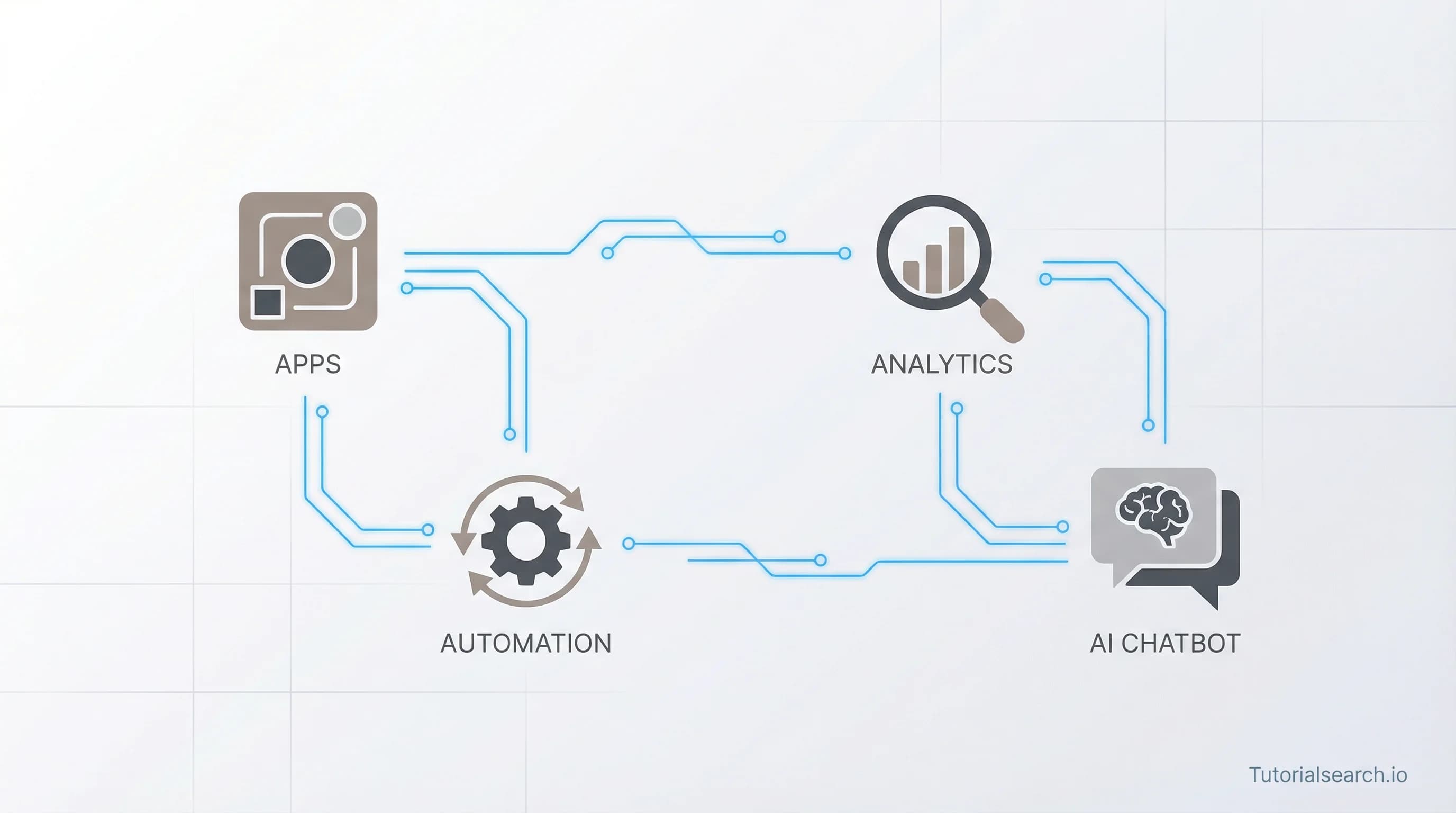
The single biggest source of confusion for beginners: Power Platform is not one product. It's four tools that share a common data layer and work best when used together. Trying to learn all four at once is a mistake — but understanding how they divide responsibility makes everything clearer.
| Tool | What It Does | Best For |
|---|---|---|
| Power Apps | Build custom apps with drag-and-drop UI | Replacing paper forms, building internal tools |
| Power Automate | Automate workflows between apps and services | Email alerts, approval routing, data syncing |
| Power BI | Build interactive dashboards and reports | Business analytics, executive reporting |
| Copilot Studio | Create AI-powered chatbots and agents | Customer service bots, internal FAQ automation |
All four share Microsoft Dataverse as a common data layer and are bundled into most Microsoft 365 business plans. The strategic advantage here is real: instead of buying five different tools from five different vendors, you can automate most enterprise workflows with tooling you already own.
The contrarian take most courses won't tell you: Power BI is arguably the most immediately marketable of the four for individual career value. Demand for data dashboard skills outpaces demand for app builders in most industries, and a strong Power BI portfolio is one of the fastest credentials you can build in the Microsoft ecosystem. Start wherever solves your current problem — but don't overlook BI.
Explore all Power Platform courses on TutorialSearch to see what's available across every skill level before committing to a path.
Power Platform Courses Worth Taking
Most Power Platform courses fail the same way: they go too wide, touching everything and mastering nothing. The picks below cover specific tools or the platform as a whole, each for a different reason and a different learner.
- Microsoft Power Platform: Power Apps/Power BI/Power Automate (Udemy) [Editors' Choice]
This is the course I'd send to a colleague who's never touched Power Platform. With over 11,000 students and a 4.4 rating, it's been tested by enough real learners to trust. It covers Power Apps, Power Automate, and Power BI — the three workhorses — in enough depth to actually build something with each. What makes it click is that the instructor connects how the tools interact, not just how each one works in isolation. Understanding the connections is what beginners actually need. The pace works for both fast learners who want to skim sections they already understand and methodical learners who want to follow along step by step.
- Power Platform Foundations: Introduction to Copilot Studio (Pluralsight) [Editors' Choice]
Copilot Studio is the newest major pillar of Power Platform, and learning resources for it are still sparse. This course by Vlad Catrinescu on Pluralsight is one of the few dedicated beginner entries available — and a 4.9 rating on a platform known for professional learners is difficult to dismiss. It's focused on building actual agents, not just explaining concepts. If you're evaluating where AI fits into your organization's Power Platform strategy, this is where to start. Catrinescu has a methodical teaching style that works particularly well for enterprise practitioners who need to understand not just how to use a tool but when to use it and why.
- Microsoft Power Platform Introductory Course (Fundamentals) (Udemy — Free) [Editors' Choice]
Free and punching well above its price. The instructor is a Microsoft Certified Trainer and current Microsoft employee, which means the material is accurate and actively maintained. Over 4,000 students and a 4.2 rating for a course that costs nothing — the value ratio is impossible to beat. This is where I'd send anyone preparing for the PL-900 certification before spending money on paid prep materials. The coverage is broad enough to give you the conceptual framework that the certification exam tests.
- PL-900: Power Platform Fundamentals (Udemy) [Editors' Choice]
A perfect 5.0 rating — unusual at any price — laser-focused on the Microsoft certification that most employers look for first when hiring Power Platform talent. PL-900 is the entry-level cert, and this dedicated prep course is what to take once you've covered the fundamentals and are ready to sit the exam. The distinction from the free course above: this one is purely about passing certification, not broad skill building. If you're on a timeline and need the credential, start here.
Power Platform skills pair especially well with automation development — once you understand scripting logic, your Power Automate flows become significantly more capable and your apps can handle edge cases that purely visual builders miss.
Free Power Platform Resources That Actually Deliver
Microsoft invests more in free documentation and training than most vendors — the challenge is knowing where to look rather than getting lost in the volume.
The Official Microsoft Power Platform documentation at Microsoft Learn is the authoritative source for everything: architecture, governance, admin settings, connector reference material. It's dense and comprehensive. Use it as a reference, not a learning path. For specific tools, Microsoft Learn for Power Apps and Microsoft Learn for Power Automate are organized better and include hands-on guided labs — these are genuinely good for structured beginner learning without requiring any additional registration or cost.
Power Platform Learn Academy is run by MVPs and is one of the better free learning sites in this space. The courses are hands-on, organized like a curriculum rather than a documentation dump, and updated regularly. The PL-100 and PL-900 preparation materials alone are worth the visit. The free tier is more than enough to get started — you don't need to pay to access the foundational content.
TutorialsPoint Power Platform offers a written tutorial that's useful for people who learn by reading rather than watching. It's not the deepest resource, but it's clean, searchable, and useful for quick concept checks when you know what you're looking for but need a clear definition or example.
The Microsoft Power Platform Blog publishes monthly feature updates — the fastest way to stay current with what's changed. The March 2026 update introduced meaningful Copilot Studio improvements, new connector capabilities, and Power Apps canvas performance enhancements worth knowing about if you're building anything production-grade.
YouTube Creators Who Teach Power Platform Well
Need a web app built? Hire the team behind TutorialSearch.io
We ship fast, production-grade full-stack apps (Next.js, React, edge infra) — the same stack that powers this site.
YouTube fills the gap between official documentation (which explains what things do) and understanding why they work and what breaks them. These three channels are where most Power Platform practitioners actually learn the hard parts.
Shane Young / PowerApps911 (YouTube) [Editors' Choice]
Shane Young is a Microsoft MVP with 19 million channel views built on tutorials that solve the problems people actually search for. He's been making Power Platform content since before most practitioners knew the platform existed, and the quality holds because the videos are direct and practical — "here's how to build a cascading dropdown," "here's why this flow is breaking," "here's the gotcha Microsoft doesn't document well." That last category is where Shane earns his reputation: he's consistently honest about known limitations and quirks, which is what you need most when something isn't working and the official docs aren't helping. Start here regardless of whether you're building in Power Apps, Power Automate, or Power BI.
April Dunnam (YouTube)
April Dunnam brings a web development perspective to Power Platform that's rare in this space. Once you've gone through the basics, her channel is the right next step: advanced canvas app patterns, SharePoint integration, responsive design in Power Apps, and Power Automate with complex data structures. The tutorials assume you already know the fundamentals, which makes them efficient for intermediate learners who've outgrown beginner content. Her background in web development also means she explains the why behind UI decisions in a way that purely Microsoft-native creators often don't.
Microsoft Power Apps Official Channel (YouTube)
The official Microsoft channel is better than most official channels. Not for step-by-step tutorials — it's poor at that — but for feature demos, Copilot Studio updates, and realistic demonstrations of what Power Platform can actually do. Watch it for "what's possible" inspiration and to keep pace with new releases. It's the fastest way to discover new capabilities before they show up in practitioner tutorials.
Power Platform GitHub Repos Worth Bookmarking
Power-Maverick/awesome-power-platform (GitHub)
This community-maintained list aggregates the best Power Platform tools, templates, connectors, community blogs, and official resources in one organized place. Actively updated and well-categorized by subcategory — if you're looking for a specific type of solution and don't know what tooling exists, this repo will surface resources you wouldn't find through search alone. A good first stop before building anything from scratch.
microsoft/powerplatform (GitHub)
Microsoft's official Power Platform repository indexes all their pro-developer tooling: the CLI, build tools, ALM (application lifecycle management) automation scripts, and DevOps integrations. For teams deploying Power Platform solutions at scale or integrating with CI/CD pipelines, this is where the serious tooling lives. The GitHub Actions integration for Power Platform deployments is particularly useful for enterprise teams running automated environments.
iamericfletcher/awesome-power-automate-learning-resources (GitHub)
More focused than the broader awesome lists — specifically about learning Power Automate deeply. Curated connector documentation, community tutorials, and practical flow patterns are all here. Most useful when you've gone past the basics and want to understand how experienced practitioners structure complex multi-step flows with real error handling and monitoring.
Power Platform Books for When You Want to Go Deeper
Video courses get you started. Books are where you build the mental model that survives edge cases, scale, and the situations no tutorial prepared you for.
Pro Microsoft Power Platform: Solution Building for the Citizen Developer by Mitchell Pearson, Brian Knight, Devin Knight, and Manuel Quintana (Apress)
The most technically complete book on Power Platform for practitioners. It covers Power Apps architecture, Dataverse modeling, Power Automate patterns, and Power BI together — not as isolated tools but as an integrated solution stack. The writing assumes you're building real things for real organizations, which is what distinguishes it from introductory texts. If you're moving from casual use to building production systems that others will depend on, read this book. The chapter on Dataverse alone is worth the price for anyone working with complex data relationships.
Microsoft Power Platform For Dummies (Wiley)
The Dummies title undersells this book. The format forces clarity — you get plain-language explanations without jargon, and each tool gets enough coverage to understand it in context with the others. Particularly useful for managers who want to understand what their teams are building, and for practitioners who want a broad conceptual map before going deep on any specific Power Platform tool. Don't let the branding put you off.
Power Platform Communities Where Help Is Real
The Power Platform community is one of the more active corners of the Microsoft ecosystem. These two are where most practitioners go when they're stuck on something they can't resolve alone.
Microsoft Power Platform Community is the official forum — and it actually delivers. The Gallery section is especially valuable: it's full of solution templates that real practitioners have shared publicly. If someone has solved a problem like yours, there's a good chance the solution is documented here. Search this before Stack Overflow for Power Platform-specific issues — the expertise in the community is domain-specific in a way that generic developer forums can't replicate.
PowPCo Power Platform Community Discord is where real-time help happens. The server is active enough that a tricky question about Power Fx expressions or a broken approval flow trigger will typically get a response within an hour or two. Better for the back-and-forth discussion that asynchronous forum threads don't handle well. Useful for beginners especially, since asking a question in context and getting a follow-up is often what makes something click.
Related Skills That Make Power Platform More Powerful
Power Platform is more capable when it isn't isolated from the skills around it. These four connect directly and amplify what you can build:
- Automation Development — scripting and automation logic extends what you can do with Power Automate, especially for complex data transformations and multi-system integrations that go beyond standard connector actions
- Python Applications — Python connects to Power Platform via custom connectors and Azure Functions when you hit the limits of what no-code solutions can handle
- JavaScript Development — the Power Apps Component Framework (PCF) uses TypeScript and JavaScript for building custom UI components beyond what canvas apps support natively
- Programming Fundamentals — understanding variables, conditionals, and loops makes Power Fx (Power Apps' formula language) much easier to reason about, debug, and extend
FAQ
How long does it take to learn Power Platform?
For basic Power Apps or Power Automate, most people can build something functional within a few days of focused learning. Getting confident across the full platform — Power Apps, Power Automate, Power BI, and Copilot Studio — typically takes two to three months of regular practice. Certification prep for PL-900 can usually be done in two to four weeks if you're studying consistently. The PL-900: Power Platform Fundamentals course is one of the most efficient prep paths available for the exam.
Do I need a programming background to learn Power Platform?
No. Power Platform is explicitly designed for users without traditional coding backgrounds. Power Fx, the formula language used in Power Apps, is modeled on Excel syntax rather than programming logic. That said, some programming intuition does help as you build more complex solutions — knowing what a variable or conditional is makes things faster — but it's never a prerequisite for getting started or building genuinely useful tools.
Can I get a job with Power Platform skills?
Yes, and demand is growing. Roles like "Power Platform Developer," "Power Apps Consultant," and "M365 Business Analyst" appear regularly in enterprise job postings across finance, consulting, healthcare, and government. The PL-200 and PL-400 certifications are increasingly listed as requirements or preferences in these roles. Browse Power Platform courses to find the right certification path for the type of role you're targeting.
Is Power Platform a programming language?
No — it's a suite of low-code development tools. Power Fx is a formula language used in Power Apps, but writing it is closer to Excel than to traditional programming. Power Platform also supports pro-developer extensibility through PCF controls, custom connectors, and Azure integration when you need capabilities that go beyond what the low-code layer can handle.
What are the core components of Power Platform?
Power Apps (build custom apps), Power Automate (automate workflows), Power BI (analyze data and build dashboards), and Copilot Studio (create AI chatbots and agents). They share Microsoft Dataverse as a common data layer, which is what makes them integrate smoothly rather than just coexist side by side.