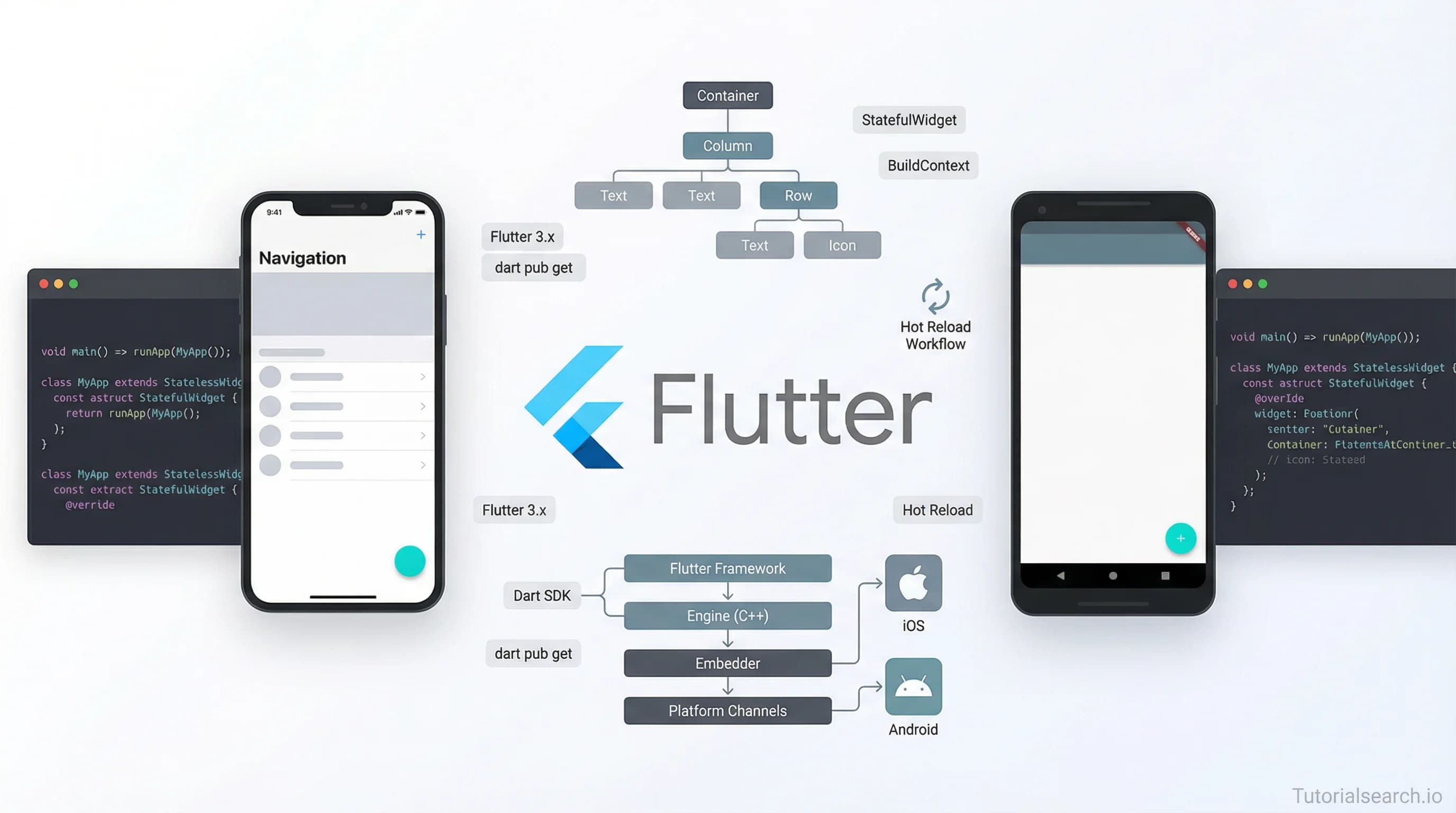
The Flutter Development Roadmap I'd Actually Follow
Flutter development lets you build iOS and Android apps from one codebase. Here's the roadmap, courses, and free resources worth your time.
Need an app built? Hire the team behind TutorialSearch.io
Web and cross-platform apps shipped end-to-end — design to deploy — by the developers behind this site.
Most people trying to learn Flutter hit the same wall early. They open a beginner course, make progress for a few videos, then run face-first into Dart syntax they don't understand. So they pause the course, search "learn Dart basics," fall down a rabbit hole, and quietly lose momentum.
That's not a Flutter problem. It's a map problem. You started without knowing what the path looked like.
Flutter development lets you build iOS and Android apps from a single codebase using Dart, Google's programming language. With 251+ Flutter courses available on TutorialSearch.io alone, the hard part isn't finding learning material — it's knowing where to start and in what order.
This is the roadmap I'd actually follow: the courses that deliver, the free tools worth your time, and the communities where you'll get help when you're stuck.
Key Takeaways
- Flutter development uses Dart — spend two to three days on Dart basics before touching Flutter widgets
- The best beginner Flutter course has over 200,000 students and was built by Dr. Angela Yu
- You can go from zero to a working Flutter app using free resources alone — several solid options exist
- State management (BLoC, Provider, Riverpod) is Flutter's steepest learning curve — tackle it after you're comfortable with basic widgets
- The FlutterDev Discord has 73,000+ members and is the fastest place to get unstuck
In This Article
- Flutter Courses That Build Real Skills
- Flutter Courses for Intermediate Developers
- Free Flutter Resources That Don't Waste Your Time
- Flutter YouTube Channels Worth Subscribing To
- Flutter GitHub Repos Every Developer Should Know
- Flutter Books for Going Deeper
- The Flutter Communities Where Help Actually Arrives
- Related Flutter Skills Worth Exploring
- Frequently Asked Questions About Flutter Development
Flutter Courses That Build Real Skills
One quick note on Dart first: you don't need weeks of Dart study before touching Flutter. Two or three days covering variables, functions, and classes is enough. Then jump in. Many courses teach Dart inline, which also works fine for beginners.
With that settled, here's where to start.
1. The Complete Flutter Development Bootcamp with Dart [Editors' Choice]
Dr. Angela Yu's course on Udemy is the go-to for beginners — and the numbers back that up. Over 209,000 students have taken it. For a paid Flutter course, that audience size is remarkable.
Angela Yu is one of the clearest technical instructors around. She breaks complex ideas into steps that actually land. The course covers Dart from scratch, then moves through Flutter widgets, layouts, navigation, state management, and Firebase. You build real projects throughout: a todo app, a weather app, a chat app.
By the end, you're not just following along. You're shipping things.
Rating: 4.54 ⭐ | Platform: Udemy | Level: All levels | Paid
If you could only pick one beginner course, this is it.
2. Complete Flutter Guide 2025: Build Android, iOS and Web Apps [Editors' Choice]
Sagnik Bhattacharya's 2025 guide has the highest rating in this list at 4.69 ⭐ and 25,000+ students. It's a strong alternative to Angela Yu's course — slightly more current in terms of Flutter version coverage, and it explicitly includes web apps alongside mobile from day one.
If you want to target iOS, Android, and web from the start, this is worth serious consideration.
Rating: 4.69 ⭐ | Platform: Udemy | Level: All levels | Paid
3. Dart & Flutter | The Complete Flutter Development Course
Hussain Mustafa's course has 4.49 ⭐ and nearly 75,000 students. That audience size tells you something — this course works for a lot of different learners.
What sets it apart is the depth of Dart coverage upfront. Mustafa spends real time on the language before introducing Flutter. If you come from Java, C#, or Kotlin and want to understand Dart properly rather than skim it, this approach will feel right.
Rating: 4.49 ⭐ | Platform: Udemy | Level: All levels | Paid
4. Dart & Flutter — Zero to Mastery [2024] + Clean Architecture
The Zero to Mastery course goes from absolute beginner all the way through Clean Architecture in one track. If you'd rather follow one comprehensive path than jump between multiple courses, this is a strong option.
Rating: 4.45 ⭐ | Platform: Udemy | Level: All levels | Paid
5. Flutter 101 — Your Ultimate Guide to Flutter Development
If you want to test Flutter before paying anything, this free Udemy course from Harsh Kumar Khatri is a decent starting point. It covers core Flutter concepts — widgets, layouts, navigation — without going deep into advanced patterns. Think of it as a long YouTube tutorial that happens to live on Udemy.
Rating: 4.10 ⭐ | Platform: Udemy | Level: All levels | Free
Flutter Courses for Intermediate Developers
Once you're comfortable building basic apps, the next step is architecture. How do you manage state across a growing app? How do you structure code so it doesn't become unmaintainable? This is where most Flutter learners stall — and where the right course makes a real difference.
6. Flutter BLoC — From Zero to Hero Complete Course [Editors' Choice]
This course is one of the best-rated state management courses on the platform at 4.60 ⭐. BLoC (Business Logic Component — a pattern for separating UI from app logic) is the most popular state management approach in production Flutter apps. You'll see it in open source projects, job postings, and code you read on GitHub.
The course takes you from zero BLoC knowledge through Cubit, then full BLoC, building real projects throughout. Unlike courses that explain the pattern abstractly, this one focuses on actual code and teaches you when BLoC is (and isn't) the right choice.
Rating: 4.60 ⭐ | Platform: Udemy | Level: Intermediate | Paid
7. Flutter Advanced Course — Clean Architecture With MVVM
Mina Farid's course has 43,000+ students, making it one of the most-taken advanced Flutter courses anywhere. It covers MVVM (Model-View-ViewModel architecture), dependency injection, and Clean Architecture — the patterns you need when building apps that other developers will need to read and maintain.
Rating: 3.93 ⭐ | Platform: Udemy | Level: Intermediate | Paid
One honest note: the rating is lower than the beginner courses. Architecture content is harder to teach clearly, and students arrive with very different backgrounds. If you've finished one beginner course and want to level up your codebase structure, it's still worth taking.
8. The Complete Flutter Development Guide
If you want a well-rated comprehensive course with strong reviews, this guide earns 4.77 ⭐ from its students. It covers Dart, Flutter widgets, state management, Firebase, and more in one course — a good "one-stop" option.
Rating: 4.77 ⭐ | Platform: Udemy | Level: All levels | Paid
9. Creating Layouts with Flutter 2 (Pluralsight)
Most Flutter courses live on Udemy, but this Pluralsight course on layouts is worth knowing about — especially if your workplace already has a Pluralsight subscription.
It focuses specifically on Flutter's layout system: rows, columns, stacks, constraint-based layouts. Flutter's layout model trips up developers who come from web or native Android backgrounds. A focused course on just this topic is more useful than you'd expect.
Rating: 4.6 ⭐ | Platform: Pluralsight | Level: All levels | Paid
Flutter vs React Native: A Quick Comparison
Everyone who's new to cross-platform mobile development asks this. Here's the honest breakdown:
| Factor | Flutter | React Native |
|---|---|---|
| Language | Dart | JavaScript |
| UI rendering | Own widget engine | Native components |
| Performance | Generally faster | Depends on JS bridge |
| Learning curve | Moderate (learn Dart first) | Easier if you know JS |
| Community | Large, growing fast | Larger, more mature |
| Best for | Pixel-perfect cross-platform apps | Teams with existing JS expertise |
The short answer: if you're starting fresh with no mobile experience, Flutter is the better bet today. If your team already writes React, React Native will feel more natural. There are 171+ React Native courses on TutorialSearch if you want to compare what that path looks like.
Free Flutter Resources That Don't Waste Your Time
Not everyone wants to pay before knowing if Flutter clicks for them. These free resources are genuinely useful — not filler.
Flutter Codelabs (Official) — Google's official hands-on tutorials run directly in DartPad. No install needed. You write real Flutter code in your browser. The "Write your first Flutter app" codelab is where I'd send any beginner on day one. It's that good.
Codecademy Intro to Flutter — Interactive, structured, browser-based. Codecademy's approach is slower than YouTube, but better for learners who want to type code at every step instead of just watching.
Flutter Crash Course — A focused, free site specifically for Flutter beginners. Clean layout, no fluff. It fills the gap between "official docs" and "long bootcamp video" nicely.
DartPad — The official online editor for Dart and Flutter. Write and run code without installing anything. Useful for testing quick ideas and experimenting with widgets before committing to a local project setup.
freeCodeCamp Flutter Full Course (YouTube) — freeCodeCamp has published a several-hour Flutter course at no cost. Beginner-friendly and well-paced. Search "freeCodeCamp Flutter full course" on YouTube to find it.
Flutter Learning Resources — The Flutter team's own curated list, updated as new versions ship. Worth checking even after months of using Flutter.
Everyone recommends buying a paid course immediately — but the free Codelabs are so good that many learners use them as their primary resource for the first two weeks without missing much.
Flutter YouTube Channels Worth Subscribing To
Need an app built? Hire the team behind TutorialSearch.io
Web and cross-platform apps shipped end-to-end — design to deploy — by the developers behind this site.
YouTube is where Flutter education really shines. The community creates excellent content, and some of it is better than paid courses.
Official Flutter Channel (YouTube) — The Flutter team's own channel. Widget of the Week is essential viewing: each episode explains one Flutter widget in two to three minutes. Watch one a day and you'll know the widget library cold within a few months.
Net Ninja — Flutter Tutorial for Beginners — Shaun's Flutter playlist is well-paced, clearly explained, and completely free. It's the best YouTube starting point for absolute beginners. His style is slow and deliberate in a way that actually helps you absorb the concepts.
The Flutter Way [Editors' Choice] — This channel focuses on UI/UX. Beautiful, complex interfaces built step by step. After you know the basics, The Flutter Way will push your design skills significantly. The attention to visual detail is unlike most dev channels — you'll find yourself pausing and rewinding just to catch how a particular animation was set up.
Code With Andrea — Andrea Bizzotto is a Google Developer Expert for Flutter. His videos cover state management, architecture patterns, and advanced Flutter topics. For structured intermediate learning, this is one of the best YouTube channels available.
Fireship — Not Flutter-exclusive, but Fireship's short-form Flutter content is excellent. His "Flutter in 100 Seconds" is one of the best quick introductions anywhere. When a new Flutter feature ships, Fireship usually covers it within days.
If you're just starting, begin with the official Flutter channel and Net Ninja. Add The Flutter Way once you can build basic apps. Code With Andrea when you're ready for architecture.
Flutter GitHub Repos Every Developer Should Know
Solido/awesome-flutter (53,000+ ⭐) — The definitive Flutter resource list on GitHub. Libraries, tools, tutorials, articles — all curated and categorized. When you're looking for a package to solve a specific problem, this is your first stop. It's one of the most starred Flutter repos in existence.
olexale/flutter_roadmap (5,794+ ⭐) — A visual roadmap for Flutter beginners. It maps the learning path clearly: Dart basics → Flutter fundamentals → State management → Advanced patterns. Bookmark this at the start of your learning.
Hamed233/Flutter-Awesome-Projects — 200+ open-source Flutter projects with source code: real apps, UI components, templates. When you're stuck on how to implement something, seeing how others solved the same problem is often faster than any tutorial.
roadmap.sh/flutter — Community-driven, interactive roadmap. Breaks down the Flutter learning path with checkboxes to track what you've covered. The 6th most-starred project on GitHub overall. Good for self-directed learners who want to map out what they haven't touched yet.
Also worth bookmarking: flutter/flutter (168,000+ ⭐) — The framework itself. Not for learning, but for when you need to understand how something works at the framework level or want to track what's shipping in the next release.
If you're curious about what the broader mobile applications ecosystem looks like beyond Flutter, TutorialSearch has 479+ courses in that category worth browsing.
Flutter Books for Going Deeper
Most Flutter learning happens through videos and practice. But when you want to understand why something works the way it does, a book is still hard to beat.
Flutter Succinctly (Syncfusion, free) — A short, focused ebook that walks you through building a real Flutter app. Ed Freitas writes clearly and doesn't pad the content. If you've watched a few tutorials and want to consolidate the basics in one sitting, this is it.
Flutter in Action (Manning, paid) — Eric Windmill's book is the most thorough Flutter text available. It covers the framework deeply — widget trees, rendering pipeline, state management — in a way that YouTube tutorials rarely do. Worth paying for if you learn better from text.
Flutter for Beginners (Packt, paid) — A structured intro that takes you from zero through complete apps. Suits learners who prefer written exercises over video. Packt frequently runs deep discounts.
The Flutter Communities Where Help Actually Arrives
Learning Flutter in isolation is harder than it needs to be. These communities exist, and they're genuinely useful.
FlutterDev Discord — 73,000+ members. Split into channels like #beginner, #intermediate, and topic-specific channels for state management, Firebase, and platform issues. Post a specific question with a code snippet and you'll usually get a useful reply within the hour.
r/FlutterDev — Active subreddit. Good for sharing projects, asking broad questions, and keeping up with what the community is building. Less effective for debugging help (Discord is better for that).
Flutter Community — The official community page lists forums, mailing lists, and local meetups. The "It's All Widgets" forum is worth bookmarking for longer technical discussions where you need asynchronous back-and-forth rather than real-time chat.
Dart Community Discord — Separate from the Flutter Discord. Useful when your issue is Dart-specific rather than Flutter-specific — language questions, Dart package issues, that sort of thing.
When asking for help anywhere, be specific. Share your code, explain what you expected, explain what actually happened. Vague questions get vague answers in every community.
For context on what else is happening in the broader mobile space, the general mobile development section on TutorialSearch covers topics like app architecture, testing, and publishing that apply across Flutter and other frameworks.
Related Flutter Skills Worth Exploring
Flutter sits at the center of a broader mobile ecosystem. Once you're comfortable with it, these related skills pair naturally:
- Mobile Applications — Broader mobile development concepts, UX patterns, and app design principles that apply across platforms. 479+ courses to explore.
- Kotlin Android — Native Android development alongside Flutter. Many Flutter teams use Kotlin for platform-specific code. 242+ courses available.
- React Native — Flutter's main cross-platform competitor. Worth understanding if you work at a company that uses JavaScript across the stack.
- SwiftUI Development — Native iOS development. Flutter apps can call native SwiftUI code for platform-specific features. Knowing both opens more doors.
- Cross Platform Development — The broader category of frameworks and approaches for writing apps that run on multiple platforms.
- WatchOS Development — If you're building for Apple Watch alongside your Flutter app, this is the companion skill to explore.
Frequently Asked Questions About Flutter Development
How long does it take to learn Flutter development?
Most people can build simple Flutter apps in four to six weeks of consistent study. Getting comfortable with state management and clean architecture takes two to three months. Professional-level Flutter — building production-grade apps you'd put in a portfolio — typically takes six months to a year. Developers who already know Dart-adjacent languages (Java, C#, Kotlin) usually move faster. You can browse Flutter development courses by skill level to find a starting point that matches where you are.
Do I need to know Dart before learning Flutter development?
Not deeply. Spend two to three days on Dart basics — variables, functions, classes, async/await — before starting a Flutter course. Dart syntax isn't hard if you know any modern object-oriented language. Many Flutter courses teach Dart inline, which also works fine for absolute beginners.
Can I get a job with Flutter skills?
Yes. Flutter developer roles have grown significantly over the past few years, particularly at startups and product companies that want to ship to iOS and Android without two separate teams. Common job titles include "Flutter Developer," "Mobile Developer (Flutter)," and "Cross-Platform Mobile Engineer." The skills employers ask for most often are Dart, state management (BLoC or Riverpod), Firebase integration, and app store publishing experience.
Is Flutter development good for native mobile apps?
Flutter renders its own widgets rather than relying on native platform components. This means your app looks identical on iOS and Android — which is the point. The trade-off is that some deeply platform-specific UI patterns can feel slightly "off" to experienced users. For the vast majority of apps, this doesn't matter in practice. If you need pixel-perfect native behavior on one specific platform, you may want to explore SwiftUI Development or Kotlin Android alongside Flutter.
How does Flutter compare to React Native?
Both let you build iOS and Android apps from one codebase. Flutter uses Dart and renders its own widget engine. React Native uses JavaScript and renders native components. Flutter generally has better performance and more consistent UI across platforms. React Native has a larger overall community and is easier to adopt if your team already writes JavaScript. The comparison table in this post gives a side-by-side breakdown. The best choice depends on your existing skills and your team's stack — not on which framework wins abstract benchmarks.
Flutter development rewards patience at the start. Spend the time upfront on Dart basics, pick one good course and actually finish it, then build a few small projects that stretch you. After the first couple of months, the widget system clicks, the state management patterns start making sense, and you stop Googling every other line.
Start with Dr. Angela Yu's bootcamp or Sagnik's 2025 guide. Get into the Flutter codelabs early. Join the FlutterDev Discord before you need it. When you're ready to go deeper, the BLoC course will change how you think about app architecture.
The path is clear. The resources are here. The rest is just showing up.