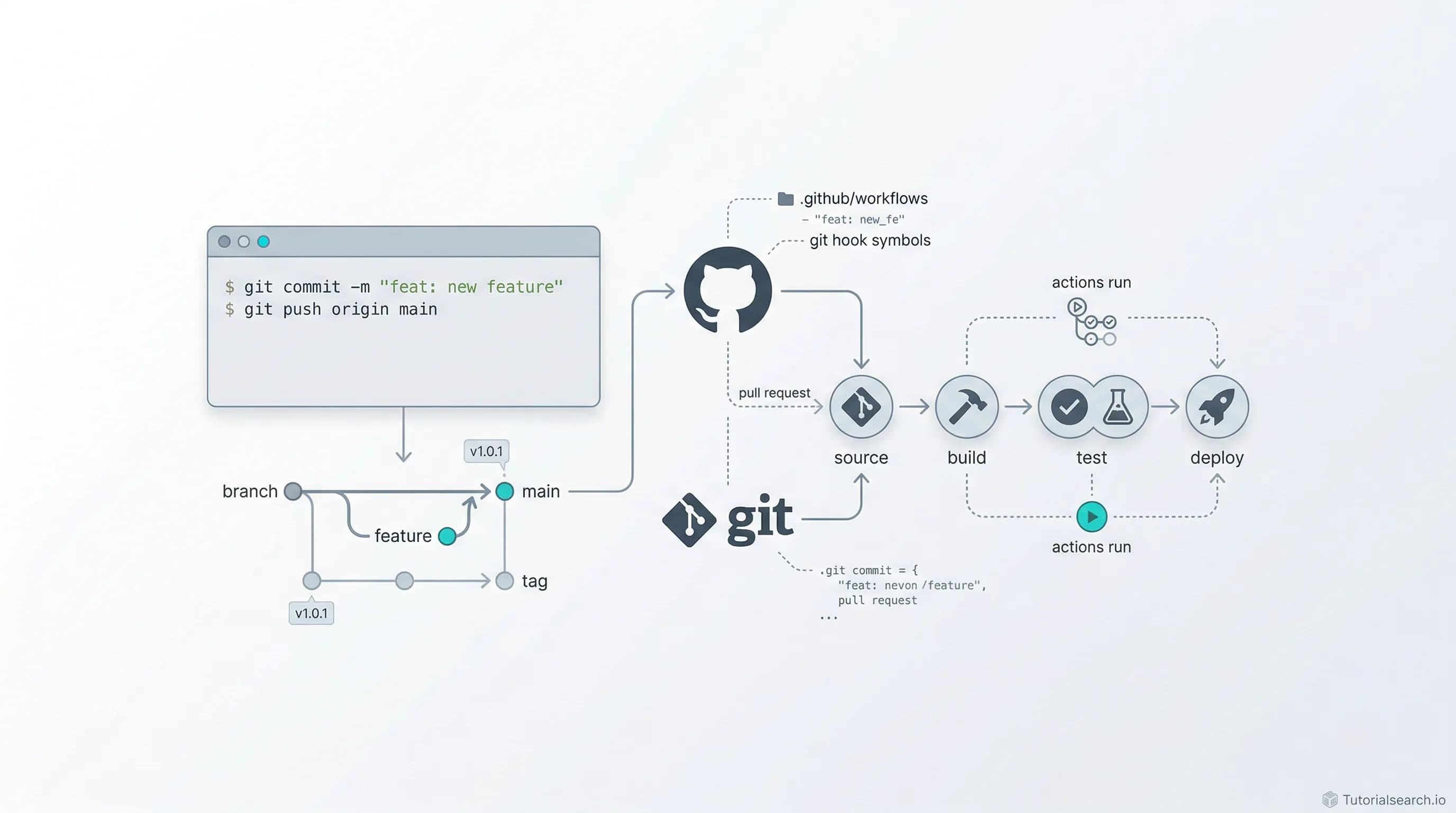
You're Still Running Git Commands by Hand? A Complete Git Automation Guide for 2026
Stop doing Git the manual way. A hands-on guide to the best Git automation courses, hook managers, GitHub repos, YouTube channels, and books — everything you need to automate your workflow in 2026.
Need a web app built? Hire the team behind TutorialSearch.io
We ship fast, production-grade full-stack apps (Next.js, React, edge infra) — the same stack that powers this site.
Most developers learn Git in the same incomplete way: clone, add, commit, push, maybe branch and merge. Then they do those exact steps — manually, every single time — for the rest of their careers.
That's the mistake. Not learning Git. Learning Git without automation.
I watched a senior engineer spend fifteen minutes every Friday afternoon manually running linters, fixing formatting, running tests, and then carefully crafting commit messages — for a routine update that could have been fully automated with a pre-commit hook and a simple shell script. Fifteen minutes doesn't sound like much until you multiply it by 50 weeks and realize that's over twelve hours a year on one task. Now multiply that across every manual Git operation in your workflow.
Git automation isn't a nice-to-have. It's the difference between a developer who's constantly interrupted by process friction and one whose tools just work. Hooks that validate your code before it ever reaches a reviewer. CI/CD pipelines that deploy on push. Commit message templates that enforce consistency without thinking. If you're working with Git and you haven't explored git automation, you're leaving a remarkable amount of productivity on the table.
So here's everything I'd recommend to go from manual Git workflows to fully automated ones — courses, free tutorials, tools, repos, books, and communities. All of it filtered through what actually teaches you to build automation, not just understand the theory.
Get Your Hooks In Order
If you're going to invest money in learning Git automation, make sure the course actually covers hooks, CI/CD integration, and workflow scripting — not just basic Git commands with "automation" in the title. Here are the courses that deliver.
[Editors' Choice] Git Hooks by Timothy Ghanim (Pluralsight) — This is the single most focused course on Git hooks you'll find anywhere. It's tagged as expert-level for a reason: Ghanim doesn't waste time teaching you
git commit. He dives straight into client-side and server-side hooks, shows you how to write them in multiple scripting languages, and walks through real enforcement scenarios. If hooks are what you're after, start here.[Editors' Choice] Code School: Git Real 2 (Pluralsight, 4.7 rating) — This intermediate course builds on Git fundamentals with advanced techniques including interactive rebase, reflog, and — crucially — Git hooks and automation workflows. The rating speaks for itself, and the hands-on approach means you're actually implementing hooks, not just reading about them. This pairs perfectly with the hooks-focused course above.
The Git, Github & GitLab Bootcamp (Udemy, 4.8 rating, 1,070 students) — A comprehensive bootcamp that covers Git from basics through advanced topics including hooks, submodules, subtrees, and GitLab CI/CD. What sets this apart is the triple-platform coverage — you'll understand automation patterns across GitHub, GitLab, and raw Git.
Git & GitLab-DevOps Engineering Advanced GitLab CI/CD (Udemy, 4.7 rating) — If your team uses GitLab, this is non-negotiable. CloudFolks HUB built this around advanced CI/CD pipeline configuration, and it shows you how Git and GitLab's automation features work together in production environments. The pipeline-as-code approach here is exactly what modern teams need.
[Editors' Choice] Learn Github Actions for CI/CD DevOps Pipelines (Udemy, 4.3 rating, 60,736 students) — With over 60,000 students, this is the most popular GitHub Actions course on the platform. It covers workflow syntax, matrix builds, secrets management, and deployment automation. GitHub Actions is arguably the most accessible entry point into Git-based automation, and this course nails the fundamentals.
Mastering GitHub Actions & DevOps: Optimize Your Workflow (Udemy, 4.4 rating, 10,557 students) — Takes GitHub Actions further with optimization techniques, custom actions, and complex workflow orchestration. If you've outgrown the basics, this is where you level up.
For a broader view of what's available, browse the full programming languages collection or search for git automation courses directly.
Quick Comparison: Which Course Is Right for You?
| If you want... | Take this |
|---|---|
| Deep hooks mastery | Git Hooks (Pluralsight) |
| Advanced Git + hooks combo | Code School: Git Real 2 |
| GitHub Actions from scratch | Learn Github Actions for CI/CD |
| GitLab CI/CD specifically | Git & GitLab-DevOps Engineering |
| Full Git bootcamp with automation | The Git, Github & GitLab Bootcamp |
Zero-Cost Automation Starters
You don't need to spend anything to start automating your Git workflow. These free resources are genuinely good — some of them better than paid alternatives.
[Editors' Choice] Git Official Documentation — Git Hooks — The Pro Git book's chapter on hooks is the definitive reference. It's not flashy, but it's comprehensive, accurate, and regularly maintained. Every hook type is documented with examples. If you only read one free resource, make it this one.
Atlassian Git Hooks Tutorial — Atlassian's tutorial bridges the gap between documentation and practical application beautifully. It walks through both client-side and server-side hooks with real-world scenarios: enforcing commit message format, running tests pre-push, validating code style. The writing is clear and the examples are copy-paste ready.
DigitalOcean — How To Use Git Hooks To Automate Development and Deployment Tasks — This tutorial focuses on the deployment side of Git hooks, which most other resources skip. If you want to set up automatic deployment when you push to a specific branch, this is your blueprint.
DataCamp — Git Hooks Complete Guide — A thorough walkthrough covering installation, configuration, CI integration, and security considerations. DataCamp's tutorial is particularly good at explaining the connection between local hooks and CI/CD pipelines — how pre-commit checks and GitHub Actions complement each other.
githooks.com — A community-maintained directory of Git hook tools, managers, and resources. Think of it as a curated index of the entire hooks ecosystem. Useful when you know what you want to automate but aren't sure which tool handles it best.
Real-World Example: Git and GitHub on Windows - Basics (Udemy, FREE, 13,321 students) — Dan Georgiev's free course focuses on practical Windows-based Git usage. While it covers basics, the real-world approach means you're working with actual project scenarios from day one.
If you're interested in how automation applies beyond Git specifically, the automation development topic page has 838+ courses covering broader workflow automation.
The Tools That Do the Heavy Lifting
Knowing about hooks is one thing. Managing them across a team of twenty developers working in a monorepo is another. These tools exist because raw .git/hooks scripts don't scale.
[Editors' Choice] pre-commit (GitHub) — The gold standard for multi-language hook management. You define your hooks in a .pre-commit-config.yaml file, and pre-commit handles installation, versioning, and execution. It supports hooks written in Python, Node, Ruby, Go, Rust — basically anything. The ecosystem of pre-built hooks is massive: trailing whitespace removal, YAML validation, large file detection, secret scanning. If you're on a Python-heavy team, this is almost certainly what you want.
Everyone recommends pre-commit, and for good reason — but I actually think Lefthook deserves more attention than it gets. Built by Evil Martians in Go, it's faster than pre-commit for large projects because it runs commands in parallel by default. Configuration lives in a single lefthook.yml file. No runtime dependencies. No virtual environments. Just a single binary. For polyglot teams or monorepos where hook execution speed matters, Lefthook is a serious contender.
Husky — The default choice for JavaScript/TypeScript projects. Husky hooks into your package.json lifecycle, so hooks are installed automatically when someone runs npm install. Combined with lint-staged, it creates a tight feedback loop: only staged files get linted, formatted, and tested. If your stack is Node-based, Husky + lint-staged is the proven combo.
Here's my honest take on choosing between them: pre-commit if you're in a Python ecosystem or need broad language support. Lefthook if speed and simplicity matter more than ecosystem size. Husky if you're in JavaScript/Node land and want zero-friction team adoption.
Watch Someone Build It
Need a web app built? Hire the team behind TutorialSearch.io
We ship fast, production-grade full-stack apps (Next.js, React, edge infra) — the same stack that powers this site.
Reading documentation is necessary. Watching someone actually configure a CI/CD pipeline from scratch, debug a failing hook, or set up GitHub Actions for a real project — that's where the understanding clicks.
TechWorld with Nana (YouTube) — Nana Janashia's DevOps tutorials are some of the best on YouTube. Her GitLab CI/CD and GitHub Actions videos walk through complete pipeline configurations with real projects. Her teaching style is methodical and clear — she explains the why alongside the how, which is rare in DevOps content.
freeCodeCamp Git & GitHub Course (YouTube) — freeCodeCamp's full-length Git courses are comprehensive and free. Their crash courses cover everything from initialization to advanced workflows, and several videos specifically address automation and CI/CD integration.
Fireship (YouTube) — For quick, dense overviews. Fireship's "100 seconds of" format won't make you an expert, but the GitHub Actions and Git videos are excellent for getting the mental model right before diving into longer content. When you need to understand what something is before committing to learning how to use it.
Git Official Videos — Often overlooked, but Git's own site hosts a series of video tutorials from Scott Chacon (co-author of Pro Git). These are foundational and authoritative. The recording quality isn't Netflix-level, but the content quality is unmatched — Chacon literally co-wrote the book on Git.
DevOps Toolkit (YouTube) — Viktor Farcic's channel covers GitOps, pipeline design, and workflow automation with a strong opinionated perspective. His videos on Git-based deployment strategies and Argo CD integration show automation patterns most courses never touch.
Open Source Goldmines for Git Automation
GitHub repositories are where you find the real-world configurations that courses rarely show you.
awesome-git-hooks (GitHub) — A curated list of useful Git hooks scripts and resources. This isn't theory — it's a collection of actual hook scripts you can drop into your projects. Organized by hook type (pre-commit, prepare-commit-msg, post-checkout, etc.) with clear descriptions of what each one does.
aitemr/awesome-git-hooks (GitHub) — Another excellent collection with a different curation approach. Between this and CompSciLauren's list, you'll have more hook examples than you'll ever need.
pre-commit/pre-commit-hooks (GitHub) — The official collection of out-of-the-box hooks for the pre-commit framework. These are production-tested, well-maintained, and cover the most common validation scenarios. Fork this, study the implementations, and you'll understand hook architecture deeply.
antonbabenko/pre-commit-terraform (GitHub) — If you work with Infrastructure as Code, this repo is essential. Pre-commit hooks specifically designed for Terraform configurations — formatting, validation, documentation generation. It's a perfect example of domain-specific Git automation.
Want to explore how other developers approach programming workflows? The programming fundamentals and JavaScript development pages have thousands of related courses.
For When You Want the Full Picture
Some concepts need more space than a tutorial or video can provide. These books give you the depth to truly understand Git's internals and build automation with confidence.
Pro Git by Scott Chacon and Ben Straub (FREE online) — The definitive Git book. Chapter 8 on customizing Git covers hooks extensively, and the entire book builds the mental model you need to automate intelligently. Available free on the Git website. If you've been using Git for years and never read Pro Git, you're probably carrying around misconceptions you don't even know about.
Learning Git by Anna Skoulikari — A visual, hands-on approach that's particularly good for people who learn by doing. The illustrations make abstract Git concepts concrete, which is valuable when you're trying to understand where hooks fit into the commit lifecycle.
Version Control with Git — O'Reilly's comprehensive reference covering advanced collaboration techniques, repository management, and workflow design. The automation-relevant chapters are dense but rewarding.
Pragmatic Version Control Using Git by Travis Swicegood — Bridges the gap between individual Git usage and team-level workflow design. The chapters on continuous integration and automated testing with Git are particularly relevant.
Stay Plugged In
Git automation evolves constantly. New tools emerge, best practices shift, and the ecosystem keeps expanding. Here's where to stay current.
r/git and r/devops (Reddit) — Active communities where real workflow problems get discussed. Search these subreddits for "hooks" or "automation" and you'll find battle-tested advice from engineers running Git automation at scale.
DEV Community — Consistently publishes high-quality articles on Git hooks, Husky configuration, and CI/CD workflows. The comment sections often contain gems — corrections, alternative approaches, and edge cases the original authors missed.
GitHub Community Forum — For GitHub Actions specifically, this is where you go when the documentation falls short. Real answers from GitHub engineers and experienced community members.
Git mailing list — For the deep cuts. If you want to understand why Git works the way it does, this is where the core developers discuss changes, debate design decisions, and occasionally explain internals that no book covers.
If Python is your primary language, the pre-commit framework ecosystem and the Python-specific hook configurations should be your focus. For modern language development in Rust, Go, or Kotlin, Lefthook's language-agnostic approach tends to fit better.
Your Next Move
Stop reading and pick one thing to automate today. Seriously — right now. Here's my recommendation based on where you are:
Complete beginner to Git automation? Install pre-commit, add three hooks to your most active project (trailing-whitespace, check-yaml, and end-of-file-fixer), and commit something. You'll immediately see how hooks change your workflow.
Already using basic hooks? Set up a GitHub Actions workflow that runs your test suite on every push. The Learn GitHub Actions for CI/CD course will get you there in a weekend.
Advanced and looking to level up? Explore Lefthook for parallel hook execution, build custom GitHub Actions, and study the pre-commit-hooks source code to understand hook architecture at a deeper level.
The best Git automation setup is the one your entire team actually uses. Start simple, prove the value, then expand. And if you want to explore related skills, our object programming and Java objects collections pair well with Git automation for building robust development pipelines.
Frequently Asked Questions
What are the benefits of Git Automation?
Git automation eliminates repetitive manual tasks from your development workflow — code formatting, test execution, commit message validation, and deployment triggers. The practical result is fewer human errors, faster code review cycles, and more consistent code quality across your team. Teams using pre-commit hooks and CI/CD pipelines typically report catching 30-40% more issues before code review.
How does Git Automation improve code quality?
By enforcing standards at the Git level — before code ever reaches a reviewer. Pre-commit hooks can run linters, formatters, and type checkers automatically. Pre-push hooks can execute test suites. Server-side hooks can reject commits that don't meet quality criteria. This shifts quality enforcement from "someone remembers to check" to "the system guarantees it."
What tools support Git Automation?
The three main hook management tools are pre-commit (Python-based, multi-language), Husky (JavaScript/Node ecosystem), and Lefthook (Go-based, language-agnostic). For CI/CD automation, GitHub Actions, GitLab CI/CD, and Jenkins are the primary platforms. Each serves different team needs and technology stacks.
Is Git Automation necessary for web development?
Absolutely. Web projects especially benefit from automated formatting (Prettier), linting (ESLint), type checking (TypeScript), and build verification before deployment. Husky combined with lint-staged is the standard setup for JavaScript/TypeScript web projects, and it takes about ten minutes to configure.
What are common Git Automation use cases?
The most common: pre-commit code formatting and linting, commit message validation (conventional commits), pre-push test execution, automated deployment on merge to main, branch protection enforcement, secret scanning before commits, and changelog generation. Start with formatting and linting hooks — they provide the highest return with the lowest effort.