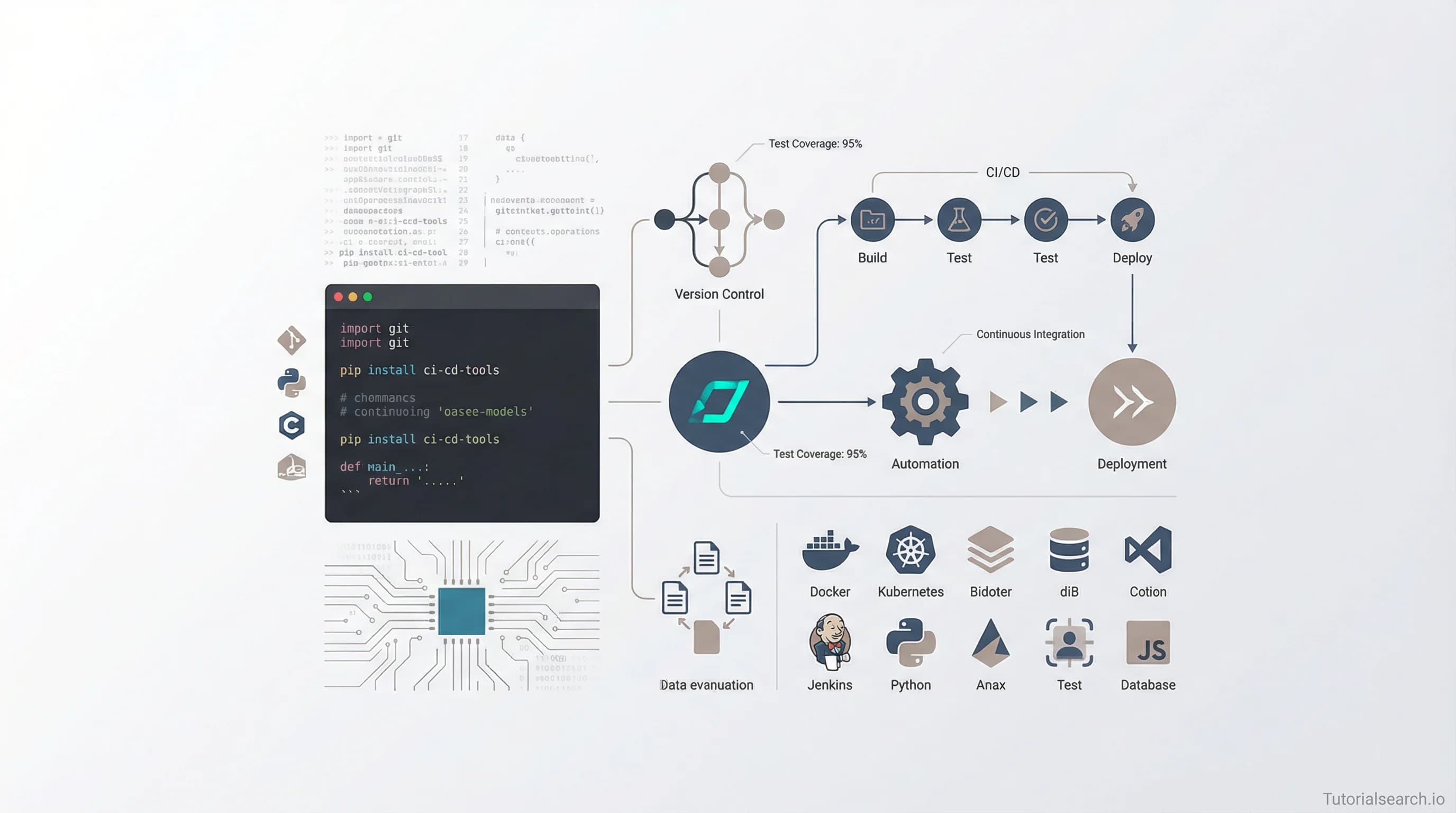
Software Tools: The Complete Developer's Ecosystem for Productivity and Quality
Software tools span version control, CI/CD automation, testing frameworks, and collaboration platforms. Learn which tools solve real problems and how to choose the right stack for your team.
Need a web app built? Hire the team behind TutorialSearch.io
We ship fast, production-grade full-stack apps (Next.js, React, edge infra) — the same stack that powers this site.
Software Tools: The Complete Developer's Ecosystem for Productivity and Quality
Most developers waste months learning the wrong tools before they understand what actually matters: the right software tools dramatically compress the learning curve, eliminate friction from repetitive work, and catch bugs before they reach production.
Key Takeaways
- Software tools span five critical domains: version control, CI/CD automation, testing frameworks, code editors, and collaboration platforms—each solves distinct workflow problems
- The specific tool matters far less than understanding the problem it solves; Git isn't inherently better than alternatives, but version control itself is non-negotiable for any real project
- Enterprise-grade tools like GitHub, Jenkins, and Selenium have free or open-source options that cover 80% of use cases, eliminating budget as an excuse for poor tooling
- Automation tools like n8n, Zapier, and Make cut repetitive tasks by 60-90% and pay for themselves within weeks for teams handling routine business processes
- The biggest mistake teams make isn't picking the "best" tool—it's using different tools without standardization, creating incompatibility headaches and steep onboarding curves
Table of Contents
- Version Control Systems: The Foundation of Modern Development
- CI/CD Automation: Where Quality Meets Speed
- Testing Frameworks: Catching Problems Before Production
- Code Editors and IDEs: Where You Actually Write Code
- Workflow Automation Tools: Eliminate Repetition Entirely
- Collaboration Platforms: Keeping Teams Synchronized
- Free Software Tools Worth Your Time
- YouTube Channels for Software Tools Mastery
- GitHub Repositories and Open-Source Resources
- Books and In-Depth Resources
- Community Resources and Forums
- Related Learning Paths
- Frequently Asked Questions
Version Control Systems: The Foundation of Modern Development
Version control isn't optional anymore—it's the baseline expectation for any professional developer. Git dominates this space for good reason: it's distributed, lightning-fast, and handles branching workflows that centralized systems like Subversion simply can't match.
[Editors' Choice] The most impactful software tools in this category solve three core problems: tracking changes over time, enabling collaboration without data loss, and maintaining clean code history for debugging. Git accomplishes all three while being completely free and open-source.
Here are the practical courses that teach version control properly:
Software Tools For Software Test Engineers & Test Managers by Shadi Oweda (Udemy, 3.3★, 1,003 students) covers version control in the context of software quality, showing how test teams integrate with development pipelines. This course treats tools as enablers of process, not just technical features.
ICAgile (ICP-PRG): Building and Integrating by Tommy van Schaik (Pluralsight, Intermediate) focuses on build tools and version control selection, helping teams understand why branching strategy matters and how to avoid common integration disasters. The course spends time on both Git and alternative approaches, giving you perspective rather than dogma.
Cybersecurity GRC Software tools for Beginners & Managers by Secure Tech Academy (Udemy, 4.3★, 2,648 students) includes version control in the context of security compliance—useful if your organization needs audit trails and change logs beyond typical Git workflows.
CI/CD Automation: Where Quality Meets Speed
Continuous Integration (CI) and Continuous Deployment (CD) pipelines are where software tools prove their ROI most dramatically. A well-configured CI/CD system catches 70-80% of bugs before humans test the software, compresses release cycles from weeks to minutes, and removes the panic of deployment day.
The magic happens when tools talk to each other: when you push code to GitHub, a webhook triggers Jenkins, which runs your test suite, builds Docker images, and deploys to production—all automatically. This isn't luxury. This is how serious software organizations operate.
Common CI/CD tools include Jenkins (open-source, self-hosted), GitHub Actions (integrated directly into GitHub), GitLab CI (if you're on GitLab), and CircleCI (cloud-hosted alternative). Each trades control for convenience differently.
[Editors' Choice] The most underrated aspect of CI/CD tools is their ability to enforce standards without humans arguing about them. Automated linting, security scanning, and code quality gates prevent the "I'll clean it up later" problem that haunts unprincipled teams.
Testing Frameworks: Catching Problems Before Production
Testing tools form a three-layer stack: unit testing (Vitest, Jest, JUnit), integration testing (Postman, REST Assured), and end-to-end testing (Selenium, Cypress, Playwright). Each layer serves a different purpose and catches different categories of bugs.
KiCad Finite Element Analysis (FEA) with free Software Tools by Renato Panic (Udemy, 4.4★, 399 students) demonstrates how specialized software tools solve domain-specific testing problems. While focused on hardware, the lesson applies to any technical field: learn the tools native to your domain rather than forcing generic solutions.
ETABS vs Manual Design: RCC Beam Design as per IS 456:2000 by Sandip Deb (Udemy, 5.0★, 20 students) shows how professional-grade tools replace manual error-prone work. ETABS handles structural analysis where manual calculation would be time-consuming and prone to mistakes—the same principle applies whether you're designing buildings or software architectures.
Selenium remains the most widely used web testing framework, supporting multiple programming languages and browsers. For modern JavaScript-heavy applications, Cypress and Playwright offer significantly better developer experience and debugging capabilities than Selenium.
Code Editors and IDEs: Where You Actually Write Code
The tools you stare at for 8+ hours daily deserve careful selection. Visual Studio Code dominates because it's lightweight, extensible, and free, but IntelliJ IDEA, PyCharm, and Xcode serve their respective ecosystems better.
The debate about "best editor" misses the point: what matters is refactoring capabilities, debugger quality, and integration with your language's ecosystem. A Python developer without PyCharm's code inspection is working with one hand tied behind their back.
Productivity Apps, Software & Tools: Trello, Pomodoro & More by Alex Genadinik's Teaching Assistant (Udemy, 4.2★, 797 students) covers productivity tools alongside development environments, acknowledging that code editor choice affects your entire workflow rhythm.
Workflow Automation Tools: Eliminate Repetition Entirely
Beyond code-centric tools, workflow automation platforms address the repetitive business tasks that drain developer productivity: approving pull requests, updating project management systems, syncing data between services, and sending notifications.
Zapier and n8n pioneered this space. Zapier offers the easiest onboarding with 5,000+ pre-built integrations. n8n provides superior flexibility and cost-effectiveness for technical teams willing to self-host or use their managed platform.
The best automation tools solve the "glue code" problem—instead of writing custom code to integrate two systems, you configure integrations visually, then ship in minutes.
Recent software tools for automation include:
- Lindy: AI-powered automation that learns your patterns and handles multi-step workflows without configuration
- Power Automate: Microsoft's enterprise solution, excellent if your stack lives in Microsoft services (Teams, SharePoint, Dynamics)
- Make (formerly Integromat): Strong visual workflow builder with excellent error handling and pricing
- IFTTT: Simpler than Zapier, but less powerful for complex workflows
[Editors' Choice] The automation tools that generate the fastest ROI are those addressing your actual bottlenecks. If you're manually copying data between systems daily, automation tools pay for themselves in weeks.
Collaboration Platforms: Keeping Teams Synchronized
Communication and documentation tools shape how knowledge flows through your team. Slack isn't just for chat—properly used, it becomes the information backbone of your organization. GitHub's discussion forums, wiki features, and pull request review systems handle technical collaboration. Notion or Confluence manage documentation that outlasts individual Slack conversations.
Streamline Your Business With Process Improvement by Expert Academy (Udemy, 4.8★, 3,076 students) covers how software tools enforce process consistency across teams. The same principles apply whether you're manufacturing or developing software: tools enable process, not replace it.
Free Software Tools Worth Your Time
Need a web app built? Hire the team behind TutorialSearch.io
We ship fast, production-grade full-stack apps (Next.js, React, edge infra) — the same stack that powers this site.
Official Documentation & Getting Started Guides
GitHub - The Definitive Awesome Lists (github.com/sindresorhus/awesome) maintains a community-curated collection of awesome lists covering every topic under the sun. Search for your specific tool or domain, and you'll find carefully vetted resources.
Read the Docs (about.readthedocs.com) hosts free documentation for thousands of open-source projects. It automatically builds and deploys docs whenever you push code, keeping documentation in sync with releases.
MkDocs is a lightweight Python-based documentation generator perfect for building internal knowledge bases quickly. Write Markdown files, run MkDocs, and get a fully functional documentation site.
Interactive Learning Platforms
freeCodeCamp (freecodecamp.org) offers thousands of hours of free video tutorials covering programming fundamentals, full-stack development, and DevOps tools. Their production quality rivals paid platforms.
GitHub Learning Lab provides interactive courses directly inside GitHub, teaching Git, GitHub workflows, and best practices through hands-on exercises.
Code Inspection & Documentation Generation
Doxygen automatically extracts documentation from source code comments, generating HTML/PDF documentation without manual maintenance. Critical for large projects where documentation falls out of sync.
Mintlify (mintlify.com) modernizes code documentation by generating beautiful API docs from your codebase automatically.
Local Development Tools
Laragon (for PHP/MySQL development) and XAMPP (cross-platform) provide all-in-one local development environments. Install once, get Apache, MySQL, PHP, and supporting tools configured automatically.
Docker (docker.com) eliminates "works on my machine" problems by containerizing your entire development environment. The learning curve pays off immediately when onboarding new developers.
Open-Source Testing Tools
Playwright (playwright.dev) competes directly with Selenium but with superior performance and debugging. It's maintained by Microsoft and gaining ground rapidly.
Cypress (cypress.io) specialized in end-to-end testing for modern JavaScript applications. The developer experience is dramatically better than Selenium.
YouTube Channels for Software Tools Mastery
freeCodeCamp.org (youtube.com/@freecodecamp) publishes long-form tutorials on development tools. Their Docker course, Kubernetes tutorials, and Git deep-dives are comprehensive and free.
Fireship (youtube.com/@Fireship) creates lightning-fast explainers that compress 30-minute concepts into 5-minute videos. Watch Fireship's coverage of CI/CD, containerization, and development workflows for quick mental models.
The Net Ninja (youtube.com/@NetNinja) specializes in web development tools and workflows. Their Git and GitHub tutorials are particularly useful for beginners.
Corey Schafer (youtube.com/@CoreySchafer) covers Python development tools and environments comprehensively. His terminal and git tutorials apply regardless of programming language.
Nana Janashia (youtube.com/@DevOpsJourney) focuses on DevOps tools like Docker, Kubernetes, and CI/CD platforms. Essential watching if your software tools career involves deployment infrastructure.
Software Testing Material (youtube.com/@SoftwareTestingMaterial) covers testing frameworks, automation tools, and QA best practices from a testing-focused perspective.
GitHub Repositories and Open-Source Resources
GitHub Topics (github.com/topics/awesome) tags repositories by category. Searching "awesome-docker" or "awesome-kubernetes" returns comprehensive curated lists of the best tools in each ecosystem.
jnv/lists (github.com/jnv/lists) maintains a meta-list of awesome lists, helping you discover resources for virtually any development tool or technology.
GitHub's own public repositories like kubernetes/kubernetes and docker/docker are invaluable learning resources—see how professionals structure code and build tools.
Books and In-Depth Resources
The Phoenix Project by Gene Kim teaches the philosophy behind DevOps and CI/CD tools through narrative storytelling. It explains why automation matters before diving into specific tools.
Accelerate by Nicole Forsgren provides data-driven analysis of which software practices and tools actually improve delivery speed and stability. The research behind tool selection matters.
Pro Git by Scott Chacon (free online at git-scm.com/book) is the definitive Git reference. Version control deserves more than tutorial-level understanding.
Community Resources and Forums
Stack Overflow (stackoverflow.com) remains invaluable for tool-specific questions. Search "[your-tool] [your-problem]" and you'll find answers from professionals who've solved it.
Reddit's r/learnprogramming and language-specific subreddits (r/golang, r/rust, etc.) discuss tool recommendations contextually within each ecosystem.
GitHub Discussions in major repositories creates asynchronous conversations about tool usage and problems, often producing insights more thoughtful than Stack Overflow threads.
Dev.to (dev.to) publishes in-depth technical articles by practitioners. Search for tool reviews and comparisons written by people who actually use them daily.
Related Learning Paths
Explore these related topics to deepen your software development toolkit:
- Automation Testing - Specialized tools and frameworks for testing automation
- Test Design - Designing tests that leverage testing tools effectively
- Software Quality - Quality assurance practices enabled by software tools
- Data Analysis - Tools for extracting insights from test data
- Excel Proficiency - Essential spreadsheet tools for data handling
Frequently Asked Questions
Q: What are the most popular software tools for automated testing?
Popular software tools for automated testing include Selenium, JUnit, and TestNG, each offering distinct strengths for different testing needs. Selenium excels at cross-browser web testing, JUnit dominates Java unit testing, and TestNG provides more sophisticated test organization. Consider your project's requirements when selecting—Selenium's learning curve is steeper but supported by the largest community.
Q: How do I choose the right software tools for mobile testing?
Selecting software tools for mobile testing depends on your platform (iOS, Android) and testing goals (functional, performance, security). Evaluate tools like Appium, Espresso, or XCUITest based on your app's technology stack and desired testing scope. Prioritize compatibility with your CI/CD pipeline—the best tool is worthless if it doesn't integrate with your workflow.
Q: Why are continuous integration software tools essential?
Continuous integration software tools automate the build and testing process, enabling frequent code integration and faster feedback cycles. They reduce integration issues and accelerate software delivery, leading to higher quality and quicker releases. Popular options include Jenkins, GitHub Actions, and CircleCI. Without CI tools, teams tend to delay integration, creating massive merge conflicts later.
Q: What are the benefits of using software tools for performance testing?
Using software tools for performance testing allows you to simulate user load and identify bottlenecks in your application. This helps ensure scalability, responsiveness, and stability under stress, improving the user experience and preventing crashes. Tools like JMeter are industry standards; modern alternatives like Locust offer better developer experience.
Q: What skills are needed to use software tools effectively?
Effectively using software tools requires proficiency in programming languages like Python or Java, understanding of testing methodologies, and familiarity with version control systems. Strong analytical skills are crucial for interpreting test results and identifying root causes of failures. The most overlooked skill is strategic thinking—understanding which tool to apply to which problem matters more than expert-level mastery of individual tools.
Q: How do workflow automation tools save time and reduce costs?
Workflow automation tools eliminate manual, repetitive tasks that don't require human judgment. If you're manually copying data between systems, sending routine approvals, or updating multiple databases—automation tools compress hours of work into minutes. Teams report 60-90% time savings on specific business processes after implementing automation, paying back investment in weeks.