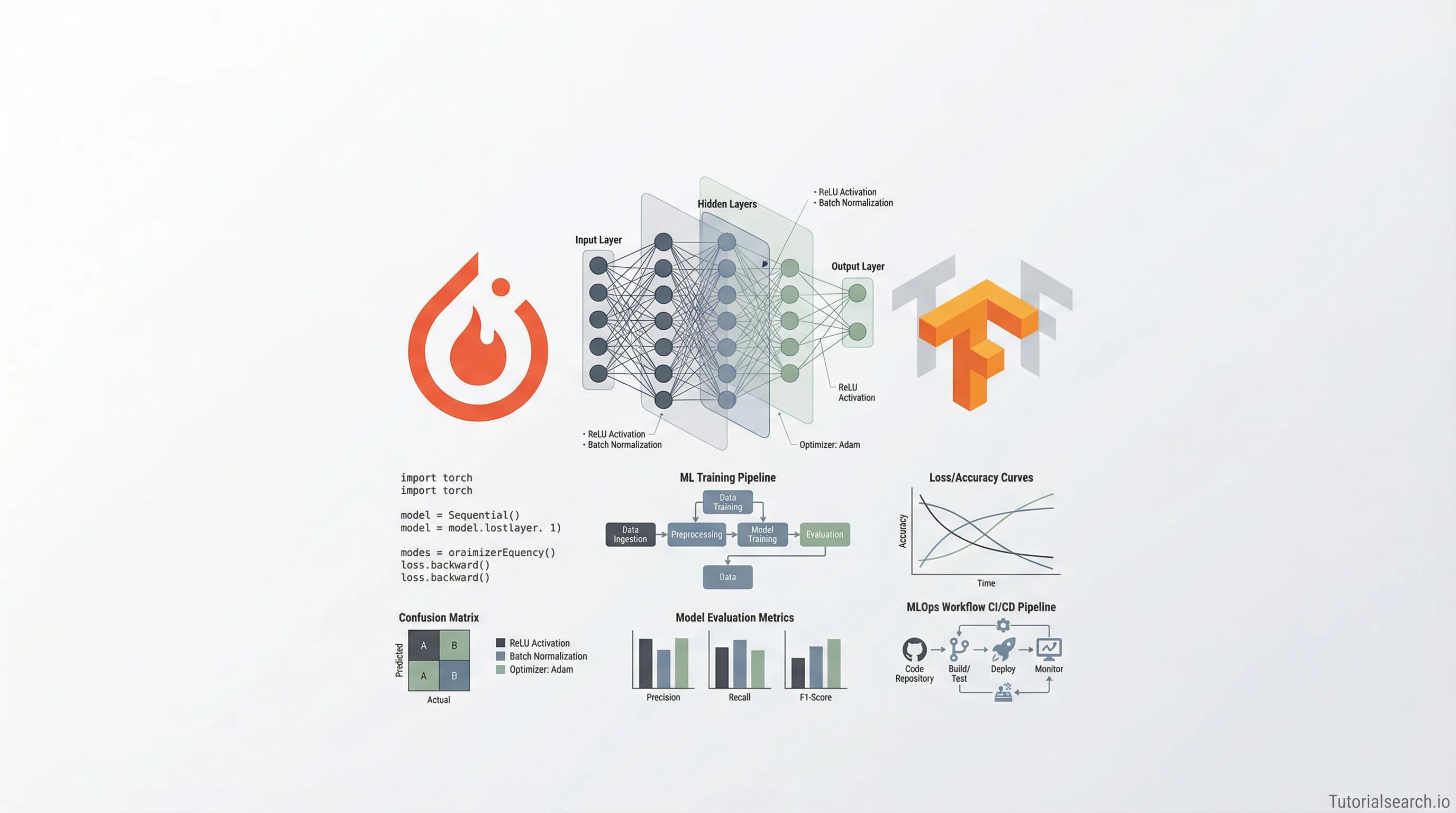
ML Projects That Build Real Skills
Machine learning projects are how theory becomes real skill. This guide covers the best ML project courses, GitHub repos, YouTube channels, and free platforms for building a data science portfolio that gets noticed.
Want AI in your product? Hire the team behind TutorialSearch.io
LLM features, RAG, agents and automation wired into a real product — built by the devs who shipped this site.
Machine learning projects are where theory stops being abstract and starts becoming useful. You can spend months reading textbooks and watching lectures — but until you've loaded a real dataset, fought with missing values, trained a model that performed terribly, and then debugged why, you don't actually know how ML works.
That's the trap most beginners fall into. They learn and learn, then panic when they try to build something from scratch. The fix isn't more theory. It's building earlier than feels comfortable.
This guide covers the best courses, free platforms, GitHub repos, YouTube channels, and books for building real ML projects — from your first classifier to deployed production systems. If you want to explore the full catalogue, there are 228 ML project courses on TutorialSearch organized by skill level and platform.
Key Takeaways
- Building ML projects early — before you feel ready — is the fastest path to real machine learning skills.
- The best ML project courses cover end-to-end workflows, not just isolated algorithms.
- Free platforms like Kaggle and Google Colab give you GPU access and real datasets at zero cost.
- GitHub repos like
awesome-machine-learningare packed with curated project starters and tools.- Deploying an ML project — even a small one — teaches you more than ten notebooks on Kaggle ever will.
In This Article
- ML Project Ideas Worth Starting With
- ML Courses That Actually Get You Building
- Machine Learning GitHub Repos Worth Starring
- ML Project YouTube Channels for Builders
- Free ML Project Platforms That Cost Nothing
- ML Project Books Worth Reading
- Machine Learning Communities Where Builders Hang Out
- Related ML Skills Worth Exploring
- Frequently Asked Questions About ML Projects
ML Project Ideas Worth Starting With
The first question beginners usually ask is the wrong one: "What project will impress employers?"
The better question: "What project will teach me the most?"
A few projects that hit both marks:
Customer churn prediction — Predict which customers are likely to cancel a subscription before they do. The dataset is usually clean enough to work with fast, and the business framing is immediately understandable. It covers classification, feature engineering, and model evaluation in one shot — three core ML skills in a single project.
House price prediction — The classic regression project. Everyone starts here for a reason. Once you've built one version, try comparing two different models and analyzing why one outperforms the other. That comparison step is where the real learning happens, not just running the code.
Text sentiment analysis — Take customer reviews, tweets, or forum posts and classify them as positive or negative. This is your introduction to NLP (natural language processing — teaching machines to understand text) without needing deep learning to get started.
Image classifier — Build a model that distinguishes cats from dogs, or detects a specific object in photos. This is where you'll first encounter convolutional neural networks (CNNs — a type of model designed for image recognition) and understand why data augmentation matters.
Energy consumption prediction — Use time-series data with factors like temperature and time of day to predict power usage. It's a practical regression project with a real-world story behind it, which makes it easy to explain in an interview.
The One Thing That Actually Matters
Here's the contrarian take: one original project you designed yourself is worth more than five tutorial clones. Hiring managers aren't counting your projects. They're asking whether you can identify a real problem and work through it. Before you start, decide what question you want to answer — not just what dataset to use.
Before you dive in, you'll need Python, a working environment (Jupyter Notebook or Google Colab), and three core libraries: pandas for data handling, scikit-learn for machine learning algorithms, and matplotlib or seaborn for visualizing results. That toolkit is enough for your first 10 projects.
ML Courses That Actually Get You Building
Most ML courses spend 80% of their time on theory and 20% on code. The ones worth your time flip that ratio.
Complete MLOps Bootcamp With 10+ End To End ML Projects by Krish Naik [Editors' Choice]
This is the course to pick if you want to go from basics all the way to production-grade systems. Krish Naik has over 1 million YouTube subscribers for a reason — he explains complex MLOps (machine learning operations — the discipline of deploying, monitoring, and maintaining ML models in production) pipelines without assuming you already know how they work. Ten end-to-end projects means you're building from day one. It covers data preprocessing, model training, deployment to cloud, CI/CD pipelines, and model monitoring. This is the kind of structured exposure that turns a notebook coder into someone who can ship real systems.
Rating: 4.56 | 29,000+ students
Machine Learning Mastery: Build Real World Auto ML Projects by Pianalytix [Editors' Choice]
AutoML (automated machine learning — software that handles algorithm selection, hyperparameter tuning, and feature engineering for you) might sound like a shortcut, but it's genuinely useful for production work. This course teaches you to use AutoML frameworks while keeping you honest about what's happening under the hood. The Pianalytix team consistently produces content that's broad enough to be practical and specific enough to actually teach you something.
Rating: 4.47 | 784 students
Employee Attrition Prediction in Apache Spark (ML) Project
Most beginner ML courses use tiny datasets that fit in memory easily. This one works with Apache Spark — a distributed computing framework for processing data that's too big for a single machine. If you plan to work in enterprise data science or with genuinely large datasets, this project teaches you skills most Udemy courses skip entirely.
Rating: 3.93 | 12,000+ students
Build an End-to-End ML Project on AWS SageMaker by Akhil Vydyula
Deploying on AWS SageMaker (Amazon's managed platform for building and serving ML models) comes up constantly in data science job listings. This course takes you through a complete project lifecycle on AWS — from raw data to a deployed, callable endpoint. Even if you don't end up using SageMaker, understanding cloud deployment patterns transfers to GCP and Azure as well.
Rating: 3.47 | 9,000+ students
50-Days 50-Projects: Data Science & Machine Learning Bootcamp by Pianalytix
Volume builds intuition. Fifty projects in fifty days is aggressive, but the format forces a habit that most learners never develop: shipping something, moving on, and doing it again tomorrow. Some projects here are small. That's fine. The repetition and variety build pattern recognition faster than any single long project.
Rating: 4.20 | 1,764 students
Analytics Problem Solving: Art to Science by Rajneet Kaur [Editors' Choice]
This one surprises people. While other courses teach you the code, this teaches you how to frame a problem before writing a single line of Python. The structured approach — translating a messy business question into a well-defined ML task — is exactly what separates junior data scientists from senior ones. Everyone learns how to train a model. Almost nobody learns how to define the right question first. A hidden gem with a small student count but very high rating.
Rating: 4.78 | 252 students
You can also search the full ML project course catalogue on TutorialSearch filtered by platform and skill level. There's also a solid selection of AI & Machine Learning courses covering adjacent skills like feature engineering and model evaluation.
Machine Learning GitHub Repos Worth Starring
awesome-machine-learning by josephmisiti
josephmisiti/awesome-machine-learning is the canonical reference list for ML libraries and frameworks, organized by programming language. It's not a projects list — it's a curated index of the best tools to use when building. If you're not sure which library handles a specific task, start here. This repo has been maintained for years and the quality of curation is consistently high.
data-flair ML Projects Repository
data-flair/machine-learning-projects collects source code for dozens of practical ML projects with explanations — from fake news detection to computer vision apps. Good when you want a concrete starting point before branching into your own variation. Don't just run the code. Change something, break it, fix it. That's where the learning actually is.
awesome-deep-learning by ChristosChristofidis
ChristosChristofidis/awesome-deep-learning is the deep learning counterpart to the above list. Once you've built a few traditional ML projects and want to push into neural networks, transformers, and research papers, this is your starting map. It's well-maintained and stays current with major developments.
mlops-best-practices by karan842
karan842/mlops-best-practices is a hands-on guide to building end-to-end ML pipelines and deploying models in production. Most learners skip the deployment step entirely. This repo fills that gap with practical guidance on CI/CD for ML, model registries, and monitoring. Pairing this with the Applied AI courses on TutorialSearch gives you both the theory and the hands-on context.
ML Project YouTube Channels for Builders
Want AI in your product? Hire the team behind TutorialSearch.io
LLM features, RAG, agents and automation wired into a real product — built by the devs who shipped this site.
A lot of ML YouTube content is lectures in disguise. The channels below actually build things on camera.
Sentdex — The best channel for practical, project-based ML coding. Sentdex has built everything from trading bots to neural networks from scratch on camera, narrating every decision along the way. Over 1.5 million subscribers. His approach: here's the problem, here's the tool, let's figure it out — no theatrical preamble.
Krish Naik [Editors' Choice] — The same instructor from the MLOps course above runs a channel with 1+ million subscribers covering end-to-end ML projects, NLP, deep learning, and deployment. Project tutorials are detailed enough for beginners without being slow. Especially strong on MLOps and deployment content.
Codebasics — Run by Dhaval Patel, this channel excels at data science portfolio projects for beginners. The structured walkthroughs — building a resume parser, a sports analytics dashboard, a price prediction app — are explained clearly and can be adapted into your own portfolio work.
Nicholas Renotte — Builds real AI and ML applications live, from sign language detection with computer vision to NLP apps using transformer models. The pace is fast and the results are satisfying. Good for seeing what's possible, which helps with motivation during the harder debugging sessions.
StatQuest with Josh Starmer — Everyone else covers how to build projects. StatQuest covers why the algorithms actually work. If you find yourself copying code without understanding it, Josh Starmer's visual explanations of random forests, gradient boosting, PCA, and neural nets will change that. Pair this channel with any project-focused course to understand both the what and the why.
Free ML Project Platforms That Cost Nothing
You genuinely don't need to spend anything to build your first 10 ML projects. A quick comparison:
| Platform | Free GPU Time | Best For |
|---|---|---|
| Google Colab | Daily allocation (~1-2 hrs continuous) | Quick experiments, sharing notebooks |
| Kaggle Notebooks | 30 hrs/week (dual T4 GPUs) | Competitions, public dataset access |
| Lightning AI | 22 hrs/month | VS Code-style dev environment |
| SageMaker Studio Lab | 4 hrs GPU/day | AWS ecosystem familiarity |
Google Colab remains the most beginner-friendly option. No setup, runs in browser, shares as a link. The GPU allocation resets daily — enough for most beginner and intermediate projects. Free tier GPU is fine for anything below large neural network training.
Kaggle gives you more GPU than Colab (30 hours per week vs Colab's daily cap) and direct access to thousands of curated datasets. More importantly, Kaggle has a community. Posting a public notebook means other practitioners can comment, fork your work, and offer feedback. If you're building a portfolio, Kaggle notebooks are one of the most visible places to put it.
Beyond the platforms — real datasets matter more than which notebook you use. Kaggle has thousands. The UCI Machine Learning Repository has been the standard academic dataset source for decades. Dataquest's ML Project list and DataCamp's 33 ML Projects both match project ideas to appropriate datasets, which saves a lot of decision-making time when you're starting out.
Once you know the basics, ML Fundamentals courses on TutorialSearch can help you understand the algorithms behind the projects you're building — making debugging significantly less painful.
ML Project Books Worth Reading
Hands-On Machine Learning with Scikit-Learn, Keras, and TensorFlow (3rd Ed.) by Aurélien Géron [Editors' Choice]
This is the one book worth recommending first. Chapter 2 alone — a full end-to-end housing price prediction project — is worth the cover price. By page 50 you're writing real code. The third edition covers everything: traditional scikit-learn algorithms, deep learning with Keras and TensorFlow, transformers, and deployment patterns. The ratio of useful code to explanation is excellent. Other ML books either give you 200 pages of math before touching code, or give you copy-paste recipes with no understanding. This one avoids both traps.
Approaching (Almost) Any Machine Learning Problem by Abhishek Thakur
This is free to read on GitHub. Abhishek is a Kaggle Grandmaster (one of the top-ranked competitive ML practitioners in the world — Kaggle ranks users by competition performance, and Grandmaster is the top tier). The book reads like a brain dump of his decision process: which metrics to choose, how to structure your experiment pipeline, how to avoid data leakage (accidentally using future information to predict the past, which inflates your model's performance on paper). The stuff most tutorials skip entirely.
These books work well alongside AI Learning courses on TutorialSearch if you want structured video content alongside the reading.
Machine Learning Communities Where Builders Hang Out
Reddit r/MachineLearning — The main ML subreddit leans toward research, but the weekly discussion threads are useful for practical questions. If you post your project asking for feedback, you'll often get genuinely thoughtful responses.
Reddit r/learnmachinelearning — The better community for people actively building their first projects. Less intimidating than the main ML sub. Post what you built, ask what you're stuck on.
Kaggle Discussion Forums — Every competition has a discussion page where participants share their approaches, notebooks, and insights. Reading these after a competition closes is one of the fastest ways to learn how strong practitioners think about a problem. This is the community that will most directly improve your project skills.
ml-ops.org — Not a forum, but a free open resource covering MLOps principles, deployment patterns, and production ML concepts. When you're ready to go beyond notebooks, this is where you learn the vocabulary and architecture patterns of real ML systems.
As you move into more advanced ML projects, Generative AI is the natural next frontier — with 2,030 courses on TutorialSearch covering LLMs, diffusion models, and production AI systems. AI Agents courses (725 available) cover building autonomous ML-powered systems that make decisions and take actions, which is where a lot of the most interesting current ML work is happening.
Related ML Skills Worth Exploring
If ML projects interest you, these related skills pair well and will make your projects stronger:
- ML Fundamentals — The theoretical backbone. Understanding why algorithms work makes debugging projects faster and interview answers sharper. 679 courses available.
- Applied AI — Moving ML beyond notebooks into real applications and production workflows. 707 courses.
- Generative AI — LLMs, image generation, and building with foundation models. The next step after classical ML. 2,030 courses.
- AI Practitioner — Structured paths toward certification and professional ML roles. 1,056 courses.
- AI Agents — Autonomous systems that use ML to make decisions and complete tasks. 725 courses.
- AI Learning — Broader resources spanning the full AI landscape. 841 courses.
Frequently Asked Questions About ML Projects
How long does it take to complete a machine learning project?
A simple ML project — loading data, training a classifier, evaluating results — takes 2–4 hours once you know the basics. A polished project with feature engineering, model comparison, and written documentation takes 10–20 hours. An end-to-end project with deployment takes 20–40 hours or more. Most beginners underestimate data cleaning, which typically takes longer than the modeling itself.
Do I need a math background to build ML projects?
You need enough math to understand what your model is doing — not to derive equations from scratch. Basic statistics (mean, variance, distributions) and rough intuition for what optimization means are enough for most beginner and intermediate projects. Building projects is actually the fastest way to build that mathematical intuition, because you encounter formulas in context, which makes them stick. Browse ML Fundamentals courses if you want to build the foundation alongside your project work.
Can I get a data science job just from ML projects?
Yes — a portfolio of 3–5 well-documented ML projects on GitHub or Kaggle is often more useful than a degree, especially at smaller companies and startups. What hiring managers look for: you can load data, clean it, model it, evaluate it honestly, and explain your decisions clearly. One strong project with good documentation beats ten undocumented ones. Pair your projects with AI Practitioner training if you're targeting roles that require formal certification alongside portfolio work.
What's the difference between an ML project and MLOps?
An ML project is the modeling work: data, features, algorithms, evaluation. MLOps (machine learning operations) is everything that happens when you want to deploy that model reliably in production — monitoring it over time, retraining it when its performance degrades, and integrating it with other systems. Most beginners build the project and stop there. Learning MLOps is what moves you toward senior roles and production-facing positions. The full AI & Machine Learning category covers both sides.
Which dataset should I use for my first ML project?
Kaggle's Titanic survival dataset is the standard starting point, but the housing price prediction dataset is more practical — regression applies to more real-world problems than binary classification, so the skills transfer further. After your first two projects, find a dataset about something that genuinely interests you. You'll move faster and care more about the results, which matters when you hit the inevitable stuck points.
Start with one project. Get it working before you optimize it. Document what you did and why. Then build the next one.
The loop is that simple. There are 228 ML project courses on TutorialSearch across every skill level and platform — find the one that matches where you are right now and start building.