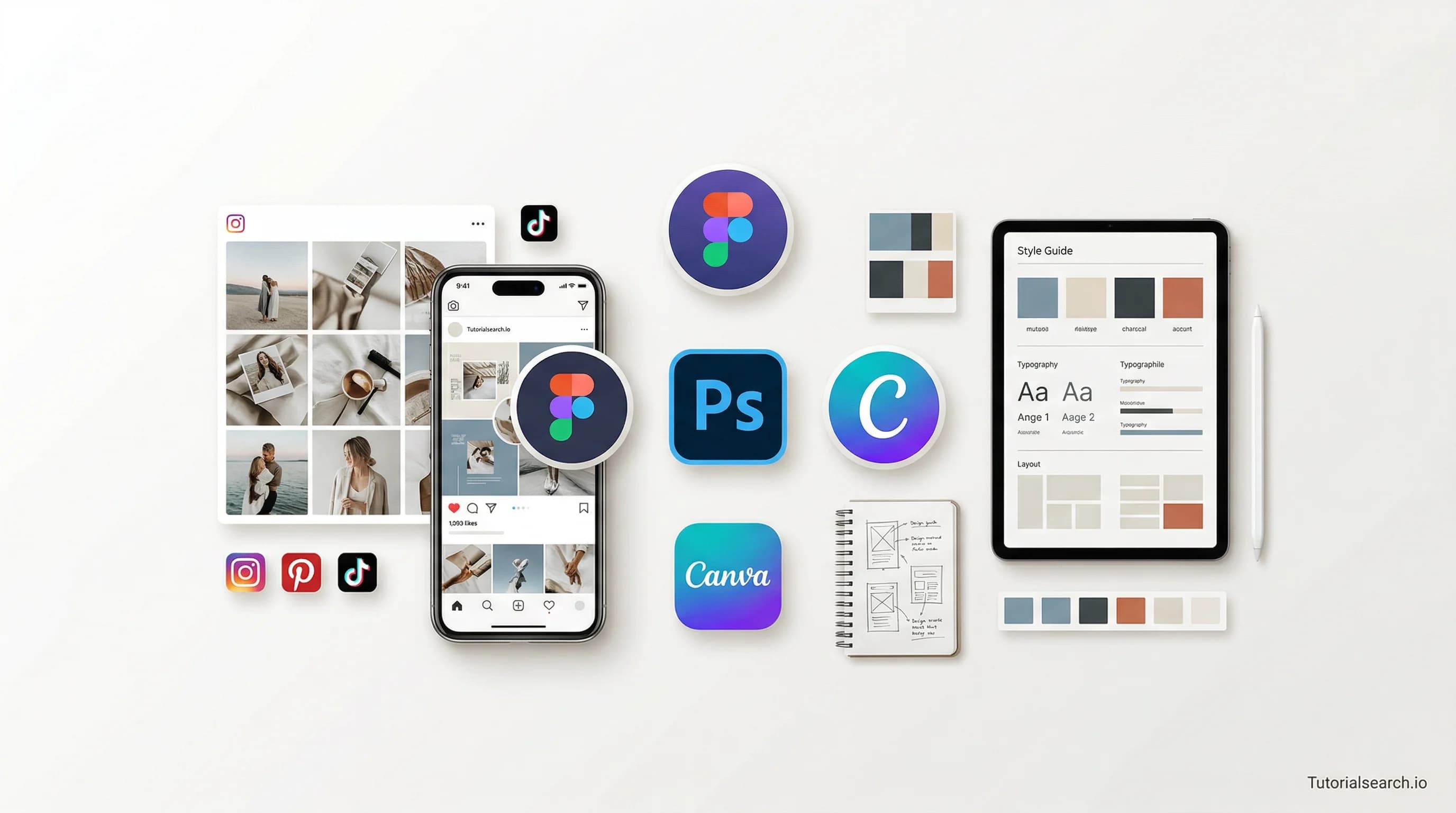
Master Social Media Design in 2026: Tools & Learning Path
Learn social media design with practical courses, free tools, and expert resources. Master Canva, Photoshop, Figma, and design fundamentals that work in 2026.
Have a design? We'll build it — the devs behind TutorialSearch.io
Pixel-accurate, responsive front-ends from your Figma — wired to real back-ends by the team that built this site.
Why Your Social Media Graphics Are Underperforming (And How to Fix It)
Social media design isn't just about making things look pretty—it's the difference between a post that gets ignored and one that stops the scroll. In 2026, platforms are flooded with content, which means your visuals need to grab attention within the first second, communicate clearly without text, and work beautifully across devices you can't predict.
I've watched countless creators struggle with the same problem: they spend hours designing beautiful graphics, only to discover the text is unreadable on mobile, the colors clash on their brand profile, or the aspect ratio gets cropped in unexpected ways. Most of this pain comes from not understanding the design principles that make social media graphics actually work. The good news? These principles are learnable, and the tools have gotten absurdly accessible.
This guide walks you through everything you need to master social media design in 2026—from the foundational concepts that experienced designers use, to the specific software you should learn, to the exact resources that will shorten your learning curve. Whether you're building a personal brand, launching a small business, or working as a designer, this roadmap will show you the fastest path forward.
Key Takeaways
- Social media design combines color theory, typography, and platform-specific constraints to stop scrolls
- Canva remains the fastest entry point for beginners, while Adobe and Figma serve power users
- Consistency in visual style builds brand recognition faster than any other single factor
- The best design tools in 2026 include free and premium options for every budget
- Learning design principles takes 2-4 weeks; mastering your tool takes 2-3 months
In This Article
- Start with Design Fundamentals First
- The Best Canva Courses for Social Media
- Advanced Design Tools: Photoshop and Figma
- Free Tools and Resources That Work
- Learn From YouTube
- GitHub and Design Communities
- Which Tool Should You Choose
- Related Design Skills
- FAQ
Start with Design Fundamentals First
Before touching any software, you need to understand why designs work. Three concepts matter most: color theory, typography, and visual hierarchy. These aren't aesthetic preferences—they're functional tools that determine whether someone's brain registers your design as professional or amateur.
Complete Web Design from Figma to Webflow (New UI) covers these fundamentals thoroughly in Part 1, even though it's positioned as a web design course. The principles of typography and color carry directly into social media graphics. This course explicitly teaches color theory and layout principles that prevent the "my design looks amateur" feeling that plagues first-time creators.
Color theory teaches you why certain color combinations feel cohesive while others clash. It's not magical—it's based on how human eyes perceive wavelengths and contrast. Typography teaches you that the font you pick changes how people perceive your brand before they read a single word. A sans-serif font communicates "modern" while a serif font whispers "traditional." Visual hierarchy teaches you how to guide the viewer's eye to what matters most—usually your call-to-action or core message. Without hierarchy, everything competes for attention equally, and nothing stands out.
The honest truth: you can use all the fancy tools in the world, but without understanding these three concepts, your designs will look like templates with text swapped in. They won't feel intentional. Browse social media design courses to find more foundation-focused options if you want to explore other instructors' approaches to these core concepts.
The Best Canva Courses for Social Media
Canva is where 90% of small business owners and non-designers start, and with good reason. It's fast, template-based, and requires zero technical skill. You don't need to understand layers or color models or vector mathematics. You pick a template, change the text, and you're done. That speed is powerful. Search for more Canva tutorials to find additional resources beyond what's listed here, especially if you want course variety.
Editors' Choice — Canva Course: Social Media Design And Video For Social Media by Foued Riani (4.6 stars, 2,200+ students) teaches Canva specifically for social media. This is important because Canva has about 500 different features, and 400 of them you'll never use for social media. You'll learn to design posts, stories, reels, and ads in under 2 hours. The focus is practical outputs, so you'll walk away with finished graphics immediately—not theoretical knowledge about design that you'll forget in two weeks.
Editors' Choice — Canva & ChatGPT COMBO: Master Social Media Design HACKS adds AI into the workflow. This matters because 2026 design involves AI tools for ideation, background removal, and content generation. Learning this early means you'll be ahead of designers still wrestling with traditional workflows. You'll use ChatGPT to brainstorm design variations, Canva to execute them, and AI to generate background images at scale. By the end, you'll have a repeatable system.
For e-commerce creators specifically, Instagram: Use Canva for High Converting Social Media Design (4.5 stars, 14,500+ students) teaches design-driven psychology. Every element moves people toward buying. The course covers color psychology (reds trigger urgency, blues communicate trust), text placement for clicks (call-to-action buttons work better in the lower third), and mobile optimization (your Instagram carousel card gets 2.5 seconds of attention before the swipe).
Editors' Choice — Canva for Social Media: Zero to Hero Graphic Design in Canva (4.5 stars, 10,000+ students) is the most comprehensive Canva path. It's not a "zero to hero" in the sense of making you a designer. It's zero to hero in Canva specifically. You'll understand why certain template modifications work and why they don't. You'll learn that moving a text box 10 pixels left sometimes breaks the balance, and moving it 50 pixels left fixes it again. That intuition takes thousands of tutorials to develop—unless you follow someone showing you.
Advanced Design Tools: Photoshop and Figma
Once Canva feels limiting—and it will if you're designing consistently—the progression is Photoshop (photo manipulation) or Figma (vector design). These are professional tools with steep learning curves, which means they're also tools that separate dilettantes from actual designers. Employers notice. Clients notice. The quality difference is visible.
Photoshop is for photography-heavy designs. If you're compositing images, adjusting color gradients, blending photographs, or creating complex layered designs, Photoshop is your tool. Figma is for everything else: icons, illustrated graphics, branded templates, design systems. Figma's strength is collaboration—your entire design team can work on the same file simultaneously, something Photoshop will never do well.
Editors' Choice — Design stunning Social Media Marketing Images with Photoshop (4.8 stars, 2,600+ students) by Juan Pernot teaches Photoshop specifically for social media. Most Photoshop courses assume print or web. This one knows you're making 1080x1080 Instagram squares, 1200x628 Facebook ads, 1080x1920 Instagram stories. The instructor covers batch processing (designing 100 variations of the same template in 30 minutes), template creation, and adjustments that make images pop on mobile displays. This course will save you dozens of hours compared to learning Photoshop the general way.
For team collaboration and vector work, Logo Design with Figma - Scalable Vector Graphics - Part 3 teaches Figma's system. Even though it's logo-focused, skills transfer directly to icon design, infographics, and branded templates for social media. Figma's strength: your entire team edits simultaneously, eliminating the "I'm using v3 and you're using v5" nightmare. Version control is automatic.
Editors' Choice — Canva Generative AI for Social Media Management (4.8 stars, 3,600+ students) teaches the actual 2026 workflow: Canva + AI + scheduling in one place. This is the meta-skill. You're not just learning a tool. You're learning how professionals combine tools to create content at scale. AI image generation, Canva editing, scheduling—it's a complete system.
Free Tools and Resources That Work
Not everyone can afford Canva Pro ($120/year) or Photoshop ($270/year). The free tools have evolved to fill that gap.
Picsart is the easiest free tool for social media graphics. It's mobile-first, which means it's designed for your phone, not a desktop. Template-packed means you'll find a starting point for whatever you want to create. AI background removal means you can use photos of anything and clean up the background automatically. You can design polished graphics your first session. The limitation: it's designed for fast content creation, not brand consistency. If you use it for 1,000 posts, they'll look like 1,000 different people designed them. According to design trend analysis, Picsart ranks among the top free design tools for 2026 specifically because of these features.
Pixlr works in your browser. No download. No sign-up required. Click and start designing immediately. It's somewhere between Photoshop and Canva in complexity—more powerful than Canva's free tier, less overwhelming than Photoshop. If you know Photoshop, Pixlr feels familiar immediately. The interface mimics Photoshop's layout, which actually helps. Learn more about Pixlr's capabilities compared to other free tools if you want to understand its specific strengths.
The Awesome Social Media GitHub repository maintains a curated list of free design tools and resources. It's not a course—it's a directory. Discover lesser-known tools and free alternatives for different tasks. Want to crop images? There's a tool. Want to generate color palettes? There's a tool. Want vector design? There's a tool. This resource has been maintained by the community and is frequently referenced for comprehensive design tool comparisons because it actually stays updated.
Canva's Social Media Resource Hub offers free templates for every platform. You don't need courses to use Canva's free tier—you need templates pointing you toward what to design. Canva's resource hub does exactly that. It shows you what sizes work for Instagram, TikTok, LinkedIn, Pinterest, YouTube. Then it shows you templates in those sizes. Design best practices from major organizations guide platform-specific sizing and the reasoning behind it.
Domestika's Free Social Media Classes offer professional instruction at zero cost (time-limited, usually 30 days). Domestika's teaching quality is genuinely professional-grade. Their instructors are working designers and artists. The courses are on-demand, so you can watch at your pace. The limitation is time—you get 30 days to access the content, then it expires. Explore what Domestika offers in their dedicated social media design collection if you want to see what's currently available.
Learn From YouTube
Have a design? We'll build it — the devs behind TutorialSearch.io
Pixel-accurate, responsive front-ends from your Figma — wired to real back-ends by the team that built this site.
YouTube is where you'll find the most current tutorials, because YouTube creators publish constantly. Courses become outdated. YouTube gets re-cut and re-uploaded. There's also a psychological advantage: you're watching someone else's process in real-time. You see their hesitations, their corrections, their decisions. That's more useful than a perfectly edited course.
Learn Adobe Express Fast and Free is Adobe's official content. Adobe's teaching shows you the "why," not just the "how." They don't just say "click here." They explain what the button does and why you'd use it. The platform's 2026 design guide covers current trends that Adobe tutorials explain well. When Adobe explains video-first design or vertical formats, they're not guessing—they're reflecting what Instagram and TikTok are actually promoting in their algorithms.
For Canva, the platform produces YouTube tutorials. The most valuable learning comes from creators using Canva in real projects—not just demoing features. Search "Canva social media design process" and look for before/after transformations. You'll learn more from watching someone design 3 actual Instagram posts than from watching a 2-hour feature tour. YouTube channel discovery guides help find quality design-focused creators, so you're not wasting time on channels where someone just reads the user manual.
Design-focused YouTube channels worth following: The Futur (higher-level design thinking, business advice), GFXMentor (Photoshop tutorials), Figma for Beginners (vector work). These channels teach principles, not memorization. They show you why decisions matter, not just how to execute them.
GitHub and Design Communities
GitHub isn't typically where designers go, but it's where design systems and collaborative projects live. Design systems are the boring-sounding concept that actually transforms how designers work. Instead of creating 500 individual buttons, you create one button with variations (size, color, state). Then every designer on your team uses that one button. Consistency emerges automatically.
Behance is where professional designers showcase social media work. It's inspiration, not instruction. Spend 30 minutes browsing before you start learning anything. It trains your eye for quality faster than any course. You'll develop taste—the ability to recognize when something feels off even if you can't articulate why. That taste is invaluable because it drives your design decisions for the next 5 years. It trains your eye faster than courses because you're seeing thousands of real designer decisions, not an instructor explaining theory.
DesignerNews focuses on UI/UX design conversation. Social media design isn't strictly UX, but principles overlap profoundly. The community discusses design trends, tools, and process—useful for staying current without becoming an echo chamber of the same 5 tools everyone uses.
Design Discord servers like Design Buddies and Web Dev and Web Design offer active communities for questions, feedback, and collaboration. You can ask "does this color work?" and get 10 immediate responses. Reddit's /r/design and /r/graphic_design are slower but more curated—good for thoughtful critique rather than quick validation.
Which Tool Should You Choose?
| Factor | Canva | Photoshop | Figma | Pixlr | Picsart |
|---|---|---|---|---|---|
| Cost | $10-13/mo | $22.49/mo | Free-$12/mo | Free | Free-$7/mo |
| Learning Curve | 1-2 days | 2-4 weeks | 1-2 weeks | 4-7 days | 1-2 days |
| Template Quality | Excellent | N/A | Excellent | Good | Excellent |
| Custom Design | Limited | Unlimited | Excellent | Good | Moderate |
| Photo Editing | Basic | Professional | None | Moderate | Excellent |
| Team Collaboration | Yes | Limited | Excellent | No | No |
| Output Speed | Fast | Slow | Medium | Fast | Fast |
| Brand Consistency | Good | Excellent | Excellent | Good | Moderate |
This table helps you make the decision, but here's the honest choice matrix:
If designing for the first time, or if you're a small business with a limited budget: Canva. You'll have polished results within days. No learning curve means you start producing immediately.
If you're building a freelance portfolio or positioning yourself as a professional designer: Photoshop for photo-heavy work, Figma for vector/custom work. Both position you as someone who uses professional tools. Clients and employers notice.
If you're designing for a team or managing brand consistency across 100+ posts: Figma. Real-time collaboration saves time. Version control is automatic. You stop drowning in email attachments called "final_v3_actually_final.psd".
If you want professional quality without the learning curve: Adobe Express. It's the practical middle ground between Canva's simplicity and Photoshop's power.
If you're testing workflows before committing to software: Pixlr or Picsart. Both are free and capable enough to prove whether you'll actually use a tool regularly. Too many people buy Photoshop and never open it. Test with free tools first.
Related Social Media Design Skills Worth Exploring
Social media design doesn't exist in isolation. These adjacent skills compound your value exponentially.
UI/UX Design teaches interface thinking. A social media graphic is a micro-interface—you're guiding the viewer's eye to a specific action. Your Instagram post has a call-to-action button, and it matters where that button lives. Learning UI principles makes your designs feel intentional, not accidental.
Graphic Design is the broader discipline. Social media design is a specialization of graphic design. Learning general principles gives you flexibility when platforms change (Instagram redesigned in 2025, for example) and templates no longer work.
Product Design teaches systems thinking. If you're designing for multiple platforms (Instagram, TikTok, LinkedIn, YouTube), product design principles help you create consistent systems rather than one-off graphics. You develop style guides, color systems, typography systems.
Layout Design is about organizing information. Every social media post is a layout problem—fitting a message, visuals, and call-to-action into a specific space.
Canva Design is the deepest path if Canva becomes your primary tool and you want to master every feature.
FAQ: Your Most Common Questions
How long does it take to learn social media design?
Design principles take 2-4 weeks to understand at a functional level. Tool proficiency takes another 4-8 weeks. Mastery (creating original designs that feel cohesive and intentional) takes 3-6 months of regular practice. Most people are genuinely competent within 3 months if they design something 3-4 times per week. That regularity matters more than intensity.
Do I need design school or a degree to do social media design?
No. Design school teaches theory that matters for art direction and brand systems. Social media design rewards speed, consistency, and understanding platform mechanics—all learnable from courses and practice. The barrier isn't education, it's willingness to critique your own work honestly and iterate. That requires ego management, not credentials.
Can I get a job with just social media design skills?
Yes, but "just social media design" becomes limiting quickly. The hireable skillset combines social media design + photo editing (Photoshop) + basic copywriting + platform understanding (knowing Instagram's algorithm, TikTok trends). Adding one or two adjacent skills makes you significantly more valuable to employers and clients. You go from "designer" to "social media strategist who designs," which is a different conversation.
What's the difference between social media design and graphic design?
Social media design is constrained design—you're working within platform dimensions, scrolling contexts, short attention spans, and mobile-first viewing. Graphic design includes posters, packaging, and print, where you have more space and time for complexity. Social media design prioritizes immediate clarity and mobile readability. Graphic design can be more nuanced and exploratory.
Which platform should I learn first: Instagram, TikTok, or LinkedIn?
Start with Instagram if building a personal brand or e-commerce business. The platform rewards consistent, polished visuals. Start with TikTok if you prefer video-first content and don't mind trends shifting rapidly. Start with LinkedIn if you're B2B focused. The core design principles are the same—the constraints and audiences differ.
Is Canva Pro worth it, or should I learn Photoshop?
Canva Pro ($120/year) is worth it if you're designing weekly. Photoshop ($270/year) is worth it if you need photo editing or plan to design complex custom graphics. Most professionals use both—Canva for fast iterations and templates, Photoshop or Figma for custom work. It's not either/or. It's both/and.
Social media design in 2026 is no longer gatekept behind expensive software or years of school. The tools are accessible. The learning paths are clear. The limiting factor is showing up consistently and critiquing your own work honestly. Start with fundamentals, pick a tool that matches your budget, and design 10 graphics before deciding if it's for you. Most people find their voice within 2-3 months. You might be faster.