Making Your First Game: Where Every Game Developer Actually Begins
Learn how to start general game development with the right disciplines. Discover which programming language, game engine, and resources fit your first game.
Hire the developers behind TutorialSearch.io
We built this site — full-stack web apps, AI integration & automation. Tell us what you need and we'll build yours.
I shipped my first game in 2019. It was janky. The physics were broken, the collision detection barely worked, and I spent three weeks debugging a texture that refused to render. Looking back now, I realize I was trying to build a 3D multiplayer shooter when I should've started with a 2D platformer. That's the difference between knowing game development theory and understanding where real games start.
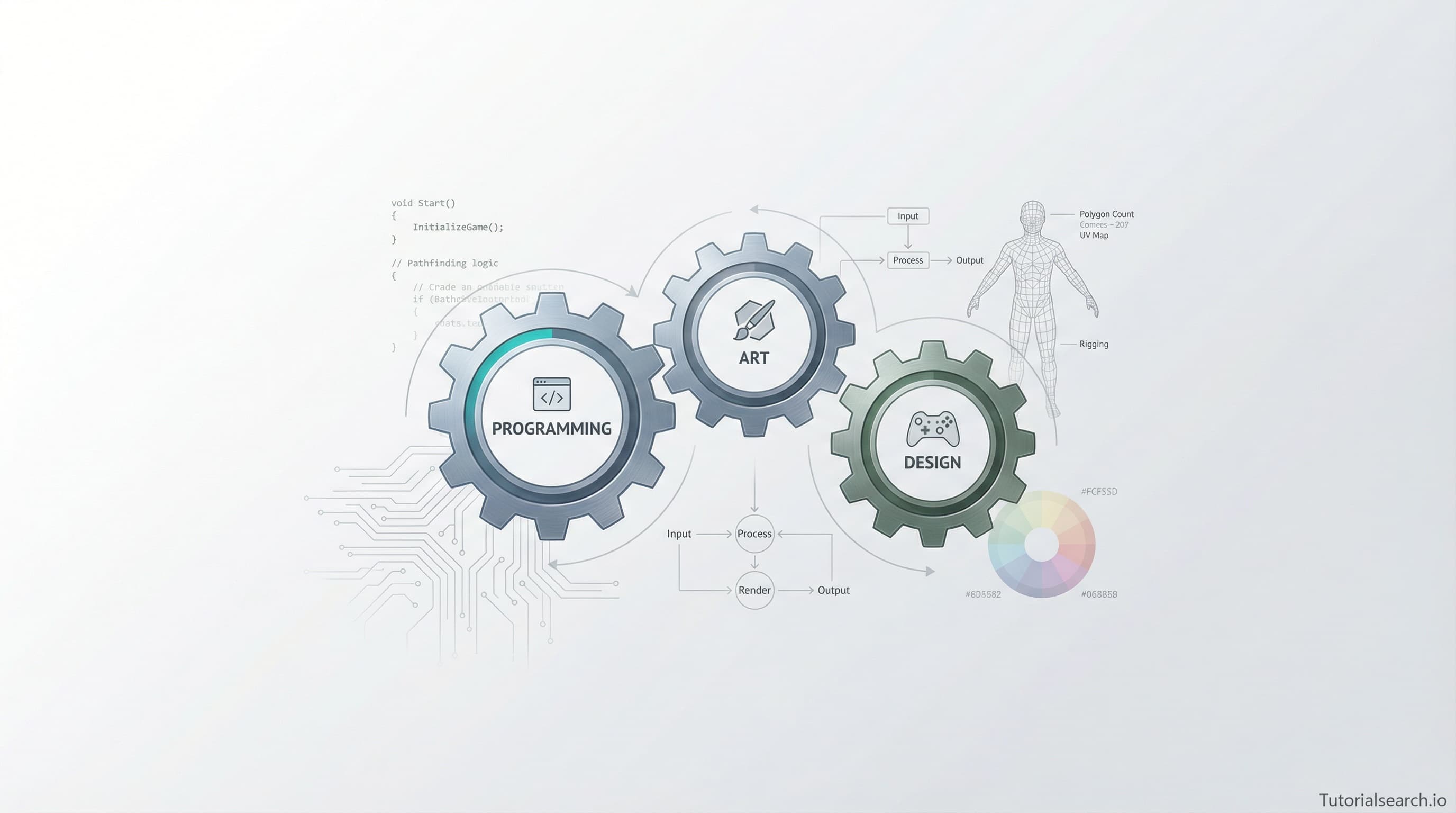
Most game developers don't fail because they can't code. They fail because they jump into the deep end without understanding the fundamentals. General game development isn't about mastering every engine or every programming language. It's about understanding the core disciplines: programming, art, design, and systems thinking. You need enough knowledge in each to ship something complete.
Key Takeaways
- General game development requires programming fundamentals, art basics, and design thinking, not mastery of everything
- Start with a small, complete game idea rather than a massive vision that never ships
- Game engines like Unity and Unreal Engine each solve different problems—pick based on your project goals
- The discipline with the steepest learning curve is often limiting, not your preferred specialty
- Building a portfolio of shipped projects matters infinitely more than theoretical knowledge
In This Article
- Understanding What General Game Development Means
- The Core Disciplines Every Developer Needs
- Choosing Your First Game Engine
- Building Your First Complete Game
- The Skill That Will Actually Block You
- Resources That Work at Every Level
- FAQ
Understanding What General Game Development Means
General game development differs fundamentally from specialized roles. A specialized programmer focuses purely on gameplay mechanics or graphics optimization. A generalist learns enough about multiple disciplines to ship a complete game solo. You become comfortable wearing different hats—sometimes you're the programmer, sometimes the designer, sometimes the artist.
The reality of indie development forces this generalization. You can't hire specialists for a small game. Your first shipped title probably won't make money. Your second one might. The generalist survives this journey better because they understand trade-offs across disciplines.
This broad skillset has real advantages. You can prototype ideas faster. You understand why an artist's asset won't render and why that designer's idea needs code changes. You make informed trade-offs instead of guessing. You ship games instead of planning them forever.
The Core Disciplines Every Developer Needs
Every complete game requires three technical disciplines and one creative one. Neglecting any of them shows immediately.
Programming: The Foundation You Can't Skip
Programming is where most learning resources focus. That makes sense—code runs everything. But general game development requires specifically game programming, not just any programming.
Game programming differs fundamentally from web or mobile development. Games need real-time performance. You're updating and rendering 60+ times per second. Physics calculations happen every frame. Network calls that lag kill multiplayer games completely. Memory management matters in ways that web servers abstract away entirely.
Start with fundamentals first. Learn how a game loop works. Understand delta time and frame rate dependency. Write collision detection from scratch once, even if your engine does it automatically later. These foundations prevent you from making architectural decisions that break irreparably later.
Choose your first language based on your engine selection. Unity uses C# exclusively. Unreal uses C++ primarily, though Blueprint visual scripting exists as an alternative. Godot works with GDScript or C# support. The engine choice matters significantly more than the language choice because it determines your tooling and available community support.
Art: More Than Pretty Pictures
Game art isn't just visual design. It's technical problem-solving fundamentally. Your character model needs a specific polygon count or your game runs at 15 FPS instead of 60. Your UI assets need proper texture atlasing or memory explodes catastrophically. Your particle effects need optimization or you can't use them in any real scene meaningfully.
You don't need professional 3D skills for your first game attempt. You need enough skill to create placeholder assets, understand why they fail technically, and make informed decisions when you eventually work with professional artists.
Placeholder assets matter tremendously. Programmer art looks terrible but teaches you what works mechanically. Grey boxes teach level design faster than polished models ever could. Simple placeholder UI shows game design issues before you waste weeks polishing.
Design: The Decision Framework That Saves Months
Game design is the most underestimated discipline in game development. It's not primarily about storytelling. It's about rules, systems, and player experience fundamentals. What happens when the player presses jump? How do enemies behave? What's the win condition exactly?
Too many developers treat design as optional. They'll code a mechanic, try it, hate it, code another one. That's iteration, not design. Good design reduces iteration significantly. You know why a mechanic serves your game before you write code.
Document your core loop before coding anything. What does the player do every 10 seconds? If you can't describe it in two sentences, your design isn't clear enough yet. This one practice prevents more failed game projects than anything else combined.
Systems Thinking: How Disciplines Connect
The fourth discipline isn't taught much explicitly. It's understanding how programming, art, and design decisions affect each other fundamentally. An ambitious art vision requires completely different programming architecture than a simple 2D game. A complex design with 50 systems requires different code organization than a tight arcade experience.
Make these trade-offs deliberately and consciously. Don't discover after three months of work that your vision requires a complete rewrite architecturally.
Choosing Your First Game Engine
This decision paralyzes many developers initially. The honest truth: pick one and commit fully. Switching engines costs months of lost work. The differences matter less than most discussions suggest.
Unity: Accessibility and Massive Community
Unity remains the most approachable engine available. The editor UI feels relatively intuitive. The C# ecosystem is mature professionally. The community is enormous—when you hit a problem, hundreds of tutorials exist. Asset Store provides ready-made solutions for problems you shouldn't solve from scratch.
Unity dominates 2D development and mobile game development. If you're building your first game, this matters significantly. Simpler projects teach faster than complex ones. Mobile games force you to optimize and think about performance constantly. These lessons transfer everywhere.
The barrier to entry is lowest with Unity overall. That's important meaningfully. Game development has a massive learning curve. Why add engine complexity to an already steep hill unnecessarily?
Unreal Engine: Raw Power and Professional Polish
Unreal Engine excels at 3D games with visual polish and performance. If you want your first game to look modern and professional, Unreal is the stronger choice. The Blueprint visual scripting system lets you prototype without writing traditional code.
The barrier to entry is noticeably higher. The UI complexity overwhelms beginners initially. C++ programming, if you choose it, requires more sophisticated knowledge fundamentally. The community, while excellent, expects more technical competency in its answers.
Start with Unreal if you specifically want to learn modern 3D graphics and professional game architecture. Don't start with Unreal because you want to build a casual 2D game quickly.
Godot: Open Source and Lean Architecture
Godot runs lean and efficient. Projects are small files. The editor is lightweight. The learning curve is friendlier than Unreal but steeper than Unity in certain ways. GDScript is simple and intuitive for beginners.
Godot is ideal if you prioritize understanding the entire system deeply. You can read the source code and understand engine decisions. Nothing is hidden in black boxes. This transparency teaches deep lessons about game architecture fundamentally.
Godot has real limitations though. The community is smaller significantly. Some problems have fewer tutorials. Asset availability is lower than competitors. These limitations force you to build more from scratch, which teaches but slows development.
The Real Truth About Engine Choice
All three ship complete, professional games successfully. The limiting factor isn't the engine choice. It's your discipline and persistence fundamentally. Pick based on your first game idea and stick with it.
Building Your First Complete Game Successfully
Scope is where most first games die completely. The project starts simple and grows until it's incompletely ambitious. You get 80% done, realize the vision requires a complete rewrite, and abandon it forever.
Start smaller than you think honestly. Genuinely smaller than intuition suggests. The smaller the better. Your first game teaches you the process of shipping. You'll repeat this process dozens of times. Better to ship something small than complete nothing massive.
The First Game Framework That Ships
Here's a framework that actually ships consistently:
Pick a proven mechanic. Don't invent new game mechanics initially. Pick something players understand completely. Platformer, puzzle game, shooter, racing game. Familiar mechanics mean you focus on execution, not design validation constantly.
Limit scope ruthlessly and deliberately. If you're building a platformer, don't add combat. If you're adding combat, don't add multiple weapons. If you're adding multiple weapons, don't build multiplayer. Each feature multiplies the code, art, and design complexity.
Build the core loop first always. Make the main activity feel good before adding anything else. If it's a platformer, nail jump physics. If it's a puzzle game, make puzzles satisfying before adding story. The core loop is the foundation.
Test with real people seriously. Play it yourself until you're sick of it. Then show it to friends. Watch them play without explaining. They'll stumble on issues you never noticed. They'll find bugs. They'll point out bad design decisions.
Fail fast on big unknowns early. If you've never done something before, build a prototype fast. Don't spend two months building the perfect graphics system. Spend one week building something that works and looks okay. Move on.
Ship something real. Finish the game instead of perpetually improving it forever. Done and shipped beats perfect and abandoned every single time. You'll iterate faster on game two because you finished game one completely.
The Skill That Will Actually Block You
Hire the developers behind TutorialSearch.io
We built this site — full-stack web apps, AI integration & automation. Tell us what you need and we'll build yours.
Here's the reality most resources won't tell you honestly: your weakest discipline is your bottleneck.
If you're a great programmer but terrible at art, your game will look broken. Players don't know if slow frame rates mean bad code or broken rendering. They know it looks bad and plays wrong.
If you're a great artist but weak at programming, your beautiful assets will animate at 20 FPS because you don't understand performance optimization. The best looking game at 15 FPS is unplayable.
If you're great at code and art but weak at design, you'll build technically impressive games that aren't fun. That's worse than bad looking games. At least bad looking games are honest about limitations.
Identify your weakest discipline immediately. That's where you invest first. Don't pursue only what you're good at. That's how you stay generalist at skill and ship nothing complete.
Essential Resources for Every Developer
Official Documentation and Learning Paths
Unity Learn provides structured courses from basic to advanced. The quality is high and the progression is logical. Free materials cover all fundamentals. Start here if you choose Unity.
Unreal Online Learning offers free courses for Unreal Engine development. The foundation courses are excellent for getting oriented.
Microsoft Game Development Documentation covers cross-platform development patterns and best practices.
Comprehensive Learning Collections on GitHub
The awesome game development collections on GitHub compile massive resource lists comprehensively. skywind3000/awesome-gamedev collects tools, engines, frameworks, assets, and learning resources. It's overwhelming at first but incredibly useful when you need specific solutions.
FronkonGames/Awesome-Gamedev focuses on curated resources with architecture patterns and networking fundamentals.
YouTube Channels That Teach Real Development
Game Maker's Toolkit stands out for design analysis that teaches why games work. Mark Brown builds complete games on camera and explains design decisions. His "Developing" playlist documents real game development from concept to shipped product.
Extra Credits provides foundational game design education. Their "Making Your First Game" series specifically addresses scope, minimum viable product, and marketing—the non-code parts that matter.
The Cherno covers game programming deeply. If you want to understand rendering, physics, or architecture, this channel explains every line of code.
[Editors' Choice] Code Monkey teaches game programming with clear explanations and completed projects. The code is professional but educational.
Books That Build Real Foundation
The Art of Game Design by Jesse Schell remains the standard reference. It's not technical—it's about how games create player experiences. One read teaches more about design philosophy than a hundred tutorials.
Game Programming Patterns covers architecture patterns that prevent your code from becoming incomprehensible. This book solves "my code is a mess" before you hit that problem.
Courses That Ship Real Results
Udemy: Design Patterns for Game Programming - Unity 6 Compatible teaches architecture patterns that prevent code disasters. Instructor Penny de Byl explains not just the patterns but why they matter for code maintainability.
[Editors' Choice] Udemy: C# For Beginners builds C# fundamentals specifically needed for Unity development.
Skillshare: Unity Mobile Game Development forces you to optimize from the start. Mobile constraints teach good programming habits early.
[Editors' Choice] Udemy: Make the Game Art for Your 2D Platformer teaches art fundamentals specifically for game development. You'll understand why pixel art teaches design faster than complex 3D.
Udemy: Python Game Development - Create a Flappy Bird Clone uses Python and Pygame to teach game loop fundamentals without engine complexity. This works great as a foundation before moving to professional engines.
Udemy: Learn To Create Artificially Intelligent Games Using Python3 teaches AI fundamentals for game development. Understanding basic AI prevents you from making poor architectural decisions later.
[Editors' Choice] Udemy: Unreal Engine 5.6 - Build an RPG using Lyra Framework shows professional game development with Unreal. The Lyra Framework represents industry-standard architecture patterns.
Communities Where Real Developers Gather Daily
Reddit communities like r/gamedev and r/Unity3D have daily questions answered by experienced developers. The barrier to asking is low. People answer genuinely.
Discord servers for specific engines connect developers in real time collaboration. The official Unity and Unreal Discord servers have thousands of active members constantly.
Game jams like Ludum Dare force you to ship games in 48 hours. You discover what's actually essential and what's extra quickly. Jam games become portfolio pieces. The community is supportive.
Related Learning Paths for Deeper Specialization
Expand your game development knowledge by exploring adjacent specialties:
2D Game Development teaches pixel art, 2D physics, and tile-based architecture. Start here if building your first game in 2D.
Unity C# dives deeper into C# patterns specifically for Unity development.
Game Engines compares engines and teaches engine-specific workflows comprehensively.
Game Development Basics covers terminology and concepts every developer needs.
[Editors' Choice] Game Systems teaches architecture patterns for inventory systems, dialogue systems, save systems, and other game systems you'll build repeatedly.
Multiplayer Games covers networking, synchronization, and server architecture for multiplayer games.
FAQ
What programming language should I learn first for game development?
The language matters less than the engine choice. C# for Unity, C++ for Unreal, GDScript for Godot. Learn the language your chosen engine uses primarily. Don't optimize language choice before committing to an engine.
How long does it take to make my first game?
A simple game takes 1-3 months part-time development. Most beginners underestimate polish time significantly. Programming takes one month. Polish, testing, and debugging take two more. Plan accordingly.
Do I need to be good at art to make games?
No, but you need to be competent enough to create functional placeholder assets. Your first game won't win art awards. It should be functional and teach you how art decisions affect code.
Is general game development a viable career path?
Yes, but rarely from your first game directly. Build portfolio pieces consistently. Ship multiple games over time. Then pursue professional positions. The transition from hobbyist to professional usually takes 2-4 years of sustained work.
What's the minimum programming knowledge I need?
Understand variables, loops, conditionals, and functions fundamentally. Understand how classes and objects work together. These fundamentals let you pick up game-specific concepts. You don't need advanced algorithms or complex data structures initially.
Should I start with 2D or 3D games?
Start with 2D always. It's simpler to debug significantly. Physics is more intuitive. Asset creation is faster. You'll ship sooner. 3D brings complex rendering, 3D modeling requirements, and performance challenges. Build confidence first with 2D.
Making your first game teaches you more than any book possibly can. Theory only becomes real when you implement it. You'll hit problems you never anticipated. You'll discover that one discipline is your wall. You'll spend weeks debugging something that should've taken days. You'll ship something imperfect that you're proud of building completely.
That shipped game, no matter how flawed, is your foundation. The next game gets finished faster. The third game teaches real lessons. By the tenth game, you understand general game development deeply. That's not theory. That's experience.
Start small. Pick your engine. Build your core loop. Test it. Ship it. Then analyze what went wrong. Do it again. Game development isn't learned from resources. Resources accelerate the learning from shipped games. Resources without shipping don't teach anything.
Your first game is waiting.