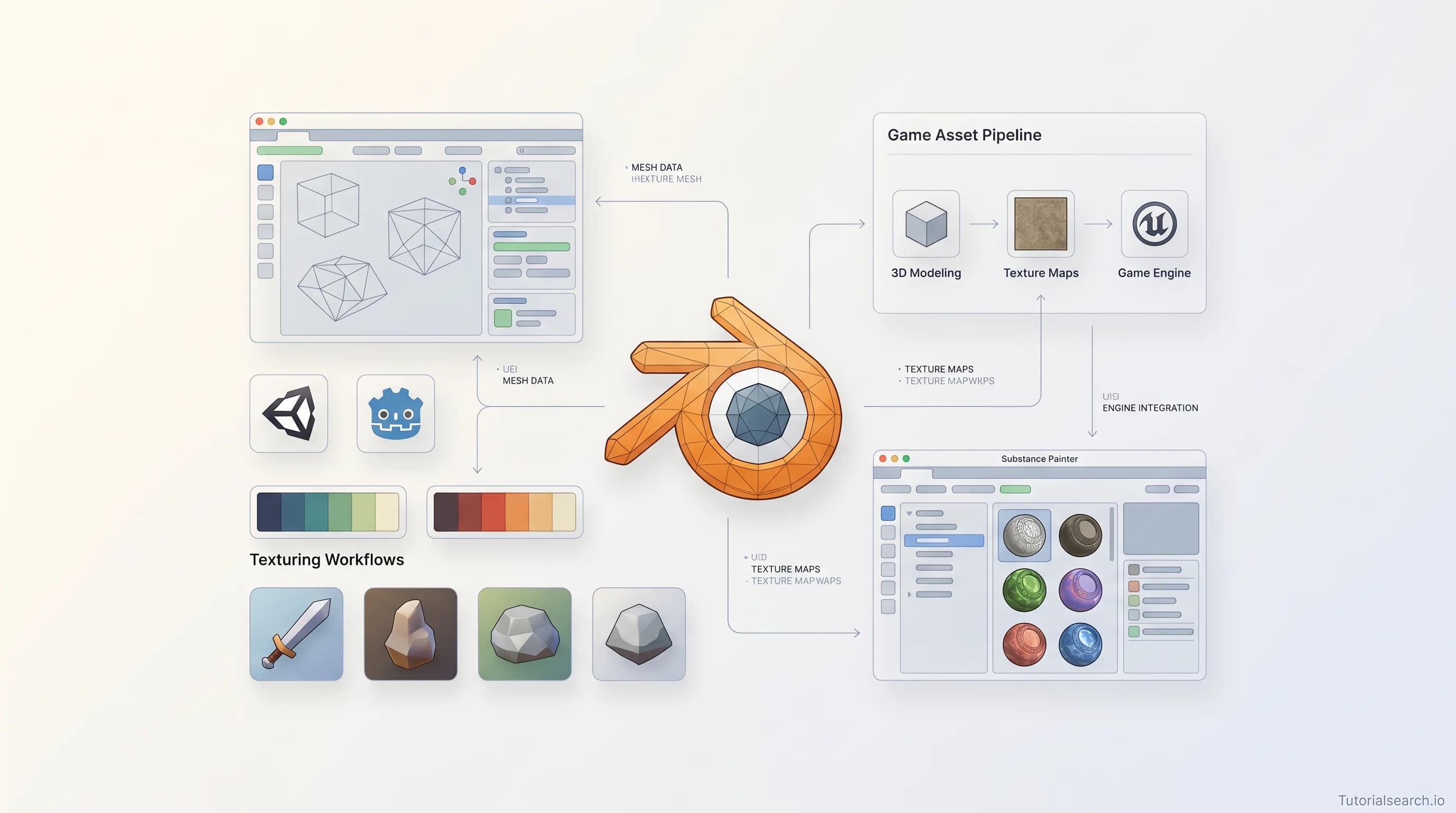
Game Assets: The Courses and Tools I'd Actually Recommend
A hands-on guide to the best game asset creation courses, free resources, YouTube channels, GitHub repos, and communities — covering Blender, Substance Painter, and the full 3D pipeline.
Hire the developers behind TutorialSearch.io
We built this site — full-stack web apps, AI integration & automation. Tell us what you need and we'll build yours.
Game assets are the foundation of every game you've ever loved — and learning to create them yourself opens a door that's harder to close than you'd think. Whether you're building an indie title in Unity, a side-scroller in Godot, or experimenting with Unreal Engine, knowing how to model, texture, and optimize game assets as of 2026 is one of the most practical skills in the entire game development pipeline.
I came to game assets the wrong way. I spent weeks downloading free packs, jamming them into a prototype, and wondering why everything looked like a Frankenstein project. The art direction was incoherent because I hadn't made any choices — I'd just grabbed whatever was convenient. The moment I sat down and started making even one asset myself — a simple crate, badly modeled — I understood the whole pipeline better. That one crate taught me more than ten YouTube videos. So if you're here, you're already ahead of where I was.
This guide covers the game asset courses worth your money and time, the free resources that are genuinely good, and the communities that will help you keep going when a UV map makes you want to throw your computer out a window.
Key Takeaways
- Game assets include 3D models, textures, sprites, animations, and audio — mastering even one type dramatically improves your games
- Blender is the best free starting point for 3D game asset creation; Substance Painter is the industry standard for texturing
- Game asset skills transfer across engines — what you learn for Unity works in Godot and Unreal Engine with minor adjustments
- The full pipeline (model → UV unwrap → bake → texture → export) is learnable in weeks, not years
- Free asset libraries like Kenney and OpenGameArt are great for prototyping but can't replace the creative control of making your own
In This Article
There are 73 game asset courses on TutorialSearch spanning Udemy, Pluralsight, and Skillshare. Here's how this guide is organized so you can jump straight to what you need:
- The Game Asset Courses I'd Recommend to a Friend
- Free Game Asset Resources That Are Surprisingly Good
- Buy vs. Make: A Practical Decision Guide for Game Assets
- Game Asset YouTube Channels Worth Subscribing To
- Game Asset GitHub Repos Worth Starring
- Books That Actually Teach Game Asset Creation
- Game Dev Communities for Asset Creators
- Related Game Development Skills Worth Exploring
- FAQ
The Game Asset Courses I'd Recommend to a Friend
Not every course here will be right for you, but every one here is worth your time in the right context.
1. Make Game Assets Easily And Export To Godot / Unity / Unreal (Udemy) — [Editors' Choice]
This is the one I'd hand to a friend who's completely new to game asset creation. Canopy Games teaches with a "make it work first, understand it later" philosophy that actually suits how most people learn. The course walks you through creating assets in Blender and exporting them cleanly to Godot, Unity, and Unreal Engine — which solves the single most frustrating part of the pipeline for beginners: getting your work into the engine without it breaking. With 1,459 students and a 4.8 rating, it's proven itself. The multi-engine export focus is what sets it apart from courses that assume you're only using one tool.
2. Unity Game Asset Creation in Blender: Textured 3D Models (Udemy) — [Editors' Choice]
This is the deeper dive. Holotna's course takes you through the full pipeline from raw mesh to textured, game-ready asset — with Unity as the target engine. What makes it worth picking over other Blender-for-games courses is the emphasis on topology: you'll learn to build low-poly meshes that still read well visually, which is a skill that takes most self-taught artists months to figure out on their own. If Unity is your engine of choice, this course will save you hours of forum-searching later.
3. Game Prop Texturing Fundamentals (Pluralsight) — [Editors' Choice]
Dan John Cox built this course for people who already have models and want to understand why their textures look flat and unconvincing. The answer, almost always, is in the baking and material workflow — and this course unpacks that clearly. It's rated beginner-level, which is deceiving; the concepts here apply just as much to mid-career artists who learned texturing by trial and error. Pluralsight tends to have the highest production quality in this space, and this is a good example of why.
4. Texturing Sci-Fi Game Assets in Substance Designer (Pluralsight)
The expert-level course in the list — Pluralsight rates it as such, and they're right. Substance Designer uses a node-based, procedural approach to texturing that produces tileable, highly customizable materials. If you want to create the kind of texture sets that AAA studios use for environments, this is where that skill lives. Not for beginners, but worth bookmarking for when you're ready.
5. 2D Game Assets Design in Photoshop — The Lazy Way (Udemy)
Not every game needs 3D assets. Abdulaziz Aloraini's course covers 2D asset creation in Photoshop — still the fastest route to stylized sprites and UI elements for 2D games. "The Lazy Way" in the title is marketing, but the approach is solid: work smart, use templates and shortcuts, ship faster. Good for anyone building mobile games or retro-style titles.
Free Game Asset Resources That Are Surprisingly Good
The internet is full of mediocre free assets. These are the ones actually worth your time — either to use directly or to study.
Kenney.nl is the gold standard for free game assets, full stop. Kenney has released thousands of CC0-licensed assets spanning 2D sprites, 3D models, UI elements, and sound effects — all completely free, no attribution required. The 60,000+ assets in the all-in-one pack are invaluable for rapid prototyping. The style is intentionally clean and neutral, which means assets from different packs can be mixed without visual chaos.
OpenGameArt.org is what you'd get if the internet's creative commons game art community had a public library. Quality varies enormously — some assets are rough, some genuinely excellent — but the variety is unmatched. Check licenses carefully.
Itch.io Free Game Assets has become one of the best places to find stylized assets, particularly pixel art and hand-drawn sprite packs. The curatorial pressure of being a marketplace means creators put more effort into presentation.
Blender Studio Game Asset Training is free and genuinely excellent. The Blender Foundation produced a 51-video course walking through the full pipeline: modeling, UV unwrapping, baking, and texturing. This is the official free starting point for game asset creation in Blender.
Poly Haven offers professional-quality PBR textures, 3D models, and HDR environments — all CC0. The texture packs here are the kind that game studios pay for. If you're building environments and want photorealistic surface materials, this is where you go.
Game-Icons.net is a small but specifically useful resource: hundreds of game-specific vector icons under CC BY 3.0. If your game needs iconography — inventory items, status effects, skill icons — this saves hours of work.
For structured learning on top of these free tools, search game asset tutorials on TutorialSearch to find courses filterable by level and platform.
Buy vs. Make: A Practical Decision Guide for Game Assets
Hire the developers behind TutorialSearch.io
We built this site — full-stack web apps, AI integration & automation. Tell us what you need and we'll build yours.
One of the most common traps indie developers fall into is spending money on assets for a game that changes direction three times before launch. Here's a framework that actually helps:
| Situation | Recommendation |
|---|---|
| Early prototype / jam game | Buy or use free — Kenney packs are perfect |
| Solo dev, visual style undefined | Buy a cohesive pack and study how it's made |
| Team with a concept artist | Make custom — consistency is critical |
| Learning game development | Make everything — the skills compound |
| Shipping commercial game | Mix — custom hero assets, bought supporting assets |
| Tight deadline, specific asset | Buy — your time has real value |
The contrarian view: buying assets is often worse for your final game than making mediocre ones yourself. Not because of quality — purchased assets are usually higher quality — but because your game ends up looking like three different games stuck together. Visual coherence is more important than visual quality in most indie contexts. A game with consistently low-fi pixel art reads better than one with three different art styles mashed together. That's not a popular take, but it's what I've seen play out repeatedly.
The practical exception: Kenney.nl packs sidestep the coherence problem entirely because every pack shares a unified visual style. If you're going to use free or purchased assets, Kenney is the safest bet for a game that still looks intentional.
Game Asset YouTube Channels Worth Subscribing To
GDQuest — Nathan Lovato's channel covers game development with open-source tools (Godot, Blender, Krita) in a way that's pedagogically excellent. The tutorials are structured, the explanations are clear, and there's genuine depth behind the beginner-friendly presentation. If you're using Godot for your game, GDQuest is the best free resource for the full stack: engine, code, and assets.
Blender Bros — The channel for hard-surface modeling in Blender. The focus is on game-ready props and assets — crates, weapons, machinery — using techniques that produce clean, efficient geometry. 246K subscribers, and the tutorials are genuinely easy to follow even at intermediate topics.
FlippedNormals — Henning and Morten cover the full 3D art pipeline with particular depth on character creation and texturing. Their free content is genuinely high quality — they make money on premium courses so they can afford to give away useful tutorials. The baking and Substance Painter tutorials are especially good for game artists.
Efficient 3D Game Asset Creation | Blender, Substance Painter, Unreal — Worth watching as a standalone video: a well-paced walkthrough of the Blender + Substance Painter + Unreal pipeline in one sitting. Good as a capstone after you've learned the individual tools separately.
Game Asset GitHub Repos Worth Starring
HotpotDesign/Game-Assets-And-Resources (625 stars) — A curated megalist of free and paid game asset resources covering 2D sprites, 3D models, textures, sounds, fonts, and more — organized by category. It's the kind of repo you bookmark and return to whenever you're starting a new project.
Calinou/awesome-gamedev — A well-maintained collection of free software and Creative Commons resources for game development. Unlike some "awesome" lists that grow without curation, this one stays focused on open-source tools and legitimately free resources.
GDQuest/game-sprites — A library of free game sprites for prototyping, maintained by the GDQuest team. Clean, functional, and designed to work well with Godot — but usable in any engine. If you're building in 2D, this pairs naturally with the 2D game development courses section.
Books That Actually Teach Game Asset Creation
"Beginning 3D Game Assets Development Pipeline" by Kenney Vance — one of the few books that treats the full pipeline — base mesh, UV mapping, high poly, texturing, rigging — as a cohesive workflow rather than isolated skills. Available on Amazon, it uses Maya and Substance Painter throughout. The single-project structure (you build one asset from start to finish across every chapter) is exactly the right way to teach pipeline thinking.
"Digital Modeling" by William Vaughan — less game-specific but genuinely useful. Vaughan's approach to hard-surface modeling is methodical, and the 650+ reference images make it a useful physical reference even years after you've worked through it. Find it on Amazon.
Game Dev Communities for Asset Creators
r/gamedev — 311K+ members. Not specifically about assets, but the feedback threads and weekly showcases are genuinely useful for understanding what good game art looks like at different production levels. Lurking the critique threads is educational on its own.
Game Dev Network Discord — 66,000+ members, with dedicated channels for art, assets, coding, and design critique. One of the better all-purpose game dev communities because the art channels get real traffic and the feedback quality is generally constructive. Sharing work-in-progress assets in Discord communities tends to get faster, more specific feedback than posting on Reddit — the conversation is more immediate and the context carries over into follow-up questions.
Related Game Development Skills Worth Exploring
Game assets don't exist in isolation. These related skills pair naturally with what you'll learn here:
- 2D Game Development — If you're making sprites and UI assets, 2D game dev is the natural destination. 527 courses available.
- Unity C# — Once your assets are ready, Unity is where most indie developers put them to work.
- Unreal Engine — Unreal's Nanite geometry has changed what "game-ready" means for high-end asset creation.
- Game Systems — Understanding game systems helps you build assets that integrate cleanly into the game logic around them.
FAQ
How long does it take to learn game assets?
A functional workflow — model, UV unwrap, texture, export — takes most people 4–8 weeks of consistent practice. You won't be making hero characters in that time, but you'll be able to produce clean props and environment pieces. Mastery takes longer; working game asset artists typically have 2–3 years of deliberate practice behind them. Start with one simple object, build the full pipeline once, and let the second object teach you what the first one didn't.
Do I need experience in 3D modeling to learn game asset creation?
Not a prerequisite, but it accelerates everything. If you're starting from zero, budget an extra 2–3 weeks to get comfortable with your 3D software before diving into game-specific workflows like UV unwrapping and normal map baking. Blender is free and the best starting point — and Blender Studio's game asset training walks you through it without spending anything.
What software do I need to create game assets?
For 3D: Blender handles modeling, UV unwrapping, and baking. Substance Painter is the industry standard for texturing. For 2D: Photoshop or Aseprite for pixel art. Some artists also use Marmoset Toolbag for baking and real-time presentation — it's paid but excellent. Start with Blender and add tools as you hit their specific limitations — you don't need the whole stack on day one, and the skills transfer between tools anyway.
Can I get a job with game asset skills?
Yes, specifically as a 3D prop artist, environment artist, or technical artist at a game studio. Portfolio matters more than credentials: five to ten high-quality, game-ready assets demonstrating the full pipeline will get you interviews at studios of all sizes. The most important thing is to show the process, not just the final render — include wireframes, UV layouts, and texture sheets alongside your beauty shots. Studios hire people who understand the pipeline, not just people who can produce pretty images.
How do I find free game assets for a prototype?
Start with Kenney.nl for visual consistency and CC0 licensing. OpenGameArt.org has broader variety but requires checking individual licenses. Itch.io's free asset section is best for stylized or pixel art packs. For PBR textures, Poly Haven is the best free source available.