Front-End Basics: HTML, CSS & JavaScript Skills That Deliver
Front-end basics — HTML, CSS, and JavaScript — are the foundation of every website. This guide covers the best courses, free resources, YouTube channels, and communities for learning front-end development.
Need a web app built? Hire the team behind TutorialSearch.io
We ship fast, production-grade full-stack apps (Next.js, React, edge infra) — the same stack that powers this site.
Front-end basics — HTML, CSS, and JavaScript — are the three skills every web developer starts with. Most beginners spend weeks feeling stuck, bouncing between YouTube videos and outdated blog posts, unsure of what to build or whether they're doing it right.
The good news: the resources for learning front-end basics have never been better. The hard part is knowing which ones to trust. This guide covers the best structured courses, free tutorials, YouTube channels, GitHub resources, and communities — the ones that actually help you build things.
Key Takeaways
- Front-end basics means HTML (structure), CSS (styling), and JavaScript (interactivity) — learn them in that order
- The best front-end basics courses combine theory with hands-on projects, not just slide decks
- Free resources like MDN Web Docs and freeCodeCamp are genuinely excellent starting points — don't skip them
- Most beginners learn faster by building small projects early, not by following tutorials passively
- Community feedback speeds up front-end learning more than most people expect
In This Article
- Where Front-End Basics Actually Starts
- Front-End Basics Courses That Build Real Skills
- Start Learning Front-End Basics for Free
- Front-End YouTube Channels That Actually Teach You Something
- Front-End Basics GitHub Repos Worth Starring
- Books That Go Deep on Front-End Development
- The Front-End Communities Where Developers Actually Help
- Related Front-End Skills to Explore Next
- Frequently Asked Questions About Front-End Basics
Where Front-End Basics Actually Starts
Most people start with HTML. That's the right call.
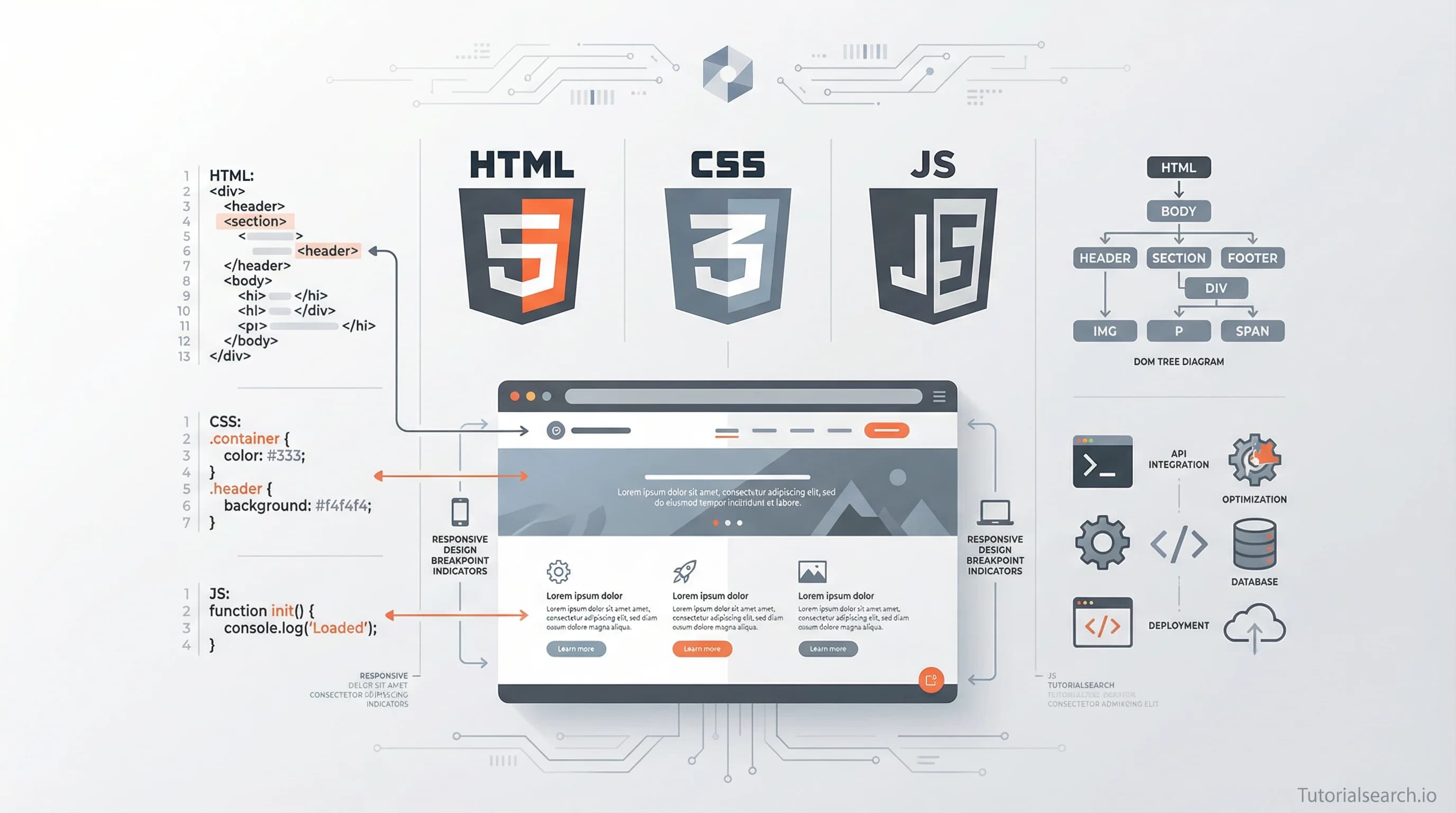
HTML is the structure of every webpage — every heading, paragraph, image, and link you see is an HTML element. It's not a programming language, and that's fine. Think of it as the skeleton of a house. You define what exists and where it belongs.
CSS comes second. It handles everything visual: colors, fonts, spacing, and layout. A lot of beginners underestimate CSS. They expect it to be simple, then hit something like centering a div and suddenly nothing makes sense. CSS has quirks, but once you understand the box model and how the cascade works, things click fast.
JavaScript is where behavior comes in. Clicking a button, form validation, a dropdown menu that opens and closes — that's JavaScript. Of the three technologies, it's the most like traditional programming. It takes longer to feel comfortable with, but it's also what lets you build things that actually do something.
You don't have to master one before touching the next. Many modern courses layer all three together, which can work well. But if you're truly starting from zero, HTML → CSS → JavaScript is still the clearest path.
You can browse all 352 courses in this area on the front-end basics page — filtered by platform, skill level, or whether you want free or paid options.
Front-End Basics Courses That Build Real Skills
Before diving in, here's a quick way to pick your starting point:
| Your Situation | Best Starting Point |
|---|---|
| Complete beginner, want structure | Nasser Sattarzadeh's Udemy course or Joe Eames on Pluralsight |
| Comfortable with HTML, want CSS depth | Kioomars Jonood's HTML5 & CSS3 series |
| Want a broad web apps overview | Metla Sudha Sekhar's Web Applications Specialization |
| Want the most-enrolled HTML5 course | Mehmood Khalil's Mastering HTML5 (31,500+ students) |
Essential HTML & CSS for Beginners: Quick Start Guide by Nasser Sattarzadeh (Udemy) [Editors' Choice]
A near-perfect 4.99 rating from 1,942 real students. This course does something most beginner HTML/CSS courses skip: it explains why CSS behaves the way it does, not just what to type. Sattarzadeh covers the box model, positioning, and layout concepts before asking you to use them — which means things stick instead of just looking right by accident.
- HTML document structure and semantic elements
- CSS selectors, specificity, and the cascade
- Responsive design fundamentals
- Building complete web pages from scratch
If you've never written a line of HTML, start here. (Paid)
Front End Web Development: Get Started by Joe Eames (Pluralsight) [Editors' Choice]
Joe Eames has been teaching web development at Pluralsight for years. This course is designed for the very start of the journey — no assumed knowledge, no jargon without explanation. Rated 4.6. The pacing is genuinely beginner-friendly without being condescending. If your company has Pluralsight access, this is where to send new developers on day one. (Paid)
- Overview of the front-end web ecosystem
- HTML fundamentals with semantic markup
- Core CSS concepts and selectors
- Introduction to JavaScript and the DOM
Mastering HTML5: From Beginner to Advanced 2025 by Mehmood Khalil (Udemy)
One of the most-enrolled HTML courses on Udemy — 31,578 students. It goes from basic HTML5 tags all the way into features like canvas, semantic elements, and web forms. The 2025 update means the content reflects current standards. Good for anyone who wants to understand HTML deeply before moving into CSS. (Paid, rated 4.73)
Mastering HTML5 and CSS3 — Part 1, Beginner Level by Kioomars Jonood (Udemy)
22,000+ students chose this for a reason: it covers HTML5 and CSS3 together, which is how they're actually used. Most beginners try to "complete" HTML before touching CSS — this paired approach mirrors real-world development instead. Good beginner-to-intermediate bridge. (Paid, rated 4.37)
Web Applications for Everybody Specialization by Metla Sudha Sekhar (Udemy)
A broader-view course covering HTML, CSS, and JavaScript in the context of real web applications. Rated 4.61 with nearly 11,000 students. It's a good pick if you want to understand how the three technologies connect early on, rather than learning each in isolation. (Paid)
Everyone recommends starting with a structured course — but here's the part they usually skip: pick one course and finish it before jumping to the next. The graveyard of half-finished Udemy courses is full of people who switched as soon as they hit a hard section. The hard section is exactly when things start to make sense.
Start Learning Front-End Basics for Free
If money is a barrier — or you just want to test the waters before committing — there are genuinely excellent free options. Some rival paid courses in quality.
MDN Web Docs Learn Front-End Development is the reference standard. The Mozilla Developer Network is written by people who work on the web platform itself. Their structured curriculum covers HTML, CSS, and JavaScript from scratch. It's text-heavy compared to video courses, but nothing on this list is more authoritative. When you need to know what a property actually does, MDN is the answer.
freeCodeCamp — Responsive Web Design [Editors' Choice]
freeCodeCamp's responsive web design curriculum covers HTML and CSS from zero — including flexbox, CSS Grid, and accessibility basics. It's entirely free, browser-based, and project-driven. You build real things: tribute pages, landing pages, survey forms. Over 300 hours of curriculum just for the front-end track. You can earn a certification when you complete it. The JavaScript Algorithms and Data Structures course picks up right where the HTML/CSS track ends.
The Odin Project is a free, open-source full web development curriculum. It leans harder into project-based learning than freeCodeCamp — you're building real things from the first week, often without a step-by-step guide telling you exactly what to do. That's intentional. The frustration is part of how you learn. Completely free, no registration required to browse.
HTML & CSS For Beginners (Udemy — Free)
A free Udemy course rated 4.36 with 2,425 students. It's shorter than a full bootcamp but covers the fundamentals cleanly. A good first exposure before committing to something longer.
Once you have HTML and CSS, JavaScript is the real leap. learnjavascript.online focuses specifically on that transition. The first 77 lessons are free and include interactive challenges — no passive video watching. Especially good for people who have "done" JavaScript tutorials but still feel shaky on concepts like closures, scope, or how the event loop works.
W3Schools gets criticism from experienced developers, and some of it is fair. It's not always perfectly accurate. But for absolute beginners who want a quick reference with live "try it yourself" examples, it's hard to beat for accessibility. Just double-check anything important against MDN before building on it.
Also worth seeing: the website development browse page covers 1,679 courses across the full web development spectrum, including a lot of beginner-friendly free options.
Front-End YouTube Channels That Actually Teach You Something
Need a web app built? Hire the team behind TutorialSearch.io
We ship fast, production-grade full-stack apps (Next.js, React, edge infra) — the same stack that powers this site.
YouTube is where most people spend too much time watching and not enough time building. But four channels are worth your attention:
Kevin Powell is the best pure CSS educator on YouTube. He posts two tutorials a week, covering topics from basic selectors to advanced features like container queries and cascade layers. His style is calm and methodical, and he does something rare: he explains why CSS behaves the way it does, not just how to make something look right. If CSS ever feels like it "doesn't make sense," spend a week with Kevin Powell.
Traversy Media by Brad Traversy is one of the longest-running web development channels — 2.38 million subscribers, 950+ videos. Brad covers HTML, CSS, JavaScript, and nearly every framework in the ecosystem. His crash courses are particularly good: 60–90 minutes covering one technology from scratch, enough to know if you want to go deeper. A great way to preview a technology before committing to a full course.
Web Dev Simplified by Kyle Cook (1.74M subscribers) takes a different approach: shorter, focused videos on specific problems. If you understand the basics but hit confusing spots — "how does async/await actually work?" or "what exactly is the CSS box model?" — this channel fills gaps without requiring you to sit through 10 hours of content.
The Net Ninja has 1,000+ videos across the web development spectrum. His series format works well for beginners: a dedicated 15-part CSS playlist, a 20-part JavaScript series, all clearly labeled. If you like structured, sequential episodes rather than standalone tutorials, The Net Ninja is a comfortable format.
One note: YouTube is better for supplementing a structured curriculum than replacing it. Use it to clarify confusing concepts, not as your primary learning path.
Front-End Basics GitHub Repos Worth Starring
GitHub isn't just for code — some of the best curated learning resources live there.
thedaviddias/Resources-Front-End-Beginner is specifically built for people starting out. It organizes resources by topic: HTML, CSS layout, JavaScript fundamentals, development tools. No fluff — just a well-maintained list of links that someone has actually tested and recommended. Available in both English and French.
codingknite/frontend-development takes a roadmap approach. It maps what to learn in what order, with links to specific resources at each step. If you keep asking "what should I learn next?", this repo often has the answer.
devcenter-square/Learning-Resource-Path-Front-End is broader — it combines interactive resources, books, videos, and exercises in one place. Useful as a reference when you want to go deeper on a specific topic later.
If you want to explore advanced front-end topics, the front-end development browse page on TutorialSearch.io covers 1,526 courses on CSS frameworks, JavaScript patterns, accessibility, and more.
Books That Go Deep on Front-End Development
Books aren't for everyone. But if you want to truly understand front-end basics — not just follow along — a good book slows you down in the right way.
Head First HTML and CSS by Elisabeth Robson and Eric Freeman is the most beginner-friendly entry. The Head First series uses visuals, puzzles, and exercises throughout. It sounds gimmicky. It works. This is a book you interact with, not just read. Good for people who struggle to stay focused with dense technical text.
Learning Web Design: A Beginner's Guide by Jennifer Robbins is the most complete single-book introduction. The fourth edition covers modern HTML5 and CSS3, and includes a solid introduction to JavaScript. If you want one book covering all three front-end basics — this is it. Dense but thorough.
Eloquent JavaScript by Marijn Haverbeke is free online and challenging. It's not the easiest starting point for JavaScript — the later chapters get genuinely difficult. But it's the book that made JavaScript click for a lot of developers who had done tutorials but still felt like they were guessing rather than understanding. Worth it when you're ready to go deep. (Freely available online.)
The Front-End Communities Where Developers Actually Help
Learning in isolation is harder than it needs to be. Getting your code reviewed, asking a "stupid" question, or just seeing what other people are building makes a real difference.
Frontend Mentor is the resource I'd suggest to beginners first. It gives you real-world front-end challenges — build a component, recreate a landing page design — and then you submit your work for community feedback. The community is large and generally supportive. It's the closest thing to a code review you'll get for free.
r/learnwebdev and r/webdev on Reddit are both active. learnwebdev is explicitly beginner-friendly — a "no dumb questions" space. r/webdev skews toward working developers but is worth following to see what real front-end engineers are talking about. You'll absorb the vocabulary of the field even before you need it.
The Programmer's Hangout on Discord has 130,000+ members, including dedicated HTML and CSS channels. There's almost always someone online. Devcord (39,000+ members) is more front-end focused and has a good reputation for being genuinely helpful. Share code in either community and people actually look at it.
If you're ready to see what real projects in the front-end space look like, the web applications browse page covers 2,249 courses in dynamic front-end development.
Related Front-End Skills to Explore Next
Once you're comfortable with front-end basics, these are the natural next steps:
- Front-End Development — 1,526 courses covering the broader front-end ecosystem, frameworks, and advanced patterns
- Front-End Frameworks — 529 courses. React, Vue, Angular — frameworks build directly on your HTML, CSS, and JavaScript foundation
- Full Stack Development — 965 courses for when you're ready to add a back end to your front-end skills
- Website Development — 1,679 courses covering everything from CMS platforms to fully hand-coded sites
- WordPress Development — 566 courses. If client or freelance work is the goal, WordPress knowledge opens a lot of doors
- Web Site Creation — 499 courses for complete design-to-build web projects
- General Web Development — 477 courses covering the broader context of how the web works
Frequently Asked Questions About Front-End Basics
How long does it take to learn front-end basics?
Most people can build simple websites in 2–3 months of consistent practice. Getting comfortable enough for a first developer job typically takes 6–12 months. The range is wide because "comfortable" means different things — and consistency matters more than the specific resources you choose. Check out the front-end basics courses for structured paths that walk you through all three technologies.
Do I need to know JavaScript before learning HTML and CSS?
No. JavaScript is typically the third technology you learn, after HTML and CSS. You can build real, functional websites with just HTML and CSS. JavaScript adds interactivity, but it's not required to get started — and trying to learn all three at once usually slows people down.
Can I get a job knowing only front-end basics?
Knowing HTML and CSS really well can get you freelance work building simple websites. For full-time front-end roles, you'll also need solid JavaScript and usually at least one framework — React appears in the most job listings. The basics are the foundation, but most roles expect you to build on them.
Do I need math skills for front-end basics?
Not really. Basic arithmetic shows up in CSS (percentages, margins, grid calculations), but nothing beyond that. What matters more is logical thinking — understanding how rules cascade, tracing why something looks wrong, debugging browser behavior. That comes with practice, not a math background.
What is the difference between HTML, CSS, and JavaScript in front-end development?
HTML defines what's on the page: headings, paragraphs, images, links. CSS defines how it looks: colors, fonts, spacing, layout. JavaScript defines what it does: button clicks, form validation, animations that respond to user input. All three are in every website you've ever visited. You can find front-end basics courses covering all three at TutorialSearch.io.
Front-end basics take time to feel natural. The first few weeks of CSS especially can feel like you're fighting the browser. That's normal. Stick with one resource long enough to actually build something, get it reviewed, and then build something else. The confusion fades faster when you're working on real things.
If you're not sure where to start, the Essential HTML & CSS for Beginners course is the clearest on-ramp. If budget is a constraint, freeCodeCamp's responsive web design curriculum is as good as most paid options. Either way — start, build something broken, fix it, and repeat.