FDM Printing From Zero — The Resources I'd Actually Use
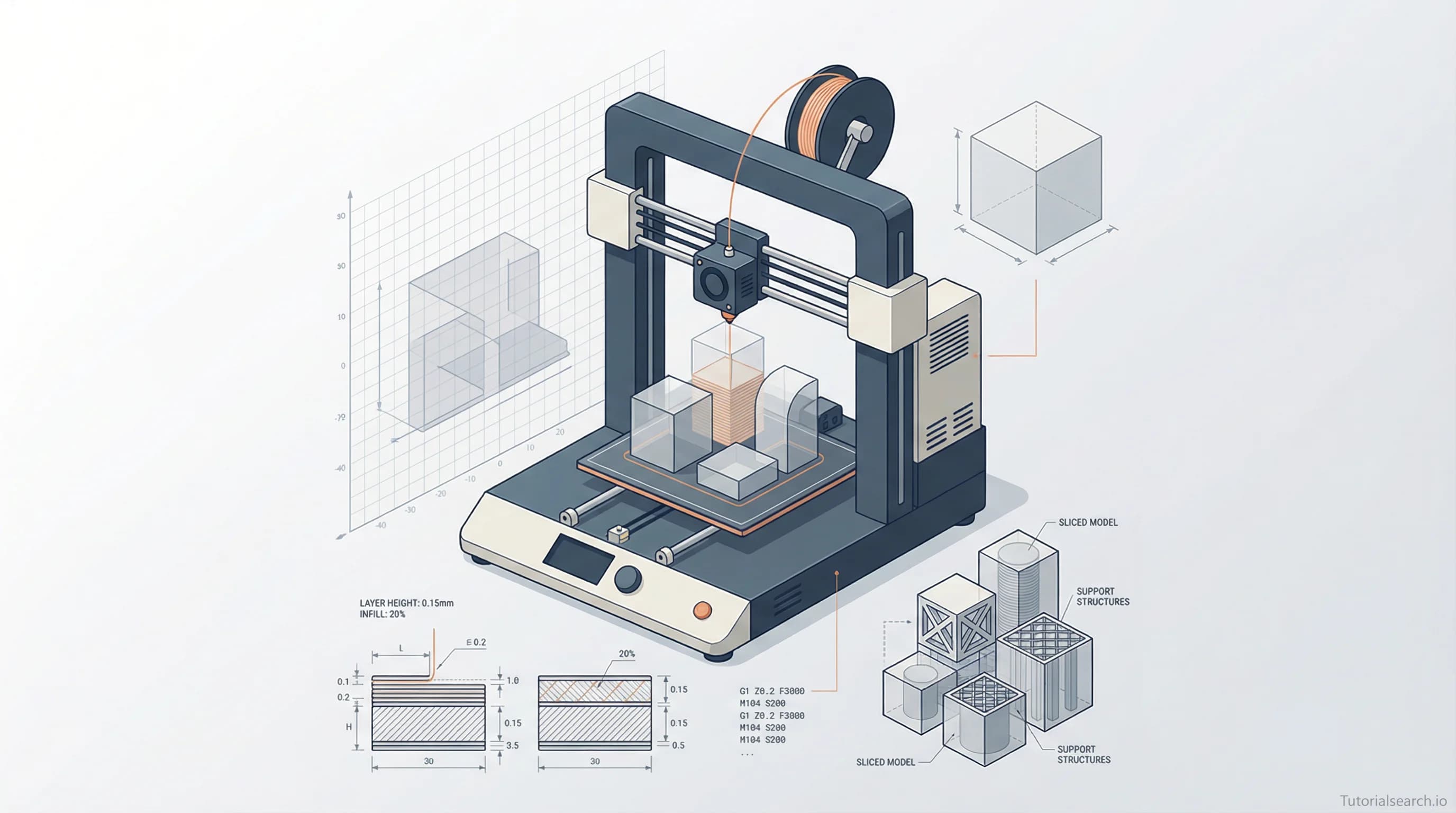
FDM 3D printing is the most approachable way to start making physical objects. This guide covers the best courses, free tools, YouTube channels, and communities to get you from zero to your first successful print.
Hire the developers behind TutorialSearch.io
We built this site — full-stack web apps, AI integration & automation. Tell us what you need and we'll build yours.
The most common reason people give up on FDM 3D printing isn't a bad printer or expensive filament. It's information overload. Bed temperature, layer height, retraction settings, print speed — before you've even pressed "print," you're swimming in numbers that mean nothing yet.
This guide exists to fix that. Whether you've just unboxed your first printer or you're still researching whether FDM printing is for you, the resources below are the ones I'd personally start with. You can also browse all 161 FDM printing courses on TutorialSearch.io to see the full library.
Key Takeaways
- FDM printing is the most beginner-friendly type of 3D printing — start with PLA and a mid-range printer.
- The best FDM printing courses combine practical projects with just enough theory to understand your settings.
- Free tools like Tinkercad and Cura let you design and slice your first print at zero cost.
- Most FDM printing problems are already answered in communities like r/3Dprinting before you even finish posting.
- Setup and calibration matter more than printer price — a $250 printer tuned well beats a $500 one left at defaults.
In This Article
- The Mistake That Kills Most FDM Printing Projects
- FDM Printing Courses Worth Your Time
- Start Learning FDM Printing Without Spending a Dime
- FDM Printing YouTube Channels That Teach You Something Real
- FDM Printing GitHub Repos Worth Starring
- FDM Printing Books for When You Want to Go Deeper
- The FDM Printing Communities Where People Actually Help
- Related FDM Printing Skills Worth Exploring
- Frequently Asked Questions About FDM Printing
The Mistake That Kills Most FDM Printing Projects
Everyone wants perfect prints on day one. So they spend two days calibrating, reading forum posts, tweaking settings — and never actually print anything.
FDM printing rewards iteration, not preparation. Your first print will probably have some layer lines, a warped corner, or stringing. That's fine. That's the process.
A better approach: download a small, simple model from Thingiverse or Printables, load it into Cura with default settings, hit print, and see what happens. Then fix one thing at a time.
The courses and resources below assume you're here to actually do FDM printing — not just theorize about it. I'll answer the "which printer should I buy" and "PLA vs PETG" questions in the FAQ at the bottom. But don't let those decisions delay your first print.
One other note: if you're interested in designing your own models to print — not just downloading them — Blender modeling pairs exceptionally well with FDM printing. Learning to model means your work goes from "found on the internet" to genuinely yours.
FDM Printing Courses Worth Your Time
There are 160+ FDM printing courses available to explore at TutorialSearch.io. Here are the ones worth your time, ranked by a mix of student count, ratings, and how hands-on they actually are.
Free Starting Points
3D Printing Workshop: How to Use and Maintain a 3D Printer by Core Electronics [Editors' Choice]
- 18,870 students. Free. Rated 4.59★.
- This is the most popular free FDM printing course in the list, and it earns it. Core Electronics are a well-known maker supply company, and this course reads like advice from a shop floor rather than a classroom. It covers printer setup, bed leveling, filament loading, and basic troubleshooting — the four things that trip up 90% of beginners.
- Topics covered: Printer hardware, first print setup, maintenance routines, basic troubleshooting
Learn 3D Printing — Fused Deposition Modeling (FDM) by Danish Technological Institute [Editors' Choice]
- 313 students. Free. Rated 4.73★.
- This might be the most underrated FDM course in the entire list. Coming from a technical institute rather than a solo instructor, it covers FDM principles with unusual rigor — filament types, machine components, slicing parameters — without losing the practical thread.
- Topics covered: FDM fundamentals, filament selection, slicing basics, print parameters
3D Printing — In a Nutshell by Anant Bhat
- 8,874 students. Free.
- A fast overview that works well as a mental map before diving into a longer course. Good if you want context before you commit.
- Topics covered: FDM overview, file formats, printer types, basic workflow
Paid Courses That Actually Deliver
3D Printing from Zero to Hero in Blender — FDM & MSLA by Thomas McDonald [Editors' Choice]
- 15,935 students. Paid. Rated 4.58★.
- This is the course for people who don't just want to print models — they want to create them. It teaches Blender modeling with the specific goal of making print-ready objects. The FDM vs MSLA comparison alone is worth the price for anyone deciding between technologies. After finishing this, digital sculpting courses are a natural next step.
- Topics covered: Blender for print design, FDM vs MSLA, mesh optimization, print file prep
Ultimate 3D Printing Course (FDM & Resin) by Steven Mosbrucker
- 1,303 students. Paid. Rated 4.36★.
- A comprehensive course covering both FDM and resin side by side. The FDM sections are particularly strong on calibration and slicer settings — the parts most beginners skim.
- Topics covered: FDM calibration, slicer settings, filament profiles, print optimization
Bambu Studio: Design Suitable for Manufacturing by Emincan Kutlu
- 77 students. Paid. Rated 4.47★.
- Bambu Lab printers have taken over the beginner market. If you own one, this course teaches Bambu Studio with a focus on designing parts that actually work — not just look good on screen.
- Topics covered: Bambu Studio, tolerances, design for manufacturing, functional prints
The Complete Practical Guide to FDM 3D Printing by Tayseer Almattar
- 32 students. Paid. Rated 4.22★.
- Despite the small student count, this course is methodically structured. It's for people who want to understand FDM as a technology, not just follow steps.
- Topics covered: FDM mechanics, layer adhesion, infill patterns, support structures
3D Printing and Tinkercad Crash Course
- A quick pairing of Tinkercad design with FDM printing workflow. If you want to go from "idea" to "physical object" in the shortest time, this is the path.
- Topics covered: Tinkercad modeling, print workflow, beginner design rules
The Quick Comparison
| Course | Free? | Best For | Rating |
|---|---|---|---|
| 3D Printing Workshop (Core Electronics) | ✓ | Hardware & setup | 4.59★ |
| Learn 3D Printing — FDM (Danish Tech) | ✓ | FDM theory + practice | 4.73★ |
| Zero to Hero in Blender FDM (McDonald) | Paid | Design your own models | 4.58★ |
| Ultimate 3D Printing (Mosbrucker) | Paid | FDM & Resin together | 4.36★ |
| Bambu Studio (Kutlu) | Paid | Bambu printer owners | 4.47★ |
Start Learning FDM Printing Without Spending a Dime
You don't need to buy anything to start learning FDM printing. These free tools and resources will take you from curiosity to your first printed object.
Tinkercad — This browser-based 3D design tool from Autodesk is the best starting point for people with zero modeling experience. Its interactive lessons walk you through shapes, groups, and cutouts step by step. Within 30 minutes you can design a basic functional part — no download required. If you're already comfortable with more complex 3D tools, 3D visuals courses offer a more advanced modeling foundation.
Ultimaker Cura — The most widely used free slicer. Cura converts your 3D model into G-code (the instructions your printer follows). It's free, open-source, and ships with pre-built profiles for hundreds of printers. The "Recommended" settings mode is genuinely beginner-friendly — you can ignore the 200+ advanced settings until you need them.
PrusaSlicer — Cura's closest competitor. Both are free. Cura is more beginner-friendly out of the box; PrusaSlicer exposes more settings by default and some experienced printers prefer its control. Try both after your first few prints.
All3DP's Tutorial Library — Free, detailed guides covering everything from "what is FDM" to advanced multi-material printing. Their beginner series is one of the best free written resources in the space.
Thingiverse and Printables — Free model repositories where millions of designs are shared. Printables is run by Prusa and is increasingly the more active community. Thingiverse has the larger back catalog. Both are free to browse and download.
3DPrinterAcademy.com — A smaller site with focused beginner content on FDM troubleshooting and printer profiles. Useful when All3DP's breadth feels overwhelming.
One honest note: everyone recommends starting with PLA filament, and they're right. It prints at lower temperatures (~200°C), doesn't need a heated enclosure, and is forgiving of beginner mistakes. PETG is a common next step. ABS is punishing — skip it until you know your machine well.
FDM Printing YouTube Channels That Teach You Something Real
Hire the developers behind TutorialSearch.io
We built this site — full-stack web apps, AI integration & automation. Tell us what you need and we'll build yours.
YouTube is where FDM printing knowledge actually lives. Most of the best troubleshooting content isn't in courses — it's in 10-minute videos from someone who fixed the exact problem you're having.
Maker's Muse — Angus is one of the clearest FDM explainers on the platform. His filament comparison videos, design-for-printing guides, and printer deep dives are genuinely informative. The channel leans intermediate, but his beginner content is excellent.
3D Printing Nerd — Joel's channel is heavier on reviews and community coverage than pure tutorials. His enthusiasm is genuine, and his beginner walkthroughs are thorough. Good if you're still deciding which printer to buy.
MatterHackers — A maker supply company that produces genuinely useful how-to content. Their filament guides and "first print" tutorials are some of the best free video resources for FDM beginners.
Make Anything — Devin Montes focuses more on the design side of 3D printing — how to build objects worth printing, not just how to run a printer. This channel pairs naturally with Blender modeling courses if you want to design your own models.
Quick channel guide by use case:
- New to FDM printing entirely → MatterHackers
- Choosing your first printer → 3D Printing Nerd
- Understanding settings and materials → Maker's Muse
- Designing original models → Make Anything
FDM Printing GitHub Repos Worth Starring
awesome-3d-printing — 1.5k stars. The go-to curated list for the FDM ecosystem. Covers slicers, firmware (Marlin, Klipper), model repositories, CAD tools, filament suppliers, and more. If you want to quickly orient yourself in the world of FDM tooling, start here.
3DPrintingResources — A more personal curated list focused on FDM and DLP printing. Worth reading alongside awesome-3d-printing for a second opinion on which tools matter most.
OctoPrint — OctoPrint is what you eventually install to control your FDM printer from a web browser (usually hosted on a Raspberry Pi). Not strictly a learning resource, but its documentation and plugin ecosystem are excellent once you're ready to level up beyond basics.
One note for later: most beginners never need to touch printer firmware. But once you move to a DIY printer like a Voron, Klipper is what the community uses. Learning the Klipper config file is something of a rite of passage in the FDM world.
FDM Printing Books for When You Want to Go Deeper
3D Printing for Beginners 2026 by Cole R. Archer — The most recent beginner-focused FDM book available. Covers Bambu Lab and Creality printers, Cura and Bambu Studio. Its section on filament — when to use PLA vs PETG vs ABS vs TPU — is one of the clearest explanations of the topic anywhere. Paid.
3D Printing Failures — Every FDM printer should keep this within reach. It catalogs 35+ common failure modes (stringing, layer separation, warping, elephant's foot) with photos, causes, and fixes. More useful than a forum search when something goes wrong. Paid.
The Ultimate Book of 3D Printing Tips and Tricks (Maker's Muse, 2025 revision) — Hard-won FDM knowledge compiled from the Maker's Muse channel. Covers FDM/FFF printing specifically. Available direct from the author's site.
Getting Started with 3D Printing (O'Reilly) — The most grounded general introduction to the field. It doesn't chase specific printer models, which makes it age well — the underlying FDM principles it covers haven't changed. Free with O'Reilly trial.
The FDM Printing Communities Where People Actually Help
The best troubleshooting resource for FDM printing isn't a book or a course — it's a person who already broke the same thing you just broke.
r/3Dprinting (Reddit) — 3.5 million+ members. One of the largest maker communities online. Post a photo of a failed print with some context and you'll usually have an answer within an hour. The sidebar has a troubleshooting guide covering 80% of beginner problems before you even need to ask.
r/FixMyPrint — More focused than r/3Dprinting. This subreddit exists specifically for failed prints. Great when you know something is wrong but can't diagnose it.
3D Printing Discord — 64,000+ members. The largest 3D printing Discord server. Real-time chat means faster help than Reddit for urgent problems.
Printables Community — Printables has an active comments section and remix culture that functions as a community. Following designers you like and leaving feedback is a natural way to find your crowd.
RepRap Forums — The original open-source 3D printing community. More technical than Reddit, less active than Discord, but invaluable for deep dives into printer mechanics and firmware.
If you use your FDM prints within broader creative work — props for animation projects, physical references for motion graphics production — these communities occasionally cross over in interesting ways.
Related FDM Printing Skills Worth Exploring
FDM printing rarely exists alone. These related skills pair naturally with it:
- Blender Modeling — Design your own 3D models instead of downloading them. 316 courses available.
- Digital Sculpting — Take ZBrush or Blender sculpting skills directly into print-ready designs. 267 courses.
- 3D Visuals — Render and visualize your models before committing to a multi-hour print. 313 courses.
- Animation Skills — If your interest in FDM printing came from making props or physical maquettes, animation skills are a natural companion. 574 courses.
- Animated Videos — Document your build process or showcase printed objects in motion. 319 courses.
- Cinema 4D Modeling — If you use Cinema 4D as your 3D workflow, many of those skills translate directly into print-ready model creation. 244 courses.
Frequently Asked Questions About FDM Printing
How long does it take to learn FDM printing?
You can print your first successful object within a day of setting up your printer. Basic competency — understanding common settings, troubleshooting common failures — comes within 1-2 months of regular printing. Real fluency, where you can design and reliably print almost anything, takes 6-12 months. The curve is steep at first, then flattens quickly.
What filament should I start with in FDM printing?
Start with PLA. It prints at lower temperatures (around 200°C), doesn't need a heated enclosure, and is very forgiving of beginner mistakes. Once you've printed 5-10 successful objects with PLA, PETG is the natural next step — more flexible and heat-resistant with a modest increase in difficulty. You can explore the full range of FDM printing courses to find ones that cover filament selection in depth.
Do I need expensive equipment to start FDM printing?
No. A printer in the $200-300 range will get you excellent results. Bambu Lab's entry-level printers and Creality's Ender series are both popular starting points. What matters more than price is proper calibration and using the right settings for your filament. A $250 printer with careful setup will consistently outperform a $500 one left at factory defaults.
How does FDM printing compare to resin (SLA/MSLA) printing?
FDM uses melted plastic filament; resin printing uses liquid photopolymer cured with UV light. FDM is cheaper to run, easier to maintain, and better for larger functional parts. Resin produces finer details and smoother surfaces, which is why it's preferred for miniatures. Most beginners start with FDM — it's more forgiving and the hardware is cheaper. The Ultimate 3D Printing Course (FDM & Resin) covers both if you want to compare them directly.
What software do I need for FDM printing?
At minimum: a slicer like Cura (free) and a source for models like Thingiverse or Printables (both free). For designing your own models, Tinkercad is the easiest starting point. When you're ready to go deeper, Blender modeling courses on TutorialSearch give you full creative control over what you print.
If you're starting from zero, the simplest path is this: take the Core Electronics Workshop course, download Cura, grab a free model from Printables, and print something. Everything else you'll learn from actually doing it.