Excel Proficiency Courses and Resources I'd Pick
Excel proficiency is one of those skills software testers underestimate until a deadline forces the issue. This guide covers the best courses, free resources, GitHub repos, and YouTube channels that actually build real Excel skills for QA work.
Need a web app built? Hire the team behind TutorialSearch.io
We ship fast, production-grade full-stack apps (Next.js, React, edge infra) — the same stack that powers this site.
Excel proficiency is one of those skills that software testers underestimate — until a deadline forces the issue. This guide covers the courses, free tools, GitHub repos, and YouTube channels that actually build the data skills testers need on the job.
Key Takeaways
- Excel proficiency for software testers centers on managing test data, defect tracking, and reporting — not financial modeling.
- A few targeted free resources (like ExcelIsFun on YouTube) beat hours of random Googling for building real Excel proficiency.
- The best Excel proficiency courses teach pivot tables, VLOOKUP, and conditional formatting — the three skills most job interviewers actually test.
- Excel proficiency doesn't require years of training. A focused 30–40 hour investment covers the core toolkit most testers need.
- Once you have Excel down, skills like Excel Analysis and Data Analysis become much easier to add.
In This Article
- What Excel Proficiency Actually Means for Software Testers
- The Excel Proficiency Courses Worth Your Money
- Free Excel Proficiency Resources That Actually Teach
- Excel Proficiency GitHub Repos Worth Starring
- Excel Proficiency YouTube Channels That Deliver
- Books to Build Deeper Excel Proficiency
- Related Excel Proficiency Skills Worth Exploring
- Frequently Asked Questions About Excel Proficiency
What Excel Proficiency Actually Means for Software Testers
Picture this: you've just finished a two-week testing sprint. Your test management tool exports 4,200 test case results into a CSV. Your manager needs a summary report by 3pm — bug counts by module, fail rates by environment, a trend line of defects found versus fixed.
You open Excel. You stare at column A. You start scrolling.
That moment of freeze is exactly what Excel proficiency prevents.
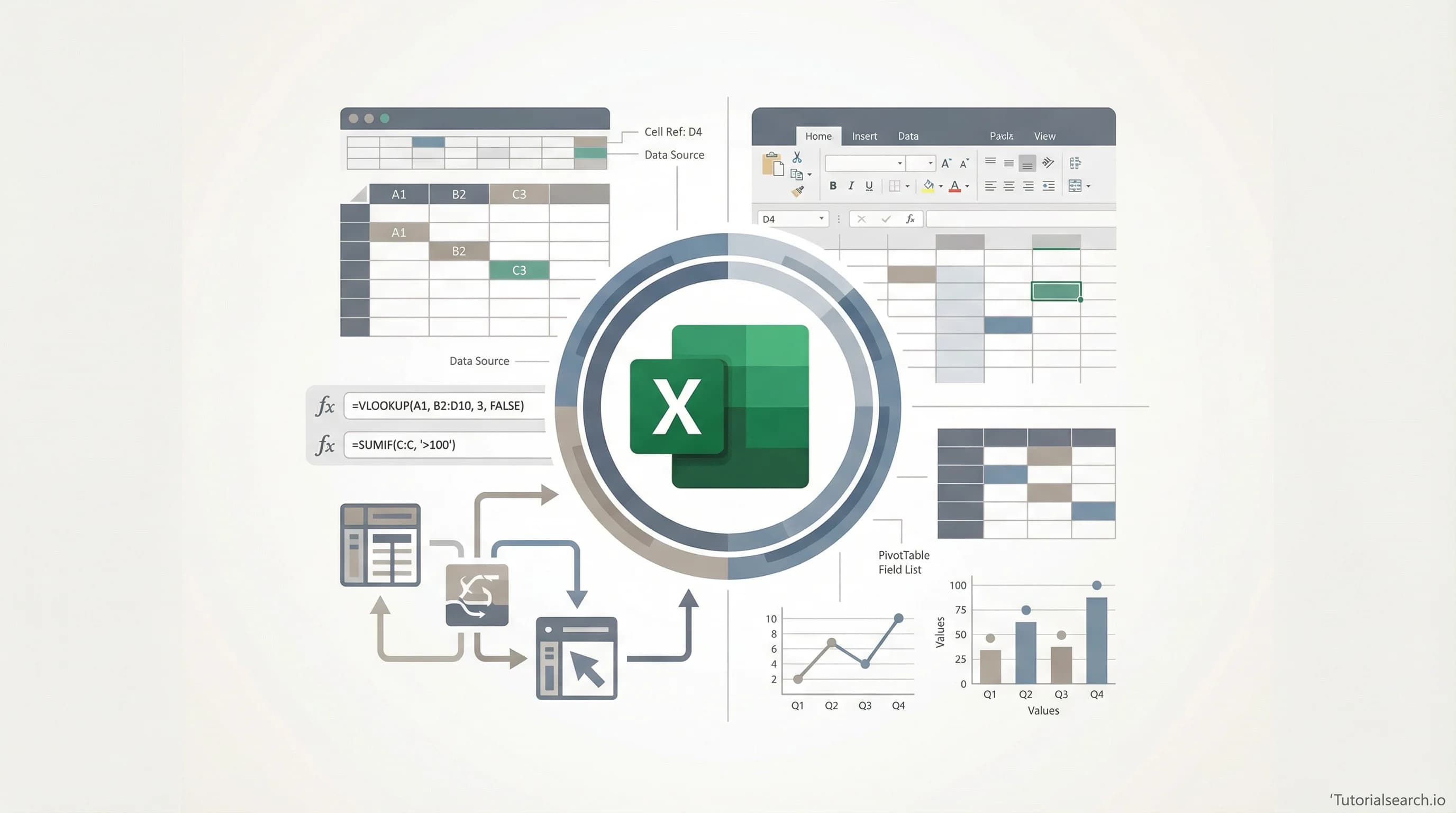
For software testers, Excel proficiency isn't about financial modeling or C-suite dashboards. It's narrower and more practical: sorting and filtering large test datasets, writing VLOOKUP (or XLOOKUP) formulas to cross-reference test cases against requirements, building pivot tables to summarize defect counts, and using conditional formatting to flag the rows that matter.
Browse the full list of Excel proficiency courses for testers — there are over 360 of them on TutorialSearch.io alone.
There's a debate in the QA community about whether Excel is "old school" compared to modern test management tools. It is, in some ways. But here's the thing most people miss: Excel is still the most universal data format in most organizations. If you can't work with it quickly and confidently, you'll always be blocked by it at the worst possible time.
The tester who can drop a raw data export into Excel and produce a clean summary in 20 minutes is genuinely more valuable than one who can't — regardless of what other tools they know.
Let's get you there.
The Excel Proficiency Courses Worth Your Money
Most Excel courses on Udemy are padded to hit a "10-hour course" threshold. The ones below are worth your time because they're focused, well-rated, and built around how professionals actually use the tool.
The Quick Win: Excel Proficiency in One Sitting
Excel Essential Skills: Excel Proficiency in 45 Minutes (Udemy) — [Editors' Choice]
This is the most accurately titled course on this list. It doesn't try to teach you everything — it teaches you what a professional does in Excel day-to-day: navigation shortcuts, core formulas, formatting, and filtering. The instructor is direct and wastes no time. Rating: 4.65 / 5.
What makes it stand out: most beginner courses assume you've never touched a computer. This one assumes you're a professional who just never got properly trained in Excel. The difference in pacing and energy is significant.
The Complete Path: From Zero to Confident
Excel from Beginners to Expert (Udemy)
If the 45-minute course gives you a foothold, this one gives you the full staircase. It covers formulas, functions, pivot tables, charts, and data validation. Rating: 4.47 / 5. Good for testers who want to build solid Excel proficiency over a few weeks rather than sprint through a crash course.
Microsoft Excel - Advance Level MS Excel Training (Udemy) — [Editors' Choice]
This is the course that actually moves you from "can use Excel" to "can solve problems with Excel." It covers advanced formulas, macro automation, and power functions like INDEX-MATCH. Rating: 4.53 / 5. Don't start here — do one of the above courses first.
Microsoft Excel 365 Masterclass (Udemy)
The right choice if you're running Excel 365, because it covers features that older courses miss entirely: XLOOKUP, dynamic arrays, and the LET function. Rating: 4.55 / 5. Older Excel tutorials teach a slightly different product than what you're actually using.
For Platform-Specific Learners
Searching and Manipulating Data in Excel 2016 (Pluralsight)
A bit older, but the core skills — VLOOKUP, filtering, sorting, data manipulation — haven't changed. Rating: 4.6 / 5. The right choice if your company provides a Pluralsight subscription and you want a structured learning path.
Excel Formulas & Functions: VLookup, HLookup, XLookup, Index-Match & More (Skillshare)
The most practical single-topic course on this list. If lookup functions are your specific Excel proficiency gap, this fixes that gap cleanly. Rating: 5.0 / 5 (Skillshare ratings tend to skew high, so adjust expectations slightly — but the content is solid).
Excel Certification Exam Preparation: 4 Practice Tests (Udemy)
Not a teaching course — it's a set of timed practice tests. Use this after you've learned the material to identify your actual proficiency gaps. Rating: 4.40 / 5. The test-based format suits software testers particularly well: you're already used to validating knowledge against expected outcomes.
Pick Your Excel Proficiency Path: A Quick Guide
| Your situation | Best course to pick |
|---|---|
| "I need to learn Excel this afternoon" | Excel Essential Skills (45 minutes) |
| "I want the full beginner-to-proficient path" | Excel from Beginners to Expert |
| "I'm past basics and want to go advanced" | MS Excel Advance Level Training |
| "I use Excel 365 specifically" | Microsoft Excel 365 Masterclass |
| "I just need to nail VLOOKUP and lookups" | Excel Formulas & Functions (Skillshare) |
Free Excel Proficiency Resources That Actually Teach
Every roundup article will tell you "there are tons of free Excel resources!" What they don't tell you is that most of them are shallow. Here's the short list of ones that actually build real Excel proficiency.
Excel Easy is the most-linked Excel reference site on the internet for good reason. Clear, illustrated, organized by topic. It's not a course — it's a reference you consult when you hit a specific problem. Start a task in Excel, get stuck, open Excel Easy.
W3Schools Excel Tutorial follows the same format as their HTML and CSS tutorials: structured, beginner-friendly, and practical. Good for absolute beginners who learn better from text than video.
Great Learning – Excel for Beginners is 7.5 hours of free, self-paced content that covers cell referencing, IF functions, AVERAGE/MAX/MIN, sorting, filtering, and basic pivot tables. It also awards a certificate, which is occasionally useful. One of the most underrated free Excel proficiency resources available right now.
GoSkills – Free Excel in an Hour is the course I'd hand to a colleague who says "I need to get comfortable in Excel by tomorrow." Short, focused video lessons. Certificate included. It covers the most-needed everyday Excel tasks without padding.
Trump Excel – Free Online Training — [Editors' Choice] — is 26 video lessons and over 12 hours of free content, no signup required. Instructor Sumit Bansal has been teaching Excel for over a decade and earned Microsoft Excel MVP status. The depth here rivals most paid courses. If you're serious about building real Excel proficiency for free, this is where to start.
Microsoft's Official Excel Support is often overlooked. It's where the definitive answers live — especially for formula behavior, version-specific features, and "why is this function doing something weird." Go here before Stack Overflow when something doesn't work as expected.
If you want to apply these skills to structured test data analysis, also look at the Excel Analysis courses and Data Analysis courses in the software testing category on TutorialSearch.io.
Excel Proficiency GitHub Repos Worth Starring
Need a web app built? Hire the team behind TutorialSearch.io
We ship fast, production-grade full-stack apps (Next.js, React, edge infra) — the same stack that powers this site.
GitHub isn't the first place people think to look for Excel learning resources. That's a mistake — some of the best curated collections live there.
sancarn/awesome-excel is the most comprehensive curated list of Excel resources on GitHub. It covers add-ins, tools, learning resources, VBA utilities, and more. Think of it as a living index of the Excel ecosystem. Bookmark it and revisit it as your Excel proficiency grows.
NajiElKotob/Awesome-Excel takes a slightly different approach — more focused on practical tips, tricks, and tools for day-to-day Excel use. Useful for intermediate users who already have the basics and want to extend what they know.
dlab-berkeley/Excel-Fundamentals is UC Berkeley D-Lab's six-hour workshop materials, free on GitHub. Includes practice datasets, exercises, and instructional materials covering text functions, math, dates, logic, charts, and pivot tables. This is actual classroom content from a university — not a marketing funnel.
A note on Excel and code: many GitHub repositories cover using Python or VBA to automate Excel workflows. This is worth exploring once you have your core Excel proficiency down. It connects naturally to the Automation Testing skills that many testers build alongside their Excel work.
Excel Proficiency YouTube Channels That Deliver
Most YouTube Excel content ranges from "entertaining but forgettable" to "genuinely useful." Here are the channels on the useful end.
ExcelIsFun (Mike Girvin) is the definitive Excel YouTube channel. Over 1 million subscribers, 3,700+ videos, 20 free complete courses, and downloadable practice files for nearly every lesson. Mike Girvin was a Microsoft Excel MVP from 2013 to 2024, and he taught Excel at Highline College for over two decades. The free Microsoft 365 Excel Complete Class playlist alone is better than most paid courses. If you only follow one Excel channel, make it this one. — [Editors' Choice]
Leila Gharani covers more advanced topics: dynamic arrays, Power Query, LAMBDA functions, and Excel automation. Well-produced, clear, and practical. If you've already got the basics and want to move toward advanced skills that actually impress in meetings, this is your next stop.
MrExcel (Bill Jelen) publishes a new Excel tip every weekday. Good for building Excel proficiency incrementally — subscribe and watch one video while you have your morning coffee. After six months of that habit, you'll know Excel better than 90% of your colleagues.
One honest warning: it's easy to watch Excel tutorials for hours without actually improving. The fix is simple — open a real spreadsheet (your actual test results, your defect log, whatever) and apply the technique you just watched. Passive consumption doesn't build proficiency. Active application does.
Books to Build Deeper Excel Proficiency
Most people don't need an Excel book. Courses and free resources cover 90% of real-world use cases. But if you're preparing for the MOS (Microsoft Office Specialist) certification, want a reference to keep open while working, or just prefer books — these are worth your time.
MrExcel 2024: Igniting Excel by Bill Jelen covers over 1,000 tips and techniques from a real practitioner with 30+ years of Excel experience. Don't read this cover to cover — open it to any page and you'll learn something. It's a discovery tool as much as a reference.
Excel Bible 2024 by Wilkes Hudson is 900+ pages and covers everything from beginner to advanced. Heavy, but genuinely complete. Good for the "I want to understand Excel deeply" approach rather than the "teach me what I need right now" approach.
Slaying Excel Dragons by Mike Girvin (the ExcelIsFun creator) is specifically for people who feel intimidated by Excel. More approachable than the Bible-style books. Good choice if your relationship with Excel has historically been "I avoid it when I can." — [Editors' Choice] for that reader profile.
For testers interested in where Excel and broader quality assurance skills intersect, the Software Quality and Test Design topic areas on TutorialSearch.io have courses that build naturally on Excel proficiency.
Related Excel Proficiency Skills Worth Exploring
Excel proficiency rarely exists in isolation. If this skill is relevant to your work, these related areas from the software testing category pair well with it:
- Excel Analysis — takes Excel proficiency into data analysis territory, with more focus on interpreting results than just manipulating them
- Data Analysis — the broader skill set that Excel proficiency feeds into, including statistical thinking and visualization
- Automation Testing — once you're fluent in Excel, many testers move toward automating the reporting work Excel currently does manually
- Test Design — Excel is used heavily for traceability matrices and test case design; stronger Excel proficiency makes test design work faster
- Software Quality — the QA discipline that Excel proficiency directly serves, especially in defect metrics and reporting
- CRM Platforms — many CRM tools export data to Excel; proficiency here makes cross-system data work much easier
- SAP Quality — SAP testing workflows frequently involve Excel-based data management and reporting
- CAD Software — design verification work often uses Excel to track specs and test result matrices
You can also search across all Excel proficiency courses on TutorialSearch.io to filter by platform, rating, or price.
Frequently Asked Questions About Excel Proficiency
How long does it take to learn Excel proficiency?
For practical proficiency — enough to handle test data, write lookup formulas, and build pivot tables — most people get there in 30–40 focused hours. That's about two to three weeks of daily 30-minute practice sessions. Advanced proficiency (macros, Power Query, complex nested formulas) takes significantly longer, but most testers don't need to go that deep right away. Start with the essentials and expand from there.
Do I need prior Excel experience to start?
No. Every course and resource on this list has beginner-friendly options. The Excel Essential Skills: Excel Proficiency in 45 Minutes course assumes zero prior knowledge. Start there if you're completely new to the tool.
Is SQL a replacement for Excel proficiency in software testing?
No — they complement each other. Excel is faster for ad-hoc data work and universally accessible across teams and stakeholders. SQL is better for large databases and repeatable queries. Most senior QA engineers know both at some level. Build Excel proficiency first (it's faster to learn), then add SQL when you're comfortable.
How does Excel proficiency help with test case management?
Excel is one of the most common tools for building and organizing test cases, especially in teams that don't yet have a dedicated test management tool. Strong Excel proficiency lets you create organized test suites, use formulas to track pass/fail rates automatically, and build pivot-table summaries of test coverage by feature. If you're interested in this area, explore the test design courses on TutorialSearch.io for related skills.
What Excel skills do software testers use most?
The five most-used Excel skills in QA work are: VLOOKUP or XLOOKUP (cross-referencing test cases against requirements), pivot tables (summarizing defect and test run data), conditional formatting (flagging failures or out-of-range values), basic charts (trend lines for defect rates), and data filtering and sorting (navigating large test datasets quickly). Build those five skills, and you'll cover roughly 80% of real testing scenarios.
Excel proficiency isn't a flashy skill. It won't give you the same excitement as picking up a new automation framework. But it quietly removes friction from your daily work — one fewer moment of being blocked when data lands in a spreadsheet and you need to make sense of it fast.
Start with the Excel Essential Skills 45-minute course if you want a quick win today. Or dive into the Trump Excel free training if you have more time and want a thorough foundation. Either way — open a spreadsheet right after you finish. That's how the proficiency actually builds.