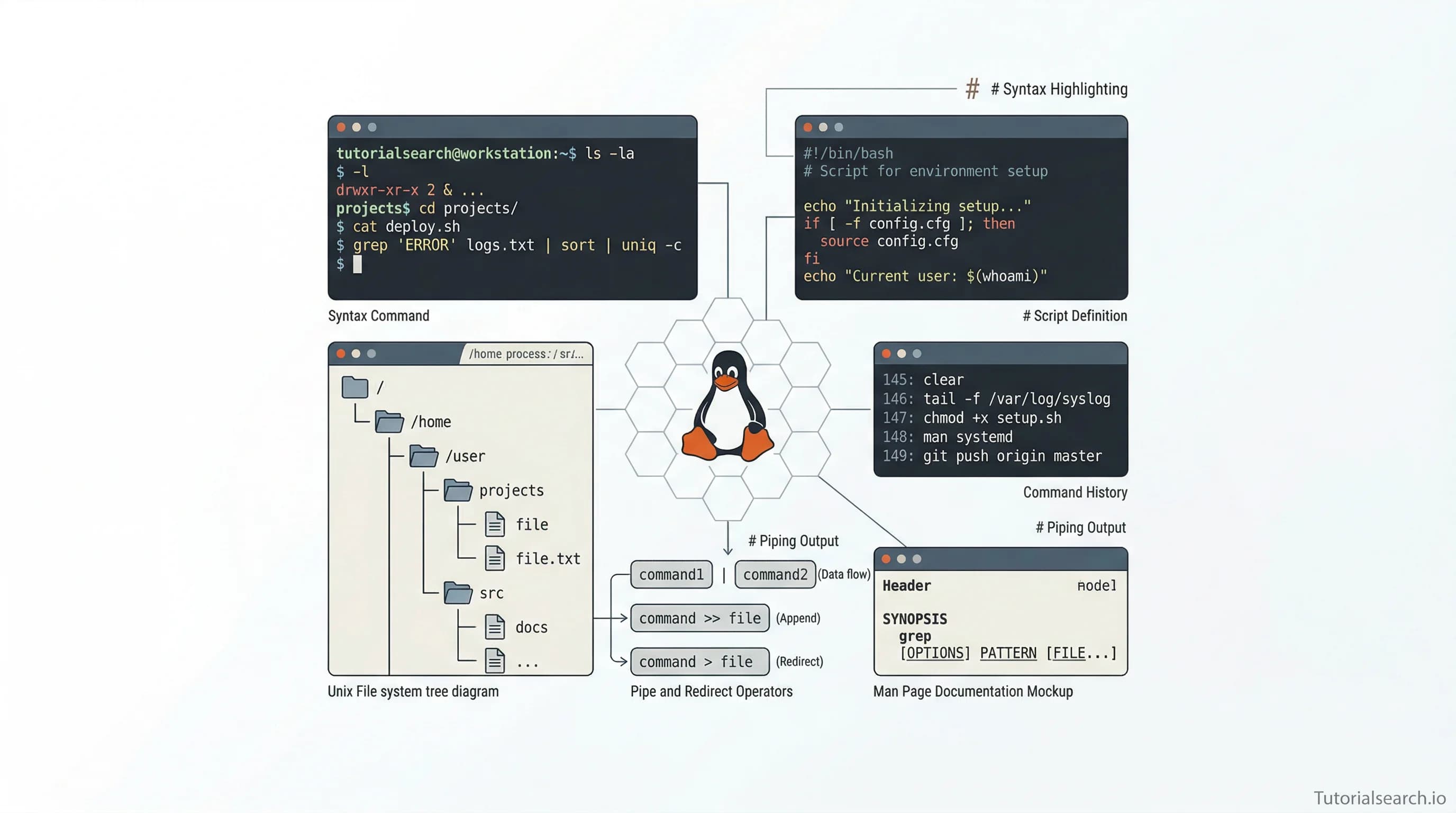
Command Line Mastery: Essential Skills & Resources Guide
Command line proficiency is non-negotiable for modern developers. Master terminal fundamentals, bash scripting, and automation—with the best courses, free resources, and communities for every skill level in 2026.
Need a web app built? Hire the team behind TutorialSearch.io
We ship fast, production-grade full-stack apps (Next.js, React, edge infra) — the same stack that powers this site.
The command line isn't optional anymore—it's foundational. Whether you're deploying applications, managing servers, automating repetitive tasks, or just trying to be efficient at your job, knowing how to work from the terminal separates capable developers from the rest. Yet for many, it remains intimidating. The commands feel cryptic. The interface looks dated. The learning curve feels unnecessarily steep.
Here's what changes once you actually spend time with it: the command line becomes your superpower. You move faster, accomplish more, and gain control over your system that graphical tools simply can't match. In 2026, with DevOps becoming standard practice and remote work requiring stronger automation skills, command line mastery isn't a luxury—it's a requirement for professional development.
This guide walks you through everything you need to know about command line fundamentals, from your first ls command to writing bash scripts that automate complex workflows. You'll discover the best courses, free resources, GitHub repos, and communities that make learning this skill actually enjoyable.
Key Takeaways
- Command line proficiency enables 10x faster development workflows and system automation — mastery takes 40-60 hours of practice
- Bash scripting transforms repetitive tasks into automated processes, saving hours weekly and preventing human error in deployments
- Multi-platform command line knowledge (Linux, macOS, Windows) makes you adaptable across different development environments and jobs
- Active communities and practical resources exist for every skill level, from absolute beginners to advanced systems administrators
In This Article
- Why Modern Developers Need Command Line Fluency
- Ranked Courses for Command Line Mastery
- Free Learning Resources That Actually Teach
- Video Tutorials Worth Your Time
- GitHub Repos for Real-World Learning
- Books That Stick With You
- Where Developers Actually Learn Together
- Command Line vs. GUI: When Each Matters
- Frequently Asked Questions
- Related Skills Worth Mastering
Why Modern Developers Need Command Line Fluency
The command line has been around for decades, yet its relevance has only increased. Docker containers run through terminal commands. Kubernetes orchestration happens in the shell. CI/CD pipelines depend entirely on scripting. Cloud deployments use CLI tools exclusively. You can't avoid it anymore, even if you try.
The real shift started when development moved from local machines to remote servers. Suddenly, you couldn't click buttons anymore—you had to type commands. Those who learned command line early gained an unfair advantage. They shipped faster. They debugged better. They understood their systems more deeply.
What surprises most beginners: within 30 minutes of actual practice, basic command line work feels natural. Within 5-10 hours, you're genuinely productive. The initial friction disappears quickly once you understand the mental model behind how shells work.
[Editors' Choice] Command Line Essentials: Git Bash for Windows has trained over 100,000 developers because Jason Taylor's teaching approach removes the intimidation factor completely.
Ranked Courses for Command Line Mastery
These courses stand out because they combine practical exercises with clear explanations, teaching you command line not as isolated facts but as integrated workflows you'll actually use.
[Editors' Choice] Linux Command Line: From Zero to Hero teaches the complete Linux environment comprehensively. The course covers file systems, permissions, process management, and system administration in the right progression. Students appreciate that it moves beyond memorization into genuine understanding. Rating: 4.49/5 from nearly 69,000 students.
[Editors' Choice] Linux Command Line Basics becomes the gold standard for large-scale adoption, with over 206,000 students. Ahmed Alkabary covers essentials methodically, then accelerates into practical system administration. The progression works whether you're on macOS or Linux.
Command Line Essentials: Git Bash for Windows explicitly serves Windows developers who felt excluded from command line tutorials. Jason Taylor shows that Windows PowerShell and Git Bash open the same possibilities as Linux terminals. Rating: 4.62/5, with the fastest-growing student base.
Command Line Arguments for Beginners takes a narrow focus and executes it perfectly. If you're building command line tools or scripting, understanding arguments is essential. This course clarifies something that confuses many: how to properly pass and parse arguments in bash and other languages.
Bash Scripting and Shell Programming designed by Jason Cannon (author of Linux for Beginners) transforms you from command-line user to automation engineer. Real-world scripts. Practical error handling. Templates you can reuse immediately.
For a deeper exploration of related programming fundamentals, check out Programming Fundamentals.
Free Learning Resources That Actually Teach
Budget constraints shouldn't block your learning. These free resources rival paid courses in quality, though they demand more self-direction.
LinuxCommand.org is the original Linux command line reference. William Shotts created a resource that's aged like fine wine. It covers Unix philosophy, file systems, and scripting with clarity that most paid courses miss. The writing style feels conversational rather than textbook-like.
Learn Enough Command Line to Be Dangerous lives up to its name. The approach teaches enough to be genuinely productive without overwhelming beginners with edge cases. Interactive lessons let you practice directly in your browser before using your own terminal.
Ubuntu's Official Command Line Tutorial serves as the authoritative starting point for Linux users. As Ubuntu's own resource, it stays current with platform changes and covers both basics and intermediate concepts. The video walkthrough helps visual learners.
Codecademy's Learn the Command Line combines interactive exercises with clear conceptual explanations. You learn by doing, which sticks better than passive reading. The curriculum progresses logically from navigation through redirection and environment configuration.
The Art of Command Line on GitHub becomes your future reference. It's curated for breadth, specificity, and practical examples. Bookmark it and return frequently as you advance.
MDN Web Development Guide to Command Line provides the web developer perspective. If your work centers on web development, this tutorial explains terminal fundamentals specifically for that context.
Microsoft's Windows Commands Documentation ensures Windows developers don't feel left behind. PowerShell and CMD have capabilities many don't appreciate—this documentation reveals them.
Video Tutorials Worth Your Time
Sometimes watching someone work through problems teaches more than reading. These resources show command line in action.
The yt-dlp Complete Guide 2026 demonstrates command line sophistication by teaching a real tool that thousands of developers use. Learning yt-dlp teaches general CLI principles applicable everywhere.
Complete Linux Training Course to Get Your Dream IT Job on Skillshare brings video instruction to terminal learning. The course structure assumes no prior Linux knowledge and builds systematically toward professional-grade skills.
Linux Nano Command-Line Editor focuses specifically on text editing from the terminal. For developers who edit files directly in production environments or remote servers, nano competency becomes survival skill.
DEV Community's Complete Guide to Building Developer CLI Tools in 2026 shows how command line skills advance into tool building. This article demonstrates modern CLI tool development patterns.
GitHub Repos for Real-World Learning
GitHub isn't just for code—it's a learning resource where developers share their command line expertise through curated lists and practical examples.
awesome-shell curates the best command-line frameworks, toolkits, and gizmos. You'll discover tools like oh-my-zsh, starship, and powerlevel10k that transform your terminal experience. Star count: 30,000+, showing genuine community validation.
awesome-bash specifically targets Bash scripting resources. If you're focused on bash, this repository filters signal from noise better than any search engine.
awesome-bash-commands gets specific with command examples. Rather than abstract concepts, you get real commands you can adapt to your workflows.
awesome-macos-command-line serves the Apple ecosystem. macOS terminal differs from standard Linux in important ways—this resource clarifies platform-specific capabilities.
awesome-command-line-apps introduces tools you didn't know existed. Many transform everyday tasks into moments of productivity joy.
Books That Stick With You
Need a web app built? Hire the team behind TutorialSearch.io
We ship fast, production-grade full-stack apps (Next.js, React, edge infra) — the same stack that powers this site.
Reading teaches command line depth that video and tutorials often miss. These books remain relevant because they explain the why behind commands, not just the how.
The Linux Command Line: A Complete Introduction by William Shotts (available free online) teaches from absolute beginning through bash scripting. It's thorough without being intimidating. The book progresses perfectly—each chapter builds on previous knowledge.
Linux for Beginners by Jason Cannon requires zero prior knowledge. Cannon's approach feels like learning from a mentor, not a textbook. Each concept connects to practical application.
Command Line Kung Fu by Jason Cannon packs dozens of real-world scenarios. You won't find contrived examples—these are actual problems Cannon solved in professional environments.
Where Developers Actually Learn Together
Learning alone works fine, but communities accelerate growth and keep motivation high.
r/commandline on Reddit brings together command line enthusiasts sharing tips, asking questions, and solving problems together. The community rewards both beginner questions and advanced discussions.
GitHub's awesome-discord-communities curates Discord servers where developers discuss command line topics. Real-time chat makes problem-solving faster than forum discussions.
Stack Overflow's bash tag contains decades of command line problems and solutions. When you encounter something that stumps you, answers often exist there already.
Command Line vs. GUI: When Each Matters
This comparison clarifies when terminal work actually beats clicking buttons.
Command line wins for automation. When you need the same task done 100 times, shell scripts execute faster and with fewer errors than manual clicking. DevOps engineers understood this years ago—now it's spreading throughout development.
Command line wins for remote work. SSH into a production server, and there's no GUI to click. The terminal becomes your only option, making command line literacy non-negotiable for cloud-era development.
Command line wins for speed. Experienced developers perform tasks 5-10x faster with keyboard commands than hunting for menu buttons. It's not close—terminal experts operate in a different performance tier.
GUI wins for discoverability. Visual interfaces show options immediately. With command line, you must either know commands or consult documentation. For first-time users, this discoverability gap matters.
GUI wins for visual feedback. File managers show folder hierarchies visually. GIT GUI clients visualize branches and merges. Some tasks genuinely benefit from graphical representation.
The reality: professionals use both. They know when each tool excels and switch fluidly between them. Master the command line first—you can always use GUI tools when appropriate, but you can't use terminal tools if you don't know them.
Comparison: Command Line vs. GUI Workflows
| Task | Command Line Advantage | GUI Advantage | Winner for Pros |
|---|---|---|---|
| File navigation | Speed, scripting | Visual folder hierarchy | Command line |
| Bulk file operations | Automation via scripts | Visual feedback | Command line |
| Git workflows | Powerful scripting, CI/CD integration | Branch visualization | Command line |
| Server deployment | Remote SSH access, automation | Local development setup | Command line |
| System administration | Remote servers only option | Complex multi-step UI tasks | Command line |
| First-time users | Steep learning curve | Immediate discoverability | GUI |
| Performance monitoring | Real-time streaming, parsing | Dashboard visualization | Command line |
| Learning new tools | Documentation only | In-app guidance | GUI |
Frequently Asked Questions
How long does it take to learn command line fundamentals?
Most developers become productive with basic command line tasks—navigation, file manipulation, simple scripting—within 20-30 hours of focused practice. That timeframe assumes 4-6 hours weekly over a month or two. Bash scripting proficiency requires an additional 40-60 hours. The initial steep learning curve flattens dramatically after the first week.
Do I need Linux knowledge before learning the command line?
Not formally, but understanding that command line tools run on Linux systems helps conceptually. However, excellent tutorials start from total beginner status and teach Linux fundamentals alongside terminal skills. The learning experiences interweave naturally—you understand the OS better by working in the terminal, and terminal concepts make sense through the Linux lens.
Can I learn command line on Windows?
Absolutely. Windows PowerShell and Git Bash provide terminal environments nearly identical to Linux shells. Windows 11's Windows Subsystem for Linux (WSL) gives you a full Linux environment within Windows, eliminating any incompatibility concerns. Choose between PowerShell (newer, more integrated) or Git Bash (familiar to Unix-trained developers). Both work excellently for development.
Will command line skills help me get a job?
Demonstrably yes. DevOps roles require command line mastery. Backend development involves regular terminal use. Systems administration is impossible without it. Frontend developers benefit from build tool command line interfaces. Even non-technical roles now require basic command line literacy. On resumes, strong terminal skills indicate serious development experience.
What's the difference between bash and other shells (zsh, fish, PowerShell)?
Bash is the most common and widely supported shell, making it the essential skill to learn first. Once you understand bash, switching to zsh or fish takes hours—they're similar conceptually. PowerShell on Windows works differently philosophically but handles similar tasks. Master bash first, then explore alternatives if they interest you.
Do professional developers actually use terminal text editors like Vim and Nano?
Yes, regularly. Editing production configuration files through SSH requires terminal editors. Vim especially gains converts once you understand it—fast navigation without leaving the keyboard appeals to efficiency-focused developers. However, you can do productive development using regular editors and Git commands. Terminal editors are beneficial, not mandatory.
Related Command Line Skills Worth Exploring
Modern Languages — Command line usage pervades modern programming languages. Python, Go, and Rust all rely heavily on terminal tools and package managers accessed through the shell. Learning command line alongside modern languages creates synergy.
Python Basics — Python scripting often happens from the command line. Many developers use Python for automation tasks that extend shell scripting capabilities. These skills complement each other perfectly.
JavaScript Development — Node.js development is almost entirely terminal-based. npm and build tools operate through the command line. Frontend developers benefit enormously from shell proficiency.
Programming Fundamentals — Understanding basic programming concepts helps with bash scripting. Control flow, variables, and functions work similarly across programming contexts.
Automation Development — Automation tasks often involve command line scripting. The best automation engineers combine shell skills with programming languages.
The Path Forward
The command line transforms from intimidating black box to natural extension of your thinking once you invest time in learning. Every successful developer you admire uses the terminal regularly—it's not optional, it's foundational.
Start with one course. Choose Linux Command Line Basics or Command Line Essentials: Git Bash for Windows depending on your platform. Spend 30 minutes daily for two weeks. Practice on your actual system, not in simulation. Follow the courses' exercises exactly. Resist the urge to look for shortcuts.
After two weeks, explore Bash Scripting and Shell Programming to level up into automation. Find a real problem at work that needs automating—writing scripts to solve genuine problems accelerates learning faster than any tutorial.
Reference The Art of Command Line whenever you encounter questions. Join communities like r/commandline and ask for help when stuck. Read The Linux Command Line during breaks for deeper understanding.
The developers shipping fast, debugging effectively, and advancing quickly? They all invested in command line skills early. The barrier to entry remains low—everything needed to learn exists free online. The gap between people proficient with terminals and those avoiding them grows wider yearly.
Your 40-60 hours invested in command line mastery today pays dividends for decades. Every job involving any technical work will benefit. That's not an exaggeration—it's observable reality across the entire development industry in 2026.