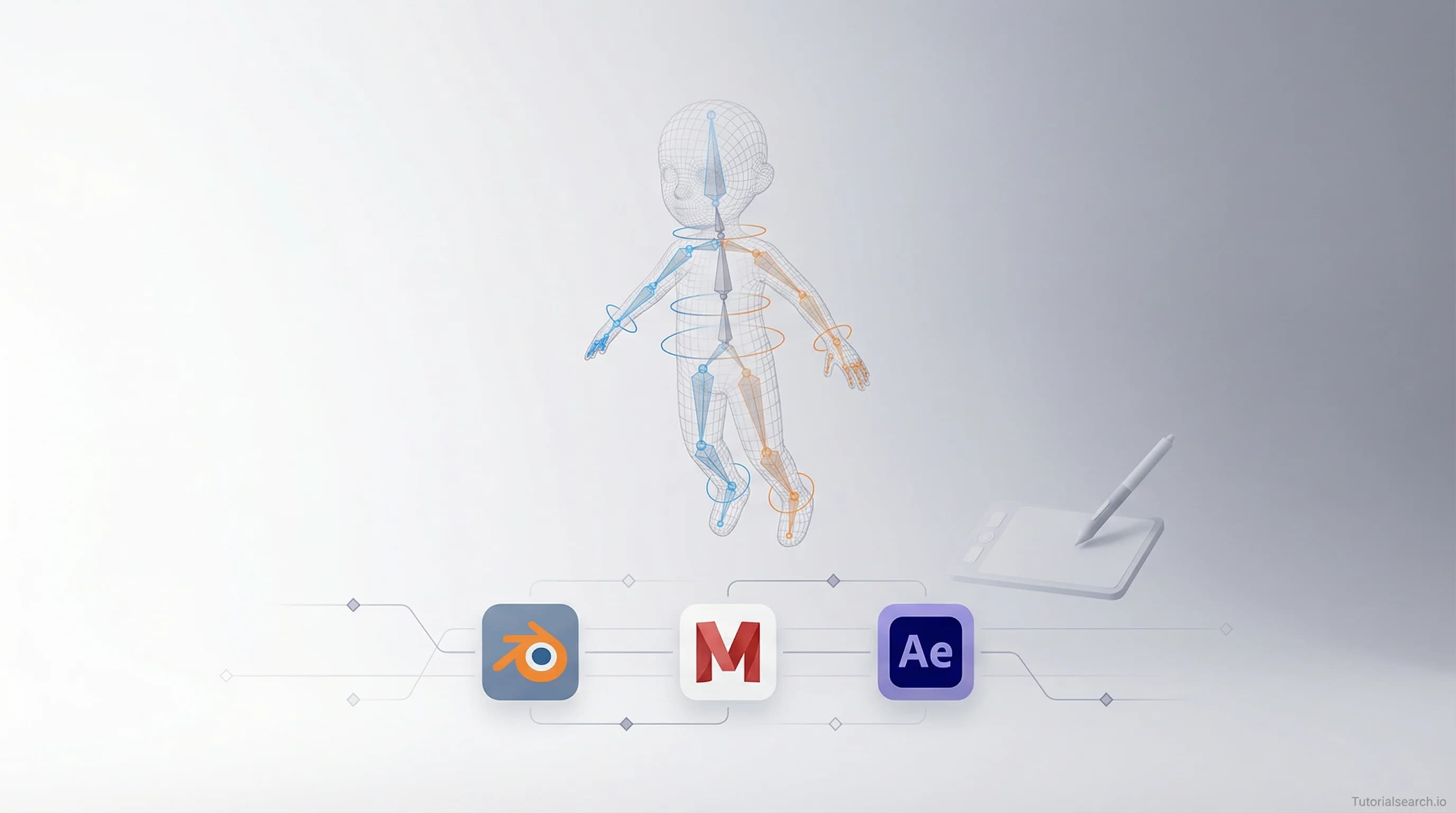
Character Rigging Courses Worth Bookmarking
Character rigging rewards patience and punishes shortcuts — these courses, free resources, and tools for Blender, Maya, and After Effects will get you to clean, production-ready rigs.
Hire the developers behind TutorialSearch.io
We built this site — full-stack web apps, AI integration & automation. Tell us what you need and we'll build yours.
Character rigging is one of the most rewarding skills in 3D animation — and one of the most misunderstood by beginners. This guide covers the best courses, free resources, and tools for rigging characters in Blender, Maya, and After Effects.
Most people who try rigging and give up hit the same wall: they followed a "rig in 10 minutes" tutorial, got something that barely moved, and concluded rigging was just hard. It isn't, really. The problem was almost certainly weight painting — and the tutorial glossed over it in five minutes.
This guide is built around that reality. The courses and resources here treat deformation and weight painting as first-class skills, not afterthoughts. Some are free. Some cost money. All of them are worth your time.
Key Takeaways
- The hardest part of character rigging isn't placing bones — it's weight painting and getting clean skin deformations
- Blender is the best free starting point; Maya is the industry standard for film and AAA games
- You can learn character rigging for free, but a structured course cuts the time to clean results significantly
- Jake Bartlett's Duik Bassel course is the best character rigging course for 2D motion work
- Browse all 135+ character rigging courses on TutorialSearch.io
In This Article
- The Character Rigging Mistake Most Beginners Make
- The Character Rigging Courses I'd Pick for Each Level
- Free Character Rigging Resources That Don't Waste Your Time
- Character Rigging on YouTube: Channels That Actually Teach
- Character Rigging Tools and GitHub Repos Worth Starring
- Books That Go Deep on Character Rigging
- The Character Rigging Communities Worth Joining
- Skills That Pair Well With Character Rigging
- Frequently Asked Questions About Character Rigging
The Character Rigging Mistake Most Beginners Make
The first rig I built in Blender had a shoulder that turned inside out every time I raised the arm above 90 degrees. The knee collapsed on itself in any deep bend. I spent two hours convinced I'd set up the bone hierarchy wrong, then another hour blaming the mesh.
The bones were fine. The weight painting was the problem.
Character rigging — adding a moveable skeleton to a 3D or 2D model so it can be animated — bundles three real skills into one: bone placement, control setup, and skin deformation. Most tutorials front-load bone placement because it's visual and satisfying. Skin deformation comes at the end, rushed and underdeveloped. Then beginners spend days trying to fix broken rigs without understanding what's actually broken.
Weight painting is the process of telling each bone how much influence it has over nearby mesh vertices. Bad weight painting means shoulders that collapse, knees that cave in, and any extreme pose turns your character into a nightmare of intersecting geometry. It's the single most overlooked skill in online rigging tutorials, and it's the one that determines whether a rig is actually usable.
Before picking a course, it helps to know which software you're targeting:
- Blender — free, excellent for indie animators, games, and film. The rigging tools have become serious enough that studios use it in production.
- Maya — the industry standard for film, VFX, and AAA games. Expensive for personal use, but student licenses exist through Autodesk.
- After Effects — the home of 2D character rigging for motion graphics, using tools like Duik Bassel or Limber.
You don't need to choose forever. But picking one and going deep will serve you better than jumping between them every month.
If you're on the Animation & 3D learning path, character rigging sits right at the intersection of modeling and animation — and it will sharpen your instincts for both.
The Character Rigging Courses I'd Pick for Each Level
There's no shortage of character rigging courses online. The quality varies wildly. A lot of them walk you through rigging one specific character and leave you stranded the moment your mesh looks different. The courses below teach principles, not just workflows.
For Beginners (Start Here)
1. Character Rigging For ABSOLUTE Beginners in 2025 (Udemy)
Instructor: Anass Cherkaoui | Rating: ⭐4.46 | 1,089 students | Paid
Anass earns the "absolute beginners" label by actually meaning it. He doesn't assume you know what IK (inverse kinematics — a system where the software calculates joint rotations based on where you move the endpoint) means. He explains it, shows it, and builds on it. If you've never built a rig before, start here.
He also has a follow-up course focused on advanced hand rigging — one of the most technically demanding parts of character work — that's worth bookmarking once you've finished the basics.
2. Blender Character Rigging For Beginners HD (Udemy) [Editors' Choice]
Instructor: Riven Phoenix | Rating: ⭐4.26 | 5,412 students | Paid
5,400+ students. That number matters. Riven's course has been the entry point for more Blender riggers than almost any other resource online. The pace is careful — slow enough to follow, detailed enough to actually understand. The weight painting sections are more thorough than most courses twice the price.
The rating isn't as high as some others on this list, but the student count reflects something the ratings don't: it consistently delivers on what it promises for beginners.
3. Character Rigging Quality Assurance for Games and Animation (Udemy)
Instructor: Baka Dan | Rating: ⭐4.43 | 3,007 students | FREE
This one covers something most courses completely skip: how to test whether a rig is actually good. QA (quality assurance) for rigs means stress-testing poses, checking deformations at extremes, and catching problems before they become an animator's nightmare. It's free, it's different from everything else on this list, and it will change how you think about rigging quality.
For Intermediate Learners
4. Character Rigging With Duik Bassel (Skillshare) [Editors' Choice]
Instructor: Jake Bartlett | Rating: ⭐4.71 | 10,937 students | Paid
If you're working in After Effects and want to rig 2D characters for motion graphics or animation, this is the course. Duik Bassel is a free plugin that turns After Effects into a real character rigging environment — and Jake Bartlett's teaching is the gold standard for this workflow. He's clear, fast-paced without being rushed, and the projects are production-quality.
Over 10,000 students. The reviews say the same thing consistently: it actually delivers on the promise.
5. Character Rigging & Animation FUNdamentals in Adobe After Effects (Skillshare) [Editors' Choice]
Instructor: Megan Friesth | Rating: ⭐4.89 | 2,970 students | Paid
A 4.89 rating with nearly 3,000 students is exceptional. Megan focuses on building good habits alongside technical skills — thinking about what makes a rig animator-friendly, planning control placement before you need it. She also has a Limber-focused follow-up course on Skillshare. Limber is an After Effects rigging plugin that many motion designers prefer over Duik for certain workflows — worth exploring once you've got the fundamentals.
6. Game Character Rigging in Maya: The Complete Guide in 2025 (Udemy)
Instructor: Anass Cherkaoui | Rating: ⭐4.54 | 619 students | Paid
The game-specific focus matters here. Game rigs have hard constraints that film rigs don't: bone limits, export formats, real-time deformation performance. Anass covers all of that with the same clarity as his beginners course, applied to a game production pipeline. If you're targeting Unity or Unreal, this is where the theory meets actual export requirements.
7. Character Rigging Crash Course In Autodesk Maya (Udemy)
Instructor: Shubham Bhardwaj | Rating: ⭐4.70 | 108 students | Paid
Only 108 students — but a 4.70 rating that holds. This is a focused, no-fluff crash course for people who already know Maya basics and want to reach rigging fundamentals quickly. If you're short on time and don't need a 30-hour commitment, this fits.
For Going Deeper
8. Full Character Rigging in After Effects | Knowing Everything (Udemy)
Instructor: Motion Guru | Rating: ⭐4.48 | 2,554 students | Paid
After Effects rigging taken to its limit. This covers the full pipeline — puppet pins, Duik, Joysticks 'n Sliders — and treats After Effects as a serious rigging environment. Good for motion designers who want to go all the way with 2D character work.
9. Humanoid Rigging For Games Using Houdini And KineFX (Udemy)
Instructor: Simon Hayes | Rating: ⭐4.80 | 685 students | Paid
This one earns its place because it covers procedural rigging — something almost no beginner-focused course touches. Houdini's KineFX (a node-based rigging system inside Houdini) is becoming relevant in AAA pipelines. It's not where you start. But it's where you'll eventually want to go, and Simon's 4.80 rating on a technical course is a genuine signal of quality.
You can find all of these and more on the character rigging search page on TutorialSearch.io.
Free Character Rigging Resources That Don't Waste Your Time
Everyone says "just watch YouTube tutorials." The honest version: most YouTube rigging tutorials are made by people who learned rigging last week. The ones below are different.
Rigging Dojo's Free Learning Guide — This is where working riggers point beginners. It's not a tutorial — it's a structured reading list with real opinions on what to learn and in what order. The section on skinning and deformation alone is worth the visit. Rigging Dojo has trained people now working at Pixar and ILM.
AntCgi YouTube Channel — AntCgi's free Maya series is the most complete free resource for Maya riggers that exists. He covers body rigging, face rigging, quadruped rigging, and Python scripting for riggers. The production quality isn't flashy. The content is professional-grade.
Autodesk's Official Maya Learning Channel — Dense but accurate. Good as a reference for joint placement, IK/FK setup, and the Quick Rig tool for rapid character setup. Supplement it with AntCgi, don't rely on it alone.
Blender Studio — Free Practice Rigs — Blender Studio offers free downloadable practice rigs, including Snow (a purpose-built rig for learning Blender animation) and Storm (a production-quality rig with a pose library). Animating with a professional rig teaches you what a good rig feels like — which shapes how you build your own. There's a direct difference between rigging to completion and never animating with your work.
PIXXO 3D — Rig a Character from Scratch — Their beginner's guide to rigging a character in Blender from scratch is a solid free alternative if you can't afford a course yet. 34 minutes, clear, covers the full pipeline. Class Central has a direct link to the free video here.
The Gnomon Workshop — Character Rigging in Maya for Game Production — Not free, but worth knowing about as a premium reference. Gnomon trains VFX professionals, and their Maya rigging workshop is as close as you'll get online to what studios teach internally.
One thing I'd push back on: the idea that beginners should start with Auto-Rig Pro or auto-rigging tools. They're excellent shortcuts for experienced riggers who understand what those tools produce under the hood. For beginners, they hide the fundamentals. Learn manual rigging first. Use the auto tools after you understand the output they're generating — otherwise you won't know when the output is wrong.
Character Rigging on YouTube: Channels That Actually Teach
Hire the developers behind TutorialSearch.io
We built this site — full-stack web apps, AI integration & automation. Tell us what you need and we'll build yours.
A quick comparison of where to spend your YouTube time:
| Channel | Software | Best For | Teaching Style |
|---|---|---|---|
| AntCgi | Maya | Full production rigs, face rigging | Methodical, professional |
| PIXXO 3D | Blender | Beginner walkthroughs | Clear, project-based |
| Autodesk Maya Official | Maya | Reference documentation | Technical, dry |
| Blender Studio | Blender | Production-quality deep dives | In-depth, assumes some knowledge |
AntCgi is the standout. His facial rigging series covers corrective blendshapes (secondary sculpt shapes that fix problem areas in extreme poses) — a topic most online courses skip entirely. If you want to understand how studio-quality face rigs work, start there.
PIXXO 3D is the fastest way to get a Blender rig working from zero. Less depth than AntCgi, but far more accessible for beginners who just need to see the process end-to-end.
If you're already working in motion graphics or producing animation effects, Jake Bartlett has short-form YouTube content on After Effects rigging that complements his Skillshare courses well.
Character Rigging Tools and GitHub Repos Worth Starring
mGear Framework — mGear is the free, open-source rigging framework for Maya that's actually used in professional productions. Version 5.2 (released January 2026) added a Blueprint Guides system for standardized rig settings and a rebuilt Shifter UI with drag-and-drop prebuilt templates. If you're learning Maya rigging seriously, get familiar with mGear. CG Channel covered the 5.2 release here.
GitHub: rigging topic — GitHub's rigging topic aggregates public rigging tools, Blender addons, and Maya scripts. Useful for finding community-maintained solutions and addon projects that extend what commercial software offers.
RigNet — Neural Rigging for Articulated Characters — More research than practical tool right now, but worth knowing. RigNet uses machine learning to predict rig placement from a character mesh — joint placement, topology, the whole skeleton. It's not production-ready for most studios, but it points toward where auto-rigging is heading in the next few years.
Autodesk Maya Quick Rig — Maya's built-in auto-rigging tool, fully documented. Use it to understand what a complete rig looks like before building from scratch. Seeing the output helps you understand what you're working toward.
If you're interested in the full game pipeline — from Blender rig to game engine — the complete game animators pipeline course by Hamish Calthorpe covers rigging through Unreal Engine 5 export in one course. It's particularly useful if you're building 3D visuals for real-time environments.
Books That Go Deep on Character Rigging
Most rigging books go out of date fast because software changes. These hold up because they teach principles, not just interface clicks.
A Complete Guide to Character Rigging for Games Using Blender by Armin Halac (Routledge) — This is the one to get if you're Blender-focused and building rigs for games. Halac breaks down skinning theory, deformation priorities, and game engine constraints in a way that most online tutorials never bother with. It reads like a proper textbook but stays accessible. If you want to understand why the techniques work, not just what to click, this is it.
Animation Methods: Rigging Made Easy by David Rodriguez — Maya-focused, written without technical jargon, structured as a real course. About 300 pages, 20 chapters. Starts from Maya basics and moves through joints, IK, skinning, and walk cycles. If you're a complete beginner coming from zero in Maya, this is a gentler entry than most online courses.
"Rig It Right!" by Tina O'Hailey — Slightly older but regularly cited by working riggers as the clearest explanation of Maya rig theory. Specifically strong on joint orientation and rotation order — topics that sound abstract until a rig starts flipping in odd directions and you realize you have no idea why. Not a beginner book. Read it after you've built two or three rigs and started hitting the limits of tutorials.
The Character Rigging Communities Worth Joining
Blender Community Discord — 196,000+ members. Rigging is a dedicated topic. Post a weight painting problem with screenshots and you'll usually get a useful answer within hours. The volume of activity means beginner questions are welcome without feeling out of place.
Maya Discord — 12,000+ members focused specifically on Autodesk Maya. More focused than general 3D communities, which means the rigging conversations are more technical and specific.
r/blender and r/Maya — Both subreddits have rigging help posts daily. The search archives are often better than any FAQ — someone has almost certainly hit your problem before and gotten a good answer.
ArtStation Rigging Tutorials Marketplace — Not a community, but the marketplace has industry-quality paid tutorials from working professionals. When you exhaust the free resources and need a specific skill — facial correctives, quadruped spine setups, Houdini KineFX — single ArtStation tutorials can fill the gap cleanly.
If you're building characters for animated videos or studying digital sculpting alongside rigging, both those communities have significant overlap with the rigging world. Sculptors think about mesh topology in ways that riggers need to understand.
Skills That Pair Well With Character Rigging
Character rigging doesn't exist on its own. These related skills connect directly to what you're learning:
- Animation Skills (574 courses) — The reason you're rigging in the first place. Understanding animation principles makes you a better rigger because you know what animators actually need from a rig — not just what technically works.
- Blender Modeling (316 courses) — Topology (how the mesh is constructed) directly affects how well it deforms. Riggers who understand modeling produce cleaner results.
- Digital Sculpting (267 courses) — Sculpting corrective shapes and blendshapes is a key part of advanced character rigging work.
- Cinema 4D Modeling (244 courses) — Cinema 4D has its own character rigging tools that share principles with Maya and Blender.
- Motion Graphics (558 courses) — 2D character rigging in After Effects sits at the edge of motion graphics and animation.
- 3D Visuals (313 courses) — Rendering and presenting rigged characters for portfolio or production use.
Frequently Asked Questions About Character Rigging
How long does it take to learn character rigging?
Most people can build a functional beginner rig in 20–30 hours of focused practice. Getting to production-quality rigs — animator-friendly, clean deformations, no surprises in extreme poses — typically takes 3–6 months of regular work. The gap between "it technically moves" and "this is actually usable" is where most of the time goes, and it's almost always about weight painting.
Do I need to know 3D modeling to learn character rigging?
You don't need to be a great modeler, but you need to understand mesh topology — how triangles, quads, and edge loops are laid out. Bad topology in a mesh creates bad deformations in a rig, regardless of how careful your weight painting is. A basic understanding of Blender modeling or Maya modeling helps significantly before you start rigging.
What software is best for character rigging?
Blender is the best free starting point. Maya is the industry standard for film and AAA games. After Effects is the right tool for 2D character rigging in motion graphics. The right choice depends on what you want to make and where you want to work. Most major studios use Maya, but Blender's rigging tools are serious enough that indie studios and freelancers use them professionally. You can see all character rigging courses organized by software and level on TutorialSearch.io.
Why is proper weight painting important for character rigging?
Weight painting assigns how much influence each bone has over nearby mesh vertices. That assignment determines whether a rig deforms smoothly or breaks in any pose other than a T-pose. A rig with bad weight painting will collapse at the shoulders, pierce geometry at the knees, and twist unnaturally in any extreme position. Bones create the skeleton. Weight painting makes the skin follow it correctly. It's the most overlooked skill in rigging tutorials and the one that separates working rigs from broken ones.
What is inverse kinematics used for in character rigging?
IK (inverse kinematics) lets animators move a limb by positioning the endpoint — the hand or the foot — and having the software calculate how the elbow or knee bends to reach it. Without IK, animators have to manually rotate every joint in the chain. For legs especially, IK is almost always preferable: plant a foot on the ground and it stays planted no matter how the hip moves. Most beginner courses cover IK setup early, but understanding when to use IK versus FK (forward kinematics — manual joint-by-joint rotation) takes longer to develop and is where good rigs diverge from mediocre ones.
How does facial rigging differ from body rigging?
Facial rigging focuses on creating realistic expressions through precise control of facial features — cheeks, lips, eyelids, brows. It typically uses more blendshapes (blend shapes are sculpted mesh variations that the rig can blend between, like a smile shape or a furrowed-brow shape) and fewer bones than body rigs. Body rigging prioritizes smooth movement and deformation of the character's full anatomy. Both are complex, but facial rigging tends to be more demanding technically because any artifact in facial deformation is immediately visible to viewers.
Your next step depends on where you are right now. Never touched rigging? Start with Anass Cherkaoui's beginner course on Udemy or the PIXXO 3D free Blender walkthrough if you want free first. Already built a few rigs? Jake Bartlett's Duik Bassel course or Megan Friesth's After Effects fundamentals will push your work forward fast. Either way, bookmark the Rigging Dojo learning guide — it's the resource working riggers keep sending to beginners, and it's free.