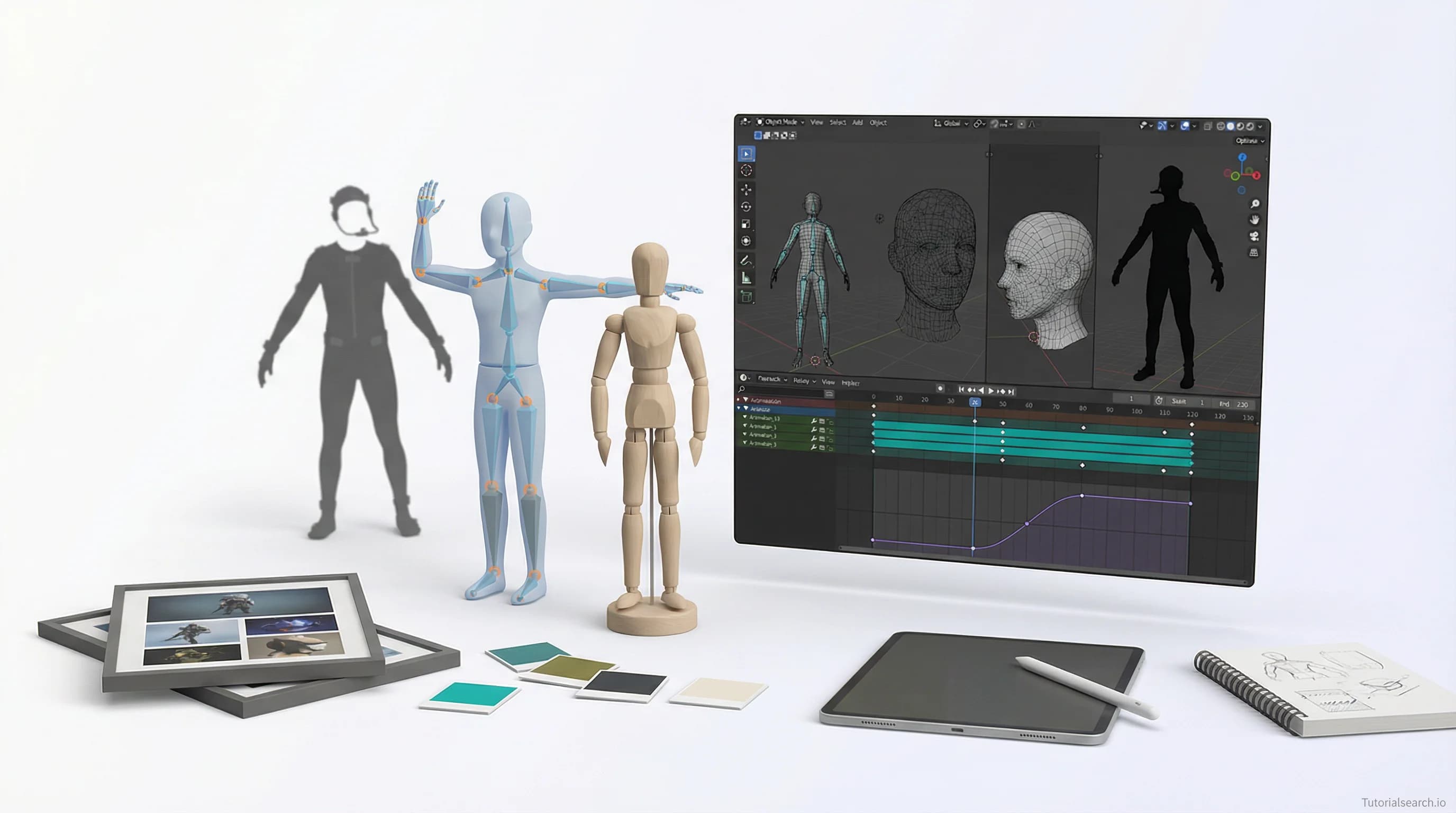
Character Animation: From Curious Beginner to Portfolio-Ready
Master character animation with a practical roadmap covering software choices, fundamental principles, and the honest timeline for professional competency. Includes 100+ curated courses, free resources, and community feedback channels.
Hire the developers behind TutorialSearch.io
We built this site — full-stack web apps, AI integration & automation. Tell us what you need and we'll build yours.
Character animation is fundamentally about bringing static drawings or models to life through movement, creating the illusion of motion that viewers interpret as intentional performance. Whether you're animating a 2D cartoon character, a 3D model in Blender, or a puppet in Adobe Character Animator, the core principles remain the same: understanding timing, weight, spacing, and the subtle details that transform a character from a static design into something that feels alive and expressive.
The journey from novice to skilled character animator doesn't happen overnight, but it also doesn't require years of formal training or access to expensive equipment. Today, with accessible software, thriving communities, and comprehensive learning resources, anyone with dedication can develop the technical and artistic skills needed to create compelling animated characters. This guide breaks down exactly where to start, which tools make sense for your goals, and how to structure your learning so you actually finish projects instead of abandoning them halfway through.
Key Takeaways
- Character animation combines technical skill and artistic intuition — you need both software expertise and an understanding of how real bodies move
- Start with the fundamentals before specializing — learn the 12 principles of animation before diving into rigging or motion capture
- Software choice matters less than consistency — Blender, Maya, and Adobe tools each excel at different tasks; pick one and commit to it
- Free resources are legitimately professional-grade — Blender Studio's animation rigs and countless YouTube tutorials can take you from beginner to portfolio-ready
- Community feedback is your most valuable asset — showing work to other animators reveals blind spots no tutorial can catch
Table of Contents
- The Reality of Modern Character Animation
- Choosing Your Animation Software
- Mastering Animation Fundamentals
- The Three Specializations in Character Work
- Building a Real Portfolio
- Top Character Animation Courses
- Free Resources That Actually Work
- Learning Platforms & YouTube Channels
- GitHub Repositories for Animation
- Books Every Character Animator Should Own
- Community & Feedback Resources
- Related Animation Topics to Explore
- FAQ
The Reality of Modern Character Animation
The promise of tutorials is often misleading. You watch someone create a perfect walk cycle in 30 minutes and think, "I can do that." Then you sit down with your software and realize that 30 minutes assumed you already knew where everything was, had practiced thousands of frames before, and had internalized the principles through muscle memory. The real path to character animation competence takes hundreds of hours, not because you're learning a tool, but because you're learning to see movement the way animators do.
Here's what separates hobbyists from professionals: professionals analyze real movement obsessively. They watch people walk, jump, and gesture with the intensity of someone studying a foreign language. They understand that a character's walk reveals personality—a confident stride looks different from a nervous shuffle. They know that hands tell as much story as a character's face. This analytical eye takes time to develop, but it's teachable.
The good news is that the entry barrier has collapsed. Ten years ago, professional-grade 3D animation software cost thousands of dollars. Today, Blender is free and genuinely industry-competitive. Adobe offers reasonably priced subscriptions. The tutorial ecosystem has exploded to the point where you can find step-by-step instruction for almost any technique in animation. The limiting factor isn't access anymore—it's your willingness to practice repetitively and fail publicly.
Choosing Your Animation Software
Your software choice creates your learning path, so this decision matters more than beginners typically realize. [Editors' Choice] Each major platform dominates specific workflows, and switching later means relearning muscle memory.
Blender makes sense if you want a complete pipeline from modeling to animation to rendering. It's genuinely free, runs on all major operating systems, and has an unusually helpful community. For character animation specifically, Blender Studio (the internal Blender team) creates tutorials and publishes their own character rigs designed explicitly for learning. The learning curve is steeper than some alternatives, but you own nothing to a corporation and can export your work to any format. Blender is increasingly industry-standard in visual effects pipelines, making it a financially sensible choice.
Autodesk Maya remains the industry standard in professional studios, especially for game character animation. If your goal is employment at a major studio, learning Maya makes pragmatic sense. The software is expensive ($235/month for individuals), but Autodesk offers free student licenses for anyone with a .edu email address. Animation in Maya feels more intuitive to many professionals than Blender, though this is partly habit. The rigorous, pipeline-focused approach teaches industry best practices early.
Adobe Character Animator skips the 3D modeling and rigging entirely, letting you puppeteer pre-built 2D characters using performance capture from your webcam or by manually posing characters frame-by-frame. If your goal is creating animated explainer videos, YouTube content, or 2D character animation, this is legitimately the fastest path to producing publishable work. The professional limitation is that most game and VFX studios don't use it—it's primarily for motion graphics and content creation.
Cinema 4D attracts motion graphics professionals but is overkill for character animation specifically. Unreal Engine and Unity are primarily game engines, though both can handle character animation if your characters are game assets.
The honest advice: Blender if you have time to learn deeply. Maya if you want industry credibility. Adobe Character Animator if you want to produce finished content quickly. Pick one, commit for at least six months before reconsidering.
Mastering Animation Fundamentals
Before learning software, absorb the 12 principles of animation—concepts that predate computers and apply to hand-drawn animation, 3D animation, stop-motion, everything. These aren't software features; they're the language animators use to create the illusion of life.
Squash and stretch means deforming your character slightly during movement—a character's body compresses when landing and extends when jumping, giving movement weight and flexibility. Without squash and stretch, characters feel stiff and robotic. [Editors' Choice]
Anticipation is when a character shows intention before movement—a subtle crouch before jumping, a slight wind-up before throwing. Your eye interprets anticipation as intention. Characters without anticipation feel like puppets being manipulated; with anticipation, they feel like agents making choices.
Staging means directing the viewer's attention—pose your character clearly, use camera angles and lighting to emphasize important elements, keep silhouettes readable. If viewers can't understand what's happening from silhouette alone, your staging failed.
Timing is the frame count between poses. Eight frames feels quick and snappy; twenty frames feels sluggish. There's no universal answer—the same jump animated with eight frames versus fifteen frames tells different stories about the character's strength and confidence. [Editors' Choice]
Arcs means nothing moves in straight lines. A punch doesn't travel directly from shoulder to target; it traces an arc. Eyes don't snap directly to new positions; they follow curves. These arcs feel natural because real bodies move in arcs. Learning to see and create these curves takes observation and practice.
Secondary action refers to the supporting movements that follow primary movement—hair and clothing settling after a character stops, facial expressions reacting to physical actions, fingers trailing behind when swinging an arm. Secondary action makes animation feel lived-in.
These principles are teachable through observation. Watch a real person pick up a cup. How do they anticipate? Does their torso turn before their arm extends? Do their fingers flex before gripping? This analysis translates directly to animation.
The Three Specializations in Character Work
Once you've internalized fundamentals, character animation splits into three distinct specializations, and most animators excel at one or two but not all three.
Performance animation means bringing an existing rig to life through posed, choreographed movement. You're given a completed character model with a working skeleton and animation controls. Your job is making that character perform—walk across the room, sit down, express emotion through body language. This is what most animators actually do in their jobs. It requires strong acting intuition, understanding of weight and balance, and meticulous attention to keyframe placement. [Editors' Choice] Performance animation courses teach you to think like an actor inhabiting a character.
Rigging is the technical infrastructure that makes performance animation possible. A rigger creates the digital skeleton, sets up controls, and ensures the rig deforms realistically when posed. It's highly technical—you're working with joints, weights, constraints, and mathematical relationships. A bad rig makes performance animation impossible; a perfect rig is invisible because it feels responsive and intuitive. Riggers typically earn more than performance animators because it's a smaller skill pool.
Character modeling is 3D sculpting and topology—shaping the geometry of a character's body to look right and deform smoothly. Many character animation professionals outsource modeling, but understanding model topology dramatically improves rigging quality. Modelers often transition into rigging or directing animation because they deeply understand how characters should move.
Most learning paths start with performance animation because it produces visible results quickly. After 20 hours of practice, you can create an entertaining 10-second character animation. Rigging requires 50+ hours before producing anything impressive. Don't let that deter you if rigging fascinates you—it's a legitimate specialization with higher earning potential.
Building a Real Portfolio
Professionals don't hire you based on tutorials you completed or certificates you earned. They hire you based on finished work that demonstrates both technical competency and creative judgment. A portfolio of five polished 10-second character animations beats a hundred half-finished projects.
Your first project should be modest: a single character executing a simple action well. A walk cycle. A person sitting down and getting back up. A simple gesture that reveals personality. Film it from a clear angle. Clean up the lighting and render it professionally. Add sound and music. Upload it to Vimeo or YouTube with context explaining what you learned. This single finished project, done well, carries more weight than a dozen unfinished ones.
The progression should be: simple actions (walk, jump, sit), then interaction (character pushes a box, picks up an object), then character interaction (two characters having a conversation), then storytelling (a 30-second narrative). Each progression teaches different skills. Don't skip stages trying to prove you can do complex work—foundations matter.
Top Character Animation Courses
[Editors' Choice] "Character Animation with Blender for Beginners" by Danan Thilakanathan covers fundamental character animation principles specifically within Blender's animation tools. Thilakanathan teaches at a patient pace, building from basic principles through to completed animations. The course emphasizes understanding why movements work, not just following step-by-step commands. 3,302 students have enrolled, with a 3.93/5 rating. This course is legitimately valuable for beginners who choose Blender as their platform. The project-based structure means you complete a finished animation by course end.
"Character Animation: Walk Cycles in Adobe After Effects CC" by Louay Zambarakji teaches character animation using frame-by-frame 2D techniques in After Effects. This approach appeals to people comfortable with Adobe tools or interested in 2D animation specifically. With 24,547 students and a 4.06/5 rating, it demonstrates the hunger for After Effects animation education. Walk cycles are fundamental because they're endlessly reusable and devilishly difficult to execute well—this course gives you deep practice in timing and weight.
"Learn Character Rigging For Absolute Beginners in Maya 2025" teaches the technical infrastructure that makes character animation possible. At 4.8/5 stars, this course fills the rigging knowledge gap many animators have. For beginners, rigging feels abstract and technical, but this course makes it accessible by breaking it into understandable components. The investment of learning rigging early accelerates your ability to troubleshoot animation problems and creates characters responsive to your artistic vision.
[Editors' Choice] "Character Animation: Animate Your Original Character" by Siobhan Twomey on Skillshare focuses on a complete pipeline—design a character, rig it, animate it, produce a final piece. With a 4.76/5 rating from 2,474 students, this course emphasizes creative decision-making alongside technical execution. The portfolio-focused approach is valuable because it teaches you to think in complete projects, not isolated techniques.
"Character Animation Basics: Combining Techniques in Adobe After Effects, Animate, and Photoshop" by Gui Jorge Porto (5.0/5 rating) teaches a comprehensive 2D workflow integrating multiple Adobe tools. This is valuable if your goal is creating professional 2D animated content rather than 3D. The integration of Photoshop, Animate, and After Effects teaches a practical production pipeline used by studios creating animated explainers and commercial content.
"Character Animation Basics: Create a Dance Loop with After Effects and Photoshop" by Bee Grandinetti (4.6/5 rating, 14,979 students) focuses on a specific, achievable project—creating a looping dance animation. This constraint is pedagogically useful; it prevents scope creep and forces you to focus on solid fundamentals. Dance animation requires exaggeration and personality, teaching principles that transfer to all character work.
"Character Animation: Creating Authentic Facial Expressions in Adobe After Effects" by Fraser Davidson (4.49/5 rating) addresses an often-neglected area. Many beginners master body animation but struggle with facial expression. Genuine expressions require understanding micro-movements—eyebrow position, eye widening, mouth shape—and animating them with precision. This course teaches the anatomy and psychology of expression specifically.
Free Resources That Actually Work
Hire the developers behind TutorialSearch.io
We built this site — full-stack web apps, AI integration & automation. Tell us what you need and we'll build yours.
Blender Studio publishes professional-grade animation tutorials and releases their character rigs openly. Their "Spring" project teaches rigging and animation on a beautiful character design. It's genuinely professional-quality content created by people who animate for film production. There's zero sales pitch; they share knowledge because they believe in the community. Start here if you choose Blender.
YouTube tutorials by Blender Guru (Andrew Price) have trained hundreds of thousands of 3D artists. For character animation specifically, his animation tutorials balance technical detail with clarity. He teaches how to think about animation, not just which buttons to click. The production quality is exceptional, and he frequently updates courses as Blender evolves.
CrossMind Studio focuses specifically on character modeling, rigging, and animation with a character-first approach. The teaching style is conversational rather than sterile; you're learning alongside someone thinking through problems in real-time.
P2DESIGN teaches rigging with emphasis on creating rigs that feel responsive and natural to animate within. Many rigging tutorials focus on technical correctness; P2DESIGN emphasizes animator experience, ensuring the rigs they teach actually improve performance animation.
Animation Mentor offers free sample lessons from their paid program. These samples are valuable because they're vetted as pedagogically effective by a school specifically training character animators.
Gnomon School publishes free clips from their paid workshops taught by industry professionals. The production quality and depth often exceed paid courses on other platforms because Gnomon's instructors are working professionals with high standards.
Learning Platforms & YouTube Channels
YouTube remains the most valuable learning resource if you know which channels to follow. Beyond Blender Guru and CrossMind Studio, Flipped Normals (Henning Sanden and Morten Jaeger, who worked on Pacific Rim and Guardians of the Galaxy) brings professional rigging expertise to YouTube. Jazza covers both 2D and 3D animation with infectious enthusiasm and surprising depth.
Skillshare offers affordable month-to-month subscriptions with extensive character animation content. Many courses emphasize portfolio-building rather than exhaustive technique instruction. Udemy similarly provides hundreds of animation courses at typically $12-15 per course during sales.
Animation Mentor is a comprehensive online animation school founded by professional animators. It's expensive ($4,500+ per term) but includes mentorship from working animators and job placement support. It's appropriate if you're committing to animation as a career and want the structure and credibility of formal education.
CG Masters specializes in 3D animation and offers structured courses with industry-relevant curriculum.
GitHub Repositories for Animation
AI4Animation brings machine learning to character animation, showing how neural networks can generate realistic motion control. While advanced, it represents the future of animation tools—procedurally generated character movement based on learned motion patterns. The repository includes 1,200+ stars from researchers exploring AI-driven animation. This is primarily research code, but understanding these approaches illuminates where animation technology is headed.
Awesome-AI4Animation aggregates papers, projects, and datasets on generative AI for cel-animation (cartoon animation specifically). If you're interested in how AI tools will shape animation's future, this is essential research. It includes work accepted at ICCV 2025, positioning it at the research frontier.
OSSOS (1,400+ stars) is a web-based character animation system focusing on skinning and animation library creation independent of specific rendering engines. It demonstrates modern approaches to building animation infrastructure for web-based content.
Books Every Character Animator Should Own
"The Animator's Survival Kit" by Richard Williams is nearly universally recommended. Williams animated A Christmas Carol, Who Framed Roger Rabbit, and countless award-winning shorts and features. This book distills his career of experience into principles that apply whether you're drawing by hand, using Stop-motion, or rigging 3D characters. The hand-drawn examples are beautiful, and the insights about timing, spacing, and acting transfer directly to any animation medium. It's expensive and dense, but considered essential by professionals.
"Acting for Animators" by Ed Hooks addresses the psychological side of character animation. You can have perfect technical skills and still create lifeless animation if you don't understand acting. Hooks teaches animators to think like method actors—to understand motivation, character psychology, and subtext. This reframes animation from a technical exercise into a performance discipline. [Editors' Choice] This book makes an immediate difference in your animation quality because it changes what you're paying attention to.
"Cartoon Animation" (The Preston Blair Book) is foundational for 2D animation but teaches principles relevant to all animation. The hand-drawn examples are charming and instructive. If you're doing 2D work, this is essential. Even 3D animators benefit from studying Preston Blair's approach to weight and expression.
"Character Animation Crash Course!" by Eric Goldberg is witty and accessible without sacrificing depth. Goldberg has worked on numerous award-winning animated films and brings genuine insight to teaching. This book is shorter and more approachable than The Animator's Survival Kit, making it a good second purchase after completing initial online courses.
Community & Feedback Resources
Professional animators improve through feedback from other animators who understand the craft. Showing work-in-progress animation to random internet users produces mostly noise; showing it to experienced animators produces actionable critique.
Discord Animation Communities host thousands of animators ranging from absolute beginners to industry professionals. Servers like "Animators — Animation Hub" (12,000+ members) and "3D Art Discord" (23,000+ members) have dedicated channels for feedback and critique. Sharing work in these communities creates accountability and exposes you to feedback that drives improvement.
Reddit communities like r/animation and r/blender have active users willing to critique work. The subreddit structure is less real-time than Discord, but Reddit's threading system creates more thoughtful feedback. Set expectations explicitly ("this is a work-in-progress early in my learning, please focus on timing") to get relevant critique.
AnimState is specifically for game animators with presence on both Discord and Reddit. If your animation goal is game character animation, this is where the professional community congregates. The quality of feedback is higher because the community has shared context and expertise.
Traditional Animation Discord Server (9,859 members) is the official community for Don Bluth Studios (animator of The Land Before Time, An American Tail, and other classics). If you're interested in traditional 2D animation, this server has practitioners at all levels.
Related Animation Topics to Explore
As you develop core character animation skills, adjacent specializations become accessible:
- Animation Skills covers broader animation principles beyond character work
- Motion Graphics teaches animated design and text animation
- Animation Effects covers particle systems, fluid simulation, and dynamic effects
- 3D Visuals teaches the visual design and lighting that makes animation shine
- Blender Modeling develops the character modeling skills that precede animation
FAQ
What software should I learn first if I haven't decided on my animation specialty?
Blender is the safest default because it's free, genuinely professional-grade, and won't lock you into a specific workflow. You can learn 2D animation principles, 3D character animation, motion graphics, and visual effects all within one software. The learning curve is steeper than some alternatives, but you won't hit a ceiling limiting what you can create. If your goal is employment at a major visual effects or game studio within two years, learning Maya or Houdini sooner is strategically smarter. Otherwise, Blender's flexibility is valuable.
Can I realistically become a professional character animator without formal education?
Yes, absolutely. Your portfolio matters infinitely more than your diploma. A portfolio of genuinely impressive work opens doors regardless of educational background. That said, structured education (whether formal school or structured online programs like Animation Mentor) creates accountability and exposes you to feedback that accelerates learning. Self-taught animators absolutely exist in the industry; they typically invested more total hours to reach the same competency level because they lacked structured feedback. The trade-off is money versus time.
How many hours of practice does it realistically take to become professional-grade?
A common industry estimate is 10,000 hours to master any complex skill. For character animation, you're probably looking at 3,000-5,000 focused practice hours to reach professional entry-level. That's roughly two years of full-time work or four years of part-time work. This assumes deliberate practice focused on fundamentals, not mindless repetition. The variance depends on your prior experience—people with drawing, sculpture, or motion capture backgrounds often progress faster because they already understand movement through a different medium.
Should I focus on performance animation, rigging, or character modeling?
Performance animation is the fastest path to producing portfolio work and understanding what you actually enjoy. Try performance first through courses and projects. After 50-100 hours, you'll have intuition about whether you want to specialize deeper or branch into rigging or modeling. Don't commit to rigging purely because it pays better if you don't actually enjoy technical problem-solving—you'll burn out. Career trajectory matters less than sustainable interest.
What's the realistic timeline for getting a job as a character animator?
This varies wildly based on your target position and starting point. Entry-level positions (apprentice animator, junior animator at smaller studios) typically require a portfolio of 3-5 impressive short animations plus some demonstration of ability to handle feedback and iteration. Expect 18-36 months if you're starting completely fresh and working seriously. Senior positions require demonstrated experience with shipped films or games. The job market is competitive but not impossible; there's genuine demand for skilled animators. Having a strong portfolio matters infinitely more than credentials.
What's the difference between animation in games versus film?
Game animation requires understanding player input and unpredictable branching—a character might need to instantly interrupt a walk cycle to start jumping because the player pressed a button. State machines and animation blending are essential. Film animation is linear storytelling; you choreograph every frame of a character's performance. Game animation feels more technical; film animation feels more artistic. Both require deep skill; they're just different problems. Studios specialize in one or the other. Your learning path should reflect which appeals to you.
Is it worth buying expensive software, or should I stick with free tools?
For character animation specifically, free tools are genuinely sufficient to reach professional competency. Blender is used in professional VFX pipelines. The limitation isn't software quality; it's your skill development. Invest money in courses and mentorship before investing in software. Once you've proven you can create impressive work with free tools, upgrading to industry-standard software for job-specific reasons makes sense. Don't let equipment limit you.
How do I know if I'm improving or just reproducing tutorials?
You're improving when you take a technique learned in one context and apply it successfully in a new context. You're reproducing tutorials when you memorize the sequence of clicks and keyframes specific to each lesson. The test: after finishing a tutorial, can you create something visually similar but stylistically different? Can you diagnose and fix problems in your own work without rewatching the tutorial? Can you teach the concept to someone else? If yes to all three, you're truly learning. If you're just following steps, slow down and focus on understanding principles rather than completing tutorials.
This guide represents an honest look at character animation education in 2026. The barrier to entry has never been lower; the resources have never been better. What separates people who learn animation from people who become animators is the willingness to practice when you're producing mediocre work, to ask for feedback you don't want to hear, and to push through the frustration of learning. The technical skills are teachable. The discipline is up to you.