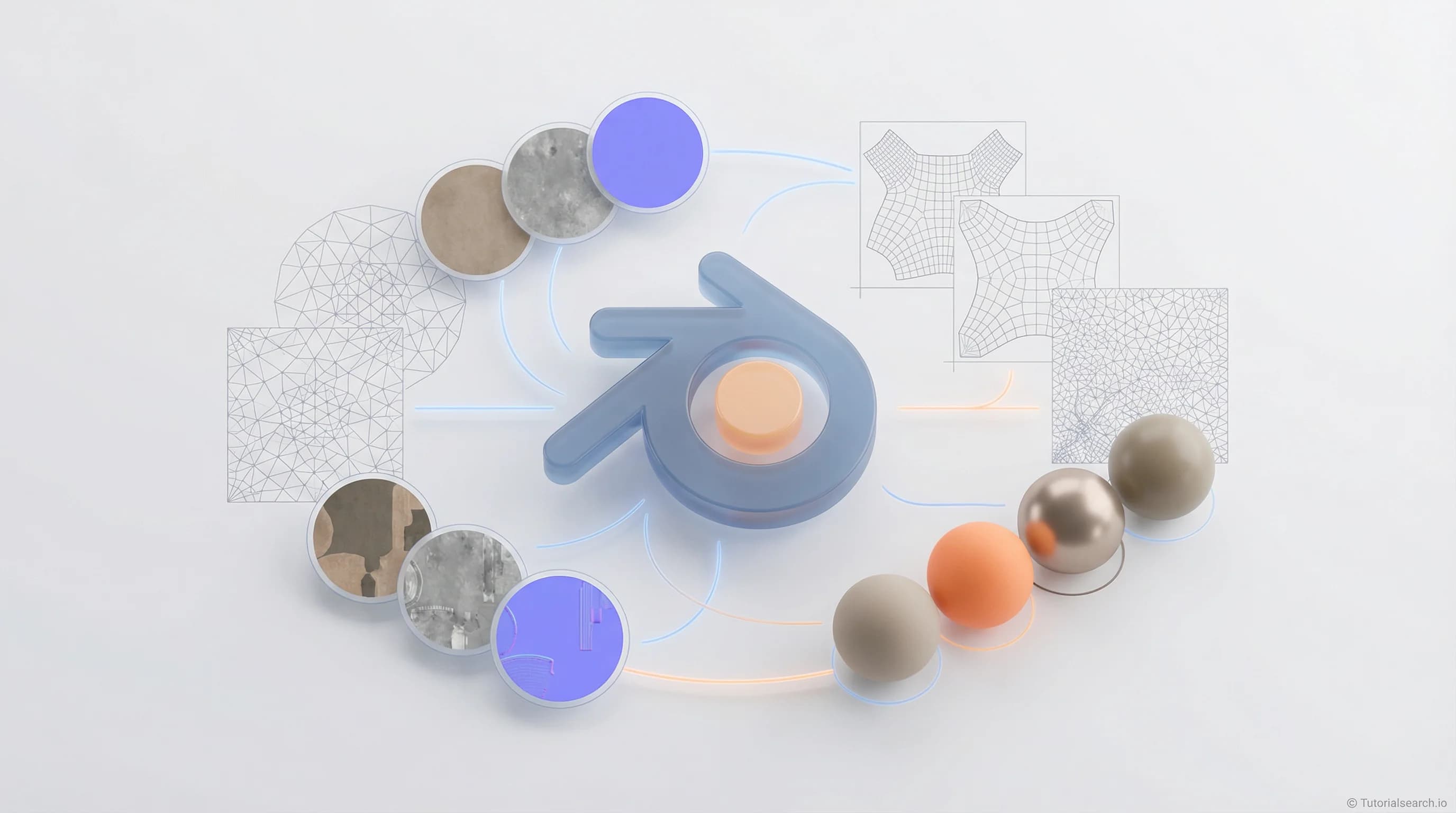
Blender Texturing — Pick Up These Skills First
Blender texturing starts with UV unwrapping, not just applying images to your model. Here are the courses, free tools, YouTube channels, and resources that will actually build your skills.
Hire the developers behind TutorialSearch.io
We built this site — full-stack web apps, AI integration & automation. Tell us what you need and we'll build yours.
Most people who struggle with Blender texturing run into the same problem. They build a model, get excited to add color and surface detail, then apply an image texture — and it looks completely wrong. Stretched on one side, compressed on another, totally falling apart at the seams.
The culprit is almost always UV unwrapping. It's the process of unfolding your 3D model's surface into a flat 2D map, like cutting open a cardboard box so it lies flat. Without clean UVs, Blender has no framework for applying a 2D image to a 3D shape in any coherent way. Once that clicks, everything else in Blender texturing starts to make sense.
This guide covers the courses, free tools, YouTube channels, and GitHub repos that will help you build solid texturing skills — whether you're painting stylized characters, setting up PBR materials for game assets, or going deep with procedural nodes. There are 152+ courses in the Blender texturing collection on TutorialSearch if you want to explore beyond what's listed here.
Key Takeaways
- Blender texturing depends on UV unwrapping — clean UVs are the foundation that makes everything else work.
- The Principled BSDF shader in Blender's Shader Editor handles most real-world PBR material setups.
- Free libraries like Poly Haven and Ambient CG give you professional-quality textures at no cost.
- Blender's built-in texturing tools cover most workflows — Substance Painter is not required to get started.
- Procedural textures built with nodes are one of Blender's biggest advantages over other 3D tools.
In This Article
- Blender Texturing Courses Worth Your Time
- Pick Your Path: Which Approach Fits You?
- Free Blender Texturing Resources That Are Surprisingly Good
- Blender Texturing YouTube Channels That Actually Teach You Something
- Blender GitHub Repos Worth Starring
- For the Long Game: Blender Books and In-Depth Guides
- Related Blender Skills Worth Exploring
- Frequently Asked Questions About Blender Texturing
Blender Texturing Courses Worth Your Time
There are two dominant texturing paths in Blender, and knowing which one to focus on first matters. Image-based texturing works with real photographs or painted images applied through UV maps. Procedural texturing builds materials from scratch using Blender's node network — no external images at all. Most serious projects combine both. But beginners who try to learn both simultaneously usually end up half-understanding each.
My honest recommendation: learn UV unwrapping and image-based texturing first. Get one character or environment asset looking genuinely good. Then add procedural nodes to your skill set. The two approaches reinforce each other once you have some grounding.
With that said — here are the courses I'd actually recommend:
Blender 3D: Deep Dive Into Texturing — SouthernShotty3D (Skillshare) [Editors' Choice]
This is the course I'd send a friend to first. SouthernShotty3D is one of the sharper Blender educators on Skillshare — visual, efficient, and he doesn't pad his explanations. The intermediate level is accurate: this course assumes you know your way around Blender's interface and jumps straight into material creation, stylized texturing, and shader setup. Rated 4.3 stars with 4,190 students.
Unlike generic beginner courses, this one specifically focuses on achieving aesthetics — making your textures look intentional rather than just technically correct. That's a distinction that matters a lot in practice.
Creating Textures Procedurally In Blender With Nodes — Joe Baily (Udemy) [Editors' Choice]
Procedural texturing is where Blender genuinely outpaces competing software. Build a material that tiles seamlessly, responds naturally to light, and never looks flat — without a single external image file. Joe Baily's approach is methodical and teaches the logic of the node system, not just specific setups to copy. Rated 4.5 stars. If you ever want to understand why a material looks right (or wrong), this is the course that builds that intuition.
Blender 3D Realistic Product Visualization / Animation — Sheraz Yousaf (Udemy)
Rated 4.8 stars — the highest-rated course in this roundup, and it surprised me. On the surface, it's a product visualization course. But the texturing and PBR materials section is one of the clearest walkthroughs of the Principled BSDF shader I've seen at any price point. If you're aiming for photorealistic renders of hard-surface objects, this is worth it for that section alone.
Bring Your Illustrations to Life with Blender 3D — SouthernShotty3D (Skillshare)
More than 10,000 students have taken this. It's a creative workflow course — the focus is on achieving stylized visual results, not just explaining tools. The material work throughout is excellent, and if you're coming from illustration or graphic design, this framing fits naturally with how you probably already think about color and texture. Take this before the Deep Dive course above if you're newer to 3D.
Blender 3D for Beginners: Complete Modeling & Texturing Guide — The Parabox 3D (Udemy)
Nearly 10,000 students, 4.4 stars. This is the "full pipeline in one place" option. It covers modeling and texturing together, ending with a fantasy character project that puts everything into practice. The Shader Editor section is well-paced. Best choice if you want to learn both disciplines without switching between multiple courses.
Blender: Create a Sword for Unity 3D Asset Store — Waqas Khalid (Udemy, FREE) [Editors' Choice]
The free standout. This course focuses on UV unwrapping and game-ready asset texturing — exactly the workflow that trips up most Blender beginners working toward games. The scope is narrow enough that you'll actually finish the project, which matters more than most people acknowledge. If you take one free course from this list, make it this one.
Creating a Sci-Fi Gun in Blender (Pluralsight, Expert level)
Not for beginners. This is for people who already know Blender texturing basics and want to tackle a complex, real-world asset project. A detailed sci-fi weapon forces you to make real decisions about texel density, normal map baking, and material budget. Pluralsight's interface can feel stiff, but the content is genuinely advanced-level.
Blender Total! From Basic to Advanced 3D! — Gustavo Rosa (Udemy)
Rated 4.8 stars with nearly 10,000 students. A comprehensive course covering materials, texturing, lighting, and rendering. The materials section covers PBR workflows in both EEVEE and Cycles. A strong choice if you want everything in one course and don't mind significant scope.
Search TutorialSearch for more Blender texturing courses — you can filter by skill level and platform.
Pick Your Path: Which Approach Fits You?
Not sure where to begin? This quick table maps your goals to the right starting point.
| Your Goal | Start With | Then Add |
|---|---|---|
| Stylized characters or game assets | UV unwrapping + image textures | Texture painting, normal baking |
| Photorealistic product or arch viz renders | Principled BSDF + PBR libraries | HDRI lighting, displacement maps |
| Abstract motion graphics or VFX | Procedural nodes (Shader Editor) | Geometry nodes, animation |
| Game dev (Unity / Unreal export) | UV unwrapping + baking workflow | Low-poly optimization, game engine export |
| Indie animation or short films | Stylized materials + lighting | Rendering in Cycles, compositing |
The honest advice: pick one row and stay in it until you have a finished, good-looking asset. Blender rewards depth more than breadth, especially at the start.
Free Blender Texturing Resources That Are Surprisingly Good
The combination of Blender's official documentation, community-built tutorials, and free PBR libraries is genuinely excellent. Here's what's worth your time.
Official Blender Documentation
The Blender Manual's Shader Editor section is comprehensive and always current. Use it as reference, not as a tutorial — go there when you need to understand exactly what a node does or what a specific UV setting controls. The shading release notes are useful for tracking what changed between major Blender versions.
CG Cookie: Fundamentals of Texturing in Blender
CG Cookie's fundamentals course is one of the most thorough free-entry resources available. It covers UV mapping, image textures, procedural texturing, and PBR workflows in a structured sequence. CG Cookie has a paid tier for deeper courses, but this fundamentals course is accessible and worth doing before jumping into any paid option.
Blender Guru's Texturing Tutorials
Andrew Price's Basics of Realistic Texturing is still one of the best free introductions to PBR texturing available. Yes, it's a few years old. The principles haven't changed. He covers the Principled shader, normal maps, and the reasoning behind PBR that most tutorials skip over. Blender Guru's full site is worth bookmarking.
Poly Haven
Poly Haven is a free, CC0 PBR texture library with hundreds of high-quality assets — scan materials, fabric, concrete, wood, metal. CC0 means you can use everything commercially without attribution. The quality is professional-grade. This is genuinely the first place to look when you need a real-world surface for a project.
Ambient CG
Ambient CG is Poly Haven's best complement. Different material selection, same quality and licensing. Between the two, you'll cover almost any surface a project could need.
Blender 3D: Noob to Pro (Wikibooks)
The Noob to Pro materials chapter is rough around the edges and community-edited, but it explains the conceptual foundations of Blender materials in plain language. Read it when you're confused about why something works, not just how to do it.
Blender Artists Community
Blender Artists is the main community forum. The Materials and Textures subforum is where working Blender artists debug shader setups, share techniques, and answer questions. If you're stuck on something specific, searching here will usually surface a similar case someone solved already.
Blender Community Discord
The official Blender Discord is active and beginner-friendly. Posting a screenshot of your node setup and asking "why does this look wrong?" usually gets a useful response within minutes.
Blender Texturing YouTube Channels That Actually Teach You Something
Hire the developers behind TutorialSearch.io
We built this site — full-stack web apps, AI integration & automation. Tell us what you need and we'll build yours.
Blender Guru [Editors' Choice]
Andrew Price built the channel that introduced more people to Blender texturing than any other single resource. The famous Donut tutorial's shading section covers PBR setup from scratch. For texturing specifically, his older "Realistic Texturing" series explains the reasoning behind every decision — that's what separates it from channels that just show you button presses.
CG Matter
This channel is where to go for procedural texturing. CG Matter specializes in noise textures, color ramps, and node networks that build complex materials without any image files. The tutorials are dense — a lot of information in a short runtime — but the quality is high. Excellent once you have the basics.
Ryan King Art
Consistently underrated in "best Blender channels" discussions. Ryan King's materials and procedural shader tutorials are clear and genuinely useful. He explains why each node connection matters, not just what to connect. Good for intermediate texturing topics that Blender Guru doesn't cover in depth.
Gleb Alexandrov
Gleb Alexandrov approaches Blender texturing as an artistic discipline, not just a technical one. His work focuses on the relationship between materials, lighting, and final rendered output — the stuff that determines whether a render feels convincing rather than just technically correct. Recommended once you have the fundamentals and want to push your results further.
Blender Secrets
Short, dense, practical. 60-second videos that cover specific UV tips, material shortcuts, and texture tricks. Not a place to learn from scratch, but excellent for picking up targeted techniques once you have a base. Great to watch between longer projects.
CrossMind Studio
Detailed, methodical tutorials covering texture painting and material creation. CrossMind fills the gap between Blender Guru's beginner-friendly pace and the more advanced procedural content on CG Matter. If you want structured walkthroughs of specific texturing tasks, this channel consistently delivers.
Blender GitHub Repos Worth Starring
agmmnn/awesome-blender — ⭐ 6.6k stars
awesome-blender is the most complete curated list of Blender resources anywhere. The UV tools section specifically covers addons that extend Blender's native capabilities: TexTools for professional UV manipulation, Magic UV for comprehensive UV editing, and UV-Packer for automated UV layout. The materials section links to PBR libraries, community shader packs, and procedural texture resources. Worth reading through in full.
mikeroyal/Blender-Guide
The Blender Guide by mikeroyal is a documentation-oriented reference covering Blender's full feature set — rendering, compositing, materials — with links to official documentation. More useful as a structured reference than as a learning resource, but helpful when you want to understand where different features fit together.
Essential texturing addons worth knowing:
- TexTools — Professional UV manipulation; widely used in game asset pipelines. Extends Blender's native UV editing significantly.
- Principled-Baker — Automates PBR texture baking. Saves real time when transferring high-detail sculpts to game-ready meshes.
- Layer Painter — Adds a Photoshop-style layer system to Blender's texture paint mode. A strong option if you're used to layer-based painting tools.
All three are free. If you get serious about Blender texturing, you'll likely end up using at least one.
For the Long Game: Blender Books and In-Depth Guides
Most people learn Blender texturing through video, and that makes sense — it's visual software. But a couple of text resources are worth knowing.
Official Blender Manual
The full Blender documentation is maintained by the Blender Foundation and covers every feature in current versions. For texturing, the Shader Editor section, UV Editor section, and Texture Paint mode documentation are directly relevant. It's not a tutorial, but as a reference it's authoritative and always up to date.
Open Shading Language for Blender — Michel Anders
If you want to write custom shaders from scratch — actually programming material behavior rather than just connecting existing nodes — this is the resource. It's technical and assumes some programming comfort. Not for beginners, but it covers ground that nothing else does for artists who want ultimate material control.
CG Cookie's In-Depth Courses
CG Cookie sits between YouTube tutorials and structured courses. Their multi-part series on texturing workflows, UV mapping, and Principled BSDF go significantly deeper than anything freely available on YouTube. Worth the subscription cost if you're committed to Blender texturing as a skill.
Related Blender Skills Worth Exploring
Blender texturing doesn't exist in isolation. The skills that pair with it most directly:
Blender Modeling — Your textures can only look as good as your UV maps, and your UV maps can only be as good as your mesh topology. Clean geometry makes texturing dramatically easier. (316 courses)
Digital Sculpting — Sculpted detail gets baked into textures and applied to low-poly game meshes. Texturing and sculpting are deeply connected in most production pipelines. (267 courses)
Animation Skills — Once your assets are textured, animation is the natural next step. The two skills combine for the complete 3D art workflow. (574 courses)
3D Visuals — Rendering and compositing are where your texturing work gets seen. Materials that look good in the viewport need to be set up correctly for final renders. (313 courses)
Motion Graphics — Stylized Blender texturing translates directly into motion graphics work. The procedural material skills especially carry over. (558 courses)
Cinema 4D Modeling — If you're heading toward studio production, Cinema 4D is the main creative alternative to Blender. The texturing concepts overlap significantly. (244 courses)
All of these live in the Animation & 3D category on TutorialSearch — worth browsing if you're planning a longer skill-building path.
Frequently Asked Questions About Blender Texturing
How long does it take to learn Blender texturing?
Most people reach functional competence with the basics in 2–4 weeks of regular practice. That means UV unwrapping, setting up a Principled BSDF material, and applying image textures cleanly. Procedural texturing with nodes takes longer — expect 1–3 months before you're building complex materials with real confidence. Advanced techniques like texture baking or custom shader programming are longer journeys, but most projects don't require them.
Do I need modeling skills before learning Blender texturing?
You need the basics — enough to open Blender, navigate the viewport, and handle a simple mesh. You don't need to be an expert modeler. Many texturing courses come with pre-made models to practice on. That said, if you want to texture your own work, some modeling knowledge is unavoidable. Running Blender modeling courses in parallel with texturing study is a reasonable approach.
Do I need Substance Painter for Blender texturing?
No. This is the most common piece of advice I'd push back on. Substance Painter is a professional tool worth learning eventually — but most people don't need it to get started, and most hobbyists never need it at all. Blender's built-in texture painting combined with free PBR libraries like Poly Haven handles the majority of workflows. Splitting your attention across two complex applications at the start will slow you down more than it helps. Master Blender's tools first, then decide if Substance Painter solves a specific problem you're actually hitting.
What's the difference between procedural and image-based texturing in Blender?
Image-based texturing uses actual image files — photographs or painted textures — applied to models through UV maps. Procedural texturing builds materials mathematically using Blender's node system, with no external images required. Procedural textures tile perfectly, scale to any resolution, and are easy to modify. Image textures tend to look more detailed and organic but require careful UV work. Most real projects combine both. You can explore both approaches in the Blender texturing course collection.
What are PBR materials in Blender texturing?
PBR stands for Physically Based Rendering. It's the standard framework for materials in modern 3D software. In Blender, PBR materials use the Principled BSDF shader, which simulates how light actually interacts with surfaces — using values for roughness, metallic, specular, and other physical properties. The main advantage is that PBR materials look correct under different lighting conditions without constant manual adjustment. Almost every serious Blender texturing workflow uses PBR as its foundation.
What software is best for Blender texturing?
Blender itself handles the full texturing workflow — UV unwrapping, texture painting, material creation via the Shader Editor, and baking. You can integrate external software like Substance Painter for complex hand-painted textures, but it's optional. For most purposes, Blender's built-in tools combined with free texture libraries like Poly Haven and Ambient CG are everything you need.
The fastest way to improve at Blender texturing is to finish something. Pick one model, get it looking genuinely good, and understand why every decision worked or didn't. The technical knowledge builds naturally from there. SouthernShotty3D's Deep Dive Into Texturing is the best starting point if you want structure — or browse the full Animation & 3D course catalog to map out your own path.