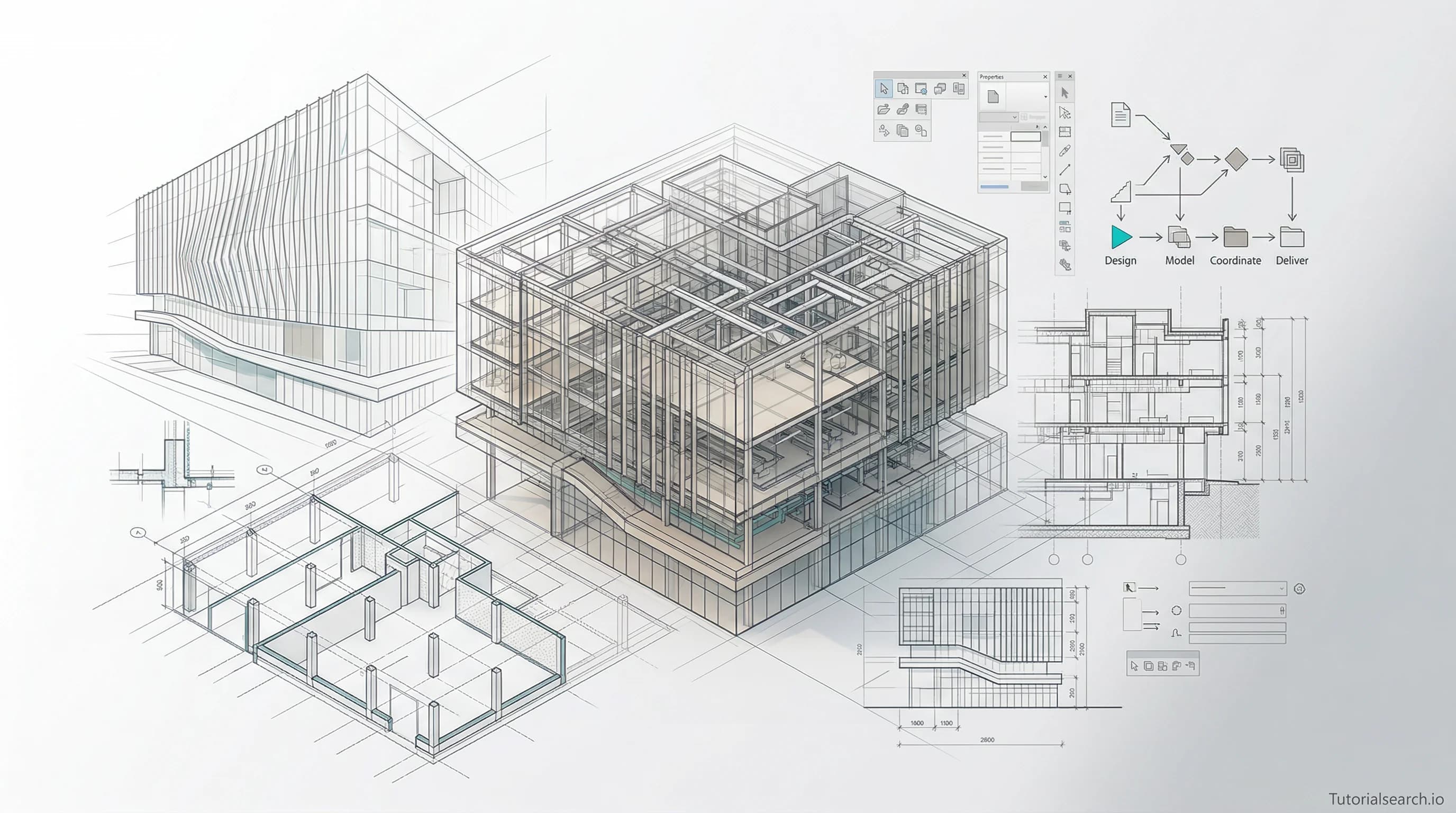
BIM Design Courses Worth Your Time (Free & Paid)
BIM design is now mandatory on most large construction projects worldwide. Here are the best Revit, ArchiCAD, and Navisworks courses, free resources, and tools to build professional BIM skills fast.
Need a web app built? Hire the team behind TutorialSearch.io
We ship fast, production-grade full-stack apps (Next.js, React, edge infra) — the same stack that powers this site.
BIM design skills have become the new baseline in architecture and engineering. If you're still working in 2D CAD while your colleagues deliver coordinated 3D models, you're already a step behind on most public projects.
Governments across the UK, Australia, Singapore, and much of Europe now require BIM (Building Information Modeling) on public construction contracts. The US federal government followed for major infrastructure work. Private clients are writing it into contracts too. The BIM market was valued at $5.2 billion in 2019 and is projected to hit $15.06 billion by 2027. That's what mandatory adoption looks like.
There are 117+ BIM design courses on TutorialSearch.io — covering everything from Revit architecture to clash detection. But more options isn't always helpful when you're deciding where to start. This guide cuts through the noise.
Key Takeaways
- BIM design is now required on most large public construction projects worldwide
- Autodesk Revit dominates the job market, but ArchiCAD and Navisworks each fill critical roles
- You can start learning BIM design for free — several excellent courses and tools cost nothing
- BIM coordinator salaries start at $50,000-$70,000; BIM managers earn $80,000-$120,000+
- Pick one software first, complete a real project with it, then expand your toolkit
In This Article
- The BIM Design Training That Actually Delivers
- BIM Software: Which One Should You Learn First?
- Free BIM Design Resources That Are Surprisingly Good
- BIM Design YouTube Channels Worth Subscribing To
- BIM Design GitHub Repos Worth Starring
- For When You Want to Go Deep With BIM
- The BIM Design Communities Worth Joining
- Related Skills Worth Exploring
- Frequently Asked Questions About BIM Design
The BIM Design Training That Actually Delivers
Most BIM beginners make the same mistake: they try to learn "BIM" as a concept before picking specific software. That's like deciding to become a chef and spending a week reading about kitchens before ever touching a pan.
Pick your software first. Learn it through an actual project. Then expand.
For 95% of architects and engineers, that first software should be Autodesk Revit. Not because it's the easiest to learn — it isn't — but because it's where the jobs are. The courses below start with the best free entry point and move toward professional specialization.
1. Mass Building using Autodesk Revit (Free) [Editors' Choice]
Instructor: 3DTraining.com | Rating: 4.5★ | 35,507 students
This is the most-enrolled free Revit course available, and it earns that by covering mass modeling — the conceptual design phase where BIM thinking actually starts. You learn how Revit "thinks" about buildings before getting into walls, windows, and construction documentation.
Most free Revit courses just show you where the buttons are. This one teaches you a design workflow. That's a different thing entirely, and it's the difference that actually sticks.
2. Revit 2025 for Interior Design Mastery + Advanced Rendering (Paid) [Editors' Choice]
Instructor: Farimah Ghavanlou | Rating: 4.87★ | 1,315 students
The highest-rated Revit course in this roundup. Ghavanlou builds projects from scratch and consistently explains the why, not just the how. The rendering section — covering both Revit's native engine and Enscape integration — is worth the full price on its own.
Interior designers get shortchanged in most BIM training, which skews toward structural and architectural documentation. This course addresses that gap directly.
3. Revit Families — From Beginner to Pro (Paid)
Instructor: Mark Thompson | Rating: 4.6★ | 7,855 students
Revit Families are the custom components — doors, windows, furniture, equipment — that make your models actually useful on site. Weak family-building skills are the single biggest bottleneck for intermediate Revit users. Thompson's course covers parametric families, nested families, and adaptive components with clear, replicable examples.
Take this after you've worked through the basics.
4. Villa Project — Project-Based Revit Architecture 2024 (Paid)
Instructor: Ghasem Ariyani, BIM Manager | Rating: 4.74★ | 1,185 students
Ariyani is an actual BIM Manager, so the course has professional habits embedded throughout — proper naming conventions, sheet organization, coordination setup. Learning by building a complete real-world project is always more effective than learning features in isolation. By the end, you have something portfolio-ready.
5. Autodesk Navisworks 2026 — From Zero to BIM Coordination (Paid) [Editors' Choice]
Rating: 4.7★
Navisworks is how you coordinate BIM — combining models from different disciplines (architecture, structure, MEP) and running clash detection to find conflicts before they become expensive on-site surprises. This is what separates a Revit modeler from a BIM Coordinator, and coordinators earn significantly more. If you're targeting a professional BIM role, Navisworks is not optional.
6. Introduction to BIM with ArchiCAD (Free) [Editors' Choice]
Rating: 4.6★
ArchiCAD gets underestimated because Revit dominates the conversation. But ArchiCAD has a more architect-native interface and is the dominant BIM platform across much of Europe, particularly in Germany, Austria, Hungary, and Scandinavia. If your firm or your target market uses ArchiCAD, this free course is the clearest starting point available.
7. Revit MEP Complete — Electrical, Plumbing and HVAC (Paid)
Instructor: AulaGEO Academy | Rating: 4.1★ | 13,893 students
MEP (Mechanical, Electrical, Plumbing) design in Revit is its own discipline, and most architecture-focused courses skip it entirely. This comprehensive course from AulaGEO Academy covers all three MEP systems inside Revit, with the kind of depth that engineering teams need.
You can browse the full BIM design course library on TutorialSearch to compare options by rating, platform, and price.
BIM Software: Which One Should You Learn First?
Everyone has an opinion on this. Here's a direct comparison:
| Software | Best For | Learning Curve | Cost |
|---|---|---|---|
| Autodesk Revit | Architecture, MEP, Structural | Steep | Paid (free for students) |
| ArchiCAD | Architecture (Europe-focused) | Moderate | Paid (free for edu) |
| Navisworks | BIM Coordination, Clash Detection | Moderate | Paid |
| Autodesk Civil 3D | Civil Infrastructure | Steep | Paid |
| Tekla Structures | Structural Steel | Steep | Paid |
The honest assessment: learn Revit first unless your firm uses something else. Add Navisworks when you're ready to specialize in coordination. Consider ArchiCAD only if your target market is European firms or if that's specifically what your employer uses.
One thing worth pushing back on: the popular advice to "learn BIM concepts before software" sounds sensible but usually means spending months reading before doing anything useful. The concepts click far faster once you're actually inside a model.
Free BIM Design Resources That Are Surprisingly Good
Autodesk Learning Center — Autodesk's official tutorials have improved significantly. The Revit Architectural Design pathway takes you from basics to certification prep for free. The structured pathway format makes it easy to track where you are.
BIM Pure — Created by Nicolas Catellier, this site offers structured BIM and Revit learning with a clear progression. The free tier covers core concepts well. Catellier is one of the cleaner Revit teachers working today — he simplifies without oversimplifying.
Plannerly Free BIM Certifications — Bite-sized BIM certification courses with shareable badges, covering beginner through advanced levels. These include ISO 19650 (the international standard for BIM information management) and are genuinely useful for showing employers you understand BIM methodology, not just Revit shortcuts.
Revit Tutorials — A community-maintained reference site with step-by-step tutorials organized by topic. Most useful for "I need to learn this specific thing right now" moments. The MEP section is particularly well-organized.
Clash Detection in BIM and Construction Projects (Free, 4.6★) — A free Udemy course focused entirely on clash detection workflow. It covers the theory, the Navisworks process, and how to report and resolve clashes. Clash detection is one of BIM's highest-value practical skills — this course teaches it at no cost.
Transforming Organizations from CAD to BIM (Free, 4.2★) — If you've been handed a BIM transition project at your firm, or if you're trying to make the case for adoption, this course covers both the strategic and technical sides of the CAD-to-BIM migration.
For those interested in how data quality and model validation fit into BIM workflows, the Software Quality courses on TutorialSearch cover the underlying methodologies that apply directly to BIM data management.
BIM Design YouTube Channels Worth Subscribing To
Need a web app built? Hire the team behind TutorialSearch.io
We ship fast, production-grade full-stack apps (Next.js, React, edge infra) — the same stack that powers this site.
Balkan Architect — 572,000+ subscribers, nearly 1,000 tutorials, with new videos posted almost daily. Balkan Architect covers Revit, ArchiCAD, SketchUp, and rendering tools across a range of skill levels. If you can only subscribe to one BIM channel, this is the one. The pace is fast but the explanations are consistently clear.
Aussie BIM Guru — Created by Gavin Crump, a licensed architect who documents real-project BIM workflows. 41,000+ subscribers, 350+ videos. What makes Crump's channel valuable for intermediate learners is that he explains the reasoning behind his decisions — not just "click here," but "here's why this matters for coordination."
That BIM Girl — A good mix of tips, tricks, and workflow content with a casual tone that makes it less intimidating for beginners. The channel is especially useful for picking up practical shortcuts that don't usually make it into structured courses.
ArchiCAD Tutorials by Eric Bobrow — 30,000+ subscribers focused entirely on ArchiCAD. Bobrow's teaching style is patient and methodical, which makes him the best ArchiCAD teacher on YouTube for people learning from scratch. The fundamentals playlist is the right starting point.
Revit Pure YouTube — Nicolas Catellier's video companion to BIM Pure. Short, focused tutorials that simplify complex Revit concepts without glossing over the important parts.
BIM Design GitHub Repos Worth Starring
BIM has a more active open-source community than most people realize.
awesome-bim — A curated collection of BIM libraries, software, frameworks, and tools organized by use case: viewers, data processing, automation, APIs, and more. If you're a developer working in AEC, this is your reference. Even non-developers will find the software directory useful for discovering tools they didn't know existed.
natnew/BIM-Resources — A learning-focused repo with links to books, academic papers, and tutorials organized by BIM topic. Less curated than awesome-bim but broader in scope. Good for going beyond the typical course-based resources.
GitHub BIM Topic — Browse the entire ecosystem of open-source BIM tools. You'll find IFC file viewers (IFC — Industry Foundation Classes — is the open standard for exchanging BIM data between software), automation scripts, data extraction tools, and more. The activity here reflects how much the AEC industry is investing in interoperability.
If you're interested in automation testing principles — which apply directly to automated model validation, Dynamo scripting in Revit, and BIM workflow automation — these repos give you a practical starting point.
For When You Want to Go Deep With BIM
Courses teach you software. Books teach you how to think about BIM. There's a real difference, and both matter at a certain point.
BIM Handbook: A Guide to Building Information Modeling by Chuck Eastman, Paul Teicholz, Rafael Sacks, and Kathleen Liston — This is the standard professional reference text for BIM. Dense, but comprehensive: it covers BIM technology, implementation strategy, legal and contractual issues, and detailed case studies. If you're moving into a BIM Manager role, this is the book you need on your shelf.
Building Information Modeling for Dummies by Stefan Mordue, David Philp, and Paul Swaddle — A more readable entry point than most academic texts. It covers BIM fundamentals, the ISO 19650 standard, and implementation strategy in plain language. Better for getting up to speed than reading white papers.
Autodesk Revit for Beginners 2026 by Michael Collins — The most current Revit-focused book available if you prefer a structured textbook alongside your course work.
AEC Magazine — The best ongoing source for keeping up with BIM technology trends. AEC Magazine covers digital twins, AI in design, Autodesk software updates, and the business side of BIM adoption. Free to read online, and consistently more useful than press releases.
The BIM Design Communities Worth Joining
BIMForum — The professional organization for BIM in the US, with working groups, standards publications (their Level of Development Specification is the industry reference for what detail to model at each project stage), and annual conferences. Not a casual community — this is where serious BIM professionals work on standards together.
r/Revit — Surprisingly active, surprisingly helpful. People post real workflow problems and get genuine answers from practitioners. The file troubleshooting threads alone save hours of frustration. Good for the "I've been stuck on this for 30 minutes" moments that happen regularly in the early learning stages.
Autodesk Community Forums — The official Autodesk support forum. Slower-paced than Reddit but more authoritative for complex technical questions. Autodesk specialists monitor it. Better for in-depth Revit behavior questions than for community discussion.
Autodesk University — Held annually in September in Las Vegas. Three days of hands-on labs, training sessions, and networking with the people building and using BIM at the highest professional level. Worth attending at least once.
If your BIM work extends into project data analysis — cost modeling, construction scheduling, performance reporting — the data analysis courses on TutorialSearch pair well with BIM coordination work. And test design principles apply directly to how you validate BIM model data and structure clash detection workflows.
Related Skills Worth Exploring
BIM design doesn't exist in isolation. These skills pair directly with it:
- Software Quality — Data quality and validation methods matter in BIM as much as in software development. 504+ courses available.
- Automation Testing — BIM workflow automation (Dynamo scripting, automated model checking) draws directly on automation thinking. 902+ courses available.
- Data Analysis — Extracting project data from BIM models and working with construction analytics. 522+ courses available.
- Test Design — The systematic approach to validating complex systems applies to BIM model validation workflows. 791+ courses available.
- Excel Analysis — BIM data exports frequently land in spreadsheets. Excel skills make that data usable. 698+ courses available.
Frequently Asked Questions About BIM Design
How long does it take to learn BIM design?
Most people get comfortable with Revit basics in 3 to 4 months of consistent practice. Getting to professional competency — contributing to real projects without constant reference checks — takes 12 to 18 months. Full mastery of BIM workflows across families, coordination, documentation, and scheduling takes several years. The useful news: you can contribute meaningfully to real projects well before you've mastered everything. Start with the Mass Building course and build from there.
Do I need CAD experience to learn BIM design?
No, but some CAD background helps a little. CAD experience teaches you how to think about drawings and documentation — that transfers. BIM is different enough from 2D CAD that prior experience isn't required, though. In fact, experienced CAD users sometimes have to unlearn habits that don't translate well into parametric modeling. Many successful BIM practitioners learned Revit as their very first design software. Browse the BIM design courses on TutorialSearch to find beginner-friendly starting points.
Can I get a job with BIM design skills?
Yes — and demand is strong. BIM coordinators in the US start at $50,000 to $70,000 annually. BIM managers earn $80,000 to $120,000 or more. The biggest hiring increases right now are in coordination and management roles, where Revit plus Navisworks proficiency is the baseline expectation. Autodesk certifications, available through Autodesk Learning, add measurable credibility in job applications. BIM skills have moved from "nice to have" to required in most AEC firms above a certain size.
Which BIM software should I learn first?
Revit, almost certainly. It's used by roughly 60% of AEC firms globally, and it's what most job listings ask for. The exceptions: if you're specifically targeting European architecture firms (ArchiCAD is common there), civil infrastructure work (Autodesk Civil 3D), or structural steel fabrication (Tekla Structures). When in doubt, start with Revit and add Navisworks when you're ready to specialize in project coordination.
What is ISO 19650 and do I need to know it?
ISO 19650 is the international standard for BIM information management — it defines how project teams create, share, and manage digital building information throughout a project's lifecycle. For most practitioners, basic awareness is useful. You'll encounter references to it on major projects. You don't need to memorize it. But if you're targeting a BIM Manager role or working on large international projects, a working knowledge matters. Plannerly's free certification courses cover the ISO 19650 basics at no cost and are the fastest way to get up to speed.
The best first step depends on where you're starting. Complete beginner? Take Mass Building using Autodesk Revit — it's free, it has 35,000+ students, and it teaches you how BIM actually thinks about buildings. Already comfortable with the basics? Revit Families or Navisworks coordination is where professional differentiation starts.