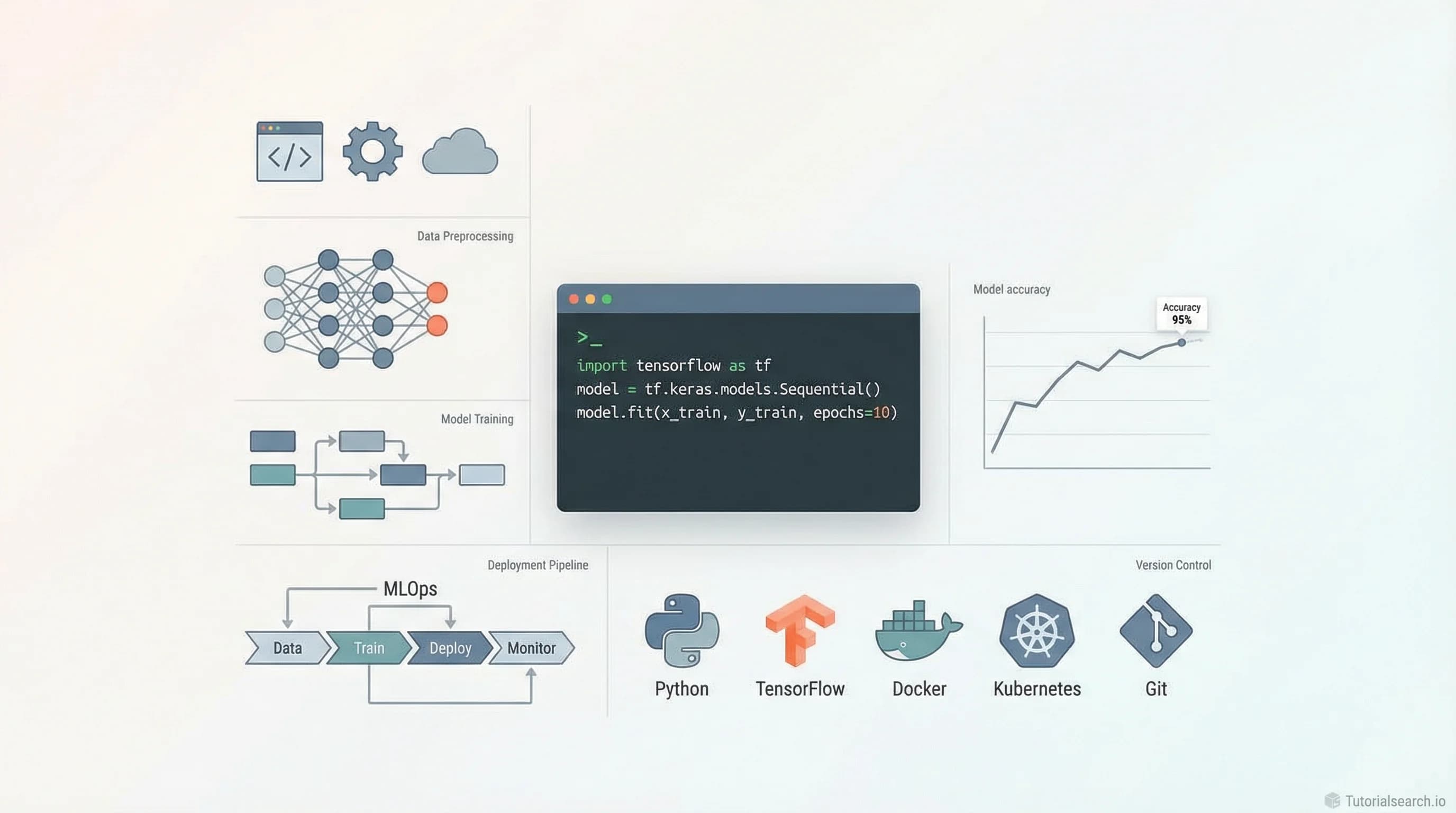
AI Project Development: Build, Train, and Ship
AI project development covers the full lifecycle from idea to deployed application. Here are the courses, GitHub repos, and free tools that teach you to ship.
Want AI in your product? Hire the team behind TutorialSearch.io
LLM features, RAG, agents and automation wired into a real product — built by the devs who shipped this site.
Most people who want to build AI projects make the same mistake: they start by picking a model. They hear about GPT-4 or a new transformer architecture, get excited, and dive straight into code. Six months later, they have a notebook full of experiments and nothing shipped.
AI project development isn't about choosing the right model first. It's about understanding the problem, preparing the right data, and building a system that actually works outside your laptop.
There are over 322 courses on AI project development on TutorialSearch.io, and most of them teach model training. This guide focuses on the ones that teach the full lifecycle — planning, data prep, training, deployment, and monitoring. You'll also find the GitHub repos that give real structure, the YouTube channels worth watching, and the free tools where you can practice on actual problems.
Key Takeaways
- AI project development covers the full lifecycle: planning, data prep, training, evaluation, and deployment
- The biggest mistake beginners make is starting with a model instead of a problem
- The best AI project courses teach end-to-end MLOps, not just model training
- Free platforms like Kaggle and Hugging Face let you practice on real data at no cost
- You can build and deploy AI projects without a machine learning degree
In This Article
- Where AI Project Development Goes Wrong
- The AI Project Development Courses Worth Your Time
- AI Project Development GitHub Repos Worth Bookmarking
- AI Project Development YouTube Channels That Teach You Something
- Free Tools to Practice AI Project Development
- Books That Go Deep on AI Project Development
- AI Project Development Communities Worth Joining
- Related AI Skills Worth Exploring
- Frequently Asked Questions About AI Project Development
Where AI Project Development Goes Wrong
The tutorials make it look easy. Download a dataset, fit a model, print the accuracy. Done.
The real problem is everything that comes after. Your model runs fine in a Jupyter notebook — but then what? How do you serve it to actual users? How do you know when it starts degrading in production? How do you version your data alongside your code?
These questions don't show up in "intro to machine learning" videos. They get answered in MLOps courses, end-to-end project guides, and deployment tutorials. And skipping them is why so many AI projects never ship.
If I were starting over, I wouldn't touch model architecture until I'd completed at least one project from raw data to a live endpoint. That's the fastest way to understand what actually matters.
Before picking a course, ask yourself: does this teach me how to ship something, or just how to train something? Those are different skills. Most introductory courses teach the second one only.
The AI Project Development Courses Worth Your Time
These aren't all the options — TutorialSearch.io has hundreds of AI project courses — but they're the ones that cover the full lifecycle or do one phase well enough to be genuinely useful.
1. AI For Developers With GitHub Copilot, Cursor AI & ChatGPT (Udemy) [Editors' Choice]
Academind by Maximilian Schwarzmüller — 4.5★ · 23,599 students · Paid
Schwarzmüller is one of the most reliable instructors on Udemy — he doesn't pad his courses. This one covers GitHub Copilot, Cursor AI, and ChatGPT as real development tools, not just autocomplete tricks. You'll see how to integrate AI into a working development workflow and build apps that leverage these tools meaningfully.
If you're a developer who wants to build AI-powered products without becoming a data scientist, start here. The 23,000+ student count isn't an accident.
2. End-to-End Machine Learning: From Idea to Implementation (Udemy) [Editors' Choice]
4.9★ · 8,404 students · Paid
This course is talked about less than it deserves. 4.9 stars across more than 8,000 students is a strong signal. The title tells you exactly what it delivers: problem framing through to a deployed model. The emphasis on implementation — not theory — sets it apart from the flood of "intro to ML" courses that stop the moment training finishes.
If you only buy one AI project development course, this is the one I'd pick.
3. Complete MLOps Bootcamp With 10+ End To End ML Projects (Udemy) [Editors' Choice]
4.6★ · 29,170 students · Paid
MLOps (Machine Learning Operations) is how you turn a trained model into something production-ready. This bootcamp covers Docker, MLflow, AWS deployment, and automated pipelines — all with over 10 complete projects. It's long on purpose. You're not watching explanations. You're building things.
29,000+ students have gone through this. That community is also a resource when you get stuck.
4. Machine Learning Deep Learning Model Deployment (Udemy)
4.7★ · 12,225 students · Paid
Most ML courses stop when the model is trained. This one starts where others end. Deployment — turning a Python notebook into a live API — is a different skill from training. This course focuses exactly there, and the 4.7-star rating with 12,000+ students tells you it delivers.
5. Build Autonomous AI Agents From Scratch With Python (Udemy)
4.5★ · 7,107 students · Paid
AI Agents are shifting how AI projects get built. Rather than single-use models, developers now build systems of agents that plan, reason, and act. This course builds them from scratch in Python. If you want to stay ahead of where AI project development is heading, this is worth the investment.
6. Generative AI for Leaders: How to Use AI in My Business Life (Udemy)
4.6★ · 711 students · Paid
Not every AI project is a deep learning model. If you're scoping projects, working with business stakeholders, or planning AI initiatives without being the person who writes the code, this course covers what technical tutorials ignore: how to think about AI projects, not just build them. Underappreciated pick.
7. Become an AI Accelerated Engineer Using ChatGPT (Udemy) — Free
4.3★ · 2,964 students · Free
Worth grabbing because it's free and legitimately useful. Most AI projects today are built on top of existing AI APIs rather than custom-trained models. This course covers that pattern: using ChatGPT and similar tools as the AI backbone of your app. Lower barrier to entry, faster to a working product.
8. Spring AI: Beginner to Guru (Udemy)
4.4★ · 7,350 students · Paid
An underrated option for Java developers. Almost every AI tutorial assumes Python. This course covers AI project development in the Java ecosystem using Spring AI. If your team runs Java services, this is the bridge that helps you integrate AI without switching stacks.
AI Project Development GitHub Repos Worth Bookmarking
GitHub has some of the best free AI project material available. No paywalls, no email signups — just structured learning content from practitioners.
krishnaik06/Complete-RoadMap-To-Learn-AI
The most practical AI roadmap for someone who wants to go from beginner to working engineer. It covers LLMs, prompt engineering, diffusion models, multi-agent systems, RAG (Retrieval-Augmented Generation — a technique for grounding AI outputs in real data), and production deployment. The sequencing is clear: you can see which skills build on each other before picking your next move.
Good starting point for planning your broader AI Learning path.
Microsoft/generative-ai-for-beginners [Editors' Choice]
21 structured lessons from Microsoft Cloud Advocates — free, on GitHub, with Python and TypeScript code for each concept. Topics include prompt engineering, chat apps, RAG, AI agents, fine-tuning, security, and deployment. The quality is what you'd expect from a well-funded developer education team. If you want a structured course that doesn't require paying, this is it.
aadi1011/AI-ML-Roadmap-from-scratch
A "0 to 100" repository covering supervised learning, unsupervised learning, deep learning, NLP (Natural Language Processing), and reinforcement learning. Items marked with ⭐ are the highest-priority resources in each section. Useful when you have limited time and want to focus on what actually matters first.
dswh/ai-engineer-roadmap
Built for people who want to become AI Engineers — the people who ship AI features, not just research them. Maps skills to tools, with guidance on working with LLM APIs from OpenAI, Anthropic, and Hugging Face. The focus is on building proof-of-concept products at each stage before moving forward.
This pairs well with Applied AI courses if you want structured video to go alongside the roadmap.
AMAI-GmbH/AI-Expert-Roadmap
An interactive chart showing different paths to becoming a data scientist, ML engineer, or AI expert. Originally made for new employees at an AI company, it was released publicly and has accumulated substantial community use. The interactive version at i.am.ai/roadmap links each node to resources.
AI Project Development YouTube Channels That Teach You Something
Want AI in your product? Hire the team behind TutorialSearch.io
LLM features, RAG, agents and automation wired into a real product — built by the devs who shipped this site.
Most YouTube AI content is either too surface-level to be useful or too academic to be practical. These five channels land in the right zone:
| Channel | Best For | Teaching Style |
|---|---|---|
| Krish Naik | Full end-to-end AI projects | Hands-on, builds things to deployment |
| 3Blue1Brown | Understanding the underlying math | Visual animations, not code-first |
| DeepLearning.AI | Structured AI curriculum content | Lecture-style, well-paced |
| CodeEmporium | ML algorithms built from scratch | Code-first, implementation-focused |
| iNeuron Intelligence | LLMs, diffusion models, deployment | Long-form, intensive project sessions |
Krish Naik is probably the best channel for AI project development specifically. His playlists walk through complete projects and — crucially — keep going past the Jupyter notebook. He builds, deploys, and shows the full stack. That's rare.
3Blue1Brown does something different and necessary. His neural network series doesn't show code. It shows why things work — using animated mathematics that makes gradient descent and backpropagation actually click. If you've been copying training loops without understanding what's happening, start here.
DeepLearning.AI on YouTube extends Andrew Ng's curriculum with short concept videos, practitioner interviews, and breakdowns of new research. Good as a background resource while you're working through courses.
One honest note on iNeuron: the sessions run very long. Some sessions are 3-5 hours. If you want a 10-minute explainer, it's the wrong channel. If you're blocking off a full day to build something, it's one of the better options out there.
Free Tools to Practice AI Project Development
Kaggle [Editors' Choice]
Kaggle is the most underrated free resource in AI education. It's not just competitions — it's free courses on Python, machine learning, and deep learning, plus thousands of real datasets and live notebooks. You can fork someone else's notebook, change the approach, and see what happens. That kind of low-stakes experimentation is where real understanding develops.
If you're building your first AI project portfolio, Kaggle notebooks are a legitimate starting point. Employers recognize them.
Google's Teachable Machine
Train an image, sound, or pose classifier directly in your browser. No code required, no setup. The reason to know about this tool: it demonstrates the core loop of AI project development (collect data, label it, train, evaluate, export) in a way that's immediately tangible. Useful for building intuition and for showing non-technical stakeholders what AI can do.
DataWars
Over 1,000 interactive data science projects in a browser-based environment. No environment setup, no package conflicts. You solve real problems directly. Good for sharpening Python and data manipulation skills before you tackle more complex AI projects. Also good for the days when you want to practice without spinning up your full local setup.
Hugging Face Hub
Hugging Face isn't just a model library. Run models in the browser, explore datasets, access free compute through Spaces, and read community discussion boards that are more useful than most forums. If your AI project involves any kind of language or vision model, you'll likely use Hugging Face at some point. Getting familiar with the Hub early saves time.
Books That Go Deep on AI Project Development
Designing Machine Learning Systems — Chip Huyen
The book I'd recommend to anyone who's built a few models and wants to understand what production ML actually looks like. Huyen covers data quality, model evaluation, iteration cycles, monitoring, and deployment realities. Not a beginner book — but the most practical reference for understanding AI project development at scale.
AI Engineering — Chip Huyen
A newer book focused on LLM-based application development: prompt engineering, fine-tuning, RAG, evaluation strategies, and production patterns. If your projects are built on top of foundation models (which most new AI projects are), this is the field manual. Pair it with Designing Machine Learning Systems for full coverage.
Hands-On Machine Learning with Scikit-Learn, Keras & TensorFlow — Aurélien Géron
The standard practical ML reference. Géron shows you how to build and tune models, not just how they work in theory. The exercises at the end of each chapter are genuinely useful. A good companion to the courses above if you want to go deeper on the training side.
The Hundred-Page Machine Learning Book — Andriy Burkov
For the vocabulary and theory side, this is the leanest reference available. Covers supervised learning, unsupervised learning, deep learning, and model evaluation in roughly 100 pages. Read it once to get the foundations right. Come back to specific sections when you're debugging something you don't understand.
AI Project Development Communities Worth Joining
r/MachineLearning — 3 million+ members. This is where practitioners share research papers, project experiments, and career questions. The voting system pushes the useful posts up. A good place to see what problems real engineers are working on.
Learn AI Together Discord — A community built specifically for people learning AI. Regular discussions about news, courses, and projects. Less intimidating than r/MachineLearning for beginners who have questions they're worried will seem basic.
Hugging Face Community — The discussion boards on Hugging Face are active, especially around model implementations, dataset questions, and Spaces (their free compute platform). If you're building with their tools, it's the right place to ask and answer questions.
Kaggle Discussions — Every Kaggle competition has a discussion board, and the post-competition write-ups from winning teams are genuinely valuable. Reading through top solutions is one of the fastest ways to improve your approach to AI project development.
For broader AI Practitioner discussions, the OpenAI Developer Forum is worth following if you're building on GPT models.
Related AI Skills Worth Exploring
If AI project development interests you, these related skills will compound your progress:
- Generative AI — The fastest-moving corner of AI right now. With 2,030+ courses, understanding generative models opens up a new class of projects that weren't feasible two years ago.
- ML Fundamentals — The theoretical grounding that makes your project decisions sharper. 679+ courses for building a stronger foundation.
- AI Agents — Where AI project development is heading. Building autonomous agents is a core skill for the next wave of AI applications. 725+ courses.
- Applied AI — Real-world AI implementations across industries. 707+ courses bridging theory and actual use cases.
- AI Assistance — Using AI tools to accelerate your own development workflow. 1,067+ courses available.
- AI Content — If your AI project involves generating or processing content, this category is where to look. 649+ courses.
Frequently Asked Questions About AI Project Development
How long does it take to learn AI project development?
With focused effort — say, 1-2 hours a day — you can ship a simple AI project in 2-3 months. Complex production systems take 6-12 months to build well. The end-to-end courses above (especially the MLOps Bootcamp) are structured for 3-6 months of part-time study. Shorter if you go full-time.
Do I need a math background to learn AI project development?
Not to get started. Python, basic statistics, and the ability to read documentation will take you further than most people expect. Math becomes important when you want to understand why something works — which matters for debugging and improving models over time. 3Blue1Brown's neural network videos and The Hundred-Page Machine Learning Book are both good for building that foundation gradually. There are plenty of AI learning resources that don't assume heavy math background.
Can I get a job with AI project development skills?
Yes — demand is high and growing. ML Engineer, AI Engineer, and MLOps Engineer are among the most sought-after roles right now. The key is demonstrating a portfolio of things you've actually shipped: a deployed model, a working API, a Kaggle competition result. Recruiters hire people who've built things. The AI Practitioner courses on TutorialSearch focus specifically on career-ready skills.
What programming language should I use for AI project development?
Python. Almost every tool, library, and tutorial in AI is Python-first. TensorFlow, PyTorch, scikit-learn, Hugging Face Transformers — all Python. There are exceptions (the Spring AI course above covers Java), but Python is the default starting point. If you're new to programming, learn Python before anything else.
What is the difference between AI project development and machine learning engineering?
Machine learning engineering focuses on building and deploying ML models at scale. It's one phase of AI project development. AI project development covers the full lifecycle: problem definition, data collection, model selection, training, evaluation, deployment, and ongoing monitoring. An ML engineer typically works within a larger AI project team, handling specific stages rather than the whole pipeline.
The end-to-end machine learning course is the shortest path from zero to a shipped AI project. Pair it with the Microsoft GitHub repo and a free Kaggle account, and you have everything you need to start building — without spending much at all.