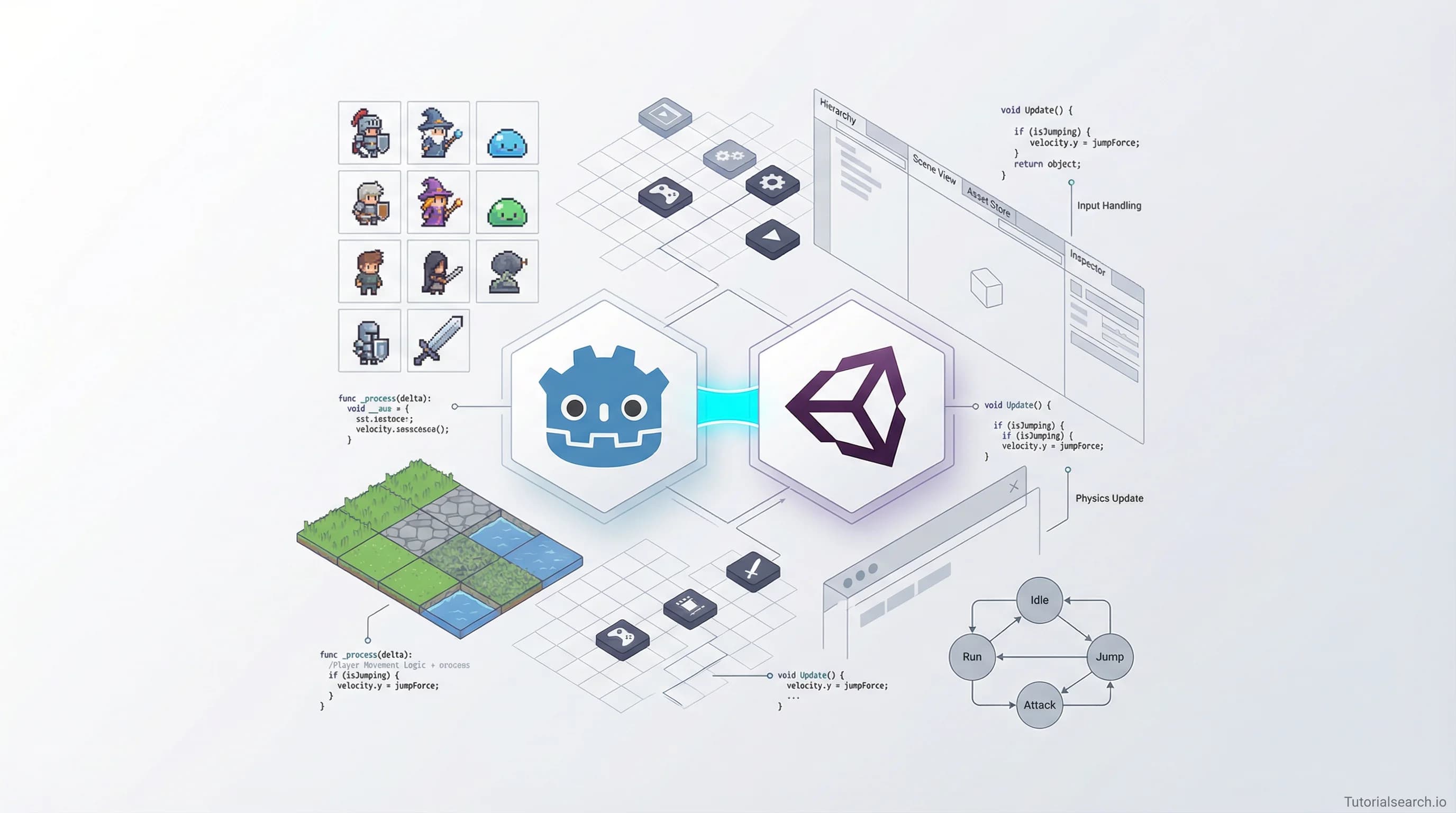
2D Game Dev Resources That Turn Beginners Into Builders
2D game development is where most indie developers start. Here are the best courses, free tutorials, GitHub repos, YouTube channels, and communities to help you ship your first game — with honest opinions on what actually works.
Hire the developers behind TutorialSearch.io
We built this site — full-stack web apps, AI integration & automation. Tell us what you need and we'll build yours.
2D game development makes up two-thirds of all indie games released on Steam — a number that surprises most people who assume the industry is all about high-poly 3D. We spend so much time discussing photorealistic graphics and AAA engines, yet most of the games people actually buy, play, and love are flat. Side-scrollers. Top-down shooters. Pixel platformers. The 2D game development world is enormous — and it's a genuinely smart place to start if you want to make games.
There are 527 courses on TutorialSearch.io covering 2D game dev alone. This guide cuts through that list to the ones worth your time — plus the free tutorials, YouTube channels, GitHub repos, books, and communities that fill in the gaps paid courses leave behind.
Key Takeaways
- 2D game development is where most indie developers start — and where many professionals stay permanently.
- Unity and Godot are the two best engines for learning 2D game dev in 2026.
- You don't need a computer science degree to ship a 2D game — structured courses give you everything you need.
- Free resources like the Godot official docs and Unity Learn are genuinely excellent starting points.
- Picking one engine and one course and finishing both beats switching between five options every month.
In This Article
- Getting Your Hands Dirty With 2D Game Dev
- 2D Game Dev Courses That Actually Ship You Forward
- Free 2D Game Dev Tutorials Worth Your Time
- 2D Game Dev YouTube Channels That Teach You Something
- Open-Source 2D Game Dev Repos Worth Bookmarking
- 2D Game Dev Books Worth Reading
- Related Skills Worth Exploring
- Where 2D Game Developers Actually Hang Out
- Frequently Asked Questions About 2D Game Dev
Getting Your Hands Dirty With 2D Game Dev
Most tutorials skip the most important decision: which engine to use. Your choice shapes everything — the community you'll learn from, the language you'll write, and the kinds of games you can make. Get this wrong and you'll waste weeks switching later.
Here's what actually matters when you're choosing:
| Engine | Language | Cost | Best for |
|---|---|---|---|
| Unity | C# | Free tier (proprietary license) | Largest job market, mobile games, bigger teams |
| Godot | GDScript or C# | Completely free (MIT license) | Indie games, open-source flexibility, no royalties |
| GameMaker | GML | Paid indie license | Fast prototyping, simple 2D games, less code |
| Pygame | Python | Free | Learning game logic if you already know Python |
Here's my honest take: if you're a complete beginner, start with Godot. The editor is lighter than Unity, GDScript is easier to pick up than C#, and you'll never hit a licensing wall. If you want to work at a game studio eventually, Unity's job market is still larger — but Godot is catching up faster than most people expected.
Everyone tells beginners to start with Unity. It's worth pushing back on that. Unity has a steeper initial learning curve, a heavier editor, and recent licensing controversies that spooked a lot of indie developers. Godot's node-based system is arguably more intuitive once you stop comparing it to Unity and just engage with it on its own terms.
If you're newer to game development as a concept entirely, the Game Development Basics courses cover the fundamentals — loops, collision, input handling — before you get deep into engine specifics. There are 364 courses covering those basics.
2D Game Dev Courses That Actually Ship You Forward
There are hundreds of 2D game dev courses online. Most teach you to copy a single tutorial project, then leave you stranded when you try to build anything on your own. The ones below do better than that — they teach you how to think like a developer, not just how to follow instructions.
Unity: If You're Going the Industry Route
Unity 2D Game Developer Course Farming RPG by Rob Ager (Udemy) [Editors' Choice]
This is my top Unity pick for 2D. You build a full farming RPG — not a toy project, but a real game with tile-based maps, inventory systems, dialogue, and save/load functionality. Over 11,000 students have taken it, and it holds a 4.63 rating across a very long course, which is impressive. What makes it stand out: Rob explains the architectural decisions behind each system. You learn why things work, not just how to copy them.
- Tile-based world building and collision
- Item pickup and inventory logic
- NPC dialogue and quest systems
- Save/load across scenes
COMPLETE 2D Game Development in Unity with Coding EXPLAINED by TheLostSun Studios (Udemy) [Editors' Choice]
Smaller enrollment (327 students) but one of the highest ratings on this list at 4.80. The "EXPLAINED" in the title is accurate — the coding concepts are broken down more carefully than you'll find in most Unity courses. If you've bounced off Unity tutorials before because the pace felt too fast, this one is worth trying.
Unity: 2D Game Development by Chris Tutorials (Udemy) — Free
47,500+ students. It's the most-enrolled 2D Unity course on the platform, and it's free. The rating (4.18) reflects that it's a good foundation without being exceptional. For a $0 entry point into Unity 2D, it covers physics, tilemaps, animation, and collision in enough depth to get you building.
Starting 2D Game Development in Unity with C# by Neil North (Udemy)
Nearly 10,000 students and a 4.24 rating. This works well if you have some C# background already and want a project-driven introduction to Unity's 2D-specific tools without going through 3D concepts first.
Master 2D Game Development: Create 4 Complete Games in Unity by Giorgi Luarsabishvili (Udemy)
Four complete projects, not one. One game teaches you one set of patterns. Four teaches you to adapt. At 4.70 rating, this is worth picking up once you've finished an introductory course and want to build varied experience quickly.
Godot: If You're Going the Indie Route
Learn 2D Game Development: Godot 4.3+ & C# from Scratch by Richard Allbert (Udemy) [Editors' Choice]
The highest-rated course on this entire list at 4.89. It uses C# with Godot 4, which is a smart combination — you get Godot's open-source ecosystem with a language closer to industry standards. If you're a programmer already comfortable with object-oriented code, this is the fastest path into Godot 2D development.
Unity 2D Game Development: Beginner Unity and C# in Unity 2020 by Kaupenjoe (Nico) (Skillshare) [Editors' Choice]
Also rated 4.89. Kaupenjoe built a strong reputation in the modding community for unusually clear technical explanations. If you already have a Skillshare subscription, this is the one to start with. The explanations don't assume you know anything, but they don't condescend either.
You can explore all 527 2D game dev courses on TutorialSearch.io — they cover everything from pixel art platformers to top-down shooters to JavaScript canvas games.
Free 2D Game Dev Tutorials Worth Your Time
Everyone recommends jumping straight to a paid course, but a few free resources are genuinely excellent — good enough that you could build your first complete game without spending anything.
Godot's Official "Your First 2D Game" Tutorial — The official Godot documentation builds a real working game from scratch, covering scenes, nodes, physics, and player input. For a docs tutorial, it's remarkably well-structured. Do this before buying anything Godot-related — you'll know within an hour whether the engine clicks for you.
Unity Learn: 2D Beginner Adventure Game — Unity's official free course walks you through their 2D tools with a proper adventure game project. Well-produced and free. If you want to try Unity before committing to a paid course, start here.
GDQuest's Free Godot Resources — GDQuest offers a mix of free and paid content, and their free Godot tutorials are noticeably higher quality than most YouTube game dev content. They also have Godot Tours — interactive walkthroughs that run directly inside the Godot editor. It's a genuinely novel way to learn.
GDevelop Academy Tutorials — If you want to make 2D games without any coding at all, GDevelop uses visual event-based logic. It's simpler than Unity or Godot, which means less power but a much lower barrier to your first game. The tutorials are solid.
GameMaker — GameMaker has a free tier with a large library of community tutorials. Older engine, but Undertale and Hotline Miami were made with it — the ceiling is higher than you might expect.
Khan Academy's Game Development Track — Khan Academy covers game programming using JavaScript and HTML5 Canvas. It's not engine-specific, but it teaches the fundamental logic of how games work at a code level. Great if you want to understand what engines are actually doing under the hood before you use one.
If you're curious about which game engines beyond Unity and Godot are worth exploring, the browse page covers 415 courses across all major platforms.
2D Game Dev YouTube Channels That Teach You Something
Hire the developers behind TutorialSearch.io
We built this site — full-stack web apps, AI integration & automation. Tell us what you need and we'll build yours.
YouTube has an overabundance of "I made a game in 10 minutes" videos. Most of them aren't teaching you how to think — they're teaching you how to follow. Here are the channels that do better.
Brackeys — Still the gold standard for Unity tutorials, even though the channel went on hiatus. The archived Unity 2D content covers almost everything a beginner needs. The beginner game dev series helped hundreds of thousands of developers finish their first project.
GDQuest — Professional-grade Godot tutorials aimed at intermediate learners, but with enough beginner content to be worth bookmarking early. The production quality is noticeably higher than average, and the explanations focus on reusable patterns rather than one-off solutions.
Godot Tutorials (GodotTutorials.com) — A focused channel and site specifically for Godot. If you pick Godot as your engine, this is one of the best supplementary resources alongside your main course.
Chris' Tutorials — The same instructor behind the highest-enrollment free Unity course on Udemy. Similar coverage on his YouTube channel.
One honest warning about YouTube and game dev: don't let it become your primary learning method. It's excellent for seeing a concept demonstrated quickly. But the lack of structure means most people watch hours of content without building anything they can point to. Use it to supplement a course — not replace one.
Open-Source 2D Game Dev Repos Worth Bookmarking
GitHub is underused by new game developers. These repos are worth starring early, before you think you need them.
godotengine/godot — Godot's entire engine is open source under the MIT license. You don't need to read the source code as a beginner, but knowing the codebase is public matters: the Godot team can't make licensing decisions that hurt you, because the community can always fork it. That's a real advantage over proprietary engines.
dawdle-deer/awesome-learn-gamedev — A curated collection of game dev learning resources focused on developing problem-solving skills rather than listing tutorials. Good for self-directed learners who want to think like a developer, not just follow instructions.
Kavex/GameDev-Resources — A comprehensive list of game dev resources across engines, art tools, audio, and tutorials. Well-organized and updated regularly. Better for browsing than the average "awesome list."
Calinou/awesome-gamedev — Focused specifically on free and open-source game development software. If you want to build your entire pipeline without paid tools — engine, art, audio, deployment — this list covers it all.
If you want to understand the game systems that make 2D games work at a deeper level — collision detection algorithms, state machines, pathfinding, entity-component patterns — the browse page has 323 courses covering those fundamentals.
2D Game Dev Books Worth Reading
Most people skip books and go straight to video tutorials. That's usually a mistake. Books explain the why behind design decisions in ways that 20-minute videos rarely have time for.
2D Game Development: From Zero To Hero — This is completely free to download and one of the most comprehensive references for 2D game dev fundamentals available anywhere. It covers collision detection algorithms, entity-component systems, procedural generation, and more. Available in a Python edition and a C++ edition. If you want to understand what's happening under the hood of your game engine — not just how to use it — this book is essential reading.
Game Programming Patterns — Free to read online. This book isn't about any specific engine. It teaches patterns that show up in every game regardless of tool: observer, state, flyweight, component, command. Reading it once will make Unity and Godot tutorials start making much more sense. The author explains each pattern through a game development example, which makes abstract CS concepts concrete.
Learn 2D Game Development with C# (O'Reilly) — A more traditional textbook approach. Each chapter builds on a working game, and you finish the book with a complete playable project. Better suited for learners who prefer reading over video and want a structured, linear path.
Unity in Action by Joe Hocking — Not strictly 2D-focused, but comprehensive enough that the 2D coverage is thorough. The hands-on examples are better than most online tutorials, and the explanations of the Unity lifecycle (Awake, Start, Update, FixedUpdate) are among the clearest I've encountered.
Related Skills Worth Exploring
2D game development sits at the intersection of several skills. Once you have a game running, you'll naturally start wanting to go deeper in specific areas.
Unity C# — 433 courses covering C# specifically in the context of Unity. Once you're past beginner level, C# depth becomes the real bottleneck — Unity's API is only as useful as your ability to use it well.
Game Engines — 415 courses. If you want to explore beyond Unity and Godot, this page covers Construct, GameMaker, and engine-agnostic concepts.
Game Systems Design — 323 courses on the underlying systems that make games feel good: physics, AI, inventory management, dialogue, state machines.
General Game Development — 120 courses on broad principles that apply across 2D and 3D: project scoping, game feel, balancing, prototyping.
Game Creation — 100 courses focused on the full cycle: design, build, test, and ship. Finishing and shipping is a skill on its own.
Multiplayer Games — 84 courses. Adding multiplayer to a 2D game is a natural next challenge once you've shipped your first solo project. Networking is one of the harder skills in game dev — worth treating as a separate learning track.
Unreal Engine — 121 courses. Unreal is primarily a 3D engine, but it's worth knowing about if your interests extend in that direction eventually.
Where 2D Game Developers Actually Hang Out
Community matters more in game development than in almost any other technical skill. Games are long projects. You'll hit walls. Having people to ask questions to makes the difference between quitting and finishing.
r/gamedev — The largest game dev subreddit. Post-mortems, feedback threads, job postings, and discussions about craft. The "Screenshot Saturday" thread is particularly useful — post your work in progress and get honest, constructive responses from developers at every level.
r/godot — Engine-specific, active, and genuinely friendly toward beginners. If you pick Godot, this should be your first stop for questions.
Game Dev Network Discord — Over 38,000 members covering all engines and skill levels. Dedicated channels for 2D development, art, audio, and project feedback.
Official Unity Discord — Staffed by Unity team members with verified community experts. Strong for getting unstuck on Unity-specific problems quickly, especially for beginner questions that feel too basic for forums.
Official Godot Discord — Active open-source community. Particularly helpful for questions about Godot's node system, GDScript syntax, and transitioning from other engines.
Itch.io Game Jams — Not a community in the traditional sense, but game jams on itch.io run year-round and are one of the best ways to actually finish and ship a 2D game. The deadline forces completion in a way that open-ended personal projects rarely do. Shipping something small — even if it's rough — teaches you more than any tutorial can.
Frequently Asked Questions About 2D Game Dev
How long does it take to learn 2D game development?
Most people build their first simple 2D game within 4–8 weeks of consistent learning. Getting good enough to ship something polished takes 6–12 months. These timelines assume you're working on actual projects — not just watching tutorials. The gap between "finishing a course" and "building your own game" is where most beginners get stuck, and it's worth planning for it upfront.
Do I need to know how to code to start 2D game development?
No, but you'll hit a ceiling faster without it. Tools like GDevelop and GameMaker let you make simple 2D games using visual logic instead of code. For anything more complex — custom mechanics, performance optimization, multiplayer — learning C# (for Unity) or GDScript (for Godot) is worth the investment early. Most of the 2D game dev courses available on TutorialSearch.io teach programming alongside the engine, so you don't need prior coding experience to start.
Which is better for 2D game development: Unity or Godot?
Both are excellent. Unity has a larger job market, more third-party assets, and longer documentation. Godot is lighter, fully open-source, free forever with no royalties, and has a faster-growing community. If you want to work in the game industry at a studio, Unity is the safer bet. If you want to make and ship indie games independently, Godot is hard to beat. Neither is wrong — pick one and stick with it for at least six months before deciding it's the wrong tool.
Can I get a job as a 2D game developer?
Yes. Job titles vary — "gameplay programmer," "game developer," and "technical designer" are all common. Mobile game studios, smaller indie teams, and educational game companies specifically need 2D skills. The most direct route to employment is a portfolio of finished, playable games you can point people to. Two or three polished completed games beat a resume full of course certificates.
What are the best free tools for 2D game development?
Godot is the best free game engine for 2D development. For art, Aseprite has a free web version (or you can compile the open-source version). GIMP handles more complex image editing. For audio, Audacity handles recording and editing, and BFXR generates retro game sound effects. For music, LMMS is a free DAW. You can build a complete 2D game development pipeline without spending anything, which makes the Game Creation courses even more accessible as a starting point.
The clearest path into 2D game development is simple: pick one engine, take one structured course all the way through without jumping to another, then build one small project entirely on your own. The resources on this page give you everything for the first two steps.
The third step — building something of your own — is the one most people avoid because it's uncomfortable. You won't know exactly what to do. That discomfort is the learning. Push through it, ship the game no matter how rough, and you'll know more about 2D game development after that one project than any course could teach you.